1. Производот завршиview
The GMBACK Wireless Switch 2 Pro Controller is a versatile gaming controller designed for a wide range of platforms, including Nintendo Switch 2/Switch/Lite/OLED, Apple devices (iPhone, iPad, Mac, TV, Apple Arcade MFi Games), Android devices (phone, tablet, Android TV, TV boxes), PC/Laptop (Windows 7/8/9/10/11), and Steam. It features advanced functionalities such as programmable buttons, 6-axis gyro motion control, adjustable vibration, turbo modes, and customizable RGB lighting to enhance your gaming experience.

Слика: напред view of the GMBACK Wireless Switch 2 Pro Controller, showcasing its ergonomic design and illuminated joysticks.
2. Содржина на пакетот
Ве молиме проверете ја содржината на пакувањето по отпакувањето за да се осигурате дека сите артикли се присутни:
- GMBACK Wireless Switch 2 Pro Controller
- USB кабел за полнење
- Упатство за употреба (Овој документ)
3. Поставување и поврзување
3.1 Широка компатибилност
The controller supports a broad range of devices. Ensure your device's Bluetooth is enabled before attempting to pair.
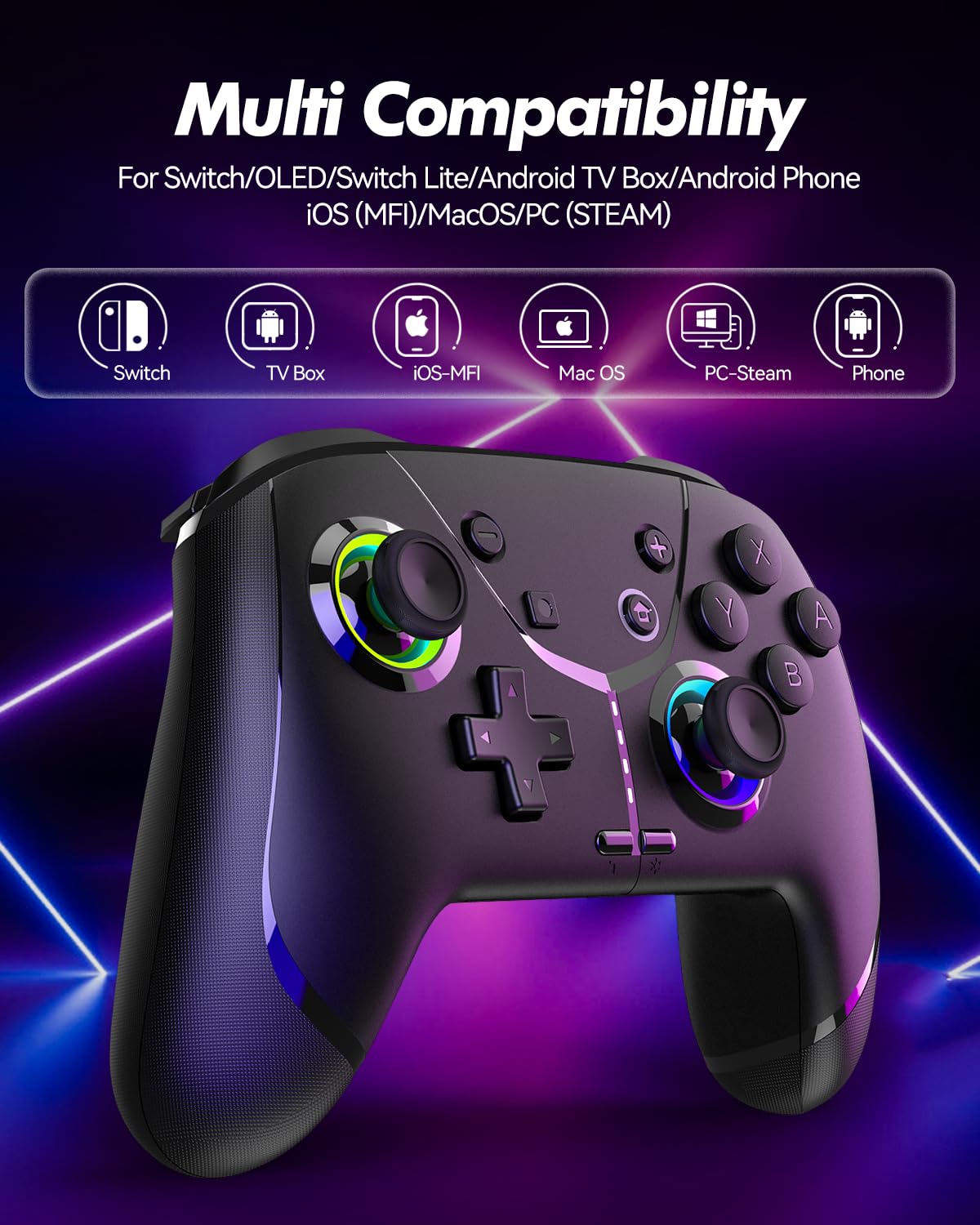
Image: Diagram illustrating the controller's compatibility with Nintendo Switch, TV Box, iOS-MFi, Mac OS, PC-Steam, and Phone devices.
3.2 Bluetooth конекција
To pair the controller via Bluetooth:
- Осигурајте се дека контролерот е доволно наполнет.
- Вклучете го контролерот со притискање на копчето Home.
- Activate Bluetooth pairing mode on the controller (refer to specific device pairing instructions below).
- On your device (Switch, phone, PC), go to Bluetooth settings and search for new devices.
- Select "Pro Controller" or similar from the list to connect.
- Once connected, the indicator lights on the controller will stabilize.
3.3 iredична врска
For PC or other compatible devices, you can connect the controller directly using the provided USB cable. This will typically allow for plug-and-play functionality without requiring Bluetooth pairing.
4. Упатства за работа
4.1 Programmable Buttons (AR/AL)
The controller features two programmable buttons (AR and AL) on the back. These can be mapped to single buttons or record a sequence of up to 30 seconds of gaming operations.
- Mapping Single Buttons: Press the Program button, then the button you wish to map (e.g., A, B, X, Y, L, R, ZL, ZR, Left Joystick, Right Joystick, D-pad, +,-), then press AR or AL.
- Макроа за снимање: Press the Program button, then perform the sequence of actions you wish to record. Press AR or AL again to save the macro.

Слика: Крупен план view of the controller's underside, highlighting the AR and AL programmable buttons and their mapping capabilities.
4.2 Motion Controls (6-Axis Gyro Sensor)
The built-in 6-axis gyro sensor allows for precise motion control in compatible games on Switch, mobile phones, PC, and TV. This feature enables intuitive aiming and movement based on the controller's orientation.

Image: Illustration of the 6-axis gyro sensor functionality, showing a user holding the controller with motion lines indicating active control in a racing game.
4.3 Прилагодлива вибрација
The asymmetric dual motors provide four adjustable vibration intensities (100%, 70%, 50%, 0%) for an immersive gaming experience. Adjust the vibration level to your preference through the controller's settings or specific button combinations (refer to the quick start guide for details).

Image: Visual representation of the dual vibration feature with intensity levels (None, Weak, Medium, Strong) and the auto/manual turbo function.
4.4 Turbo Modes
The controller offers both auto and manual turbo modes with three adjustable speeds (5, 10, or 15 shots per second). This feature allows for rapid, continuous input of a button press, useful in fast-paced games.
- Рачно турбо: Press the Turbo button and the desired action button simultaneously.
- Авто турбо: Press the Turbo button and the action button twice.
- Прилагодување на брзината: While in Turbo mode, press the Turbo button and move the right joystick up or down to cycle through speeds.
4.5 ABXY Function Switching
Easily switch between Nintendo Switch (A/B/X/Y) and Xbox (Y/X/B/A) button layouts without physically removing buttons. This ensures compatibility and comfort across different gaming platforms.

Image: Depiction of the ABXY button layout switching feature, showing the buttons rotating to indicate the change between Nintendo and Xbox configurations.
4.6 Wake-Up Function and RGB Light
The controller supports a wake-up function for connected devices (e.g., Nintendo Switch). It also features cool RGB lighting around the joysticks, which can be customized or turned off to suit your preference.

Image: The controller with illuminated RGB lights around the joysticks, indicating the "Wake Up & Cool LED Light" feature.
4.7 Функција за слика од екранот
A dedicated screenshot button allows you to capture in-game moments instantly on compatible platforms.
5. Полнење и траење на батеријата
The controller is equipped with a built-in 800 mAh rechargeable battery, providing approximately 15-20 hours of gameplay on a full charge. Charging time is typically around 3 hours.
- Connect the controller to a USB power source (e.g., console, PC, USB wall adapter) using the provided USB charging cable.
- The indicator lights will show charging status and turn off or change color when fully charged.

Image: Illustration highlighting the controller's ergonomic design and battery specifications: 800mAh Lithium Battery, 3H Charging Time, and 15-20H Playing Time.
6. Одржување
To ensure the longevity and optimal performance of your GMBACK Wireless Switch 2 Pro Controller:
- Одржувајте го контролерот чист со бришење со мека, сува крпа. Избегнувајте употреба на груби хемикалии или абразивни материјали.
- Чувајте го контролерот на ладно и суво место, подалеку од директна сончева светлина и екстремни температури.
- Избегнувајте испуштање на контролерот или негово изложување на силни удари.
- Не обидувајте се да го расклопите или модифицирате контролерот, бидејќи тоа ќе ја поништи гаранцијата.
- Полнете го контролерот редовно, дури и ако не е во честа употреба, за да ја одржите состојбата на батеријата.
7 Смена на проблеми
| Проблем | Можна причина | Решение |
|---|---|---|
| Контролерот не се вклучува. | Слаба батерија. | Полнете го контролерот најмалку 3 часа. |
| Не може да се спари преку Bluetooth. | Controller not in pairing mode; Bluetooth interference; device Bluetooth off. | Ensure controller is in pairing mode. Turn off and on device Bluetooth. Move closer to the device. Try wired connection. |
| Доцнење или прекин на влезот. | Low battery; too far from device; wireless interference. | Charge controller. Move closer to device. Reduce other wireless device interference. |
| Buttons/Joysticks unresponsive. | Софтверски проблем; физичко оштетување. | Restart the controller and the connected device. If problem persists, contact customer support. |
| Вибрациите не работат. | Vibration intensity set to 0%; game does not support vibration. | Adjust vibration intensity. Check game settings. |
8. Спецификации
- Модел: 6-Axis Gyro Sensor
- Поврзување: Bluetooth
- Компатибилност: Nintendo Switch 2/Switch/Lite/OLED, Apple (iPhone, iPad, Mac, TV, MFi Games), Android (phone, tablet, TV), PC (Windows 7/8/9/10/11), Steam
- Батерија: Литиумска батерија од 800 mAh
- Време на полнење: Прибл. 3 часа
- Време на играње: 15-20 часа
- Карактеристики: Programmable Buttons, 6-Axis Gyro, Adjustable Vibration, Turbo Modes, ABXY Function Switching, Wake-up, RGB Light, Screenshot
- Тежина на ставката: 11.3 унци
- Димензии на пакетот: 6.61 x 5.2 x 2.76 инчи
- Производител: GMBACK
9. Гаранција и поддршка
GMBACK is committed to providing high-quality products and excellent customer service. For any issues or inquiries regarding your controller, please refer to the following:
- Информации за гаранцијата: Please retain your proof of purchase for warranty claims. Specific warranty terms may vary; refer to the product packaging or contact GMBACK customer support for details.
- Поддршка за корисници: For technical assistance, troubleshooting, or warranty service, please contact GMBACK customer support through the retailer where you purchased the product or visit the official GMBACK store on Amazon: GMBACK Store.
- Онлајн кориснички прирачник: A PDF version of the user manual may be available for download at https://manuals.plus/m/56f01544f3b9d5425429644adc4053f7681b5d3717aa40f944cdb0f9bfccf36b.