1. Вовед
Thank you for choosing the COMPUTHERM Q20RF Wireless Programmable Room Thermostat. This device is designed to provide precise and efficient control over your heating and air conditioning systems. It features daily independent programming, temporary manual modes, and a clear backlit display for optimal comfort and energy savings. Please read this manual carefully before installation and operation to ensure proper use and to maximize the benefits of your new thermostat.
2. Информации за безбедност
- Електрична безбедност: Installation and wiring should only be performed by a qualified electrician or service technician. Ensure the main power supply to the heating/cooling system is turned off before any wiring work.
- Ракување со батерии: The thermostat unit requires 2 AA batteries. Do not mix old and new batteries, or different types of batteries. Dispose of used batteries responsibly according to local regulations.
- Поставување: Install the thermostat in a location away from direct sunlight, drafts, or heat sources that could affect temperature readings.
- Чистење: Користете мека, сува крпа за чистење. Не користете абразивни средства за чистење или растворувачи.
- Деца: Keep the device out of reach of children to prevent accidental tampеренг.
3. Содржина на пакетот
Проверете дали сите компоненти се присутни во пакувањето:
- COMPUTHERM Q20RF Thermostat Unit (Transmitter)
- COMPUTHERM Q20RF Receiver Unit
- Mounting Support / Stand for Thermostat Unit
- Connection Cables/Wires
- Упатство за употреба (овој документ)
- 2 AA Batteries (may be included or sold separately)
4. Поставување и инсталација
4.1. Thermostat Unit (Transmitter)
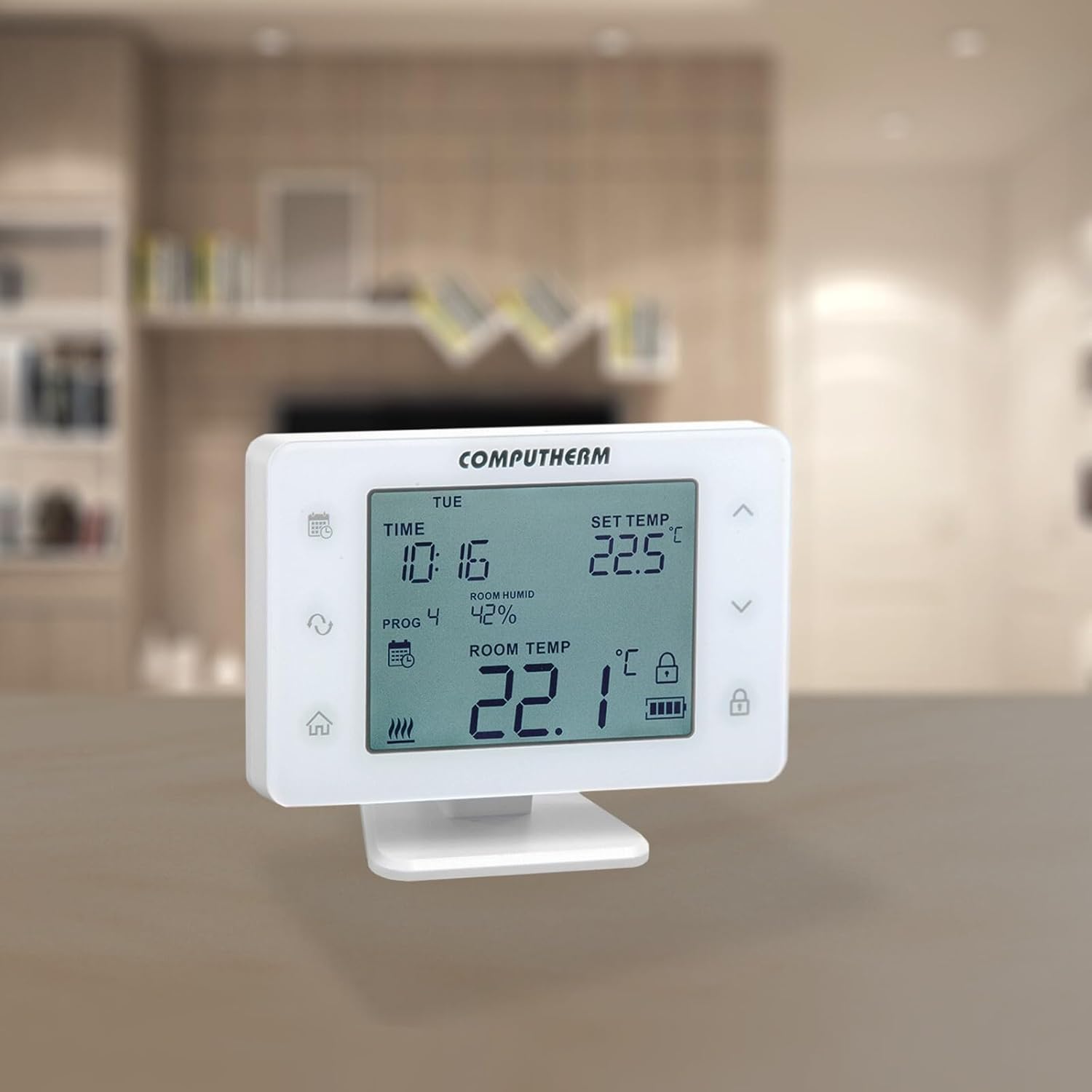
The thermostat unit is portable and can be placed on its mounting stand in any room where you want to measure and control the temperature. It requires 2 AA batteries for operation.
- Вметнете батерии: Open the battery compartment on the back of the thermostat unit and insert 2 AA batteries, observing the correct polarity.
- Поставување: Place the thermostat unit on its stand in a central location in the room, away from direct heat sources, drafts, or direct sunlight.

4.2. Инсталација на приемната единица
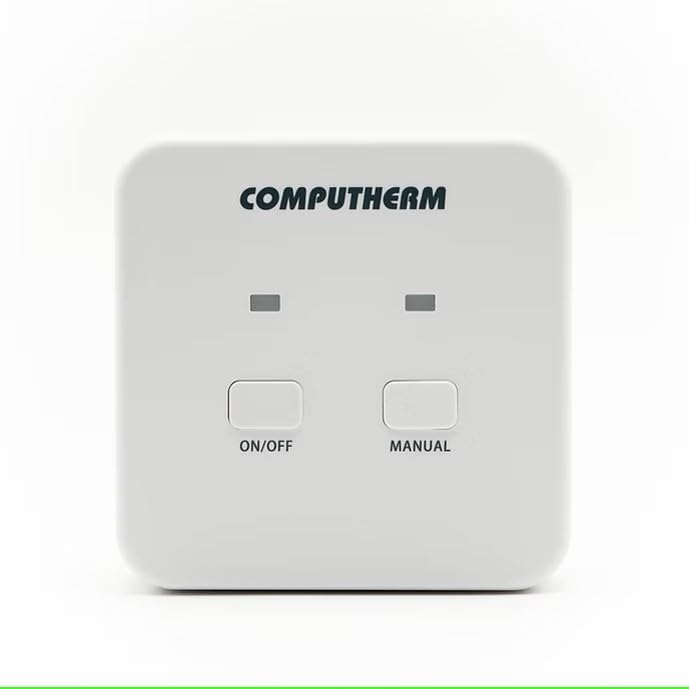
The receiver unit connects directly to your heating or cooling system. This installation should be performed by a qualified professional.
- Исклучено: Ensure the main power supply to your heating/cooling system is completely turned off before proceeding.
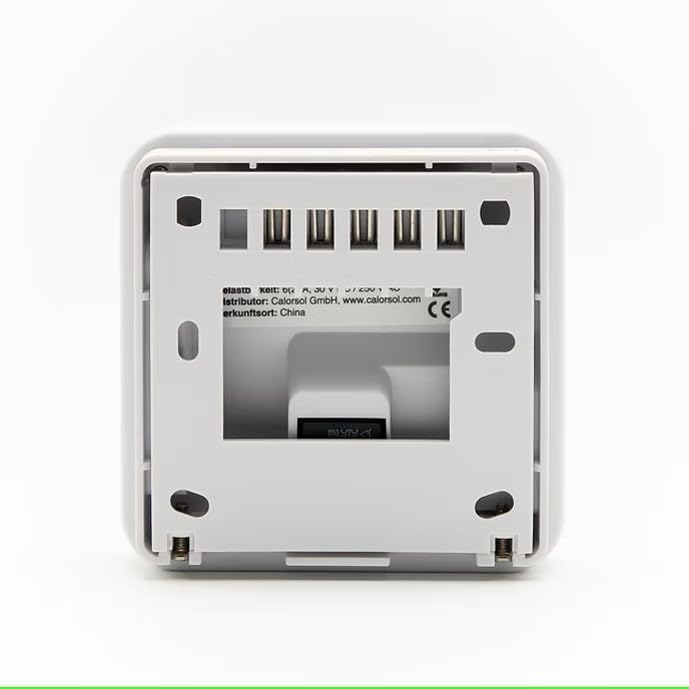
- Монтирање: Mount the receiver unit in a suitable location near your heating/cooling system, ensuring good signal reception from the thermostat unit.
- Жици: Connect the receiver unit to your heating/cooling system using the provided connection cables according to the wiring diagram specific to your system. Refer to the detailed wiring instructions provided with your heating/cooling appliance or consult a professional. The receiver unit operates on 230 Volts.
- Вклучување: Once wiring is complete and secure, restore power to your heating/cooling system.
4.3. Pairing (Wireless Connection)
The thermostat unit and receiver unit are typically pre-paired at the factory. If they are not communicating, follow the pairing instructions in the full manual or contact support.
5. Упатства за работа
5.1. Екран и копчиња
The large display shows current time, set temperature, room humidity, and room temperature. The display features a backlight with adjustable brightness. Buttons activate an acoustic signal when touched.
5.2. Работни режими
The thermostat allows easy switching between various modes:
- Режим на греење: Го активира системот за греење кога температурата во просторијата ќе падне под зададената температура.
- Режим на ладење: Го активира системот за ладење кога температурата во просторијата ќе се искачи над зададената температура.
- Режим на навлажнување: Controls a humidifier to increase room humidity.
- Режим на одвлажнување: Controls a dehumidifier to reduce room humidity.
The thermostat also features a humidity limit for cooling. This function allows you to set a humidity level above which the thermostat will stop cooling to prevent condensation.
5.3. Programming Daily Schedules
You can create independent daily programs for each day of the week. For each day, in addition to a fixed switching time, 10 freely adjustable switching times can be set. A different temperature and humidity can be assigned to each switching time.
- Access the programming menu (refer to the full manual for specific button sequences).
- Изберете го денот од неделата што сакате да го програмирате.
- Set up to 10 switching times and their corresponding desired temperature and humidity levels.
- Repeat for other days as needed.
5.4. Manual Modes
- Привремен рачен режим: Allows you to override the current program setting for a specified duration (1 to 99 hours or 1 to 99 days) until the next programmed switching time.
- Постојан рачен режим: Maintains a constant temperature setting, overriding all programmed schedules until manually changed.
5.5. Напредни поставки
- Selectable Switching Sensitivity: Adjust the temperature differential before the system activates (e.g., 0.1°C, 0.2°C).
- Temperature and Humidity Sensor Calibration: Allows for fine-tuning the sensor readings if they appear inaccurate.
- Pump Protection Function: Periodically activates the pump to prevent seizing during long periods of inactivity.

6. Одржување
6.1. Замена на батеријата
The thermostat unit will indicate low battery power on its display. Replace the 2 AA batteries promptly to ensure continuous operation. Always use new, high-quality alkaline batteries.
6.2. Чистење
Wipe the thermostat and receiver units with a soft, dry, or slightly damp cloth. Do not use chemical cleaners, abrasives, or solvents, as these can damage the plastic casing и електронски компоненти.
7 Смена на проблеми
If you encounter issues with your COMPUTHERM Q20RF thermostat, try the following steps:
- No Display / Unit Not Responding: Check if the batteries in the thermostat unit are correctly inserted and have sufficient charge. Replace them if necessary.
- Греењето/ладењето не се активира:
- Ensure the receiver unit has power.
- Verify the thermostat is in the correct operating mode (Heating/Cooling).
- Check the set temperature; it must be above (for heating) or below (for cooling) the current room temperature to trigger the system.
- Confirm the thermostat and receiver units are paired and within wireless range.
- Неточно отчитување на температурата: Consider calibrating the temperature sensor through the advanced settings menu. Ensure the thermostat is not exposed to drafts, direct sunlight, or other heat sources.
- Проблеми со програмирање: Review the programming steps in the manual. Ensure the current time and day are set correctly.
Доколку проблемите продолжат откако ќе се обидете со овие решенија, контактирајте ја службата за корисници.
8. Спецификации
| Бренд | КОМПЈУТЕРКА |
| Број на модел | Q20RF |
| Боја | Бело |
| Димензии на производот (Д x Ш x В) | 225 x 5 x 14 cm (Thermostat unit); 351 grams |
| Voltage (Приемник) | 230 волти |
| Извор на енергија (приемник) | Електричен кабел |
| Batteries (Thermostat) | Потребни се 2 АА батерии |
| Технологија за поврзување | Безжичен (RF) |
| Тип на контрола | Програмабилна |
| Тип на контрола на температурата | Греење, ладење |
| Специјална карактеристика | Прилагодлив |
| Специфична употреба на производот | Electric or gas heating or cooling |
| Производител | Quantrax LTD |
9. Гаранција
COMPUTHERM products are designed for reliability and user-friendliness. This product is covered by a manufacturer's warranty against defects in materials and workmanship under normal use. The specific terms and duration of the warranty may vary by region. Please retain your proof of purchase for warranty claims.
Information regarding the availability of spare parts is not provided. For detailed warranty information, please refer to the documentation included with your purchase or contact the manufacturer directly.
10. Поддршка за корисници
For further assistance, technical support, or warranty inquiries, please contact the manufacturer:
- Производител: Quantrax LTD
- Webсајт: Please visit the official COMPUTHERM webстраница за контакт информации и дополнителни ресурси.
- Дистрибутер: CalorSol GmbH (for specific regions, check your purchase details)
When contacting support, please have your product model number (Q20RF) and proof of purchase readily available.


