1. Вовед
Thank you for choosing the PELONIS Bladeless Tower Fan. This manual provides important information for the safe operation, maintenance, and troubleshooting of your new fan. Please read it thoroughly before use and retain it for future reference.

Image: The PELONIS Bladeless Tower Fan demonstrating its powerful airflow.
2. Важни безбедносни инструкции
Секогаш следете ги основните безбедносни мерки на претпазливост при употреба на електрични апарати за да го намалите ризикот од пожар, електричен удар и повреди на лица.
- Прочитајте ги сите упатства пред да го користите овој вентилатор.
- Ensure the power source matches the fan's requirements.
- Не ракувајте со ниту еден вентилатор со оштетен кабел или приклучок.
- Keep the fan away from water or wet surfaces.
- Не вметнувајте прсти или туѓи предмети во никакви отвори.
- Исклучете го вентилаторот од штекер кога не го користите или пред чистење.
- Овој апарат е само за внатрешна употреба.
- Keep out of reach of children and pets. The bladeless design enhances safety.
3. Поставување
The PELONIS Bladeless Tower Fan requires minimal assembly.
- Внимателно извадете го вентилаторот и сите материјали за пакување од кутијата.
- Поставете го вентилаторот на цврста, рамна површина.
- Проверете дали кабелот за напојување не е приклештен или оштетен.
- Приклучете го вентилаторот во стандарден штекер.
- For smart features, download the PELONIS app from your smartphone's app store and follow the in-app instructions to connect your fan to your Wi-Fi network.
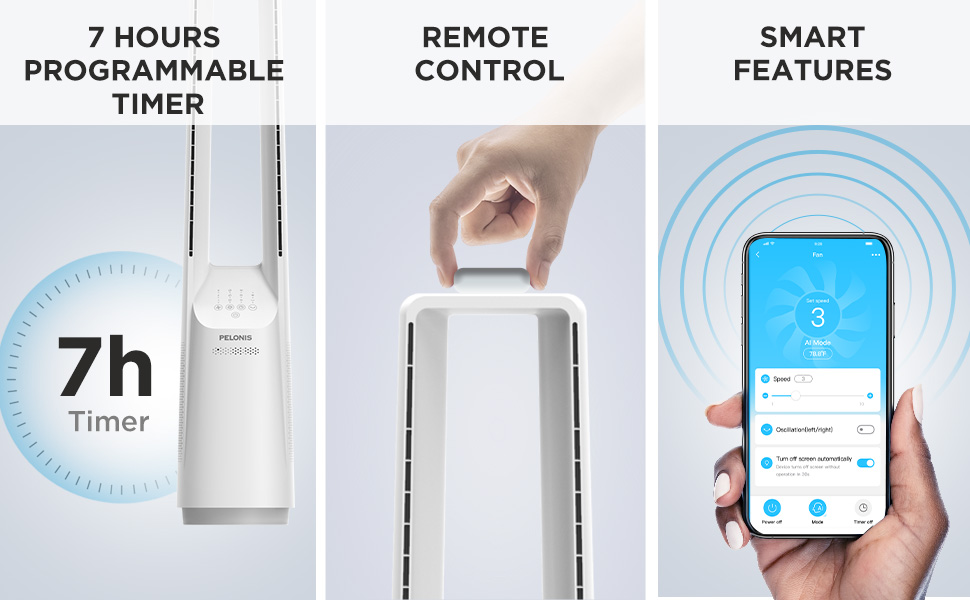
Image: The fan can be controlled via remote or a smartphone app, enabling smart features.
4. Упатства за работа
Your PELONIS Bladeless Tower Fan offers multiple ways to customize your cooling experience.
Контролен панел и далечински управувач

Слика: Детална view of the fan's intuitive control panel, showing buttons for speed, modes, timer, and oscillation.
- Копче за вклучување: Притиснете за да го ВКЛУЧИТЕ или ИСКЛУЧИТЕ вентилаторот.
- Speed Settings (6-Speed): Adjust the fan speed from 1 (lowest) to 6 (highest) for personalized airflow.
- Wind Modes (4 Modes): Cycle through different wind modes:
- Нормално: Константен проток на воздух со избраната брзина.
- Природно: Simulates a natural breeze with varying speeds.
- Спиј: Постепено ја намалува брзината на вентилаторот за тивка работа за време на спиење.
- AI Mode (Sensi Cool Technology): Automatically adjusts fan speed based on ambient room temperature.
- Oscillation (120°): Press to activate or deactivate the 120-degree oscillation function, distributing air across a wider area.
- Timer (7-Hour): Set the fan to automatically turn off after a specified period (1, 2, 4, or 7 hours).
Smart Control (Wi-Fi and Voice Control)
This fan is compatible with Alexa and Google Assistant for convenient voice control. After connecting the fan to your Wi-Fi network via the PELONIS app, you can use voice commands such as:
- "Alexa, turn on the fan."
- "Hey Google, set the fan speed to 3."
- "Alexa, turn off oscillation on the fan."
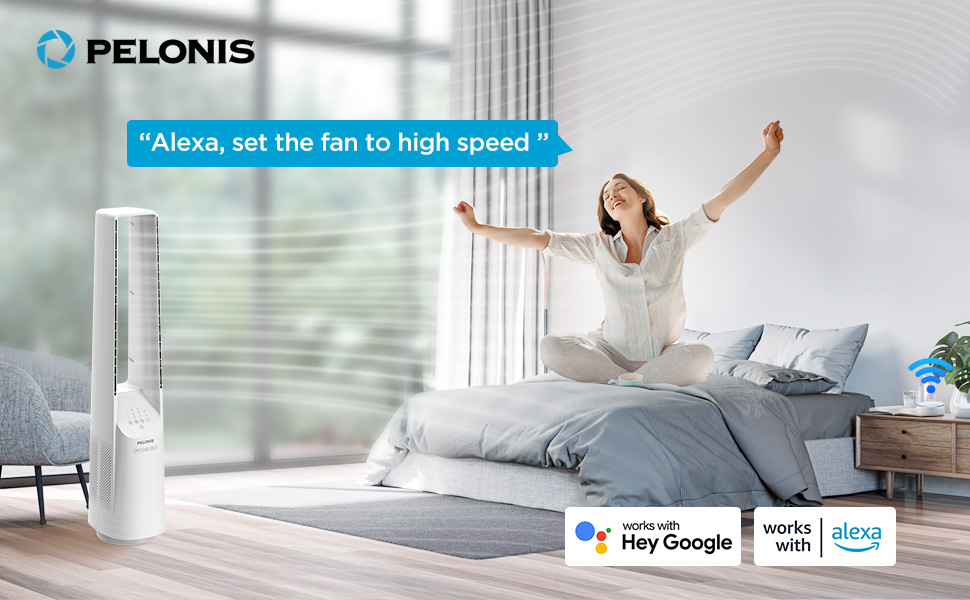
Image: The fan integrates seamlessly with smart home systems like Alexa and Google Assistant for voice-activated control.
Видео: Производ надview demonstrating the features and operation of the PELONIS Bladeless Tower Fan.
5. Одржување и чистење
Regular cleaning will help maintain your fan's performance and extend its lifespan. Always unplug the fan before cleaning.
- Надворешно чистење: Користете мека, гamp cloth (towel) to wipe the exterior surfaces of the fan. Do not use abrasive cleaners or solvents.
- Влез/излез на воздух: Use a vacuum cleaner with a brush attachment to gently remove dust from the air inlet and outlet grilles. The bladeless design makes cleaning easier compared to traditional fans.
- Не потопувајте го вентилаторот во вода и не дозволувајте вода да капе во куќиштето на моторот.
- Чувајте го вентилаторот на ладно и суво место кога не го користите.
6 Смена на проблеми
| Проблем | Можна причина | Решение |
|---|---|---|
| Вентилаторот не се вклучува. | Не е вклучен во штекер; штекерот не работи; копчето за вклучување не е притиснато. | Ensure fan is securely plugged into a working outlet. Press the power button. |
| Слаб проток на воздух. | Low speed setting; air inlets/outlets blocked by dust. | Increase fan speed. Clean air inlets and outlets as per maintenance instructions. |
| Вентилаторот неочекувано запира. | Timer activated; safety auto-off feature (after 10-15 hours of no commands). | Check timer settings. This is a built-in safety feature to prevent overheating. Turn the fan back on if desired. |
| Smart features not working. | Fan not connected to Wi-Fi; incorrect app setup; Wi-Fi signal issues. | Ensure fan is connected to your home Wi-Fi via the PELONIS app. Check Wi-Fi signal strength. Refer to app instructions for troubleshooting connectivity. |
| Невообичаена бучава. | Fan not on a level surface; internal obstruction. | Place fan on a stable, flat surface. If noise persists, contact customer support. |
7. Спецификации
- Модел: PBF15T4AWW
- Бренд: ПЕЛОНИС
- Димензии (Д x Ш x В): 8.07" x 9.76" x 39.76"
- Тежина: 3.46 фунти
- Ниво на бучава: 32 dB (минимум)
- Опсег на проток на воздух: 26-33 стапки
- Поставки за брзина: 6
- Режими на ветер: 4 (Normal, Natural, Sleep, AI Mode)
- Осцилација: 120°
- Тајмер: 7-часовна програмабилност
- Контролен метод: Touch Panel, Remote Control, Voice (Alexa/Google), App
- Извор на енергија: DC
- Материјал на сечилото: Plastic (Bladeless Design)
- Сертификати: UL
8. Гаранција и поддршка
PELONIS provides a 1-годишна гаранција од производителот со купувањето на овој производ. Оваа гаранција ги покрива дефектите во материјалите и изработката при нормална употреба.
For warranty claims, technical support, or any questions regarding your PELONIS Bladeless Tower Fan, please contact PELONIS Customer Service. Please have your model number (PBF15T4AWW) and proof of purchase ready.
You can also refer to the official PELONIS website for additional support resources and FAQs: Visit the PELONIS Store on Amazon


