Вовед
Thank you for choosing the A4 TECH 2DRUMTEK B25 True Wireless Earbuds. These earbuds feature advanced Bluetooth 5.2 technology for stable connectivity, Hybrid Active Noise Cancelling for an immersive audio experience, and an IPX4 rating for water and dust resistance, making them suitable for active lifestyles. The M.O.C.I (Mycelium of Carbon IT) hybrid diaphragm ensures clear highs, balanced mids, and deep bass. This manual provides detailed instructions for setup, operation, maintenance, and troubleshooting to help you get the most out of your device.
Содржина на пакетот
- 2DRUMTEK B25 True Wireless Earbuds (Left and Right)
- Случај за полнење
- Кабел за полнење
- Упатство за употреба
Производот завршиview
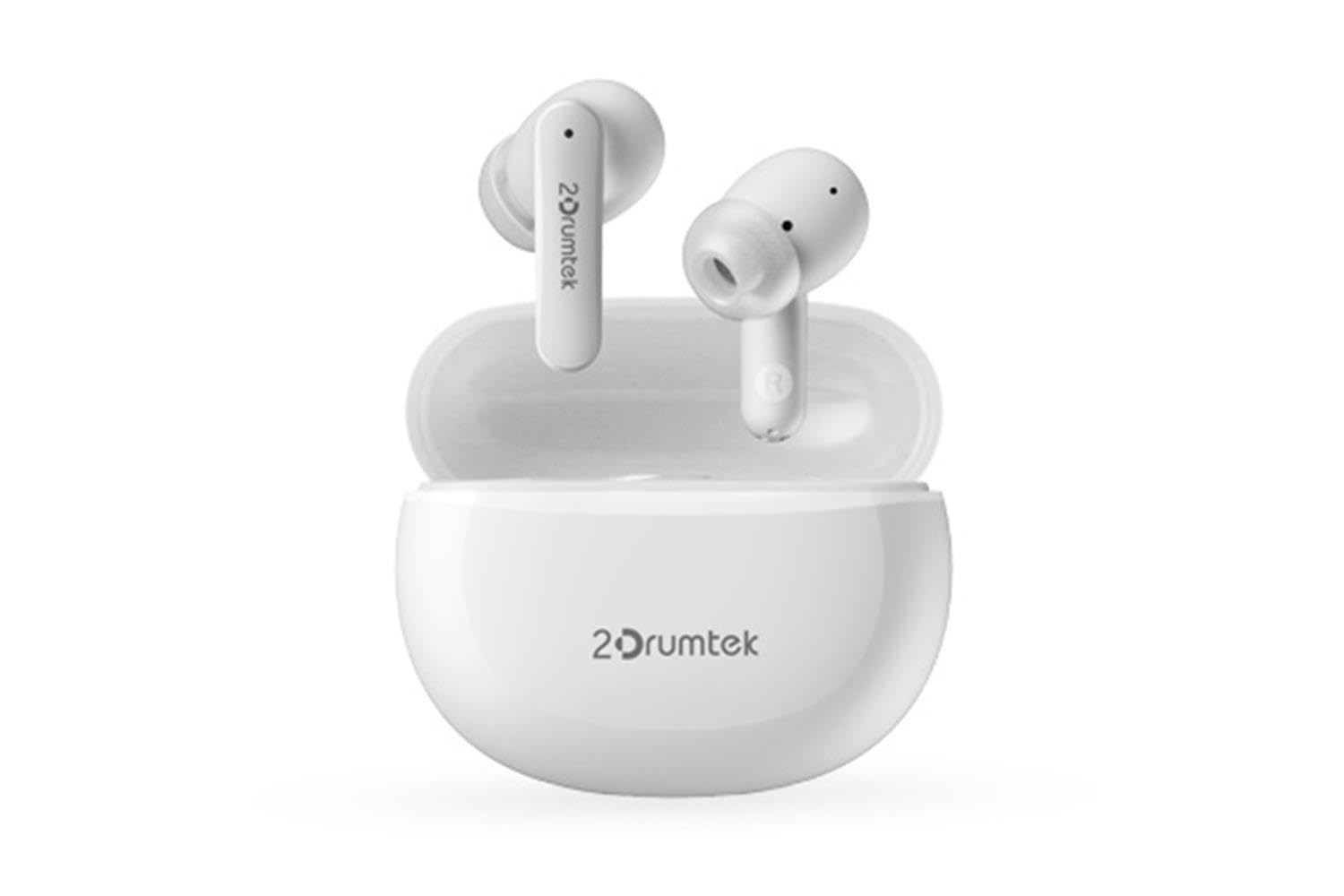
Image: A pair of white A4 TECH 2DRUMTEK B25 True Wireless Earbuds, showing their in-ear design and the '2Drumtek' branding on the stems.
The 2DRUMTEK B25 earbuds feature an ergonomic in-ear design. Each earbud includes a touch control area for various functions, a microphone for calls and voice assistant, and charging contacts at the bottom of the stem. An LED indicator provides status updates for pairing and battery life.
Поставување
1. Полнење на слушалките и кутијата за полнење
Before first use, fully charge the earbuds and the charging case. Place the earbuds into the charging case. Connect the charging cable to the case and a USB power source. The LED indicators on the case and earbuds will show charging status. A full charge provides up to 5 hours of playback for the earbuds, with an additional 15 hours from the charging case.
2. Почетно спарување
- Отворете ја кутијата за полнење. Слушалките автоматски ќе влезат во режим на спарување.
- На вашиот уред (паметен телефон, таблет, компјутер), овозможете Bluetooth.
- Пребарај за available Bluetooth devices and select "2DRUMTEK B25".
- Once connected, you will hear a confirmation tone, and the LED indicator on the earbuds will change.
3. Автоматско повторно поврзување
After the initial pairing, the earbuds will automatically connect to your previously paired device when you open the charging case and take them out, provided Bluetooth is enabled on your device.
Упатства за работа
1. Вклучување/исклучување
- Вклучување: Отворете ја кутијата за полнење и слушалките автоматски ќе се вклучат.
- Исклучено: Вратете ги слушалките во кутијата за полнење и затворете го капакот. Тие ќе се исклучат автоматски.
2. Music Playback (Touch Control)
- Пушти/Пауза: Еден допир на која било слушалка.
- Следна песна: Допрете двапати на десната слушалка.
- Претходна песна: Допрете двапати на левата слушалка.
3. Call Management (Touch Control)
- Одговори/заврши повик: Еден допир на која било слушалка.
- Одбијте го повикот: Притиснете и задржете ги двете слушалки 2 секунди.
4. Voice Assistant (Touch Control)
Triple tap on either earbud to activate your device's voice assistant (e.g., Siri, Google Assistant, Amazon Alexa).
5. Активно поништување на шум (ANC)
The earbuds feature Hybrid Active Noise Cancelling. Refer to the specific touch control gestures in the quick start guide for activating and deactivating ANC mode, as these can vary.
Одржување
- Чистење: Regularly clean the earbuds, especially the ear tips and charging contacts, with a soft, dry cloth. Avoid using harsh chemicals or abrasive materials.
- Складирање: Кога не ги користите, чувајте ги слушалките во нивната кутија за полнење за да ги заштитите од прашина и оштетување.
- Water and Dust Resistance (IPX4): The earbuds are rated IPX4, meaning they are resistant to splashing water and sweat from any direction. They are suitable for workouts and outdoor activities but should not be submerged in water. Ensure the earbuds are dry before placing them back in the charging case to prevent damage.
- Нега на батеријата: За да го продолжите траењето на батеријата, избегнувајте често целосно празнење на слушалките. Полнете ги редовно, дури и ако не се во постојана употреба.
Решавање проблеми
- Слушалките не се спаруваат: Ensure both earbuds are charged. Place them back in the case, close the lid, then open it again to re-enter pairing mode. Check your device's Bluetooth settings and try reconnecting.
- Само една слушалка работи: Ensure both earbuds are charged. Try resetting the earbuds by placing them in the case and then taking them out. Re-pair with your device if necessary.
- Нема звук: Check the volume level on your connected device. Ensure the earbuds are properly paired and connected.
- Проблеми со полнењето: Проверете дали кабелот за полнење е безбедно поврзан и со кутијата и со изворот на енергија. Исчистете ги контактите за полнење на слушалките и во внатрешноста на кутијата.
- Лош квалитет на звукот: Ensure the earbuds are properly seated in your ears. Try different ear tip sizes for a better seal.
Спецификации
| Карактеристика | Опис |
|---|---|
| Име на моделот | 2DRUMTEK B25 |
| Технологија за поврзување | Безжичен (Bluetooth 5.2) |
| Поништување на бучава | Хибридно активно поништување на шум |
| Ниво на отпорност на вода | IPX4 (Водоотпорен) |
| Поставување на увото | Во уво |
| Тип на контрола | Допрете Контрола |
| Компатибилни уреди | PCs, Laptops, Mobile Phones, Tablets, Other Bluetooth Devices |
| Материјал | Plastic, Metal, Carbon Fiber |
| Траење на батеријата (слушалки) | До 5 часа по полнење |
| Вкупно време за играње (со футрола) | До 20 часа |
Информации за безбедност
- Не расклопувајте или менувајте го производот.
- Држете подалеку од екстремни температури и директна сончева светлина.
- Avoid exposing the product to fire or high heat.
- Не ги користете слушалките со превисока јачина на звук подолг временски период за да спречите оштетување на слухот.
- Да се чува подалеку од дофат на деца и домашни миленици.
Гаранција и поддршка
This product comes with a standard manufacturer's warranty. For detailed warranty information, please refer to the warranty card included in your package or visit the official A4 TECH website. If you encounter any issues or require technical assistance, please contact A4 TECH customer support through their official channels. Please have your model number (B25) and proof of purchase ready when contacting support.


