1. Вовед
Ви благодарам за купувањетоasing the ZEBRONICS Juke BAR 9102 PRO 240W Dolby Soundbar. This manual provides essential information for the proper setup, operation, and maintenance of your soundbar system. Please read this manual thoroughly before use to ensure optimal performance and safety.
2. Инструкции за безбедност
- Извор на енергија: Користете го само наведениот адаптер за напојување. Осигурајте се дека јачината на звукотtage е компатибилен со вашето локално напојување.
- Вентилација: Do not block any ventilation openings. Maintain adequate space around the unit for proper airflow.
- Вода и влага: Do not expose the soundbar or subwoofer to water, rain, or moisture. Avoid placing objects filled with liquids, such as vases, on or near the unit.
- Извори на топлина: Држете го уредот подалеку од извори на топлина како што се радијатори, грејни тела, шпорети или други апарати што произведуваат топлина.
- Чистење: Disconnect the power before cleaning. Use a soft, dry cloth. Do not use liquid cleaners or aerosol cleaners.
- Сервисирање: Не обидувајте се сами да го сервисирате овој производ. Пренесете ги сите сервиси на квалификуван сервисен персонал.
- Поставување: Place the soundbar on a stable, flat surface or mount it securely on a wall as instructed.
3. Содржина на пакетот
Проверете дали сите артикли наведени подолу се вклучени во вашиот пакет:
- Soundbar - 1 Unit
- Subwoofer - 1 Unit
- Remote Control - 1 Unit
- QR Code User Manual - 1 Unit (Digital access)
- Wall Mount Bracket and Fasteners
4. Производот завршиview
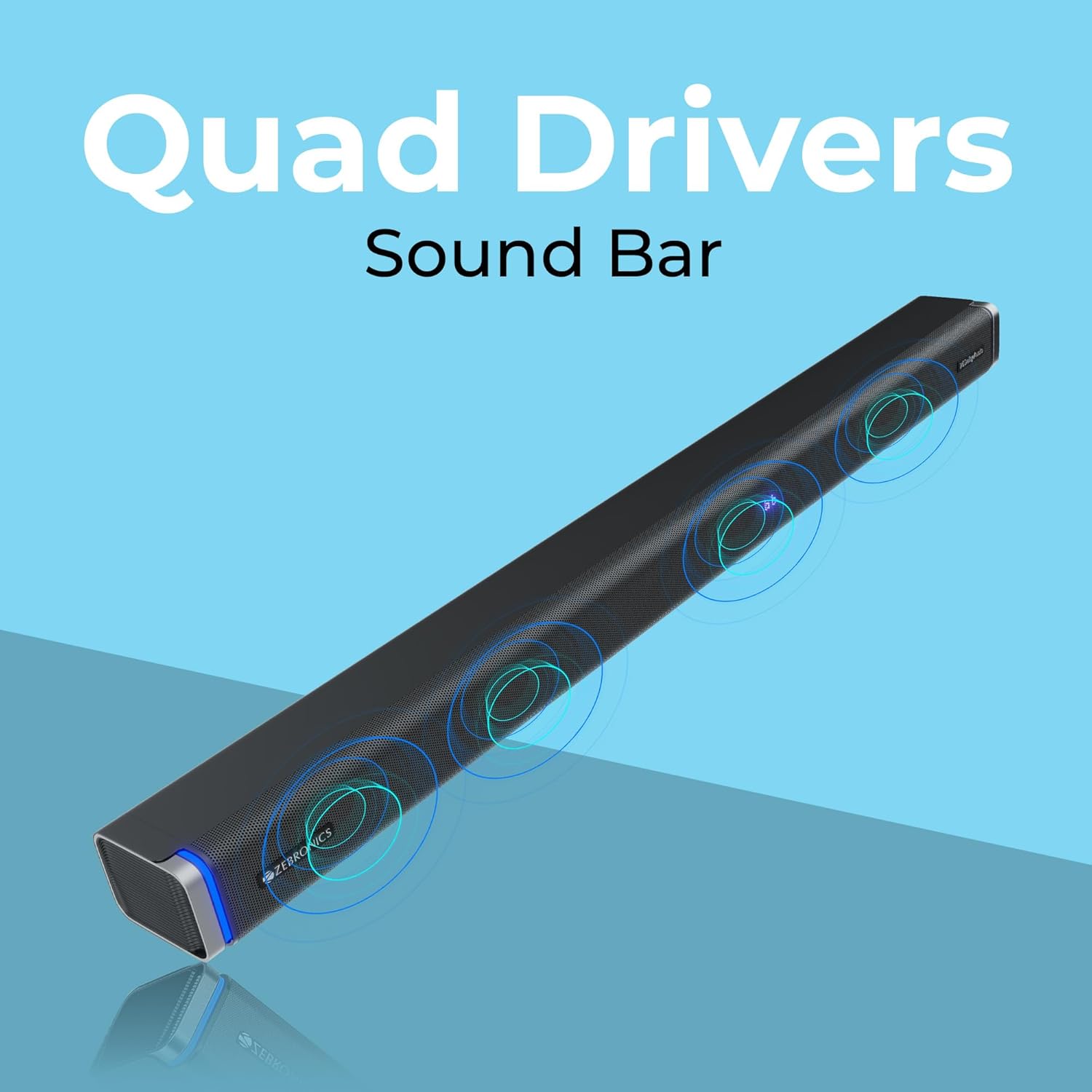
The ZEBRONICS Juke BAR 9102 PRO is a 240W output Dolby soundbar system designed to enhance your audio experience. It features a soundbar with quad drivers and a powerful 6.5-inch wired subwoofer.



5. Поставување
5.1 Првично сместување
- Place the soundbar centrally below your television.
- Position the subwoofer on the floor near the soundbar for optimal bass response.
5.2 Поврзување за напојување
- Connect the power cable to the soundbar's power input.
- Connect the power cable to the subwoofer's power input.
- Plug both power cables into a suitable wall outlet.
5.3 Поврзување на сабвуферот
The subwoofer connects to the soundbar via a wired connection. Ensure the subwoofer cable is securely connected to both units.
6. Упатства за работа
6.1 Вклучување/исклучување
Press the power button on the soundbar or the remote control to turn the unit on or off. The LED display will indicate the power status.
6.2 Контрола на јачината на звукот
Користете ги копчињата за зголемување на јачината на звукот (+) и намалување на јачината на звукот (-) на саундбарот или на далечинскиот управувач за да го прилагодите нивото на звукот.
6.3 Избор на режим
Press the 'Mode' button on the soundbar or remote control to cycle through available input modes (Bluetooth, HDMI ARC, Optical, AUX, USB). The LED display will show the current mode (e.g., 'BT' for Bluetooth, 'ARC' for HDMI ARC).
6.4 Режими на еквилајзер (EQ)
The soundbar features 3D EQ alternatives. Use the EQ button on the remote to switch between modes. The LED display will show 'E1', 'E2', 'E3' for different sound profiles, and '3D' for the virtual 5.1 effect. Common EQ modes include:
- E1: Музички режим
- E2: Филмски режим
- E3: News/Voice mode
- 3D: Virtual Surround Sound mode
6.5 RGB LED светла
The soundbar includes RGB LED lights. These can be controlled and changed using the remote control to suit your preference.
7. Опции за поврзување
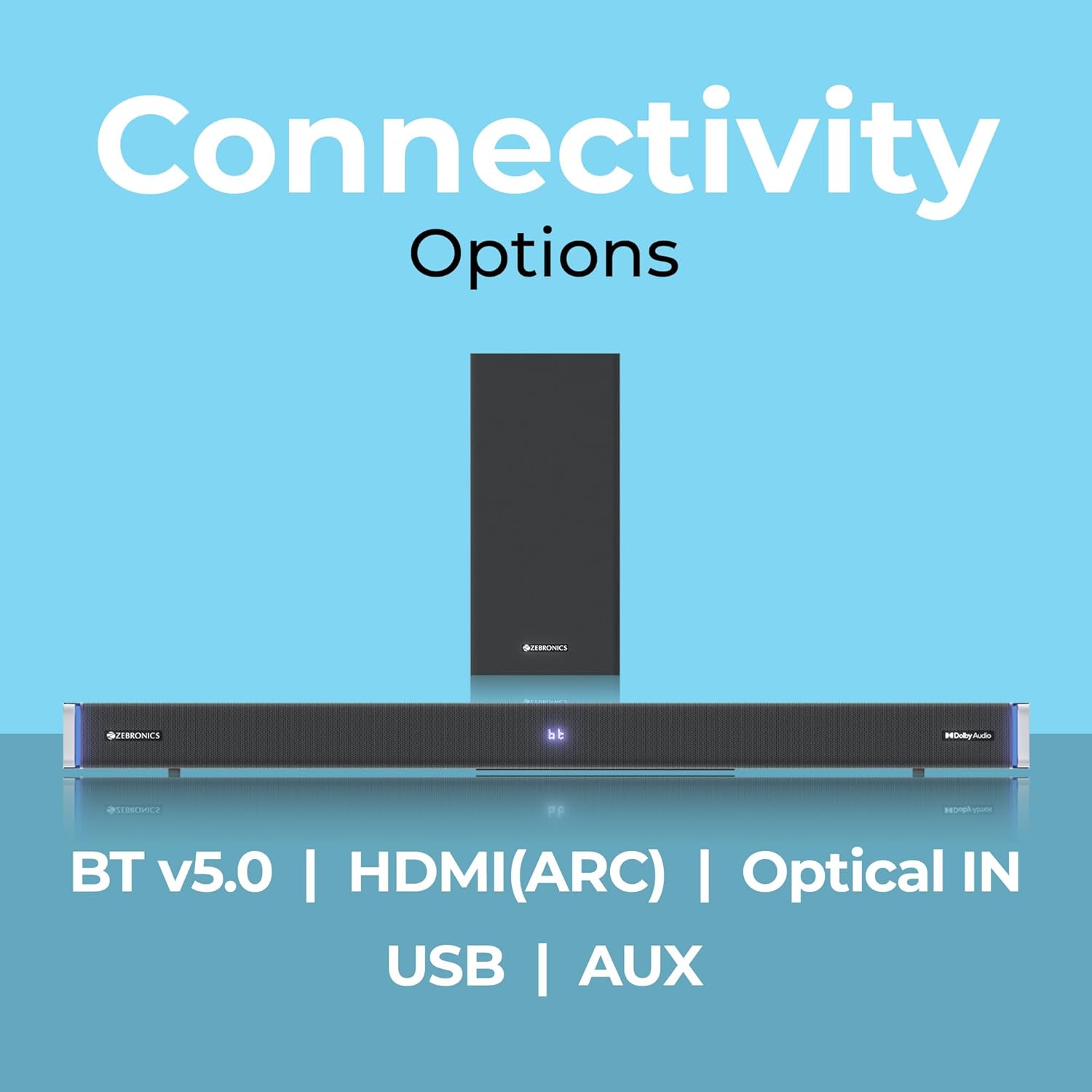
The ZEBRONICS Juke BAR 9102 PRO offers multiple connectivity options for versatile use.
7.1 Bluetooth v5.0
- Press the 'Mode' button until 'BT' appears on the LED display.
- On your mobile device or computer, search for Bluetooth devices and select 'ZEB-JUKE BAR 9102 PRO'.
- Once paired, audio will stream wirelessly to the soundbar.
7.2 HDMI (ARC)
- Connect an HDMI cable (ARC compatible) from the HDMI ARC port on your television to the HDMI ARC port on the soundbar.
- Select 'ARC' mode on the soundbar.
- Ensure your TV's audio output is set to HDMI ARC.
7.3 Optical IN
- Connect an optical cable from your audio source (e.g., TV, DVD player) to the 'Optical IN' port on the soundbar.
- Select 'OPT' mode on the soundbar.
7.4 AUX кабел од 3.5 mm
- Connect a 3.5mm AUX cable from your audio source to the 'AUX' port on the soundbar.
- Select 'AUX' mode on the soundbar.
7.5 USB репродукција
- Insert a USB pen drive (up to 32GB, supporting MP3 audio format) into the USB port on the soundbar.
- Select 'USB' mode on the soundbar. The soundbar will automatically begin playing compatible audio files.
8. Монтирање на Wallид
The soundbar can be wall-mounted to save space. A wall mount bracket and fasteners are included in the package.
- Determine the desired mounting location on the wall, ensuring it is structurally sound and can support the weight of the soundbar.
- Mark the positions for drilling holes using the wall mount bracket as a template.
- Drill pilot holes and insert appropriate wall anchors if necessary.
- Secure the wall mount bracket to the wall using the provided fasteners.
- Carefully attach the soundbar to the mounted bracket. Ensure it is securely fastened before releasing.
Забелешка: Professional installation is recommended for wall mounting to prevent damage or injury.
9. Одржување
9.1 Чистење
Wipe the surfaces of the soundbar and subwoofer with a soft, dry, lint-free cloth. Do not use abrasive cleaners, waxes, or solvents as they may damage the finish.
9.2 Складирање
Доколку го складирате уредот подолг период, исклучете го од напојувањето и складирајте го на ладно и суво место, подалеку од директна сончева светлина и екстремни температури.
10 Смена на проблеми
| Проблем | Можна причина | Решение |
|---|---|---|
| Нема моќ | Кабелот за напојување не е поврзан; Приклучокот за напојување не е активен | Ensure power cables are securely connected and the outlet is functional. |
| Нема звук | Неточен режим на внесување; Јачината на звукот е прениска; Каблите не се правилно поврзани | Select the correct input mode. Increase volume. Check all audio cables for secure connection. |
| Проблеми со спарување со Bluetooth | Саундбарот не е во режим на спарување; Уредот е предалеку; Пречки | Ensure soundbar is in 'BT' mode. Move device closer. Restart both devices. |
| Далечинскиот управувач не работи | Батериите се испразнети; Пречка помеѓу далечинскиот управувач и саундбарот | Заменете ги батериите на далечинскиот управувач. Отстранете ги сите пречки. |
| Искривен звук | Volume too high; Poor audio source quality; Incorrect EQ setting | Reduce volume. Try a different audio source. Adjust EQ settings. |
11. Спецификации
| Карактеристика | Детал |
|---|---|
| Име на моделот | ZEB-JUKE BAR 9102 PRO |
| Излезна моќност | 240 вати (RMS) |
| Дијаметар на сабвуфер | 6.5 инчи |
| Големина на драјвер за аудио | 5.5 cm (Quad Drivers) |
| Поврзување | Bluetooth v5.0, HDMI (ARC), Optical IN, 3.5mm AUX, USB |
| Конфигурација на сараунд звук | Виртуелна 5.1 |
| Фреквентен одговор | 20 Hz - 20 KHz |
| Сооднос на сигнал до бучава | 65 dB |
| Импеданса | 15 оми |
| Контролен метод | Далечински управувач |
| Димензии на производот (Саундбар) | Приближно 98.5Ш x 17.3Д x 40.2В сантиметри |
| Тежина на ставката | 5.8 кг |
| Извор на енергија | Електричен со кабел |
| Посебни карактеристики | Dolby Audio, LED Display, RGB LED Lights, Wall Mountable |
12. Гаранција и поддршка
12.1 Информации за гаранцијата
This ZEBRONICS product comes with a 1 година гаранција from the date of purchase. The warranty covers manufacturing defects under normal use. Please retain your purchase receipt for warranty claims.
12.2 Поддршка за корисници
For technical assistance, troubleshooting, or warranty inquiries, please contact ZEBRONICS customer support. Refer to the official ZEBRONICS website or the QR Code User Manual for contact details.


