1. Вовед
This manual provides comprehensive instructions for the safe and effective operation, maintenance, and troubleshooting of your Sofirn HS41 4000 Lumen Rechargeable LED HeadlampВе молиме внимателно прочитајте го ова упатство пред да го користите производот за да обезбедите оптимални перформанси и долготрајност.
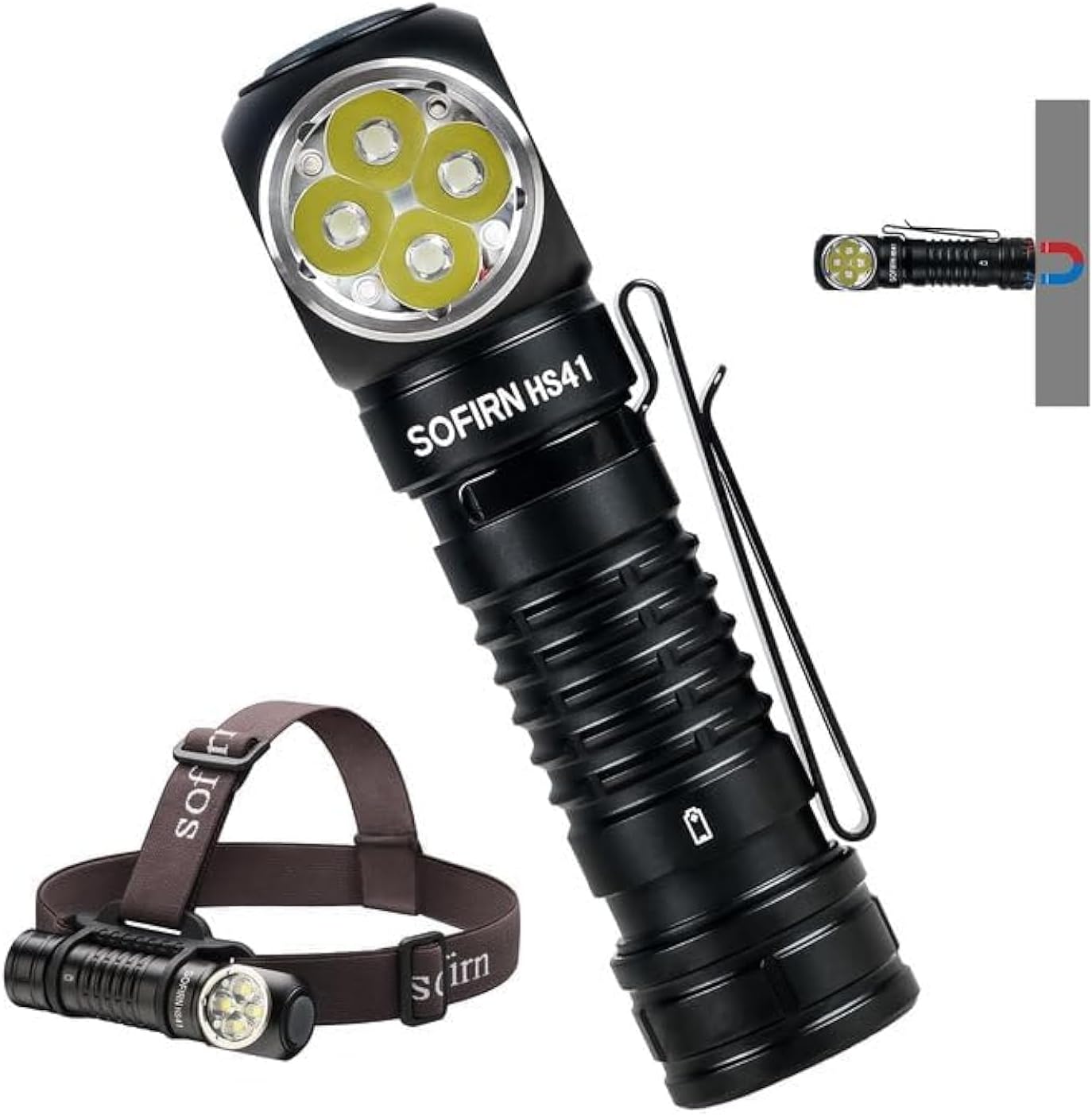
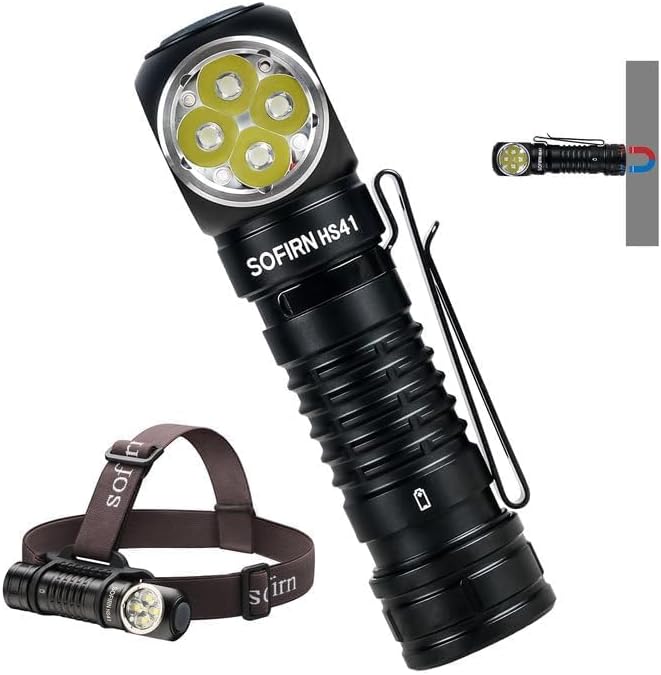
The Sofirn HS41 can be used as a headlamp with the included headband or as a versatile right-angle flashlight, featuring a magnetic base for hands-free operation.
2. Производот завршиview
Клучни карактеристики
- Висок излез: Equipped with 4*SST20 LEDs, delivering up to 4000 lumens with a beam distance of 325 meters.
- Полнење USB-C: Built-in Type-C port for convenient and fast charging.
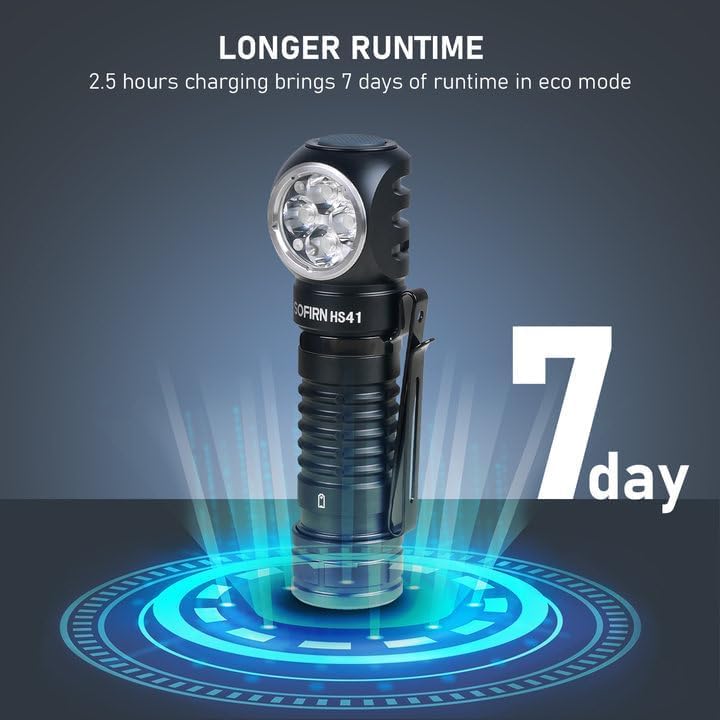
- Продолжено траење: Up to 29.5 days of usage in Moonlight mode on a single charge.
- Повеќе режими на осветлување: 9 modes including Moonlight, Eco, Low, Medium, High, Turbo, Strobe, SOS, and Beacon.
- Издржлив дизајн: IPX8 waterproof rating and impact resistance up to 1 meter.
- Разновидна употреба: 90-degree L-shape design allows use as a headlamp or right-angle flashlight with a powerful magnetic tailcap.
- Безбедносни карактеристики: Advanced Temperature Regulation (ATR) and Low Voltagд Заштита.

This image highlights the main features of the HS41, such as its multiple lighting modes, extended battery life, convenient USB-C charging, and robust IP68 waterproof design.
Што има во кутијата
- Софирн HS41 Headlamp
- 1x Rechargeable Lithium Polymer Battery
- 1x Sturdy Head Band
- 1x Кабел за полнење од тип C
- 1x Упатство за употреба
3. Инструкции за безбедност
- Do not shine the light directly into eyes. The high lumen output can cause temporary vision impairment.
- Да се чува подалеку од дофат на деца.
- Use only the specified battery type. Incorrect battery usage can lead to damage or safety hazards.
- Не расклопувајте ја главатаamp, as this may void the warranty and cause damage.
- Избегнувајте изложување на главатаamp на екстремни температури или директна сончева светлина за подолги периоди.
- Осигурајте се дека капакот на USB-C портот е безбедно затворен кога не се полни за да се одржи водоотпорноста.
4. Поставување
Инсталација на батерија
- Одвртете го задниот капак на главатаamp.
- Insert the included 18650 Lithium Polymer battery with the positive (+) end facing towards the head of the light.
- Цврсто завртете го задниот капак за да обезбедите правилен контакт и водоотпорност.
Полнење
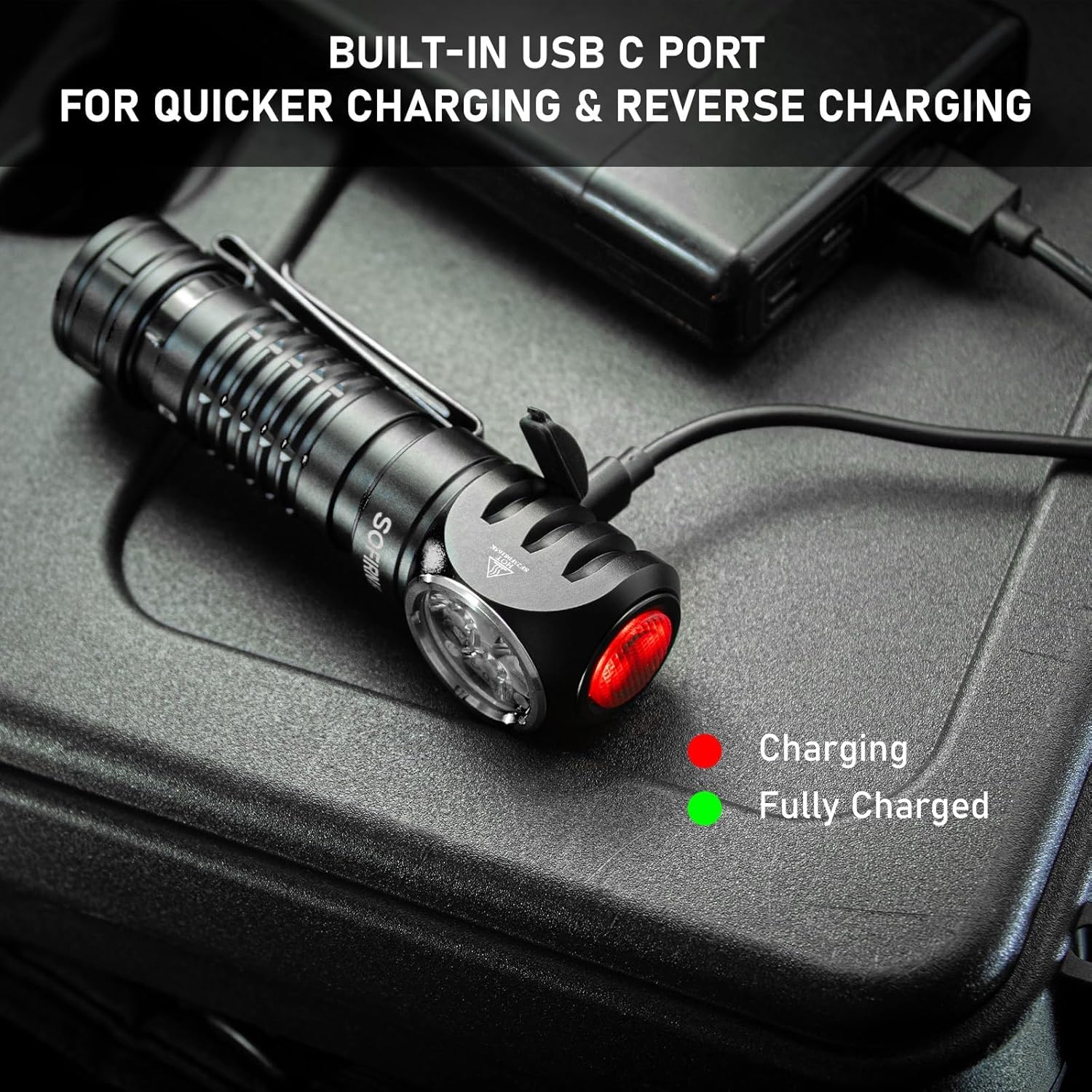
The HS41 features a built-in USB-C charging port.
- Пронајдете го USB-C приклучокот за полнење на страната од главата.amp and open its protective cover.
- Connect the provided Type-C charging cable to the headlamp and to a USB power source (e.g., wall adapter, power bank, computer).
- Показното светло на главатаamp will show the charging status:
- Црвено: Полнењето е во тек.
- Зелена: Целосно наполнето.
- Полнењето обично трае приближно 2.5 часа за целосно полнење.
- Once charging is complete, disconnect the cable and securely close the USB-C port cover to maintain water resistance.
Насловотamp features a built-in USB-C port for convenient and fast charging. The indicator light changes color to show charging status.
5. Упатства за работа
The HS41 is operated via a single side switch.
Основно работење
- Вклучи/исклучи: Single click the switch to turn the light on or off.
- Промени осветленост (Rampинг): When the light is on, press and hold the switch to cycle through brightness levels (Moonlight, Eco, Low, Medium, High, Turbo). Release the switch at your desired brightness.
- Меморија на режимот: Насловотamp will remember the last used brightness level (except for special modes like Strobe, SOS, Beacon).
Режими за брз пристап
- Месечева светлина: From OFF, press and hold the switch for 1 second to activate Moonlight mode.
- Висок режим: From OFF, double-click the switch to directly activate High mode.
- Режим на строб: From OFF, triple-click the switch to activate Strobe mode.
Насловотamp's single button allows for quick access to frequently used modes: press and hold for Moonlight, double-click for High, and triple-click for Strobe.
Специјални режими (стробоскоп, SOS, светилник)
- From ON, triple-click the switch to enter Strobe mode.
- While in Strobe mode, double-click to cycle through SOS and Beacon modes.
- Single click to turn off or return to the previous brightness level.

The HS41 delivers a powerful 4000 lumens, providing extensive illumination for outdoor activities. The image shows the light beam and icons representing modes like Moonlight, Eco, Low, Medium, High, Turbo, Strobe, Beacon, and SOS.
Функција за заклучување
To prevent accidental activation, the HS41 features a lockout mode.
- Активирајте го заклучувањето: From OFF, perform four quick clicks of the switch. The LED will blink twice to confirm lockout mode is active.
- Деактивирајте го заклучувањето: Perform four quick clicks of the switch. The light will turn on to the last used mode.

Насловотamp features a lockout mode to prevent accidental activation. It is engaged by four quick clicks when the light is off, indicated by two blinks.
Индикатор за моќност
The power indicator displays the battery level for 5 seconds every time the light is turned on.
- Зелена: Remaining battery power is good (70% - 100%).
- Црвено: Remaining battery power is poor (30% - 69%).
- Трепка црвено: Critical power (less than 30%). Recharge the battery as soon as possible.
The integrated power indicator provides real-time battery status: green (70-100%), red (30-69%), and flashing red (below 30%), prompting timely recharging.
Низок волуменtagд Предупредување
Кога батеријата волtage drops below 3V, the indicator will flash red, and the headlamp will vibrate twice with a 1-minute interval between each vibration. This signals that the battery needs to be recharged immediately.

Кога батеријата волtage паѓа под 3V, главатаamp's indicator will flash red, and the device will vibrate twice with a one-minute interval, signaling a low voltagсостојба.
6. Одржување
Чистење
- Избришете ја главатаamp со мека, гamp крпа за отстранување на нечистотија и остатоци.
- Не користете абразивни средства за чистење или растворувачи, бидејќи тие можат да ја оштетат завршната обработка или внатрешните компоненти.
- Clean the threads of the tail cap and O-rings periodically. Apply a thin layer of silicone grease to the O-rings to maintain water resistance.
Нега на батерии
- Recharge the battery regularly, especially if the headlamp нема да се користи подолг период.
- Чувајте ја батеријата на ладно и суво место.
- If storing for a long time, remove the battery from the headlamp to prevent parasitic drain.
Складирање
- Чувајте ја главатаamp in a dry environment, away from direct sunlight and extreme temperatures.
- Обезбедете го насловотamp is in lockout mode or the battery is removed during storage to prevent accidental activation.
7 Смена на проблеми
| Проблем | Можна причина | Решение |
|---|---|---|
| Светлото не се вклучува | Батеријата е испразнета Батеријата е погрешно вметната Tail cap loose Фаровитеamp in lockout mode | Наполнете ја батеријата Проверете го поларитетот на батеријата Затегнете го капачето на опашката Deactivate lockout mode (4 clicks) |
| Светлината трепери или е слабо | Слаба батерија Poor contact between battery and terminals Dirty threads/contacts | Наполнете ја батеријата Ensure battery is fully inserted Clean threads and contacts with a cotton swab |
| Полнењето не работи | Кабелот за полнење е неисправен USB power source insufficient Портот за полнење е валкан | Пробајте друг USB-C кабел Use a reliable USB power adapter Clean the USB-C port gently |
| Фаровитеamp gets hot quickly | Operating in Turbo/High mode for extended periods ATR (Advanced Temperature Regulation) is active | This is normal. The ATR system will automatically reduce brightness to prevent overheating. Reduce brightness manually if desired. |
8. Спецификации
| Карактеристика | Спецификација |
|---|---|
| Модел | HS41 |
| Извор на светлина | 4*SST20 LEDs |
| Максимална осветленост | 4000 лумени |
| Растојание на зрак | 325 метри |
| Извор на енергија | 1x Rechargeable Lithium Polymer Battery (included) |
| Порта за полнење | USB тип-C |
| Материјал | Алуминиумска легура |
| Отпорност на вода | IPX8 (submersible up to 2 meters for 30 minutes) |
| Отпорност на удар | 1 метар |
| Димензии | 1"Д x 1"Ш x 1"В (приближно 30.1мм x 29мм x 115мм) |
| Тежина | 0.71 Pounds (approx. 11.4 ounces / 79g without battery) |
| Посебни карактеристики | Adjustable Light Modes, Adjustable Strap, Magnetic Base, Low Voltage Warning, Advanced Temperature Regulation |
9. Гаранција и поддршка
For warranty information or technical support, please contact the seller, 77 Outdoor Shop, or the manufacturer, Sofirn, directly through their official channels. Please retain your proof of purchase for any warranty claims.