1. Вовед
Thank you for choosing the Mebus Electronic Alarm Clock, Model 785836 (also known as Mebus 25738 Quartz Alarm Clock). This manual provides detailed instructions for the setup, operation, and maintenance of your new alarm clock. Please read this manual thoroughly before use to ensure proper functionality and to maximize your product experience. Keep this manual for future reference.
2. Производот завршиview
The Mebus Electronic Alarm Clock is a versatile timepiece designed for reliability and ease of use. It features a clear digital display showing time, month, date, day, and temperature. Its compact design makes it suitable for various environments, including home offices and bedrooms.
2.1 Клучни карактеристики
- Дигитален приказ на времето
- Функција за аларм
- Приказ на датум и ден
- Приказ на температура
- Издржлива пластична и метална конструкција
2.2 Компоненти
Familiarize yourself with the main components of your alarm clock:
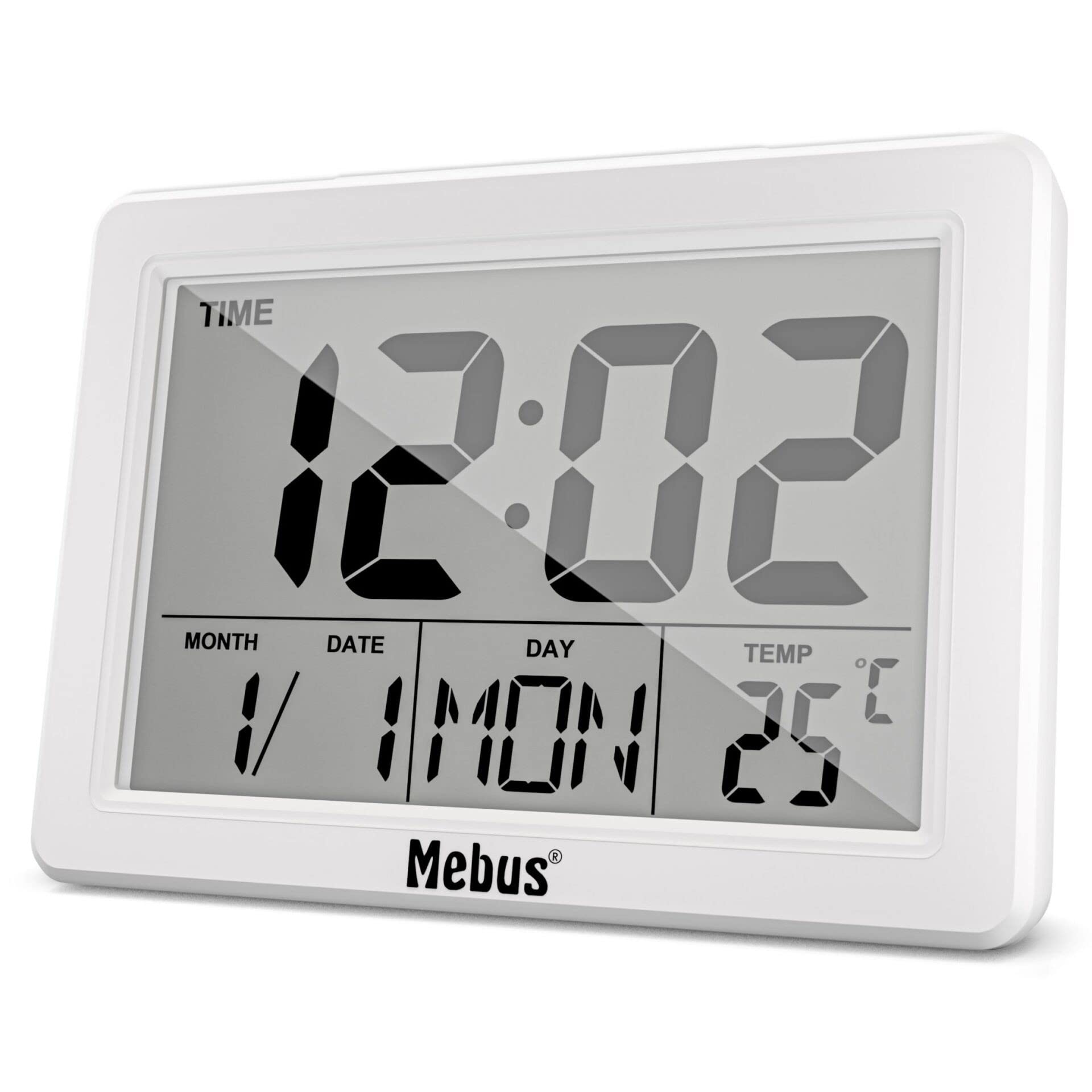
Слика 1: Предна страна View of the Mebus Electronic Alarm Clock. This image displays the clock's face, clearly showing the digital time (12:02), month, date, day (MON), and temperature (25°C). The Mebus logo is visible at the bottom right.
- Дигитален екран: Покажува време, датум, ден и температура.
- Контролни копчиња: (Located on the back or sides, specific functions detailed in Section 4) Used for setting time, alarm, and other functions.
- Оддел за батерии: (Located on the back) For battery installation.
3. Поставување
3.1 Инсталација на батерија
The Mebus Electronic Alarm Clock requires batteries for operation. Batteries are not included with the product.
- Пронајдете го капакот на преградата за батерии на задната страна од будилникот.
- Remove the cover by sliding or lifting it.
- Insert the required batteries (e.g., AA or AAA, refer to the compartment markings) ensuring correct polarity (+ and -).
- Добро заменете го капакот на преградата за батерии.
The clock should now power on and display default settings or a flashing time.
4. Упатства за работа
This section guides you through setting the time, alarm, and other display functions.

Figure 2: Detailed Display of the Mebus Electronic Alarm Clock. This image provides a closer look at the digital segments, clearly showing the time, date, day, and temperature readings.
4.1 Поставување време
- Притиснете го РЕЖИМ button (usually located on the back) repeatedly until the time display starts flashing or you enter time setting mode.
- Користете го UP or ДОЛУ buttons (or similar labeled buttons) to adjust the hours.
- Притиснете РЕЖИМ повторно за да преминете на минути, потоа користете UP/ДОЛУ да се прилагоди.
- Продолжете со притискање РЕЖИМ за да циркулирате низ поставките за година, месец и датум, прилагодувајќи ги со секоја од нив UP/ДОЛУ копчиња.
- Откако сите поставки ќе бидат точни, притиснете РЕЖИМ уште еден последен пат или почекајте неколку секунди поставките да се зачуваат автоматски.
4.2 Поставување аларм
- Притиснете го АЛАРМ копче (или РЕЖИМ until 'AL' or an alarm icon appears). The alarm time should start flashing.
- Користете го UP or ДОЛУ копчиња за да го поставите посакуваниот час за аларм.
- Притиснете АЛАРМ повторно за да преминете на минути, потоа користете UP/ДОЛУ да се прилагоди.
- Притиснете АЛАРМ one last time to confirm. An alarm icon should appear on the display, indicating the alarm is active.
4.3 Функција за одложување
Кога ќе се огласи алармот, притиснете на СНОЗА button (often a large button on top) to temporarily silence the alarm. The alarm will sound again after a few minutes (typically 5-10 minutes).
4.4 Disabling the Alarm
За целосно да го исклучите алармот, притиснете кое било копче освен СНОЗА when the alarm is sounding, or press the АЛАРМ копчето неколку пати додека иконата за аларм не исчезне од екранот.
5. Одржување
5.1 Чистење
To clean your alarm clock, use a soft, dry cloth. For stubborn marks, a slightly damp cloth can be used, followed by a dry cloth. Do not use abrasive cleaners, solvents, or chemical sprays, as these can damage the display or casing.
5.2 Замена на батеријата
When the display dims or the clock functions become erratic, it is time to replace the batteries. Follow the battery installation steps in Section 3.1. Always dispose of old batteries responsibly according to local regulations.
6 Смена на проблеми
| Проблем | Можна причина | Решение |
|---|---|---|
| Екранот е празен или затемнет. | Слаби или празни батерии; неправилна инсталација на батериите. | Заменете ги батериите со нови, обезбедувајќи правилен поларитет. |
| Алармот не се огласува. | Alarm not set or disabled; alarm volume too low (if adjustable). | Verify alarm time is set and activated (check for alarm icon). Ensure volume is audible. |
| Времето е неточно. | Time not set correctly; power interruption (if applicable). | Reset the time following instructions in Section 4.1. |
| Копчињата не реагираат. | Low batteries; internal malfunction. | Заменете ги батериите. Ако проблемот продолжи, контактирајте ја службата за корисници. |
7. Спецификации
- Број на модел: 785836
- Тип на производ: Electronic Alarm Clock (Mebus 25738 Quartz Alarm Clock)
- Бренд: Мебус
- Боја: Multicolored (as per product description, actual display is monochrome)
- Димензии: Приближно 14.4 x 13.8 x 5.2 см (димензии на пакувањето)
- Тежина: Приближно 200 грама
- Материјал: Пластика и метал
- Тип на приказ: Analog (refers to the movement type, visual display is digital)
- Специјална карактеристика: Аларм
- Извор на енергија: Батерии (не се вклучени)
- Тип на монтирање: Монтирање на маса
8. Гаранција и поддршка
Mebus products are manufactured with high-quality materials. For any questions, technical assistance, or warranty claims, please refer to the retailer where you purchased the product or visit the official Mebus webстраница за контакт информации. Ве молиме задржете го доказот за купување за целите на гаранцијата.


