Вовед
This manual provides comprehensive instructions for the Headwolf Fpad3 Mini Tablet. It covers essential information regarding product setup, operation, maintenance, and troubleshooting to ensure optimal performance and longevity of your device. Please read this manual thoroughly before using the tablet.

Слика: напред view of the Headwolf Fpad3 Mini Tablet, showcasing неговиот дисплеј.
Поставување
1. Содржина на пакетот
По отпакувањето, проверете дали се вклучени следниве артикли:
- Headwolf Fpad3 Mini Tablet
- Кабел за полнење USB Type-C
- PD10W Charger
- Алатка за исфрлување SIM
- Упатство за употреба (овој документ)
2. Физичко преоптоварувањеview

Image: Diagram illustrating the location of the headphone jack, rear camera, volume button, reset button, power button, SIM/SD card slot, and Type-C port on the Headwolf Fpad3 Mini Tablet.
Запознајте се со физичките компоненти на таблетот:
- Копче за вклучување: Се наоѓа на страна, се користи за вклучување/исклучување или будење/мирување на уредот.
- Копчиња за јачина на звук: Прилагодете ја јачината на звукот.
- Приклучок за USB Type-C: За полнење и пренос на податоци.
- 3.5 мм приклучок за слушалки: За поврзување на жични слушалки.
- Слот за SIM/MicroSD картичка: For inserting Nano SIM cards and a MicroSD card.
- Предна камера: Located above the screen.
- Задна камера: Се наоѓа на задната страна од таблетот.
3. Полнење на уредот
Before first use, fully charge the tablet. Connect the provided USB Type-C cable to the tablet's Type-C port and the other end to the PD10W charger. Plug the charger into a power outlet. The charging indicator will typically appear on the screen.
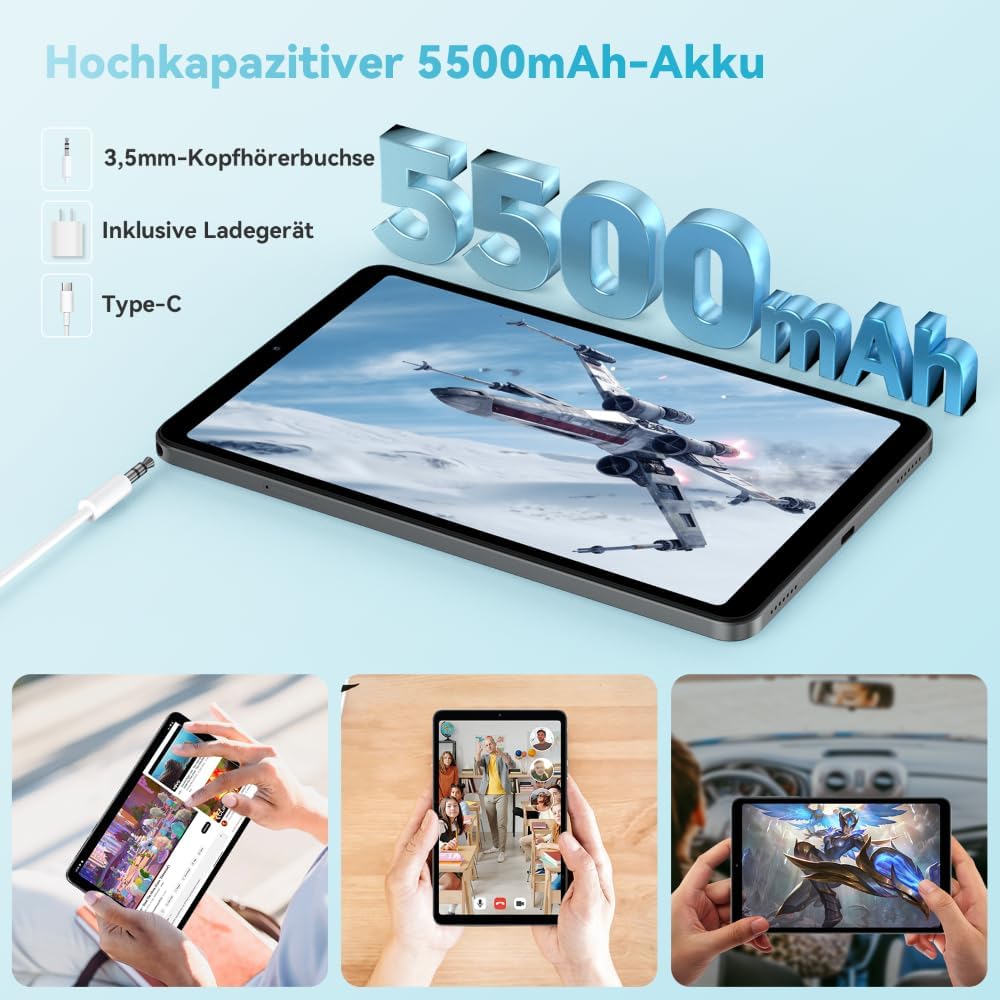
Image: The Headwolf Fpad3 Mini Tablet connected to a charger, highlighting its 5500mAh battery capacity and Type-C charging port.
4. Вклучување/исклучување
- За вклучување: Press and hold the Power button until the Headwolf logo appears.
- За исклучување: Притиснете го и задржете го копчето за вклучување додека не се појави менито со опции за вклучување, а потоа изберете „Исклучи“.
- За рестартирање: Притиснете го и држете го копчето за вклучување додека не се појави менито со опции за вклучување, а потоа изберете „Рестартирај“.
5. Почетно поставување
Upon first power-on, the tablet will guide you through the initial setup process. This includes selecting your language, connecting to a Wi-Fi network, setting up your Google account, and configuring security options. The tablet runs on Android 13 and is Google GMS certified, ensuring access to Google Play services.
6. Инсталација на SIM картичка и MicroSD картичка
The Headwolf Fpad3 supports dual Nano SIM cards for 4G LTE connectivity and a MicroSD card for expandable storage up to 2TB.
- Пронајдете го слотот за SIM/MicroSD картичка од страната на таблетот.
- Вметнете ја алатката за исфрлање на SIM картичката во малата дупка до фиоката за да ја отворите.
- Внимателно извлечете ја послужавникот.
- Place your Nano SIM card(s) and/or MicroSD card into the designated slots on the tray, ensuring correct orientation.
- Нежно туркајте ја фиоката назад во таблетот додека не кликне на своето место.
Упатства за работа
1. Приказ и визуелно искуство
The tablet features an 8.4-inch FHD IPS In-Cell display with a resolution of 1920 x 1200 pixels, offering clear and vibrant visuals. It supports Widevine L1 for high-definition streaming from compatible services.

Image: The Headwolf Fpad3 Mini Tablet display showing high-definition content, emphasizing Widevine L1 support for streaming services like YouTube, Prime Video, Disney+, Hulu, and HBO Max.
2. Перформанси и складирање
Powered by an Unisoc T616 Octa-Core processor (2x A75 at 2.0GHz + 6x A55 at 1.8GHz) and 8GB of RAM (4GB + 4GB virtual expansion), the Fpad3 ensures smooth multitasking and efficient operation. It comes with 128GB of UFS 2.2 internal storage, which can be expanded up to 2TB using a MicroSD card.

Image: An illustration detailing the Headwolf Fpad3 Mini Tablet's powerful Octa-Core Unisoc T616 processor, Mali-G57 GPU, and Android 13 operating system, with a benchmark comparison.

Image: A visual representation of the Headwolf Fpad3 Mini Tablet's 8GB RAM (with 4GB virtual expansion) and 128GB ROM, highlighting its expandability up to 2TB via an SD card.
3. Поврзување
The tablet offers versatile connectivity options:
- Wi-Fi: Supports dual-band 2.4G/5G Wi-Fi for stable and fast internet access.
- 4G LTE: Dual Nano SIM support for cellular data and phone call functionality.
- Bluetooth 5.0: For connecting wireless peripherals like headphones, keyboards, and mice.
- GPS: Integrated GPS, Beidou, and Galileo for accurate navigation.
- OTG (во движење): Allows connecting USB devices such as flash drives or external keyboards.
4. Камери
Capture moments with the tablet's dual cameras:
- Задна камера: 13 MP
- Предна камера: 8 MP
The tablet also supports Face Unlock for convenient and secure access.

Слика: Експлодира view of the Headwolf Fpad3 Mini Tablet's dual cameras (8MP front, 13MP rear) and the Face Unlock feature, with exampпомалку сценарија за употреба.
5. Аудио
Experience immersive audio with dual box speakers. A 3.5mm headphone jack is also available for private listening.
6. Google Kids Space
The tablet includes support for Google Kids Space, providing a safe and engaging environment for children with access to over 10,000 real-time resources.
Одржување
1. Чистење на уредот
Користете мека крпа што не остава влакненца за чистење на екранот и телото на таблетот. Избегнувајте употреба на груби хемикалии или абразивни материјали што би можеле да ја оштетат површината.
2. Софтверски ажурирања
Редовно проверувајте и инсталирајте системски ажурирања за да се осигурате дека вашиот таблет ги има најновите функции, безбедносни закрпи и подобрувања на перформансите. Одете до Поставки > Систем > Ажурирање на системот за да проверите дали има ажурирања.
3. Нега на батерии
- Избегнувајте изложување на таблетата на екстремни температури.
- Не дозволувајте батеријата често целосно да се празни.
- За оптимално полнење користете го оригиналниот полнач и кабел.
- За долгорочно складирање, наполнете ја батеријата на околу 50-60%.
Решавање проблеми
Заеднички прашања и решенија
| Проблем | Можно решение |
|---|---|
| Уредот не се вклучува. | Ensure the battery is charged. Press and hold the Power button for at least 10-15 seconds. If unresponsive, connect to charger and try again. |
| Не може да се поврзе на Wi-Fi. | Check if Wi-Fi is enabled in settings. Restart the tablet and the Wi-Fi router. Ensure you are entering the correct password. |
| Апликациите се уриваат или замрзнуваат. | Clear the app's cache (Settings > Apps > [App Name] > Storage > Clear cache). Restart the tablet. Ensure the app is updated to its latest version. |
| Таблетот е бавен или не реагира. | Close unnecessary background apps. Clear cache of frequently used apps. Restart the tablet. Consider performing a factory reset as a last resort (backup data first). |
| SIM-картичката не е откриена. | Ensure the SIM card is correctly inserted into the tray. Restart the tablet. Check if the SIM card is active with your carrier. |
Доколку проблемите продолжат, контактирајте ја поддршката за корисници.
Спецификации
| Карактеристика | Детал |
|---|---|
| Бренд | Главоволк |
| Број на модел | FPad3 Ulta |
| Оперативен систем | Андроид 13 |
| Бренд на процесор | Унисок |
| Модел на процесор | T616 Осумјадрено |
| RAM меморија | 8 GB (4 GB + 4 GB виртуелен) |
| Внатрешно складирање | 128 GB UFS 2.2 |
| Складирање што може да се прошири | До 2 TB преку MicroSD |
| Големина на екранот | 8.4 инчи |
| Резолуција на екранот | 1920 x 1200 Pixels (FHD IPS In-Cell) |
| Марка за графички чипсет | Arm Mali G57 |
| Задна камера | 13 MP |
| Предна камера | 8 MP |
| Капацитет на батеријата | Литиум-полимер од 5500 mAh |
| Порта за полнење | USB Type-C (PD10W Fast Charging) |
| Безжично поврзување | 802.11a/b/g/n/ac (2.4G/5G WiFi), Bluetooth 5.0 |
| Мобилно поврзување | Dual 4G LTE (Nano SIM) |
| Навигација | GPS, Beidou, Galileo |
| Посебни карактеристики | Stereo Speakers, Expandable Storage, Phone Call Functionality, Fast Charging, Card Reader, Face ID, Widevine L1 |
| Димензии (Д x Ш x В) | 25.4 x 15.24 x 7.62 cm |
| Тежина | 610 грама |
Гаранција и поддршка
The Headwolf Fpad3 Mini Tablet comes with a one-year warranty from the date of purchase. For any technical assistance, product inquiries, or warranty claims, please contact Headwolf customer service. We offer 24/7 customer support to assist you.
Please refer to your purchase documentation for specific warranty terms and contact information, or visit the official Headwolf webсајт.


