1. Производот завршиview
The ATTACK SHARK X3 is an ultra-lightweight wireless gaming mouse designed for high performance and versatility. It features a PixArt PAW3395 sensor, multi-mode connectivity (wired, 2.4G wireless, Bluetooth), and a long-lasting battery, making it suitable for various computing environments and gaming needs.
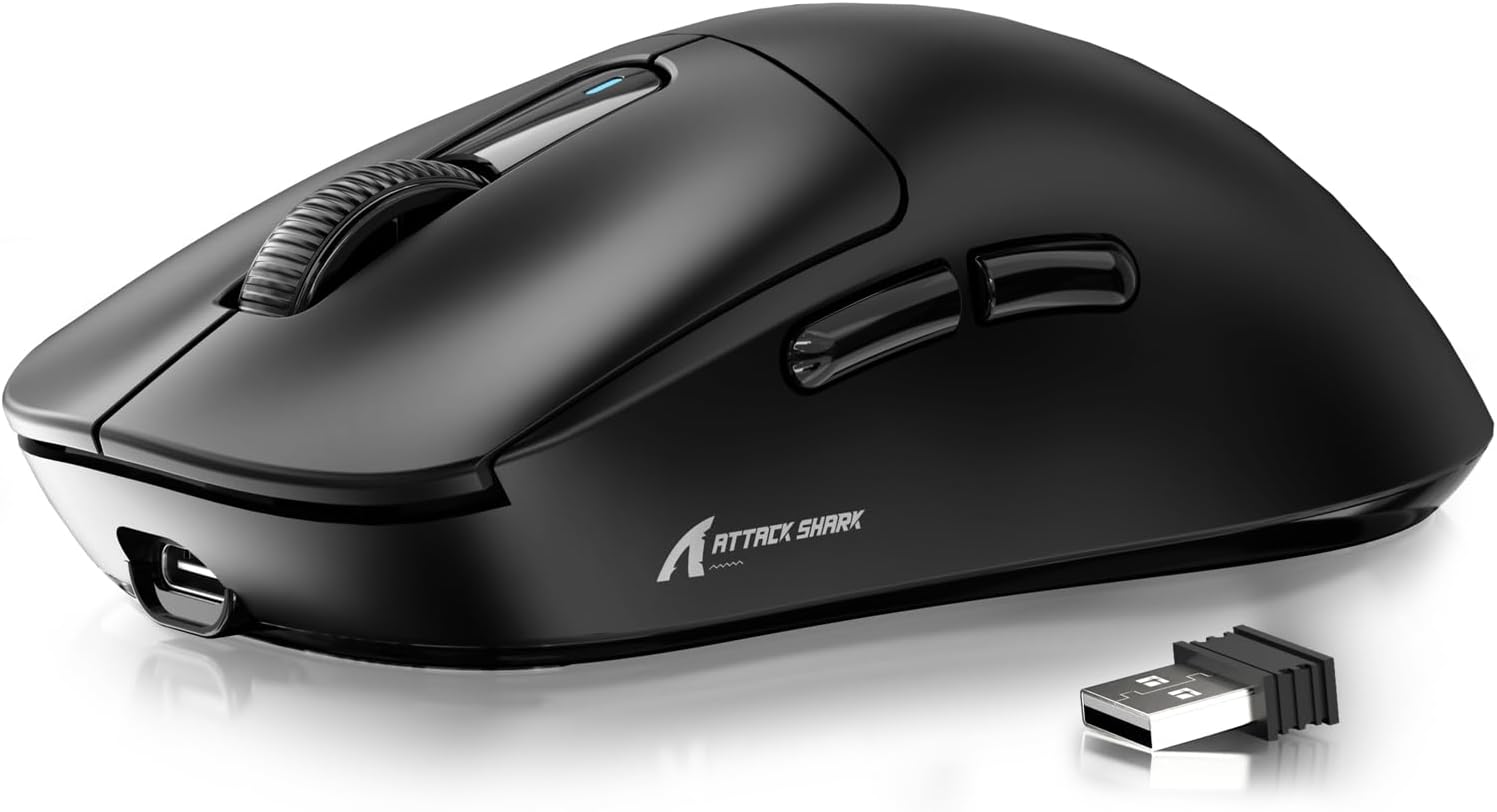
Figure 1: ATTACK SHARK X3 Wireless Gaming Mouse (Black)
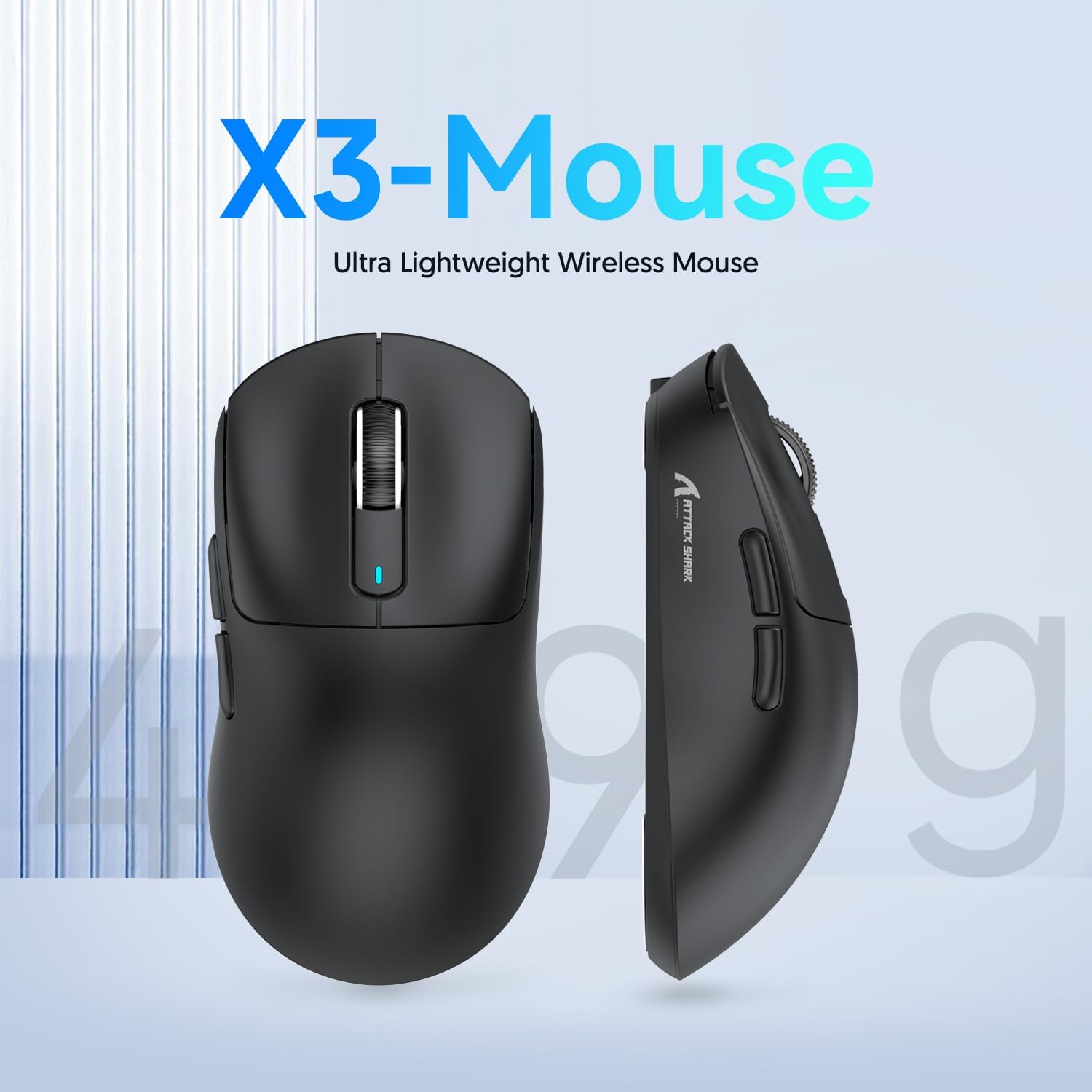
Figure 2: X3-Mouse Ultra Lightweight Design
2. Клучни карактеристики
- Ултра лесен дизајн: Weighing approximately 49g, designed for comfortable and agile movement.
- PixArt PAW3395 Sensor: Flagship gaming sensor offering up to 26000 DPI for precise tracking.
- Три-режимска поврзаност: Supports wired (Type-C), 2.4G wireless, and Bluetooth (BT5.2) connections.
- Долг век на батеријата: До 200 часа континуирана употреба со едно полнење.
- Издржливи прекинувачи: Equipped with Kailh GM8.0 switches, rated for 80 million clicks.
- Прилагодлив DPI: 6 adjustable DPI levels.
- Macro Drivers: Software support for macro customization and button remapping.
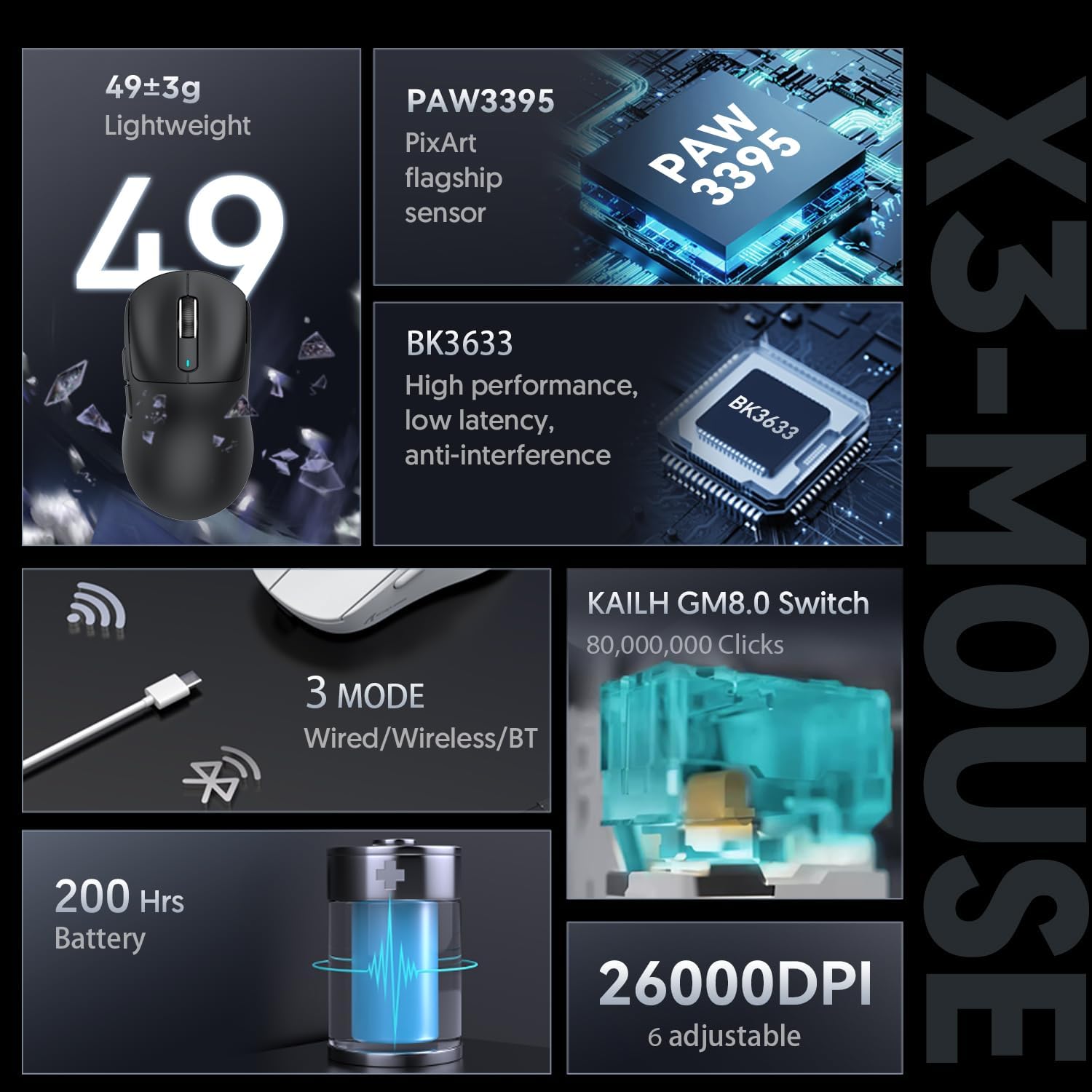
Figure 3: X3-Mouse Feature Overview

Figure 4: PixArt PAW3395 Flagship Sensor Details
3. Поставување
3.1 Содржина на пакетот
- Безжичен гејмерски глушец ATTACK SHARK X3
- Кабел за USB Type-C
- 2.4G USB ресивер
- Упатство за употреба (овој документ)
- Optional: Grip Tapes (may vary by package)
3.2 Почетно полнење
Before first use, it is recommended to fully charge the mouse. Connect the provided USB Type-C cable to the mouse's front port and the other end to a USB power source (e.g., computer USB port, USB wall adapter). The DPI indicator light will show charging status.
3.3 Поврзување на глувчето
The X3 mouse supports three connection modes: Wired, 2.4G Wireless, and Bluetooth.
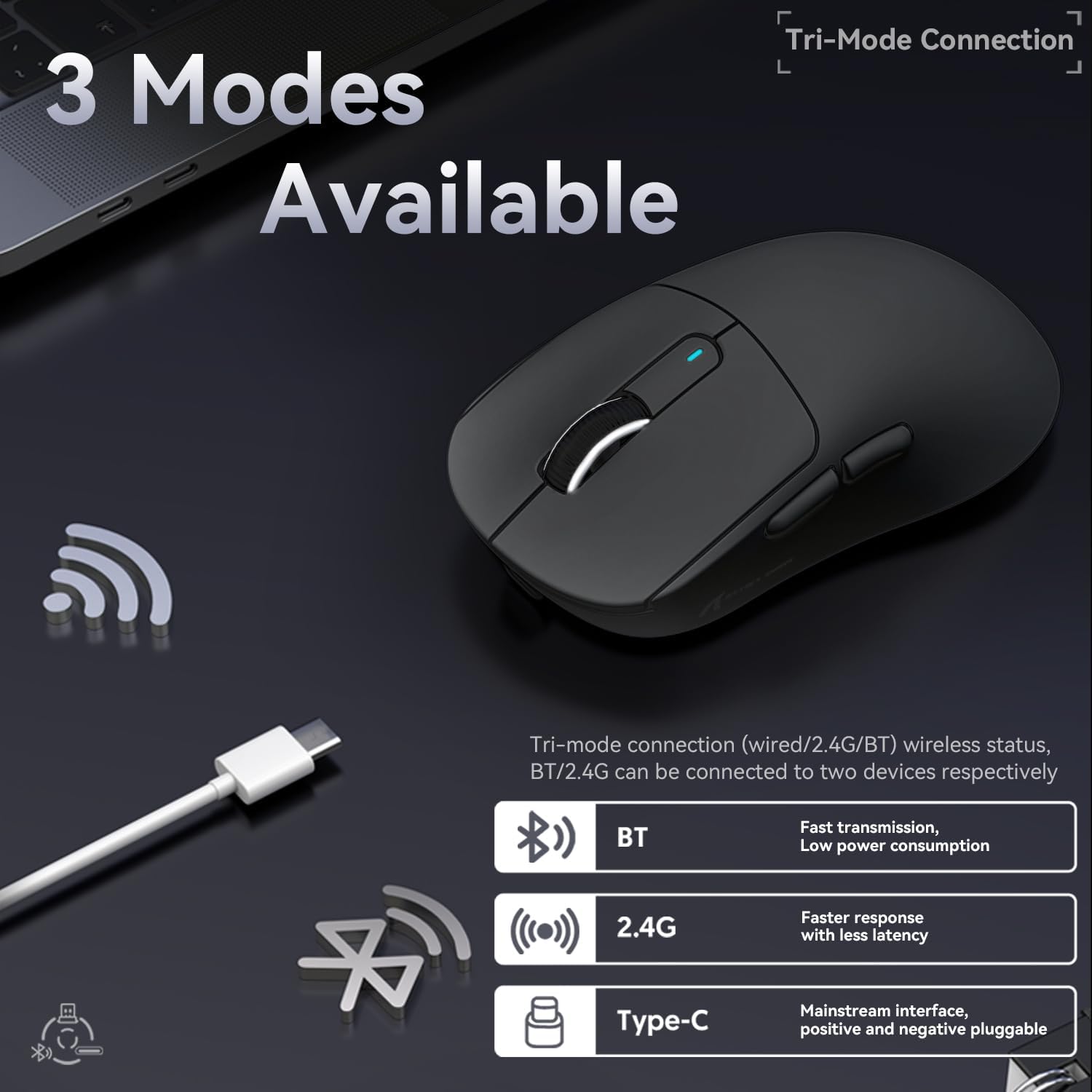
Figure 5: Tri-Mode Connection Options
- Wичен режим:
Connect the USB Type-C cable directly from the mouse to your computer. The mouse will automatically switch to wired mode and begin charging.
- 2.4G безжичен режим:
Locate the 2.4G USB receiver stored in the magnetic compartment on the bottom of the mouse. Plug the receiver into an available USB port on your computer. Slide the switch on the bottom of the mouse to the "2.4G" position. The mouse should connect automatically. If not, press and hold the mode switching key on the bottom for 3 seconds to initiate pairing.

Figure 6: Mouse Bottom Layout with Switch and Receiver Slot
- Режим на Bluetooth:
Slide the switch on the bottom of the mouse to the "BT" position. On your computer or device, open Bluetooth settings and search for new devices. Select "ATTACK SHARK X3" from the list to pair. If pairing fails, press and hold the mode switching key on the bottom for 3 seconds to enter pairing mode.
4. Упатства за работа
4.1 Прилагодување на DPI
The mouse features a dedicated DPI switch button on the bottom (or top, depending on model variant) to cycle through preset DPI levels. The DPI indicator light will change color to indicate the current DPI setting. You can customize these levels using the official software.
4.2 Прилагодување на макроа
For advanced customization, download the official ATTACK SHARK software from the manufacturer's webстраница. Овој софтвер ви овозможува да:
- Remap mouse buttons.
- Create and assign macros for complex actions.
- Adjust DPI levels and polling rate.
- Следете го статусот на батеријата.
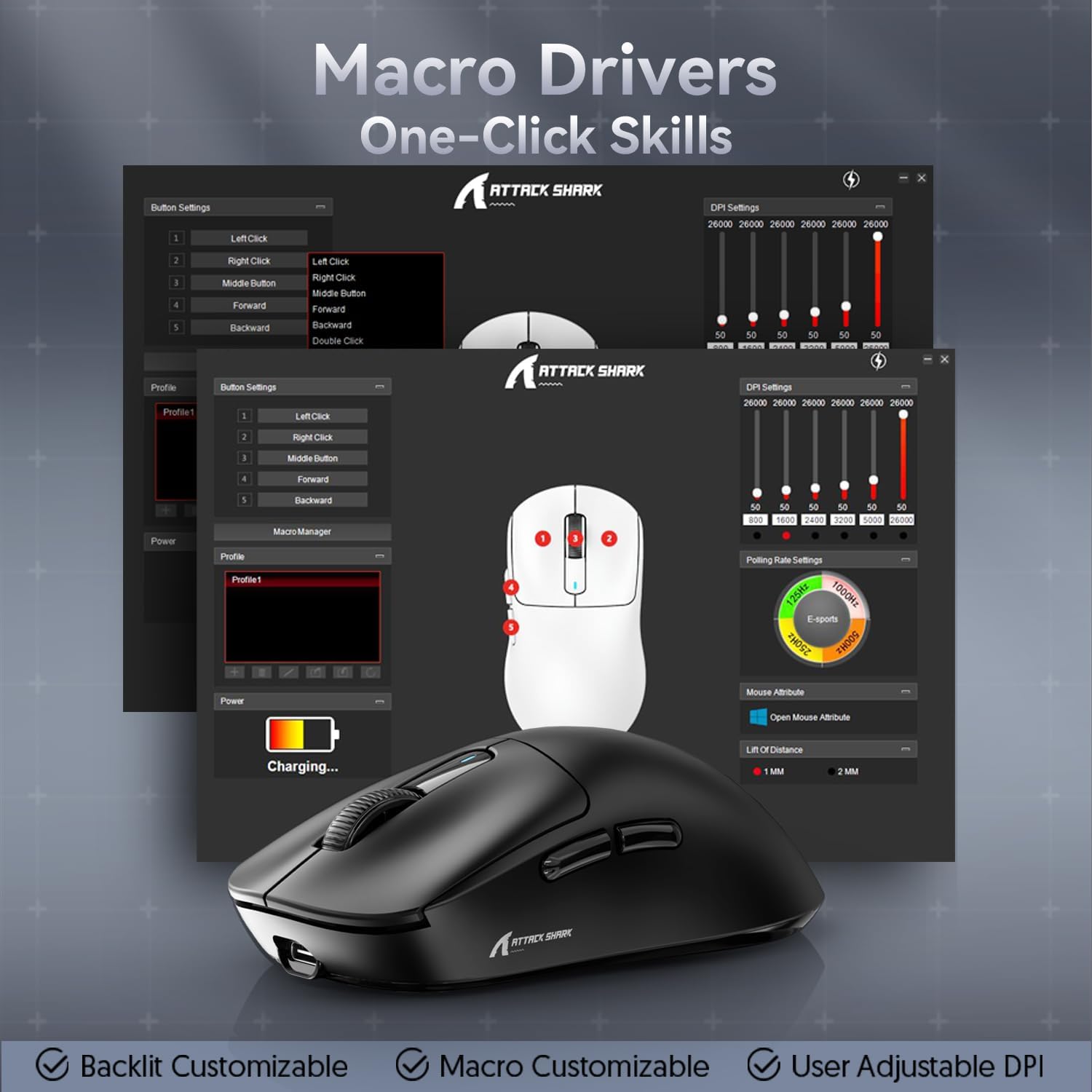
Figure 7: Macro Drivers and Software Interface
5. Управување со батерии
The ATTACK SHARK X3 mouse is equipped with a high-capacity lithium battery providing up to 200 hours of usage. To preserve battery life:
- Turn off the mouse using the switch on the bottom when not in use for extended periods.
- Наполнете го глувчето кога индикаторот за батеријата покажува слаба моќност.
- Избегнувајте изложување на глувчето на екстремни температури.
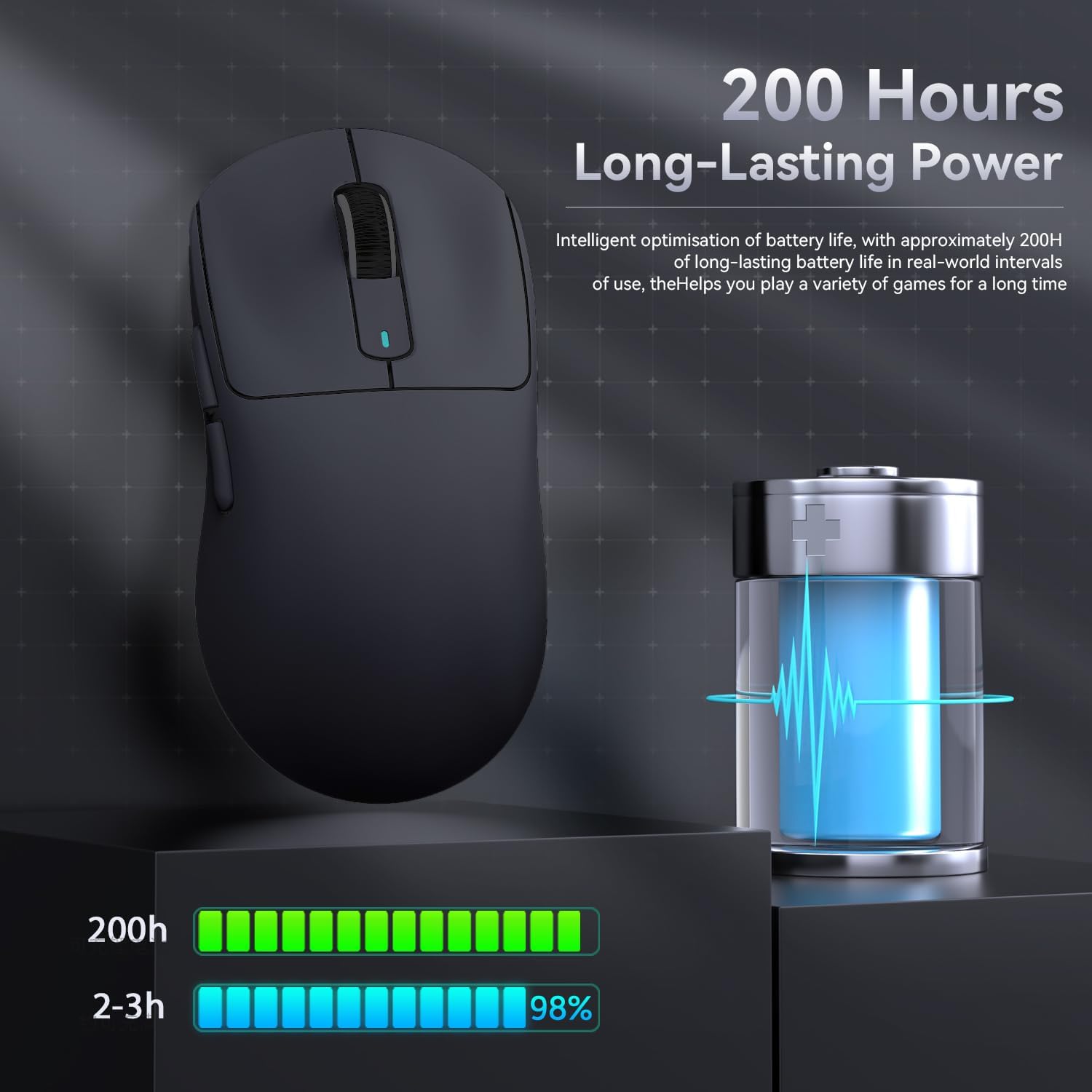
Figure 8: Battery Life Indication
6. Одржување
- Чистење: Користете мека, сува крпа за чистење на глувчето. Не користете груби хемикалии или абразивни материјали.
- Складирање: Чувајте го глувчето на ладно и суво место, подалеку од директна сончева светлина и екстремни температури.
- Нега на сензорот: Keep the optical sensor on the bottom of the mouse clean and free from dust or debris for optimal tracking performance.
7 Смена на проблеми
| Проблем | Можна причина | Решение |
|---|---|---|
| Глувчето не реагира | Low battery; Incorrect connection mode; USB receiver not plugged in (2.4G); Bluetooth not paired. | Charge the mouse; Ensure the switch on the bottom is in the correct mode (2.4G/BT); Re-insert USB receiver; Re-pair Bluetooth. |
| Доцнење или повремена врска | Пречки; Растојание од приемникот/уредот; Слаба батерија. | Move closer to the receiver/device; Ensure no strong interference sources nearby; Charge the mouse. |
| DPI не се менува | Дефект на копчето DPI; Конфликт на софтвер. | Ensure the DPI button is pressed correctly; Restart the mouse and computer; Reinstall mouse software. |
| Software not detecting mouse | Driver issue; Connection problem. | Ensure mouse is connected via wired or 2.4G mode (Bluetooth might not be supported by all software features); Reinstall drivers/software. |
8. Спецификации
| Карактеристика | Детал |
|---|---|
| Модел | X3 |
| Сензор | PixArt PAW3395 |
| DPI | Up to 26000 (Adjustable) |
| Брзина на следење | 650 FPS |
| Забрзување | 50G |
| Стапка на анкети | 1000Hz (Adjustable via software) |
| Поврзување | Wired (Type-C), 2.4G Wireless, Bluetooth 5.2 |
| Прекинувачи | Kailh GM8.0 (80 Million Clicks) |
| Траење на батеријата | Прибл. 200 часа |
| Тежина | Прибл. 49 гр |
| Димензии | 118.5 mm x 61 mm x 39.7 mm (приближно) |
| Компатибилен ОС | Windows 11, Xbox, PS, Mac (functionality may vary) |

Figure 9: ATTACK SHARK X3 Super Light Mouse Overview

Figure 10: X3MAX Exploded Diagram (Illustrative of X3 series internal components)
9. Официјално видео за производот
Video 1: ATTACK SHARK X3 Mouse Product Overview. This video provides a visual demonstration of the mouse's features, unboxing, and usage scenarios.
10. Гаранција и поддршка
For warranty information, technical support, or to download the latest software and drivers, please visit the official ATTACK SHARK webлокација или контактирајте ја нивната служба за корисници. Зачувајте ја сметката за гаранциски барања.
Официјална продавница на брендот: Продавница ATTACK SHARK


