1. Вовед
Thank you for choosing the Mesqool CR1024 Projection Alarm Clock. This device combines a digital alarm clock with a time projector, displaying time on your wall or ceiling. It also features temperature and humidity monitoring, dual alarms, a night light, and USB charging ports. This manual will guide you through the setup, operation, and maintenance of your new alarm clock.
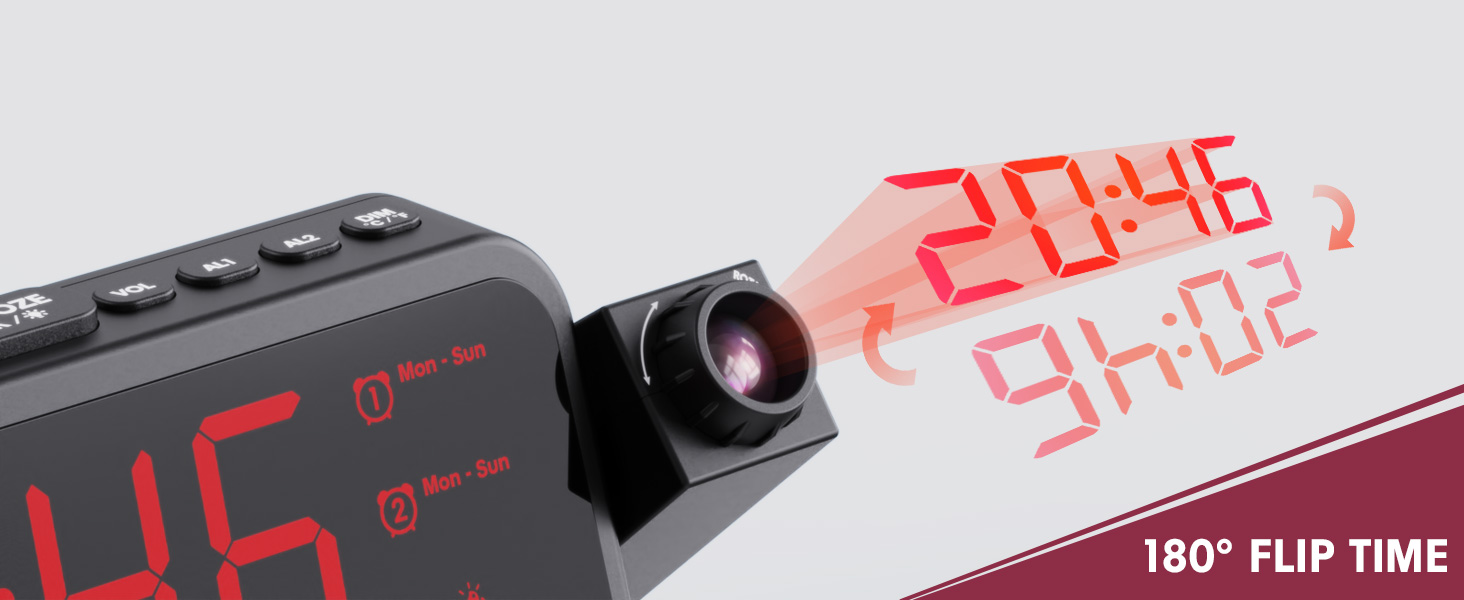
Image 1.1: Mesqool CR1024 Projection Alarm Clock with a smartphone connected for charging.
Клучни карактеристики:
- 180° Swivel Projection with Adjustable Focus
- Large LED Display with Time, Date, Day, Temperature, and Humidity
- Dual Alarms with Weekday/Weekend/7-Day/One-time Modes
- 9-Minute Snooze Function
- Integrated Soft LED Night Light with Adjustable Brightness
- 7-Level Adjustable Alarm Volume
- Затемнувач на приказ на 5 нивоа
- Memory Function (requires 2x AAA batteries, not included)
- Dual USB Charging Ports (Type-C and USB-A)
2. Поставување
2.1 Поврзување за напојување
- Поврзете го испорачаниот адаптер за напојување со DC IN приклучокот на задната страна од будилникот.
- Plug the power adapter into a standard electrical outlet. The clock display will illuminate.
- За резервна енергија за време на работаtages, insert two AAA batteries (not included) into the battery compartment. This will preserve time and alarm settings.
2.2 Почетно поставување на времето и датумот
- Притиснете и задржете го ВРЕМЕ СЕТ копче за да влезете во режим на поставување време.
- Користете го + or - копчиња за да го прилагодите часот. Притиснете ВРЕМЕ СЕТ да се потврди.
- Repeat the process to set the minute, year, month, and day.
- Притиснете ВРЕМЕ СЕТ повторно за да излезете од режимот на поставување.
2.3 12/24 Hour Format and DST
- За да префрлате помеѓу 12-часовен и 24-часовен формат на време, притиснете го копчето 12/24 ч копче.
- To activate or deactivate Daylight Saving Time (DST), press the ДСТ button. An indicator will appear on the display when DST is active.

Image 2.1: The clock displaying time in both 12-hour and 24-hour formats.
3. Упатства за работа
3.1 Поставување аларми
The clock supports two independent alarms (AL1 and AL2).
- Притиснете и задржете го AL1 or AL2 копче за да влезете во режим на поставување аларм.
- Користете го + or - копчиња за да го прилагодите часот на алармот. Притиснете го соодветното копче за аларм (AL1 or AL2) да се потврди.
- Repeat to set the alarm minute.
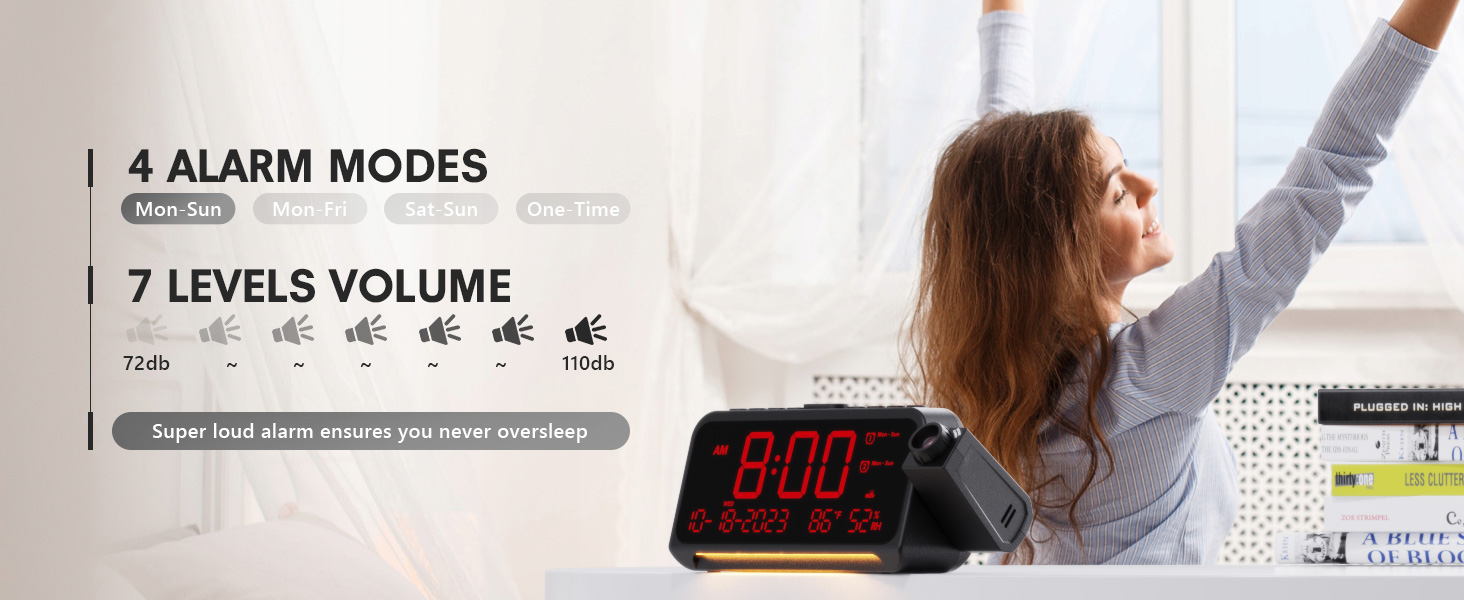
- After setting the minute, use + or - to select the alarm mode: Mon-Sun, Mon-Fri, Sat-Sun, or One-time.
- Press the alarm button again to confirm and exit.
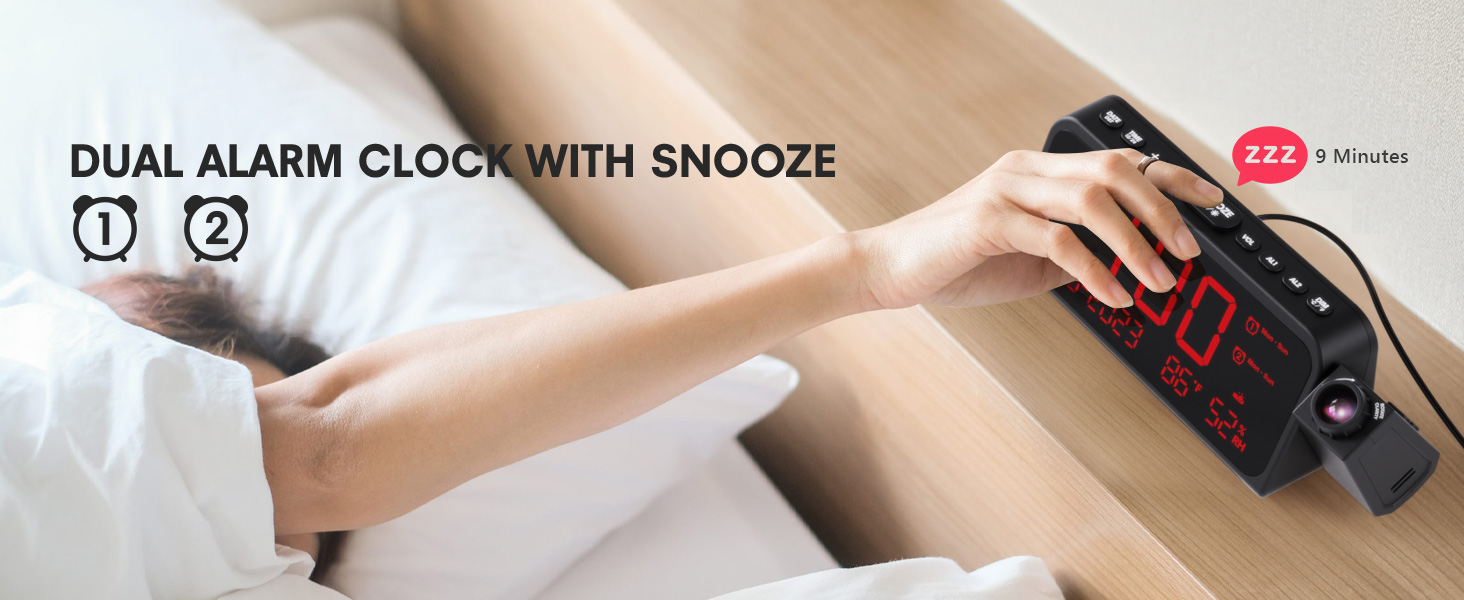
Image 3.1: The clock displaying dual alarm settings and snooze functionality.
3.2 Функција за одложување
Кога ќе се огласи алармот, притиснете го големото копче SNOOZE/OK/* копче за да ја активирате функцијата за одложување. Алармот ќе паузира 9 минути, а потоа повторно ќе се огласи.
3.3 Прилагодување на јачината на звукот на алармот
Притиснете го VOL button to cycle through 7 levels of alarm volume. Adjust to your preferred loudness.

Image 3.2: Visual representation of the 4 alarm modes and 7 adjustable volume levels.
3.4 Projection Settings
- Проекцијата ВКЛУЧЕНО/ИСКЛУЧЕНО: Притиснете го ПРОЕКЦИЈА копче за вклучување или исклучување на проекцијата.
- Осветленост на проекција: Постојано притискајте на ПРОЕКЦИЈА button to cycle through 5 brightness levels (Dim, Low, Medium, High, Full).
- Projection Orientation: The projector arm can swivel 180 degrees. Rotate the arm to direct the time display to your desired surface (wall or ceiling).
- Прилагодување на фокусот: Use the focus ring on the projector lens to sharpen the projected image.
Слика 3.3: Детално view of the projection features, including distance, time flip, rotation, focus, and brightness levels.
3.5 Затемнување на екранот
Притиснете го ПОТРАГО button to adjust the brightness of the main LED display. There are 5 levels of brightness to choose from, allowing you to customize it for comfort, especially at night.
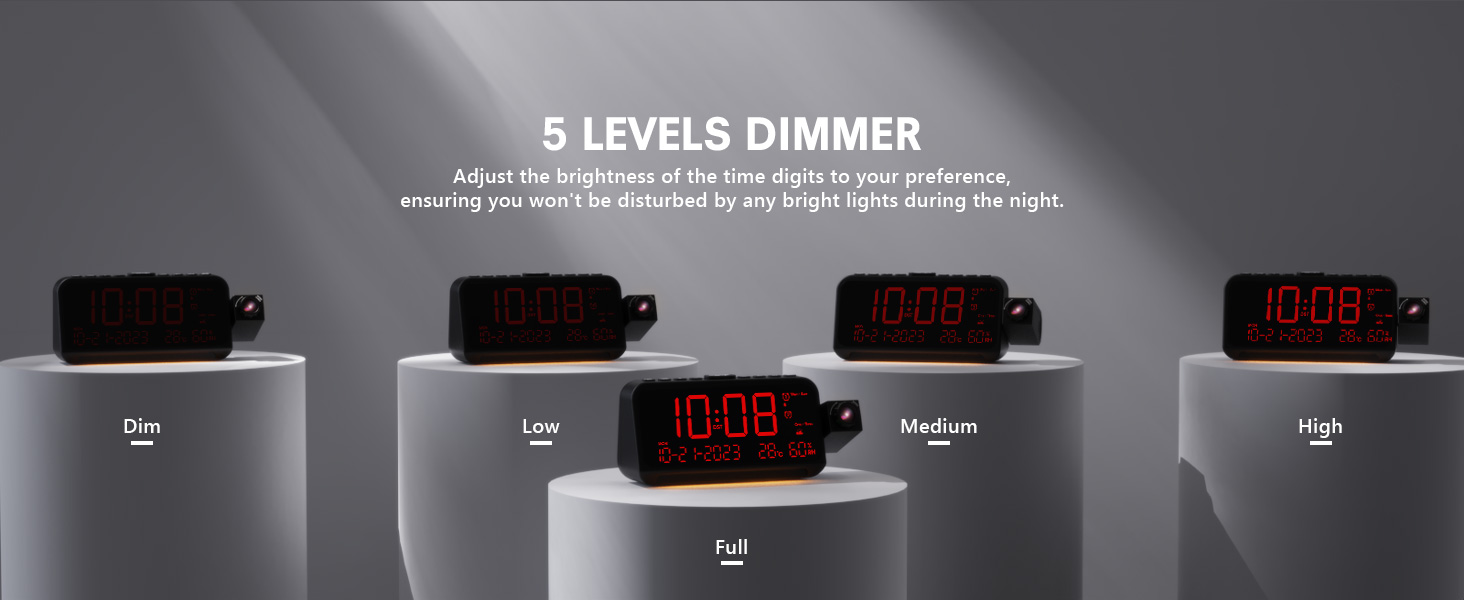
Image 3.4: The clock demonstrating its 5-level adjustable display dimmer.
3.6 Ноќно светло
The clock features a soft LED night light located at the bottom. Press the СВЕТЛИНА button to cycle through Off, Medium, and Full brightness settings for the night light.
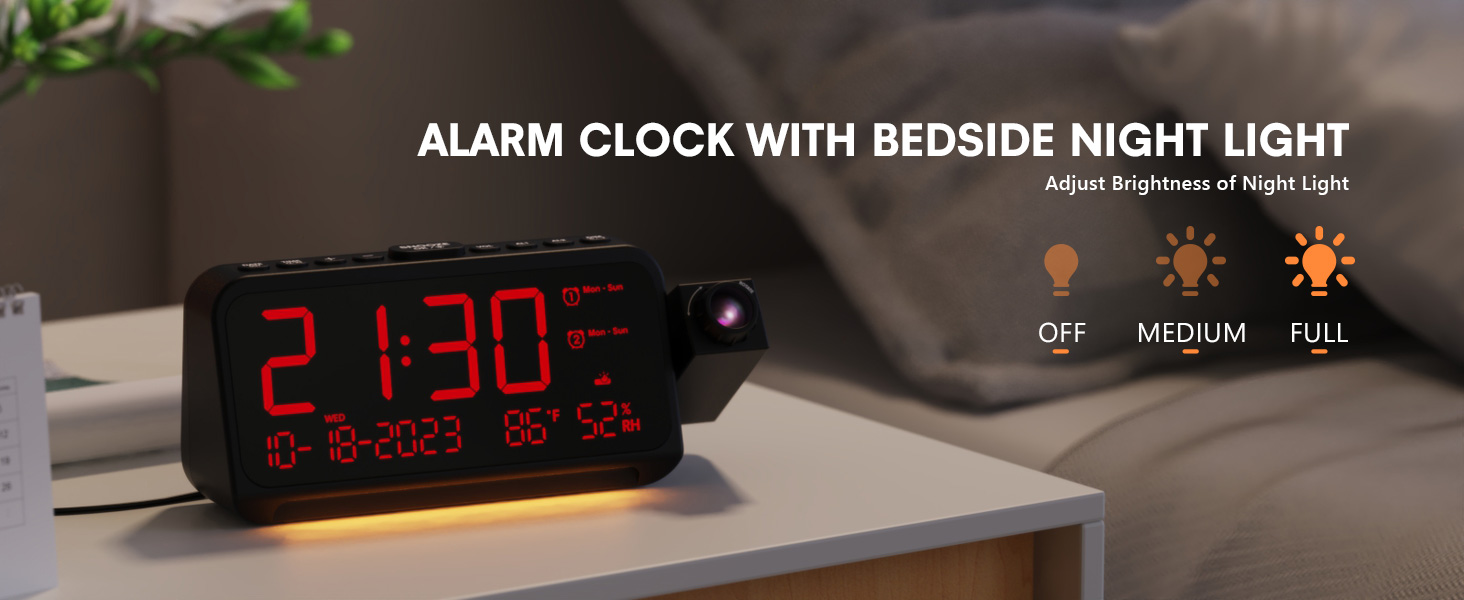
Image 3.5: The clock with its integrated night light, showing different brightness options.
3.7 USB порти за полнење
The clock is equipped with a Type-C and a standard USB-A charging port on the back. You can use these ports to charge your mobile devices while the clock is powered.

Image 3.6: The back of the clock showing the Type-C and USB-A charging ports in use.
4. Одржување
To ensure the longevity and optimal performance of your Mesqool CR1024 Projection Alarm Clock, follow these maintenance guidelines:
- Чистење: Wipe the clock's surface with a soft, dry cloth. Avoid using abrasive cleaners, solvents, or chemical sprays, as these can damage the finish or electronic components.
- Животна средина: Place the clock in a dry environment, away from direct sunlight, extreme temperatures, and high humidity.
- Вентилација: Осигурете се дека отворите за вентилација не се блокирани за да се спречи прегревање.
- Замена на батерија: If using AAA batteries for backup, replace them annually or when the low battery indicator appears to ensure settings are retained during power outagес.
5 Смена на проблеми
If you encounter issues with your Mesqool CR1024 Projection Alarm Clock, please refer to the following common problems and solutions:
| Проблем | Можна причина | Решение |
|---|---|---|
| Проекцијата е заматена или нејасна. | Incorrect focus or projection distance. | Adjust the focus ring on the projector lens. Ensure the clock is within the optimal projection distance (4.92-9.84 ft). |
| Алармот не се огласува или е премногу тивок. | Alarm not activated or volume set too low. | Ensure the alarm is enabled (AL1/AL2 indicator on display). Press the VOL button to increase the alarm volume. |
| Екранот е премногу светол или премногу затемнет. | Display dimmer setting is not optimal. | Притиснете го ПОТРАГО копче за да се движите низ 5-те нивоа на осветленост. |
| Времето/поставките се ресетираат по исклучување на струјатаtage. | Нема резервни батерии, ниту батериите се испразнети. | Install two fresh AAA batteries (not included) in the battery compartment for memory backup. |
| Cannot change time format from 24-hour to 12-hour. | Incorrect button press or temporary glitch. | Притиснете го 12/24 ч button. If the issue persists, try unplugging the clock for a few minutes and then reconnecting power. |
6. Спецификации
| Карактеристика | Детал |
|---|---|
| Бренд | Месќул |
| Број на модел | CR1024 |
| Тип на дисплеј | Дигитална LED диода |
| Извор на енергија | Електричен со кабел |
| Резервна копија на батеријата | 2x AAA батерии (не се вклучени) |
| Димензии на производот | 7.87"W x 3.4"H (7.87x2.36x3.43 inch) |
| Тежина на ставката | 12 унци (0.34 килограми) |
| Материјал | Акрилонитрил бутадиен стирен (ABS) |
| Посебни карактеристики | Projection, Dual Alarms, Snooze, Night Light, Temperature, Humidity, Calendar, DST, USB Charging |

Image 6.1: Dimensions of the Mesqool CR1024 Projection Alarm Clock.
7. Гаранција и поддршка
7.1 Информации за гаранцијата
This Mesqool CR1024 Projection Alarm Clock comes with a 24-месечна гаранција from the date of purchase. Mesqool also provides lifetime support for this product. Please retain your proof of purchase for warranty claims.
7.2 Поддршка за корисници
For any questions, technical assistance, or warranty inquiries, please contact Mesqool customer support through the retailer where you purchased the product or refer to the official Mesqool webсајт за информации за контакт.


