1. Вовед
This manual provides detailed instructions for the installation, operation, and maintenance of your Ctronics CTIPC-790C-EU 5MP PTZ Wi-Fi Security Camera. Please read this manual thoroughly before using the product to ensure proper function and safety. This camera is designed for both indoor and outdoor surveillance, offering high-resolution video, advanced detection features, and flexible connectivity.

Слика 1: Предна страна view of the Ctronics 5MP PTZ Wi-Fi Security Camera. This image displays the camera's dome shape, lens, and LED illuminators.
2. Содржина на пакетот
Проверете дали сите артикли наведени подолу се вклучени во вашиот пакет. Доколку некои артикли недостасуваат или се оштетени, ве молиме контактирајте ја службата за корисници.
- Ctronics CTIPC-790C-EU 5MP PTZ Wi-Fi Security Camera
- Адаптер за напојување
- Кабел за полнење
- Упатство за употреба
- Држач за монтирање
- Завртки за монтирање
3. Производот завршиview
The Ctronics CTIPC-790C-EU camera offers advanced surveillance capabilities:
- 5MP Ултра HD резолуција: Provides clear 2560x1920 pixel video and images, offering more detail than 1080P or 4MP cameras.
- Двоен опсег Wi-Fi (2.4/5 GHz): Supports both 2.4GHz for extended range and better penetration, and 5GHz for faster transmission and reduced interference.
- PTZ функционалност: Панорамирање за 355° и навалување за 90° за сеопфатно покривање на површината.
- AI Human Detection & Auto Tracking: Intelligent technology reduces false alarms by up to 95% and automatically tracks detected human movement.
- Ноќно гледање во боја: Achieves full-color night vision up to 25 meters or infrared night vision up to 30 meters for clear visibility in low-light conditions.
- Двонасочно аудио: Вграден микрофон и звучник за далечинска комуникација.
- IP66 Водоотпорност: Durable construction suitable for outdoor use in various weather conditions.
- Флексибилни опции за складирање: Supports continuous 24/7 recording to a microSD card (up to 128GB), cloud storage, or FTP.

Figure 2: This image illustrates the superior clarity of 5MP resolution compared to 2MP, highlighting finer details in a vehicle.
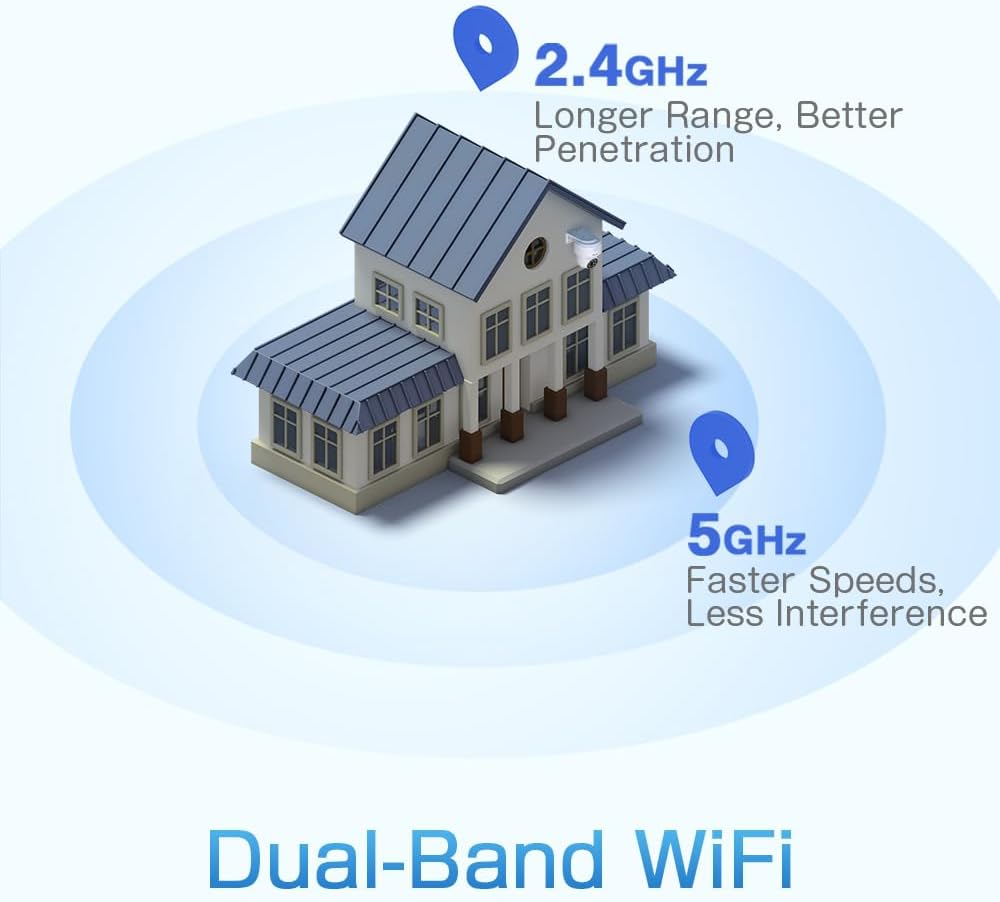
Figure 3: A diagram depicting a house with Wi-Fi signals. The 2.4GHz signal offers longer range and better penetration, while the 5GHz signal provides faster speeds and less interference.
4. Поставување
4.1 Физичка инсталација
The camera can be mounted on a wall or ceiling. Ensure the mounting location provides a clear field of view и е во опсег на Wi-Fi.
- Изберете локација: Select a suitable indoor or outdoor location. The camera is IP66 waterproof, making it resistant to dust and water jets.
- Монтирање:
- Монтирање на Wallид: Use the provided mounting bracket and screws to secure the camera to a wall.
- Монтирање на таванот: The camera can also be mounted directly to a ceiling.
- Прилагодете го аголот: After mounting, adjust the camera's orientation as needed.

Figure 4: This image displays two installation methods: wall mounting using a bracket and ceiling mounting.

Figure 5: This image illustrates both ceiling and wall installation options, emphasizing the camera's IP66 waterproof rating by showing it under simulated rain.
4.2 Поврзување за напојување
Connect the provided power adapter to the camera's power input and then plug it into a standard electrical outlet. Ensure the connection is secure.
4.3 мрежно поврзување
The camera supports both 2.4GHz and 5GHz Wi-Fi networks. For initial setup, it is recommended to place the camera near your Wi-Fi router.
- Преземи апликација: Download the Ctronics Pro or CamHi Pro app from your smartphone's app store (available for iOS and Android). For PC, use HiP2P Client software.
- Регистрирајте сметка: Отворете ја апликацијата и регистрирајте нова сметка или најавете се ако веќе имате.
- Додадете камера: Следете ги упатствата во апликацијата за да ја додадете вашата камера. Ова обично вклучува скенирање QR-код на камерата или рачно внесување на нејзиниот ID.
- Поврзете се на Wi-Fi: Select your desired 2.4GHz or 5GHz Wi-Fi network and enter the password. The camera will connect to the network.
5. Упатства за работа
5.1 Во живо View и PTZ контрола
Once connected, you can access the live video feed through the Ctronics app or PC software.
- Навестување во живо: Допрете на камерата во апликацијата за да view the real-time video stream.
- Пан/навалување: Use the directional controls within the app to rotate the camera horizontally (pan 355°) and vertically (tilt 90°).
- Зумирајте: Digital zoom is available through the app.
- Претходно поставени позиции: Set up to 8 preset positions for quick navigation to specific areas.
5.2 AI Human Detection & Auto Tracking
The camera's intelligent detection system can identify human shapes and track their movement.
- Овозможи откривање: In the app settings, enable AI Human Detection.
- Adjust Sensitivity & Area: Customize the detection sensitivity and define specific detection zones to minimize false alarms.
- Автоматско следење: When enabled, the camera will automatically follow detected human movement within its field of view.
- Известувања: Receive instant notifications via the app or email when motion is detected. The camera can also trigger customizable sound and light alarms.

Figure 6: This image shows the camera detecting a person at night, with an alarm notification displayed on a smartphone, illustrating the human detection and auto-tracking features.
5.3 Ноќно гледање
The camera offers enhanced night vision capabilities:
- Ноќно гледање во боја: When spotlights are activated, the camera can provide full-color video in low-light conditions up to 25 meters.
- Инфрацрвено ноќно гледање: In complete darkness, the camera automatically switches to infrared mode, providing clear black and white video up to 30 meters.

Figure 7: An image showing the camera mounted outdoors at night, with its spotlights illuminated to provide full-color night vision. A smartphone displays the live feed.
5.4 Двонасочно аудио
Use the two-way audio feature to communicate with individuals near the camera.
- Зборувај: Press and hold the microphone icon in the app to speak through the camera's speaker.
- Слушајте: Enable the speaker icon to listen to audio from the camera's microphone.
5.5 Снимање и складирање
Камерата поддржува различни методи на снимање и складирање:
- MicroSD картичка: Insert a microSD card (up to 128GB, not included) into the designated slot for local 24/7 continuous recording.
- Складирање во облак: Subscribe to a cloud storage service (if available) for off-site video backup.
- FTP: Configure FTP settings in the app to upload recordings to an FTP server.

Figure 8: This image illustrates the camera's 24/7 recording capability and various recording modes, including a timeline view on a smartphone and a filmstrip showing recorded events.
6. Одржување
6.1 Чистење
Regularly clean the camera lens and housing to ensure optimal image quality and performance.
- Користете мека, гamp cloth to wipe the camera's exterior.
- За леќите, користете специјализирана крпа и раствор за чистење леќи за да избегнете гребнатини.
- Не користете груби хемикалии или абразивни средства за чистење.
6.2 Ажурирања на фирмверот
Periodically check for firmware updates through the Ctronics app. Keeping your camera's firmware updated ensures access to the latest features and security enhancements.
7 Смена на проблеми
Доколку наидете на проблеми со вашата камера, погледнете ги следниве вообичаени решенија:
| Проблем | Можно решение |
|---|---|
| Камерата не се поврзува на Wi-Fi |
|
| Лош квалитет на сликата |
|
| Нема предупредувања за откривање движење |
|
| MicroSD картичката не снима |
|
For further assistance, please contact Ctronics customer support.
8. Спецификации
Key technical specifications for the Ctronics CTIPC-790C-EU camera:
| Карактеристика | Спецификација |
|---|---|
| Име на моделот | CTIPC-790C-EU |
| Резолуција | 5MP (2560x1920) |
| Безжична технологија | Wi-Fi (2.4 GHz/5 GHz) |
| Агол на пан | 355 степени |
| Агол на навалување | 90 степени |
| Опсег на ноќни визии | 25 Meters (Color), 30 Meters (IR) |
| Ниво на отпорност на вода | IP66 (Водоотпорен) |
| Опции за складирање | MicroSD (up to 128GB), Cloud, FTP |
| Извор на енергија | Електричен кабел (12 волти, 12 вати) |
| Тип на монтирање | Wall Mount, Screw-in |
| Материјал | Акрилонитрил бутадиен стирен (ABS) |
| Компатибилни уреди | Компјутер, паметен телефон, таблет |
| Поддршка за оперативен систем | Android, iOS, Windows, Mac OS |
9. Гаранција и поддршка
Ctronics products are designed for reliability and performance. For warranty information and technical support, please refer to the official Ctronics webстраницата или директно контактирајте ја нивната служба за корисници. Чувајте ја сметката за купување како доказ за купување за гаранциски побарувања.
- Поддршка преку Интернет: Visit the Ctronics official webстраница за најчесто поставувани прашања, упатства за решавање проблеми и преземања на софтвер.
- Поддршка за е-пошта: Contact Ctronics customer service via email for technical assistance.


