1. Вовед
Welcome to the user manual for your KLIM Discover Portable CD Player. This device combines classic CD playback with modern features such as Bluetooth connectivity, FM radio, FM transmission, and SD card support. This manual will guide you through the setup, operation, and maintenance of your new portable CD player to ensure an optimal listening experience.

Image 1.1: The KLIM Discover Portable CD Player, showcasinнеговиот компактен дизајн и вклучените слушалки.
2. Содржина на пакетот
Ве молиме проверете дали сите артикли наведени подолу се вклучени во вашиот пакет:
- KLIM Discover CD Player
- KLIM Fusion Wired Headphones
- Ear Accessories (various sizes)
- USB-C кабел за полнење
- Торбичка за носење

Image 2.1: All components included with the KLIM Discover Portable CD Player.
3. Производот завршиview
Familiarize yourself with the buttons and ports on your KLIM Discover CD Player:

Image 3.1: The KLIM Discover Portable CD Player, showing its front panel and connected headphones.
The KLIM Discover features a clear LCD display and intuitive controls on its front panel. Key components include:
- LCD дисплеј: Shows track information, mode, battery status, and settings.
- Контроли за репродукција: Buttons for Play/Pause, Stop, Next/Fast Forward, and Previous/Rewind.
- Копчиња за режим: Buttons for changing playback modes (e.g., Repeat, Random), activating FM Radio, FM Transmitter, and Bluetooth.
- EQ/Record Button: For cycling through equalizer presets and initiating recording.
- DIR/Speed Buttons: For changing directories on MP3 CDs and adjusting playback speed.
- Контрола на јачината на звукот: A dedicated control for adjusting audio output.
- Прекинувач за држење: A physical switch, typically on the side, to lock all buttons.
Additional ports (typically on the side or back):
- Приклучок за полнење USB-C: За поврзување на кабелот за полнење.
- 3.5mm Audio Output (Headphone Jacks): Two ports for connecting headphones or external speakers, allowing two users to listen simultaneously.
- Слот за SD-картичка: For inserting an SD/TF memory card.
4. Поставување
4.1. Полнење на уредот
The KLIM Discover has a built-in rechargeable battery. Before first use, fully charge the device.
- Connect the supplied USB-C charging cable to the USB-C port on the player.
- Поврзете го другиот крај од кабелот со USB адаптер за напојување (не е вклучен) или со USB порт на компјутерот.
- The charging indicator on the display will show charging status. A full charge typically provides over 12 hours of playback.

Image 4.1: The KLIM Discover features a long-lasting rechargeable battery.
4.2. Вклучување/исклучување
To power on the device, slide the power switch (usually located on the side) to the "ON" position. To power off, slide it to "OFF".
4.3. Користење на функцијата HOLD
The HOLD switch locks all buttons to prevent accidental operation. Slide the switch to "HOLD" to activate, and slide it back to deactivate.
5. Упатства за работа
5.1. Репродукција на ЦД
- Отворете го капакот на преградата за ЦД-а.
- Carefully place a CD (CD, CD-R, CD-RW, HDCD, MP3 CD) onto the spindle, label side up.
- Цврсто затворете го капакот на преградата за CD додека не кликне.
- Притиснете го Пушти/Пауза копче за да започнете со репродукција.
- Користете го Следна песна/брзо напред и Претходна песна/премотување назад копчиња за навигација на песни.
- Прилагодете ја јачината на звукот користејќи ја контролата на јачината на звукот.
Заштита од удари: The KLIM Discover features an anti-shock chip that buffers 100 seconds of audio to prevent interruptions during movement. This also helps protect your CDs from damage.
5.2. Bluetooth поврзување
The KLIM Discover can connect to Bluetooth headphones or speakers.
- Проверете дали вашите Bluetooth слушалки/звучник се во режим на спарување.
- Притиснете го Bluetooth button on the KLIM Discover. The Bluetooth icon on the display will flash, indicating it's searching for devices.
- Once connected, the Bluetooth icon will become solid.
Note on Car Bluetooth: Bluetooth compatibility varies with car infotainment systems. While the device strives for broad compatibility, some car systems may experience connection issues due to software updates. If you encounter problems, consider using the FM Transmitter or AUX connection options.
5.3. FM радио
- Притиснете го FM Radio/Speed - копче за да влезете во режим на FM радио.
- Користете го MODE/FM (+) и PROG/FM (-) buttons to tune to desired frequencies.
- The included headphones act as the antenna for better reception.
5.4. FM Transmitter (Car Connectivity)
The FM transmitter allows you to play audio from the KLIM Discover through your car's FM radio.
- Притиснете го FM предавател button to activate the feature.
- The display will show an FM frequency.
- Tune your car's FM radio to the same frequency displayed on the KLIM Discover.
- Play your CD or SD card audio, and it will transmit wirelessly to your car's speakers.
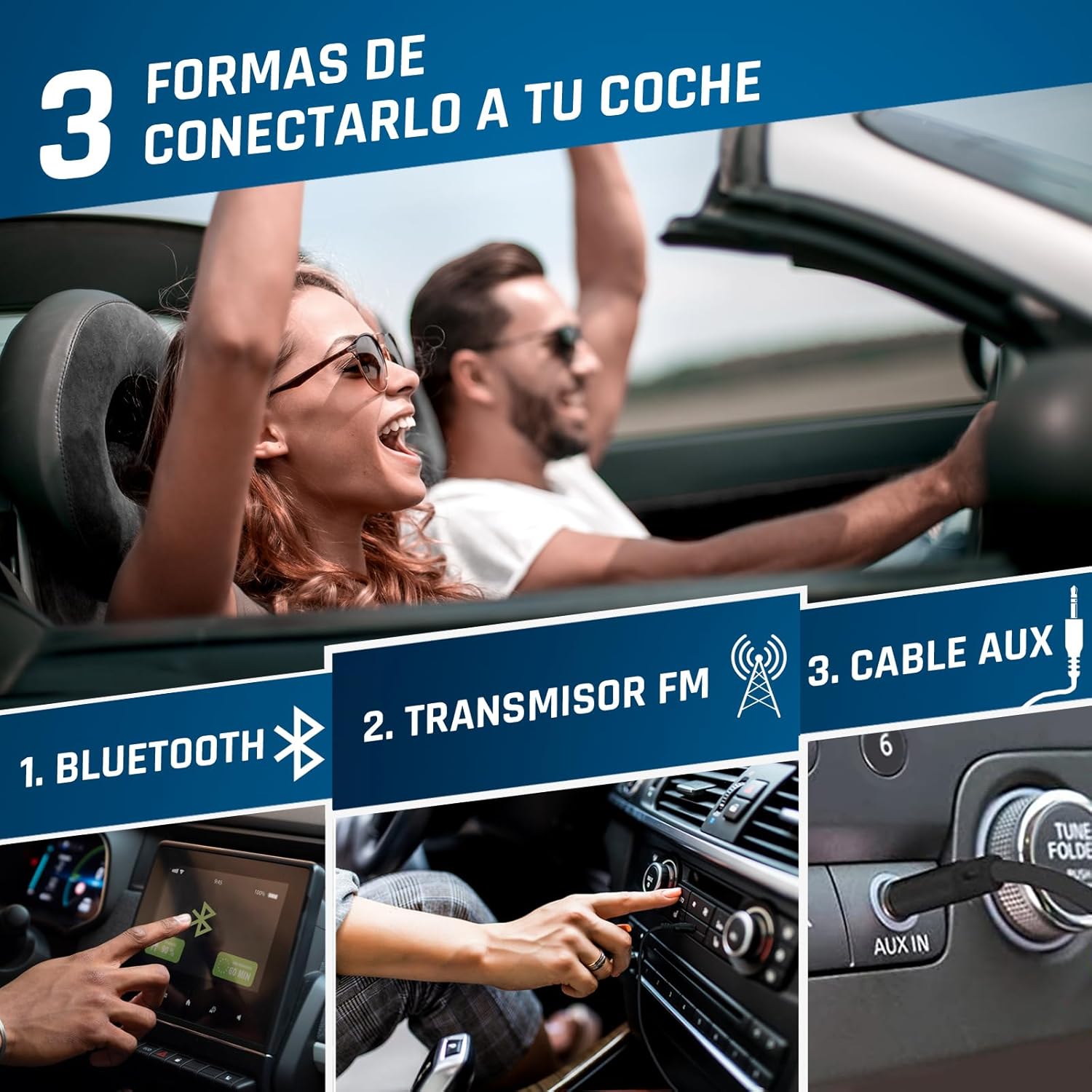
Image 5.1: Connection options for car audio systems: Bluetooth, FM Transmitter, and AUX cable.
Other Car Connection Options:
- AUX кабел: If your car has an AUX input, connect the KLIM Discover using a 3.5mm audio cable (not included).
- Car Bluetooth: Attempt to pair the KLIM Discover with your car's Bluetooth system as described in section 5.2.
5.5. Репродукција од SD картичка
- Insert a formatted SD/TF card (up to 32GB) into the SD card slot.
- The player will automatically switch to SD card mode or you may need to press the РЕЖИМ копче за да го изберете.
- Supported audio formats include MP3 and WMA.
- Use the navigation buttons to select and play tracks.
5.6. Функција за снимање
The KLIM Discover supports recording audio onto an inserted SD card. Refer to the on-screen prompts or specific instructions for initiating recording using the EQ/Record копче.
5.7. Еквилајзер (EQ)
Притиснете го EQ/Record button repeatedly to cycle through different equalizer presets (e.g., Pop, Jazz, Rock, Classic, Bass, Flat) to customize your audio experience.
5.8. Playback Speed Control
Користете го DIR/Speed + и FM Radio/Speed - buttons to adjust the playback speed of your audio.
6. Одржување
- Чистење: Use a soft, dry cloth to clean the exterior of the player. For the lens inside the CD compartment, use a specialized CD lens cleaner.
- Складирање: Чувајте го плеерот на ладно и суво место, подалеку од директна сончева светлина и екстремни температури.
- Нега на батеријата: За да го продолжите животниот век на батеријата, избегнувајте често целосно празнење на батеријата. Полнете ја редовно, дури и ако не ја користите подолг период.
- Ракување со ЦД: Always handle CDs by their edges. Keep them clean and free of scratches to ensure optimal playback.
7 Смена на проблеми
| Проблем | Можна причина | Решение |
|---|---|---|
| Уредот не се вклучува. | Слаба батерија; Прекинувачот за напојување е во положба OFF (ИСКЛУЧЕНО). | Charge the device; Slide power switch to ON. |
| CD-то не се репродуцира или прескокнува. | CD is dirty, scratched, or inserted incorrectly; CD compartment not closed properly. | Clean the CD; Ensure CD is inserted correctly; Close compartment firmly. |
| Нема звук од слушалките. | Headphones not connected; Volume too low; Headphones faulty. | Ensure headphones are fully plugged in; Increase volume; Test with different headphones. |
| Проблеми со поврзувањето со Bluetooth. | Device not in pairing mode; Target device too far or not in pairing mode; Car infotainment system incompatibility. | Ensure both devices are in pairing mode and close to each other; Refer to car manual; Use FM Transmitter or AUX as alternatives. |
| FM Transmitter not working. | Car radio not tuned to correct frequency; Interference. | Ensure car radio matches player's FM frequency; Try a different, clear frequency. |
| SD картичката не е препознаена. | Card inserted incorrectly; Card not formatted or corrupted; Unsupported file формат. | Reinsert card; Ensure card is formatted correctly (FAT32); Check for MP3/WMA files. |
If you continue to experience issues, please contact KLIM customer service for assistance.
8. Спецификации
| Карактеристика | Детал |
|---|---|
| Бренд | КЛИМ |
| Име на моделот | Откријте |
| Број на модел | KLIM Nomad (KLDIS5373) |
| Технологија за поврзување | Bluetooth |
| Посебни карактеристики | Bluetooth, FM radio, FM transmitter, SD card reader, Recorder |
| Компатибилни типови медиуми | CD, SD Card, MP3, WMA |
| Поддржани аудио формати | MP3, WMA |
| Капацитет за складирање на меморија | Up to 32 GB (SD/TF Card) |
| Технологија на тјунер | FM |
| Технологија на прикажување | LCD екран |
| Тип на извор на енергија | Battery Powered (Rechargeable Lithium-Cobalt) |
| Просечен век на траење на батеријата | 12+ часа |
| Димензии на производот | 14 x 14 x 2.8 cm |
| Тежина на ставката | 250 гр |
| Вклучени компоненти | KLIM Discover CD Player, KLIM Fusion Wired Headphones, Ear Accessories, USB-C Charging Cable, Carry Pouch |
9. Гаранција и поддршка
The KLIM Discover Portable CD Player comes with a 5-годишна поддршка за производот from KLIM Technologies. This ensures long-term assistance for any issues you may encounter.
Additionally, you are covered by a 30-дневен период за враќање, allowing you to return the product for a full refund if you are not satisfied with your purchase.
For technical support, warranty claims, or any questions, please visit the official KLIM website or contact their customer service directly. Contact details can typically be found on the KLIM webна локацијата или во материјалите за пакување.


