Вовед
This manual provides essential instructions for setting up, operating, and maintaining your KALOC Fitness Tracker. Please read this guide thoroughly to ensure proper use and to maximize the device's features.
Што има во кутијата
По распакувањето, проверете дали сите предмети се присутни:
- KALOC Fitness Tracker (main unit)
- Гледајте бенд
- Кабел за полнење
- Упатство за употреба
Поставување
1. Полнење на уредот
Before first use, fully charge your fitness tracker. Connect the charging cable to the charging port on the back of the device and to a USB power source. The screen will indicate charging status.

Image: The KALOC Fitness Tracker displaying a '100% Fully charged' message while connected to its charging cable.
2. Инсталација на апликација и спарување
To utilize all features and synchronize data, download the companion application to your smartphone. The app is compatible with Android 6.0 and iOS 12.0 or above, and requires Bluetooth 4.0.
- Scan the QR code in the quick guide or search for the app name (usually mentioned in the quick guide or packaging) in your phone's app store.
- Инсталирајте ја апликацијата.
- Open the app and follow the on-screen instructions to create an account and pair your fitness tracker via Bluetooth. Ensure Bluetooth is enabled on your phone.
- Allow necessary permissions for the app to function correctly (e.g., location, notifications).
Упатства за работа
Екран и навигација
The KALOC Fitness Tracker features a 1.58-inch AMOLED touch display. Navigate through menus and functions by swiping up, down, left, or right, and tapping to select options.

Image: The 1.58-inch AMOLED screen of the KALOC Fitness Tracker, highlighting its resolution and brightness capabilities.
Основни функции
- Време и датум: Automatically synchronizes with your paired smartphone.
- Лица на часовникот: Customize your watch face through the companion app or directly on the device.

Слика: Прamples of personalized watch faces available for the KALOC Fitness Tracker.
Health Tracking Features
The KALOC Fitness Tracker provides comprehensive health monitoring throughout the day.
- Мониторинг на отчукувањата на срцето: Континуирано го следи вашиот пулс. View податоци во реално време на уредот или детални трендови во апликацијата.
- Мерење на кислород во крвта (SpO2): Ги мери нивоата на сатурација на кислород во крвта.
- Следење на сонот: Ги анализира вашите навики на спиење, вклучувајќи длабок сон, лесен сон и време на будење.
- Stress Level Tracking: Monitors your stress levels and provides insights into your mental well-being.
- Педометар и пратење калории: Records daily steps, distance covered, and estimated calories burned.

Image: The KALOC Fitness Tracker displaying 24-hour health tracking data, including heart rate, sleep, and stress.

Image: The KALOC Fitness Tracker tracking daily fitness data, including steps, distance, calories, and activity time.
Спортски режими
The fitness tracker supports over 100 sports modes to accurately track your workouts. Select the appropriate mode before starting an activity for precise data collection.
- Examples include outdoor walking, running, cycling, strength training, yoga, and various ball games.
- Access sports modes from the device menu and select your desired activity.
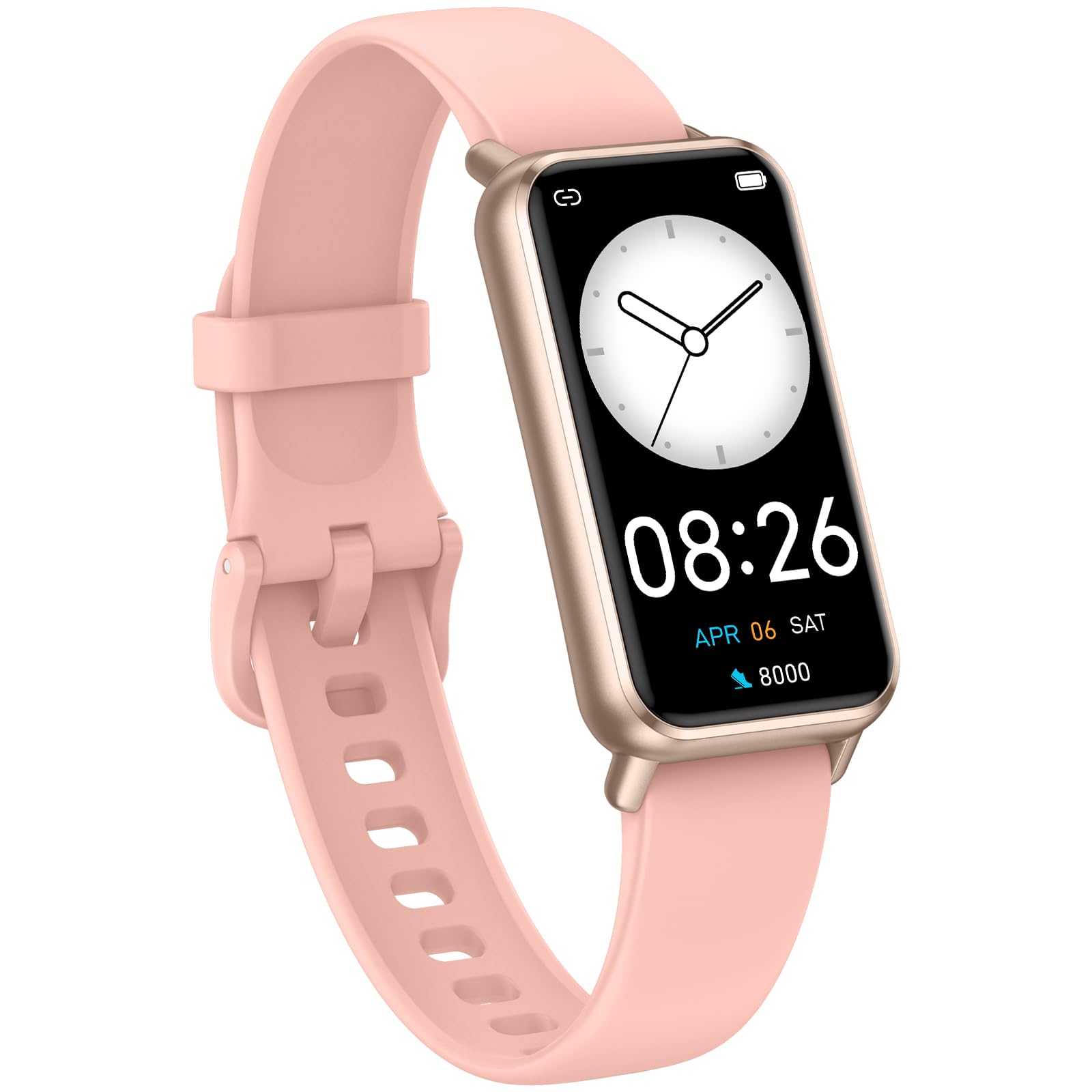
Image: The KALOC Fitness Tracker highlighting its support for over 100 sports modes.
Отпорност на вода
The KALOC Fitness Tracker is 50-meter waterproof, making it suitable for various water activities.
- Suitable for washing hands, showering, swimming, and shallow water activities.
- Not recommended for diving, hot water activities, or high-pressure water exposure.

Image: The KALOC Fitness Tracker demonstrating its 50-meter waterproof feature during swimming.
Траење на батеријата
The device offers an extended battery life, providing up to 14 days of typical use or 30 days of standby time on a single charge.

Image: The KALOC Fitness Tracker highlighting its 14-day battery life.
Паметни известувања
Receive notifications for calls, messages, and app alerts directly on your wrist when paired with your smartphone.

Image: The KALOC Fitness Tracker receiving smart notifications from various applications.
Други функции
The KALOC Fitness Tracker includes several additional useful features:
- Контрола на камерата: Далечинско управување со камерата на вашиот телефон.
- Контрола на музика: Manage music playback on your paired phone.
- Временска прогноза: View моментални временски услови и прогнози.
- Потсетник за пиење: Поставете потсетници за да останете хидрирани.
- Седентарен потсетник: Ве предупредува да се движите по периоди на неактивност.
- Аларм: Set alarms directly on your device.
- Тренинг за дишење: Водени вежби за дишење за справување со стресот.

Image: The KALOC Fitness Tracker showcasing its multiple functions.
Одржување
To ensure the longevity and optimal performance of your KALOC Fitness Tracker, follow these maintenance guidelines:
- Чистење: Regularly clean the device and strap with a soft, damp крпа. Избегнувајте груби хемикалии или абразивни материјали.
- Полнење: Use only the provided charging cable. Do not expose the charging contacts to water or corrosive liquids.
- Складирање: Чувајте го уредот на ладно и суво место кога не е во употреба. Избегнувајте екстремни температури.
- Изложеност на вода: While waterproof, it is advisable to dry the device thoroughly after exposure to water to prevent skin irritation and ensure proper sensor function.
Решавање проблеми
If you encounter issues with your KALOC Fitness Tracker, refer to the following common solutions:
- Уредот не се вклучува: Уверете се дека уредот е целосно наполнет. Поврзете го на полначот најмалку 30 минути.
- Не може да се спари со телефон:
- Проверете дали Bluetooth е овозможен на вашиот телефон.
- Проверете дали тракерот е во опсегот на Bluetooth на вашиот телефон.
- Рестартирајте го и телефонот и фитнес тракерот.
- Check if the app has the necessary permissions.
- Неточни податоци:
- Ensure the tracker is worn snugly on your wrist, about one finger's width from your wrist bone.
- Исчистете ги сензорите на задната страна од уредот.
- Update the device firmware via the app if available.
- Известувањата не се примени:
- Verify that notifications are enabled in both the tracker's app and your phone's settings.
- Осигурајте се дека апликацијата работи во позадина.
If problems persist, consult the support section of the companion app or contact customer support.
Спецификации
| Број на модел | 529d841c-3537-4f97-bf0f-2a0c001c6b1e |
| Големина на приказ | 1.58 инчи AMOLED |
| Отпорност на вода | 50 метри |
| Траење на батеријата | До 14 дена (типична употреба) |
| Поврзување | Bluetooth 4.0 |
| Компатибилност | Андроид 6.0+ / iOS 12.0+ |
| Тежина на ставката | 2.82 унци |
| Димензии на производот | 6.4 x 3 x 0.7 инчи |
Гаранција и поддршка
For warranty information and customer support, please refer to the documentation included with your purchase or visit the official KALOC webлокација. Чувајте ја сметката како доказ за купување за гаранциски побарувања.


