1. Вовед
The RADEKLY Instant Print Camera for Kids is designed to provide an engaging and creative photography experience for children. This digital camera features instant black and white printing, 1080P HD video recording, and a variety of fun filters and games. This manual provides essential information for setting up, operating, and maintaining your camera.
2. Што има во кутијата
Upon unboxing your RADEKLY Instant Print Camera, you should find the following components:
- 1 x RADEKLY Instant Print Camera (Model 681)
- 3 x Rolls of Thermal Print Paper (one pre-loaded)
- 1 x USB тип-C кабел за полнење
- 1 x решетка
- 1 x 32GB Micro SD Card (pre-installed or included separately)
- 6 x Colorful Pens
- 1 x Sheet of Decorative Stickers
- 1 x Упатство за употреба

Figure 2.1: All components included with the RADEKLY Instant Print Camera.
Видео 2.1: Оверview of the RADEKLY Instant Print Camera and its included accessories, demonstrating the unboxing process and initial setup steps.
3. Поставување
3.1. Полнење на камерата
Before first use, fully charge the camera. Connect the provided USB Type-C cable to the camera's charging port and the other end to a compatible USB power adapter (not included) or computer. The charging indicator light will illuminate during charging and turn off when fully charged. A full charge provides approximately 2.5 hours of continuous usage.

Figure 3.1: Charging the RADEKLY Instant Print Camera via its Type-C port.
3.2. Loading Print Paper
The camera uses thermal print paper for instant black and white photos. One roll is typically pre-loaded. To load or replace paper:
- Gently push up the side of the camera where the lens is located to open the paper slot.
- Insert a new roll of thermal paper into the compartment, ensuring the paper feeds out towards the top of the camera.
- Close the camera securely until it clicks into place. A small portion of paper should protrude from the top.

Figure 3.2: Steps for loading thermal print paper into the camera.
3.3. Вметнување на Micro SD-картичката
The 32GB Micro SD card is typically pre-installed. If not, locate the SD card slot (usually on the side or bottom of the camera) and insert the card with the gold contacts facing down until it clicks into place. This card stores color photos and videos.
4. Упатства за работа
4.1. Вклучување/исклучување
Press and hold the Power/Mode button (usually marked with a power icon or 'M') for a few seconds to turn the camera on or off. The screen will display a welcome message upon startup.
4.2. Taking Photos and Instant Printing
За да фотографирате:
- Ensure the camera is in photo mode (indicated by an icon on the screen).
- Frame your shot using the 2.4-inch display.
- Press the Shutter button (often a large, central button) to capture the image.
The camera will instantly print a black and white version of the photo. A color version will be saved to the Micro SD card. You can also select previously taken photos from the gallery and print them again.
4.3. Снимање видео
За да снимате видео:
- Switch to video mode using the Mode button.
- Press the Shutter button to start recording. Press it again to stop.
Videos are recorded in 1080P HD quality and saved to the Micro SD card.
4.4. Digital Zoom and Flash
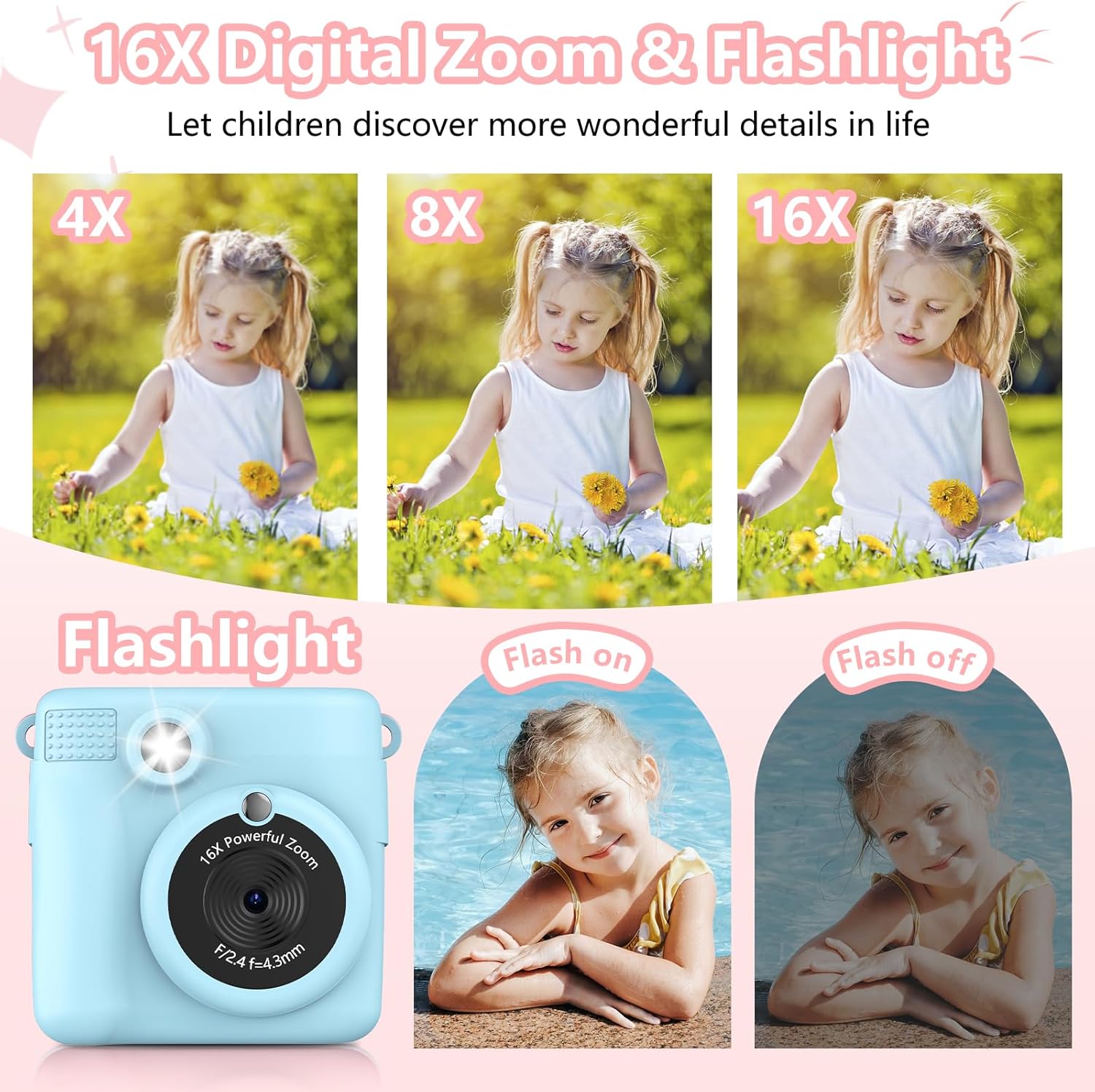
The camera features 16X digital zoom. Use the 'Previous/Zoom In' and 'Next/Zoom Out' buttons to adjust the zoom level. The built-in flash can be activated for low-light conditions.

Figure 4.1: Demonstrating the 16X digital zoom and flash features.
4.5. Filters, Frames, and Stickers
Enhance your photos with 15 scene filters and 16 sticker options. These can be applied before taking a photo or during playback. The camera also supports various photo frames.
Слика 4.2: Прamples of filters, mirror effects, and photo frames.
4.6. Games and MP3 Player
The camera includes built-in games for entertainment. It also functions as an MP3 player, allowing children to listen to music. Refer to the on-screen menu for game selection and MP3 playback controls.
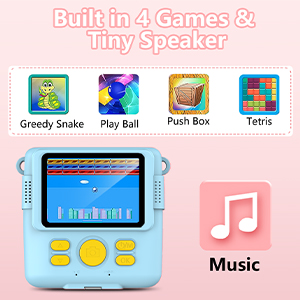
Figure 4.3: Built-in games and MP3 player interface.
4.7. Deleting Photos
To delete photos from the Micro SD card, navigate to the gallery or playback mode. Select the photo you wish to delete and follow the on-screen prompts, usually by long-pressing the 'OK' button to confirm deletion.
5. Карактеристики завршиview
- Instant Print Function: Produces black and white thermal prints immediately after capture.
- Видео со висока дефиниција: Records videos in 1080P resolution.
- Голем екран: Features a 2.4-inch screen for viewинг и навигација.
- Дигитален зум: Up to 16X digital zoom for capturing distant subjects.
- Creative Options: Includes 15 scene filters, 16 sticker options, and various photo frames.
- Забава: Built-in games and an MP3 player.
- Преносен дизајн: Compact and lightweight with a lanyard for easy carrying.
- Батерија на полнење: 1000mAh Lithium Polymer battery for extended use.
- Складирање: Comes with a 32GB Micro SD card for storing color photos and videos.

Figure 5.1: Key features of the RADEKLY Instant Print Camera.
6. Одржување
- Чистење: Use a soft, dry cloth to clean the camera body and screen. Avoid abrasive cleaners or solvents.
- Складирање на хартија: Store thermal print paper in a cool, dry place away from direct sunlight to preserve its quality.
- Нега на батеријата: Charge the camera regularly, even if not in frequent use, to maintain battery health. Avoid extreme temperatures.
- SD-картичка: Periodically back up important photos and videos from the Micro SD card to a computer or other storage device.
7 Смена на проблеми
If you encounter issues with your RADEKLY Instant Print Camera, refer to the following common solutions:
- Камерата не се вклучува: Ensure the battery is charged. Connect the camera to a charger and try again.
- Лош квалитет на печатење: Check if the thermal paper is loaded correctly and is not damaged. Ensure the paper roll is not depleted.
- Заглавување на хартија: Open the paper compartment and carefully remove any jammed paper. Re-insert the paper roll correctly.
- Не може да се зачуваат фотографии/видеа: Проверете дали Micro SD картичката е правилно вметната и дали има доволно слободен простор.
- Камерата не реагира: Locate the small reset button (often a pinhole) and gently press it with a thin object (like a paperclip) to restart the camera.
8. Спецификации
| Карактеристика | Спецификација |
|---|---|
| Димензии на производот | 3.54 x 3.54 x 2 инчи |
| Тежина на ставката | 4.8 унци (135 грама) |
| Број на модел | 681 |
| Батерија | 1 литиум полимерна батерија (вклучена) |
| Специјална карактеристика | Инстант печатење |
| Тип на формат на филм | Инстант |
| Вклучени компоненти | Тело и додатоци на камерата |
| Компатибилни уреди | Камера |
9. Гаранција и поддршка
За информации за гаранцијата или техничка поддршка, ве молиме погледнете го пакувањето на производот или контактирајте го директно производителот. Зачувајте ја сметката како доказ за купување.


