Вовед
This manual provides detailed instructions for the safe and effective use of the KAIWEETS KM201 Smart Digital Multimeter. The KM201 is a compact, auto-ranging multimeter designed for measuring voltage, resistance, and continuity, featuring True RMS for accurate readings and Non-Contact Voltage (NCV) detection for enhanced safety. Please read this manual thoroughly before operation and retain it for future reference.
Информации за безбедност
Always adhere to local and national safety codes. Use appropriate personal protective equipment (PPE) when working with electrical circuits. Do not use the device if it appears damaged or if the test leads are compromised. Ensure the battery compartment is securely closed before operation.
Содржина на пакетот
Проверете дали сите артикли се присутни во пакувањето:
- 1 x KAIWEETS KM201 Smart Digital Multimeter
- 2 x AAA батерии
- 1 x Упатство за употреба (овој документ)
Производот завршиview
The KAIWEETS KM201 is designed for ease of use and portability. Below is an illustration of the device and its main components.

Слика 1: Напред и назад view of the KAIWEETS KM201 Multimeter, showing the display, function buttons, and integrated test leads with storage clips.
Клучни карактеристики:
- Паметен автоматски режим: Automatically identifies measurement type (voltagд, отпор, континуитет).
- Вистински RMS: Обезбедува точни отчитувања за несинусоидни бранови форми.
- Бесконтактно волtage (NCV) Откривање: Открива AC волtagд без физички контакт.
- Phase Sequence Test: Identifies live and phase wires.
- Задно осветлување и фенерче: Ја подобрува видливоста во услови на слаба осветленост.
- Задржување на податоци: Го замрзнува тековното отчитување на екранот.
- Автоматско исклучување: Заштедува траење на батеријата.
- Индикатор за слаба батерија: Известува кога е потребна замена на батеријата.
Поставување
Инсталација на батерија
- Пронајдете го капакот на преградата за батерии на задната страна од мултиметарот.
- Користете шрафцигер за да ја отворите преградата за батерии.
- Вметнете две AAA батерии, внимавајќи на правилниот поларитет (+/-).
- Вратете го капакот на преградата за батерии и прицврстете го со завртката.
Note: The device will display a low battery indicator when batteries need replacement.
Упатства за работа
Вклучување/исклучување
Притиснете го Копче за напојување ( ) to turn the multimeter on or off. The device will automatically power off after a period of inactivity to conserve battery.
Smart Automatic Mode
The KM201 features a smart automatic mode that simplifies measurements. When powered on, the multimeter defaults to this mode, indicated by "Auto" on the display. In this mode, the device automatically detects and measures AC/DC voltage, отпор и континуитет.
Слика 2: The multimeter display indicating "Auto" mode, ready for automatic measurement.
Voltage Тест (AC/DC)
In Smart Automatic Mode, connect the test leads to the circuit or component you wish to measure. The multimeter will automatically detect and display the AC or DC voltage.
- Ensure the test leads are securely plugged into the COM and INPUT jacks.
- Touch the red probe to the positive terminal or live wire and the black probe to the negative terminal or neutral/ground wire.
- Прочитајте го томtagе вредност на екранот.

Слика 3: Мерење DC волtage on a car battery using the KM201 multimeter.
Тест за отпор и континуитет
In Smart Automatic Mode, the multimeter will automatically switch to resistance or continuity measurement when connected to a non-powered circuit.
- Ensure the circuit is de-energized before connecting the test leads.
- Поврзете ги тест каблите преку патеката на компонентата или струјното коло.
- For continuity, if the resistance is less than approximately 50 ohms, the screen will turn green and a beeping sound will indicate continuity.
- For resistance, the display will show the resistance value in ohms (Ω), kilohms (kΩ), or megohms (MΩ).
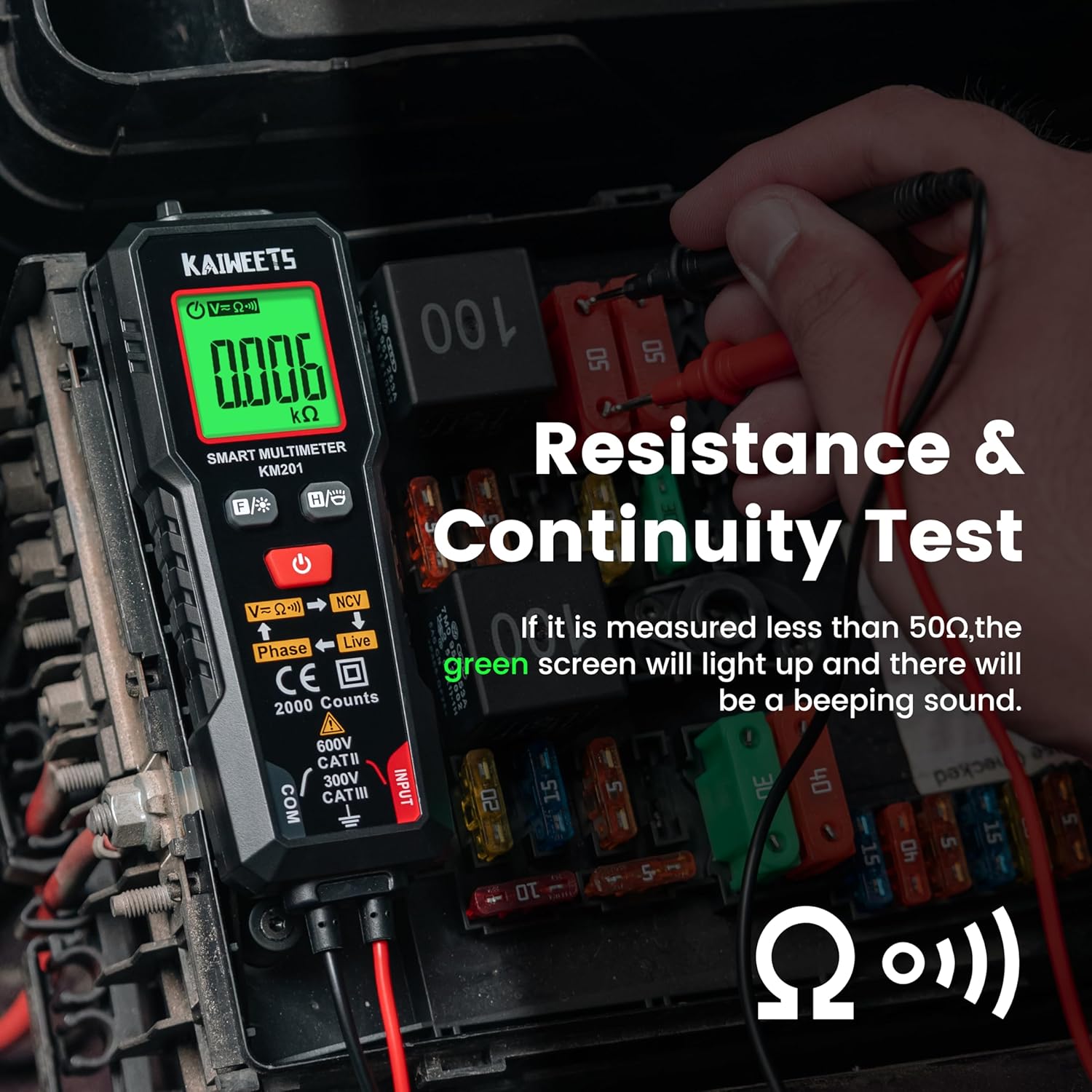
Слика 4: Performing a resistance and continuity test on electrical components within a fuse box.
Бесконтактно волtage (NCV) Откривање
Функцијата NCV овозможува безбедно откривање на волуменот на ACtage without direct contact with conductors.
- Притиснете го Копче NCV (labeled V=K))) NCV) to activate NCV mode.
- Move the top tip of the multimeter close to the wire or outlet.
- Ако AC voltage is detected, the screen will display red, show "-H", and emit a rapid beeping sound, indicating the presence of live voltage.
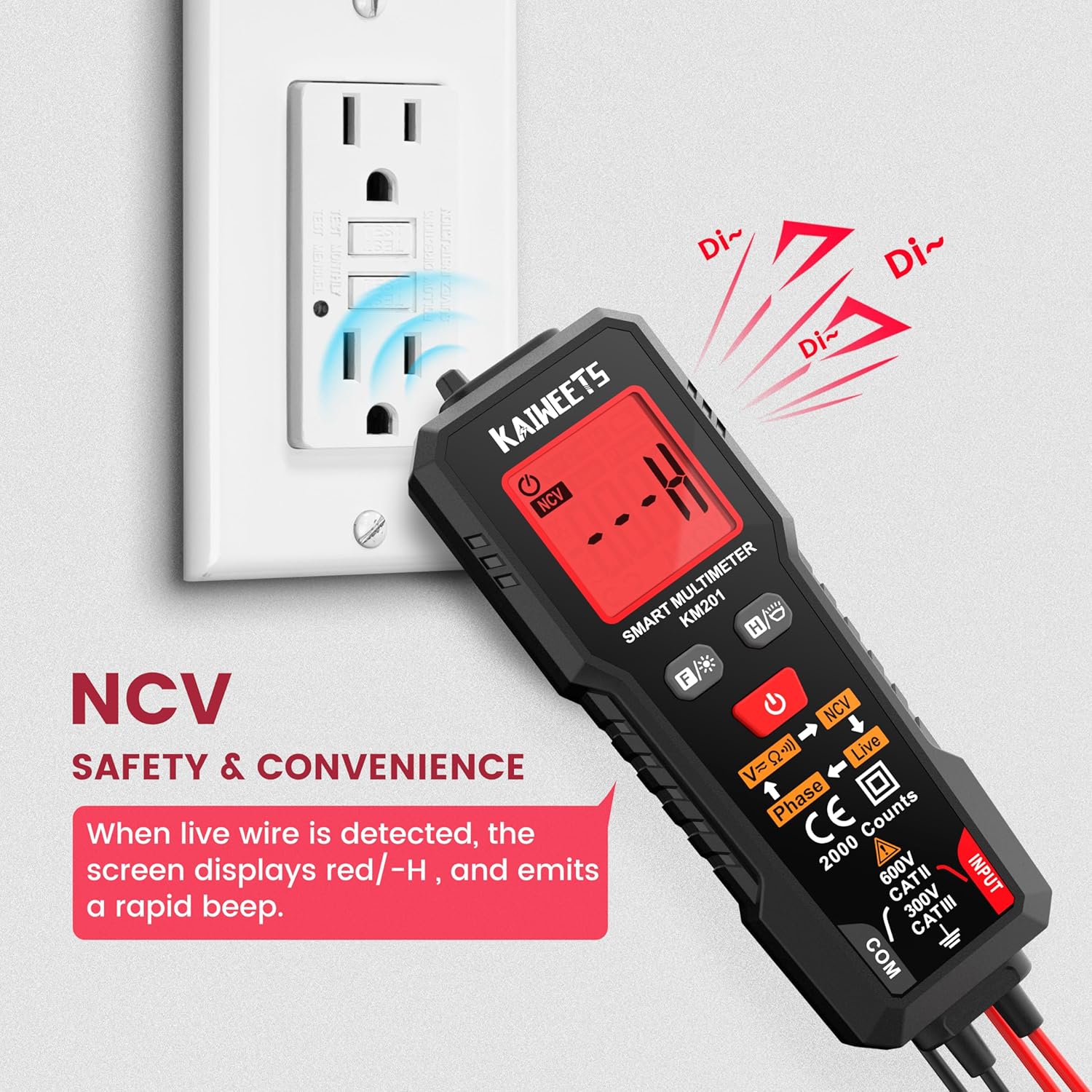
Слика 5: Using the NCV function to detect live voltage in an electrical outlet, indicated by a red screen and audible alarm.
Фазен тест
The phase test helps identify live and phase wires.
- Притиснете го Фазно копче (labeled Phase ← Live) to activate the phase test mode.
- Допрете ја црвената сонда до жицата што сакате да ја тестирате.
- The display will indicate "Phase" or "Live" to identify the wire type.
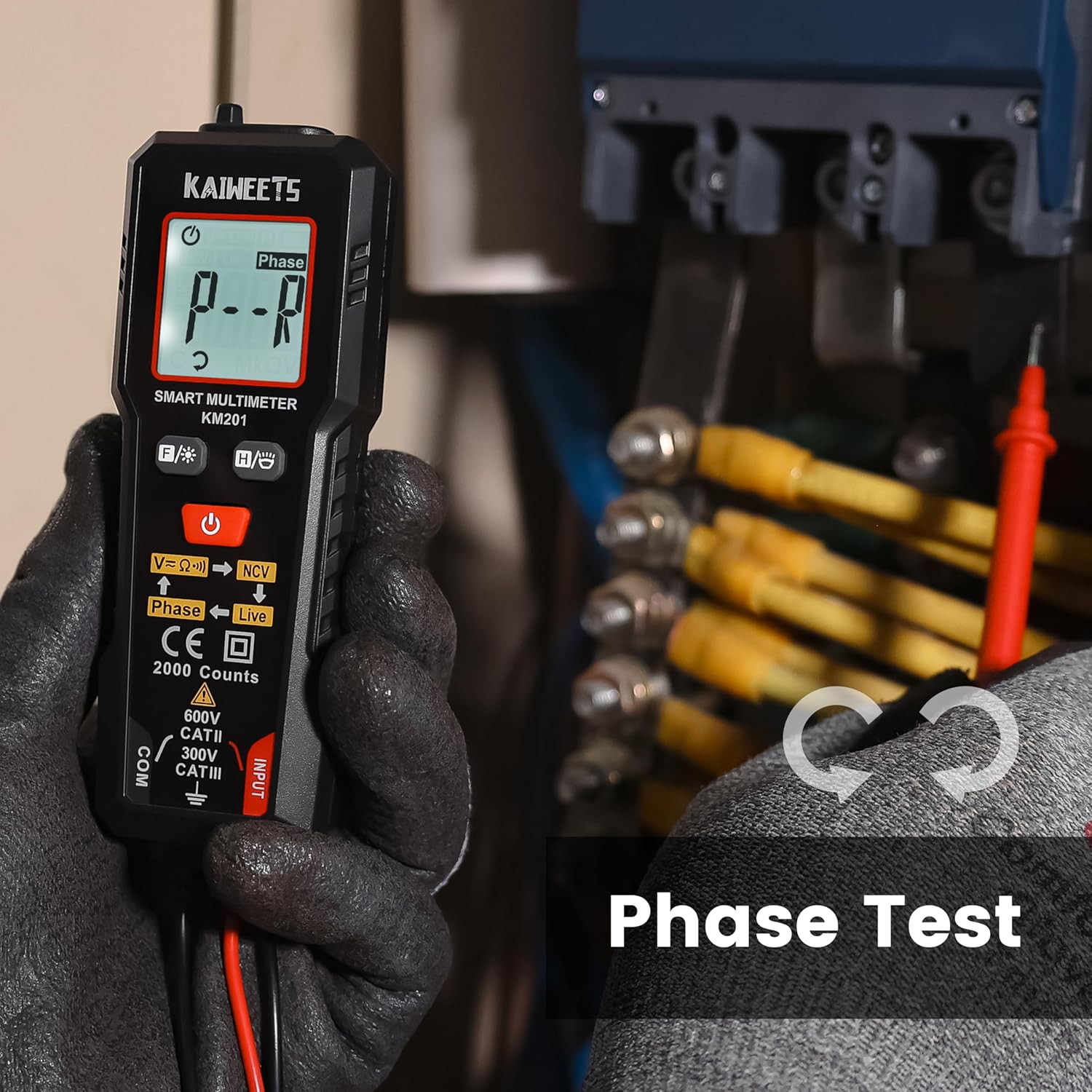
Слика 6: Performing a phase test on electrical wiring to identify live conductors.
Backlight and Flashlight
The KM201 includes a backlight for the display and a built-in flashlight for improved visibility in dark environments.
- Притиснете го Копче за позадинско осветлување/фенерче (
 ) to toggle the display backlight.
 - Притиснете и задржете го Копче за позадинско осветлување/фенерче to turn the flashlight on or off.
Слика 7: The KM201 multimeter with its display backlight and integrated flashlight active, illuminating wires in a dark space.
Одржување
Чистење
Избришете го мултиметарот casing со рекламаamp cloth and mild detergent. Do not use abrasive cleaners or solvents. Ensure the device is dry before storage or use.
Замена на батеријата
When the low battery indicator appears on the display, replace the batteries as described in the "Battery Installation" section. Always use two new AAA batteries of the same type.
Складирање
If the multimeter will not be used for an extended period, remove the batteries to prevent leakage. Store the device in a cool, dry place, away from direct sunlight and extreme temperatures.
Решавање проблеми
| Проблем | Можна причина | Решение |
|---|---|---|
| Мултиметарот не се вклучува. | Мртви или неправилно инсталирани батерии. | Проверете го поларитетот на батериите или заменете ги батериите. |
| Неточни читања. | Damaged test leads; incorrect measurement technique; external interference. | Inspect test leads for damage; ensure proper connection; move away from strong electromagnetic fields. |
| "Auto" mode not selecting desired measurement (e.g., continuity instead of voltagд) | The smart auto mode prioritizes voltage detection. If a small voltage is present, it may default to voltagмерење. | Ensure the circuit is completely de-energized for resistance/continuity tests. The KM201 is primarily designed for automatic detection, which may not suit all specific manual mode requirements. |
| Екранот е затемнет или трепка. | Слаба батерија. | Заменете ги батериите. |
Спецификации
| Карактеристика | Детал |
|---|---|
| Број на модел | KM201 |
| Бренд | КАЈВЕТИ |
| Прикажи брои | 2000 брои |
| Тип на мерење | Smart Digital Multimeter (True RMS) |
| Извор на енергија | 2 x AAA батерии (вклучени) |
| Димензии (Д x Ш x В) | 13.97 x 4.57 x 3.56 cm (5.5 x 1.8 x 1.4 инчи) |
| Тежина | 200 грама (приближно 7.05 oz) |
| Оценка за безбедност | 600V CAT II, 300V CAT III, CE compliant |
| Карактеристики | Smart Auto Mode, NCV, Phase Test, Backlight, Flashlight, Data Hold, Auto Power Off, Low Battery Indicator |
Гаранција и поддршка
KAIWEETS обезбедува 36-месечна гаранција за сервис и доживотна техничка поддршка for the KM201 Smart Digital Multimeter. For any inquiries, technical assistance, or warranty claims, please contact KAIWEETS customer service through their official channels.