Вовед
This manual provides comprehensive instructions for the setup, operation, and maintenance of your Surfans F22 Portable HiFi MP3 Player. Please read this manual thoroughly before using the device to ensure proper functionality and to maximize your listening experience.
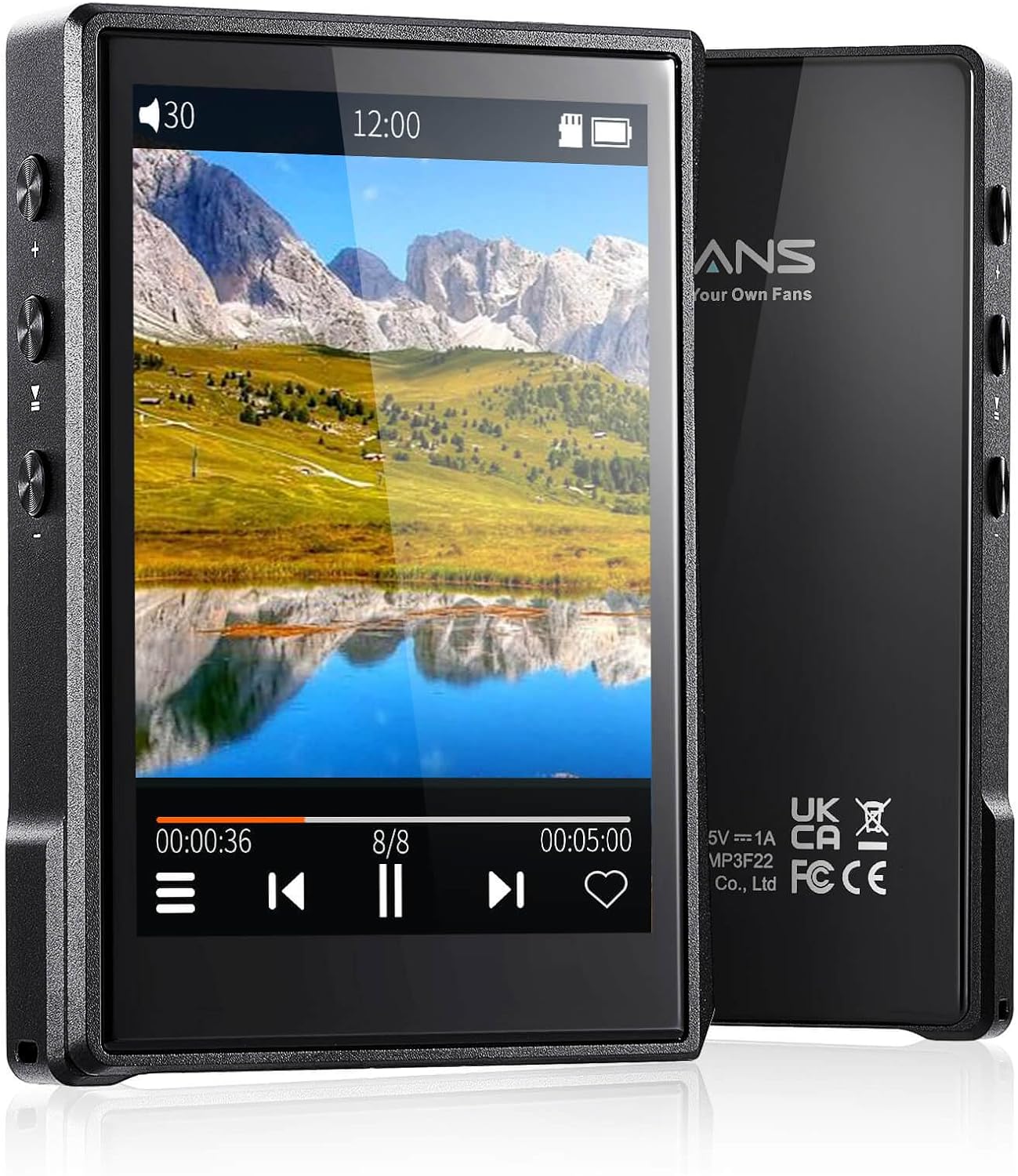
Слика: Напред и назад view of the Surfans F22 Portable HiFi MP3 Player, showcasing its 2.8-inch touchscreen and sleek design.
Содржина на пакетот
Проверете дали сите артикли се присутни во пакувањето:
- Surfans F22 HiFi Music Player
- Упатство за употреба (овој документ)
- USB-C кабел
- 32GB Memory Card (pre-installed or included separately)
Уредот завршиview
Familiarize yourself with the physical components of your F22 player.

Image: Diagram illustrating the various ports and buttons on the Surfans F22 MP3 Player, including the power button, volume controls, headphone jack, and USB-C port.
- 2.8-inch IPS TFT Full Touchscreen: Main interface for navigation and control.
- Копче за вклучување: Го вклучува/исклучува уредот и го заклучува/отклучува екранот.
- Копчиња за јачина на звук: Го прилагодува нивото на аудио излезот.
- Приклучок за слушалки (3.5 мм): Поврзете жични слушалки.
- USB-C порта: За полнење и пренос на податоци.
- Слот за микро SD картичка: For expandable storage up to 1TB.
Поставување
1. Полнење на уредот
Before first use, fully charge the F22 player. Connect the provided USB-C cable to the device's USB-C port and the other end to a USB power adapter (not included) or a computer's USB port. The charging indicator will show progress. A full charge typically takes approximately 2 hours and provides up to 10 hours of playback.
2. Вметнување на микро SD картичка
The F22 comes with a 32GB memory card. For additional storage, you can insert a Micro SD card (up to 1TB) into the designated slot. Ensure the card is inserted correctly until it clicks into place.

Image: A Surfans F22 MP3 Player shown with a Micro SD card being inserted into its slot, illustrating the expandable storage capability.
3. Пренесување музика Files
Connect the F22 player to your computer using the USB-C cable. The device will appear as a removable storage drive. Drag and drop your music files (FLAC, WMA, WAV, DSF, DSD, MP3, etc.) into the appropriate folders on the player's internal storage or the Micro SD card.

Image: A Surfans F22 MP3 Player displaying music playback, with a person wearing headphones in the background, symbolizing the high-fidelity audio experience.
Упатства за работа
1. Вклучување/исклучување и заклучување на екранот
- За да го вклучите, притиснете и задржете го копчето за вклучување додека не се осветли екранот.
- To power off, press and hold the Power button, then select "Power Off" on the screen.
- To lock/unlock the screen, briefly press the Power button.
2. Навигација низ интерфејсот
The F22 features a 2.8-inch touchscreen for navigation. Swipe left/right or up/down to browse menus and lists. Tap icons to select options or open applications.
3. Репродукција на музика
- From the main menu, select "Music" to access your library.
- Browse by Artist, Album, Song, Genre, or Folder.
- Допрете песна за да започнете со репродукција.
- During playback, use the on-screen controls for play/pause, skip track, and volume adjustment. Physical volume buttons also control volume.

Image: The Surfans F22 MP3 Player screen showing options for music playback modes: List play, Single play, List loop, and Random, indicating flexible listening options.
4. Bluetooth поврзување
The F22 supports Bluetooth 4.2 for wireless audio output.
- Одете во „Поставки“ и изберете „Bluetooth“.
- Turn Bluetooth on. The player will scan for available devices.
- Изберете ги посакуваните Bluetooth слушалки или звучник од листата за да ги спарите.
- Once paired, audio will stream wirelessly to the connected device.

Image: A visual representation of the Surfans F22 MP3 Player's Bluetooth 4.2 capabilities, showing connections to Bluetooth headphones, a Bluetooth speaker, and a car stereo system.
5. E-Book Functionality
The F22 also supports E-book reading.
- Transfer compatible E-book files на уредот.
- From the main menu, select "E-book".
- Browse and select a book to open and read.
Одржување
- Чистење: Користете мека, сува крпа за чистење на уредот. Избегнувајте течни средства за чистење или абразивни материјали.
- Складирање: Чувајте го плеерот на ладно и суво место, подалеку од директна сончева светлина и екстремни температури.
- Нега на батеријата: За да го продолжите животниот век на батеријата, избегнувајте често целосно празнење на батеријата. Полнете го уредот редовно, дури и ако не е во употреба подолг период.
- Ажурирања на софтверот: Проверете го производителот webпериодично посетувајте ја страницата за ажурирања на фирмверот за да обезбедите оптимални перформанси и нови функции.
Решавање проблеми
| Проблем | Можна причина | Решение |
|---|---|---|
| Уредот не се вклучува. | Слаба батерија. | Полнете го уредот најмалку 30 минути. |
| Нема звук. | Volume too low; headphones not connected properly; incorrect audio output. | Increase volume; ensure headphones are fully plugged in; check Bluetooth connection if using wireless. |
| Не може да се префрли files. | USB cable issue; device not recognized by computer. | Try a different USB port or cable; ensure the device is in data transfer mode if prompted. |
| Bluetooth конекцијата е нестабилна. | Interference; device too far from player. | Reduce distance between devices; avoid obstacles; try re-pairing. |
| Екранот не реагира. | Привремен софтверски дефект. | Perform a soft reset by holding the Power button until the device restarts. |
Спецификации
| Карактеристика | Детал |
|---|---|
| Модел | Surfans F22 Hi Res Music Player |
| Процесор | RK3308G 64-bit Quad-core ARM Cortex-A35 |
| Приказ | 2.8-inch IPS TFT Full Touchscreen (240*320 resolution) |
| Поддржани аудио формати | FLAC, WMA, WAV, DSF, DSD (Native DSD 128/256), PCM (up to 384kHz/32bit), DFF, DTS, APE, OGG, M4A, AIFF, AAC, MP3, Apple Lossless |
| Bluetooth | Верзија 4.2 |
| Внатрешно складирање | 32GB (вклучено) |
| Складирање што може да се прошири | Micro SD card up to 1TB |
| Батерија | Литиум полимер од 1500 mAh |
| Траење на батеријата | Репродукција до 10 часа |
| Време на полнење | Approximately 2 hours (fast charge) |
| Димензии | 4.72 x 3.15 x 1.77 инчи |
| Тежина | 7.4 унци |
| Поврзување | USB-C |
| Посебни карактеристики | Equalizer, Hi-Res Audio, E-book function |
Гаранција и поддршка
The Surfans F22 Portable HiFi MP3 Player comes with a one-year return and exchange guarantee from the date of purchase. This warranty covers manufacturing defects under normal use.
For technical support, warranty claims, or further assistance, please contact Surfans customer service through their official website or the retailer where the product was purchased. Please have your purchase receipt and product model number (F22) available when contacting support.
Производител: Surfans
Webсајт: Surfans Official Store


