1. Вовед
Thank you for choosing the ACT AC5101 Wireless Ergonomic Vertical Mouse. This manual provides detailed instructions for setting up, operating, and maintaining your new mouse. Designed for right-handed users, this ergonomic mouse aims to reduce hand and wrist strain during extended computer use, promoting a more natural and comfortable posture.
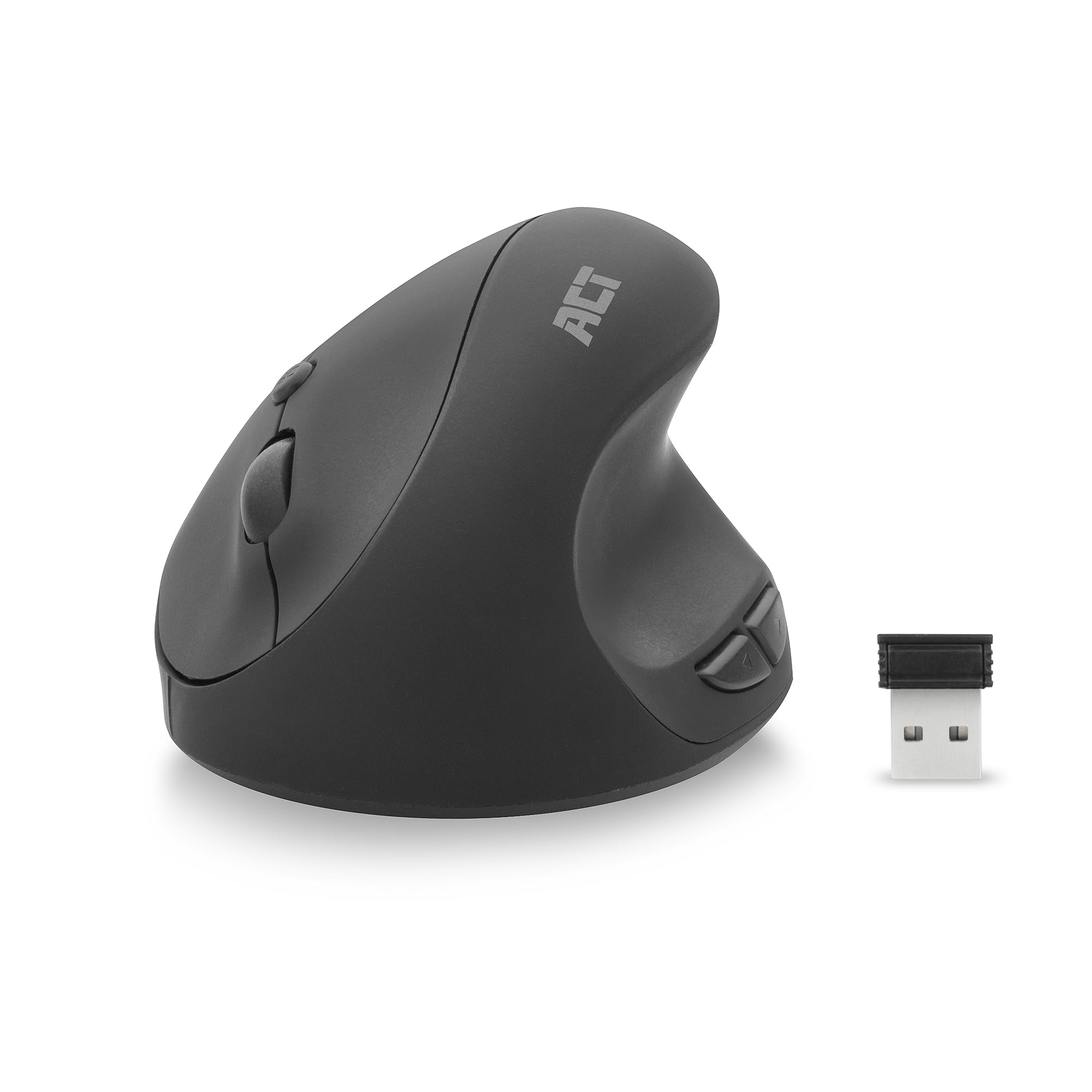
Image 1.1: The ACT AC5101 Wireless Ergonomic Vertical Mouse with its USB receiver.
2. Содржина на пакетот
Ве молиме проверете го пакувањето за следните ставки:
- 1 x ACT AC5101 Wireless Ergonomic Vertical Mouse
- 1 x USB-A Nano Receiver (stored in the mouse battery compartment)
- 1 x AA батерија (вклучена)
- 1 x Упатство за употреба (овој документ)
3. Производот завршиview
The ACT AC5101 mouse features a vertical design for improved ergonomics and includes multiple buttons for enhanced functionality.

Image 3.1: Diagram showing the buttons on the ACT AC5101 mouse. These include the Left Key, Right Key, Scroll Wheel, DPI Button, Forward Button, and Back Button.
- Лев клуч: Стандардна функција за кликнување со левото копче.
- Десен клуч: Стандардна функција за кликнување со десното копче.
- Тркало за лизгање: За вертикално скролување и функција за среден клик.
- Копче DPI: Циклично ги менува поставките за DPI (800/1200/1600).
- Копче за напред: Навигира напред во web прелистувачи или file истражувачи.
- Копче за назад: Навигира назад во web прелистувачи или file истражувачи.
- Прекинувач за вклучување/исклучување: Located on the bottom of the mouse to conserve battery life.
4. Упатства за поставување
Follow these steps to set up your ACT AC5101 Wireless Ergonomic Vertical Mouse:
- Вметнете ја батеријата:
Locate the battery compartment on the bottom of the mouse. Open the cover and insert the included AA battery, ensuring correct polarity (+/-). Close the battery compartment cover securely.

Image 4.1: The bottom of the mouse showing the battery compartment and the USB-A Nano Receiver storage slot.
- Поврзете го USB-приемникот:
Remove the USB-A Nano Receiver from its storage slot next to the battery compartment. Plug the receiver into an available USB-A port on your computer.

Image 4.2: The USB-A Nano Receiver.
- Вклучување:
Flip the On/Off switch, located on the bottom of the mouse, to the "On" position. Your computer should automatically detect and install the necessary drivers. The mouse is now ready for use.
5. Упатства за работа
5.1 Ергономски држач
The vertical design of the ACT AC5101 mouse promotes a natural handshake position, reducing pronation of the forearm and wrist strain. Place your hand over the mouse so your thumb rests comfortably on the thumb rest, and your fingers align with the main buttons.

Image 5.1: Comparison illustrating how a traditional mouse twists the arm and wrist, while the ACT ergonomic mouse allows for a relaxed shoulder and neutral wrist position.
5.2 Прилагодување на DPI чувствителноста
The DPI (Dots Per Inch) button allows you to adjust the mouse cursor speed. Press the Копче DPI (refer to Image 3.1) to cycle through the available sensitivity settings: 800 DPI, 1200 DPI, and 1600 DPI. Select the setting that best suits your preference and task.
5.3 Користење на странични копчиња
На Копче за напред и Копче за назад are conveniently located for thumb access. These buttons are typically used for navigation in web browsers (e.g., going back or forward a page) or file истражувачи.
6. Одржување
To ensure the longevity and optimal performance of your ACT AC5101 mouse, follow these maintenance guidelines:
- Чистење: Користете мека, сува крпа за да ја избришете површината на глувчето. За тврдокорна нечистотија, малку дampИзмијте ја крпата со вода или благ раствор за чистење. Избегнувајте употреба на груби хемикалии или абразивни материјали.
- Замена на батерија: When the mouse performance degrades or it stops responding, replace the AA battery. Ensure the On/Off switch is in the "Off" position before replacing the battery.
- Складирање: When not in use for extended periods, turn off the mouse using the On/Off switch to conserve battery life. Store the USB receiver in its dedicated slot on the bottom of the mouse to prevent loss.
7 Смена на проблеми
If you encounter issues with your ACT AC5101 mouse, refer to the following common problems and solutions:
| Проблем | Можна причина | Решение |
|---|---|---|
| Глувчето не реагира |
|
|
| Неправилно движење на курсорот |
|
|
| Страничните копчиња не работат |
|
|
8. Спецификации
Technical details for the ACT AC5101 Wireless Ergonomic Vertical Mouse:
- Име на модел: AC5101
- Бренд: АКТ
- Технологија за поврзување: 2.4 GHz безжична (радиофреквенција)
- Приемник: USB-A Нано приемник
- Технологија за откривање на движење: Оптички
- Поставки за DPI: 800 / 1200 / 1600 DPI (adjustable via DPI button)
- Број на копчиња: 6 (лево, десно, тркалце за скролување, DPI, напред, назад)
- Ориентација на рацете: Деснак
- Извор на енергија: 1 x AA батерија (вклучена)
- Боја: Црното
- Компатибилни уреди: Личен компјутер
- Димензии: Approximately 105mm (Length) x 77mm (Height) x 60mm (Width)

Image 8.1: Approximate dimensions of the ACT AC5101 mouse.
9. Гаранција и поддршка
Гаранција: The ACT AC5101 Wireless Ergonomic Vertical Mouse comes with a manufacturer's warranty of 2 years. This warranty covers defects in materials and workmanship under normal use.
Поддршка: For technical assistance, troubleshooting beyond this manual, or warranty claims, please contact your retailer or visit the official ACT website for support information. Please have your product model number (AC5101) and proof of purchase ready when contacting support.


