1. Производот завршиview
The Tera HW0004 Barcode Scanner is a versatile 1D laser scanner designed for efficient data capture in various environments such as supermarkets, retail stores, and logistics. It offers flexible connectivity options and multiple operating modes to suit different user needs.
- Versatile 2-in-1 Transmission: Supports both 2.4GHz wireless and USB 2.0 wired connections. Compatible with Windows and Mac OS, and integrates with common software like Word, Excel, and Novell.
- Два режими на работа: Features Instant Upload Mode for real-time data transfer and Storage Upload Mode for offline scanning and later upload.
- Plug and Play: Requires no driver or software installation for quick setup.
- Поддршка за 1D баркодови: Capable of scanning various 1D printed barcodes including Code 39, UPC-A/UPC-E, EAN13, EAN8, Code 93, Code 128, Codabar, Industrial/Interleaved 2 of 5, MSI, Code11, ISBN/ISSN, and Matrix 2 of 5. Note: Does not scan 2D codes (e.g., QR, PDF417) or barcodes from screens.
2. Содржина на пакетот
Откако ќе го отворите пакувањето, проверете дали се присутни сите компоненти:
- Tera Barcode Scanner (HW0004)
- Безжичен USB адаптер од 2.4 GHz
- Кабел USB 2.0
- Прилагодлив држач
- Упатство за употреба (овој документ)
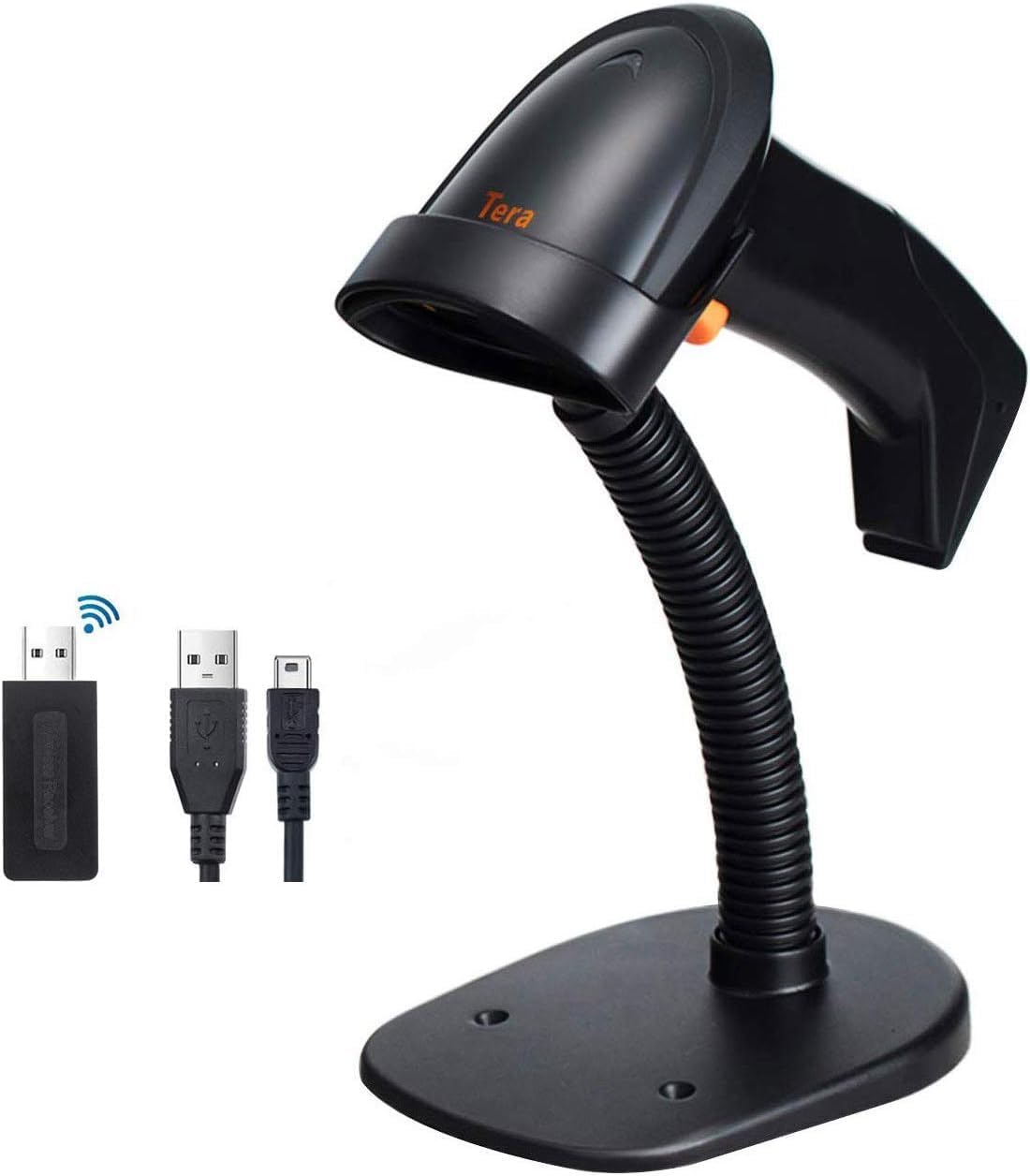
Image: The Tera HW0004 barcode scanner, its wireless USB dongle, USB cable, and the included stand.
3. Поставување и поврзување
The Tera HW0004 scanner is designed for easy plug-and-play operation, requiring no complex driver installations.
3.1. Безжична конекција (2.4 GHz)
- Insert the 2.4GHz wireless USB dongle into an available USB port on your computer or device.
- Turn on the barcode scanner. It will automatically pair with the dongle.
- The scanner is now ready for wireless operation.

Image: The barcode scanner connected to a laptop via the wireless dongle, illustrating the plug-and-play setup.
3.2. Wired Connection (USB 2.0)
- Connect one end of the provided USB 2.0 cable to the scanner's USB port.
- Connect the other end of the USB 2.0 cable to an available USB port on your computer or device.
- The scanner will be recognized as a standard HID keyboard device and is ready for use.
The scanner is compatible with various operating systems, including Windows XP, Windows 7, Windows 8, Windows 10, Android, and Linux.
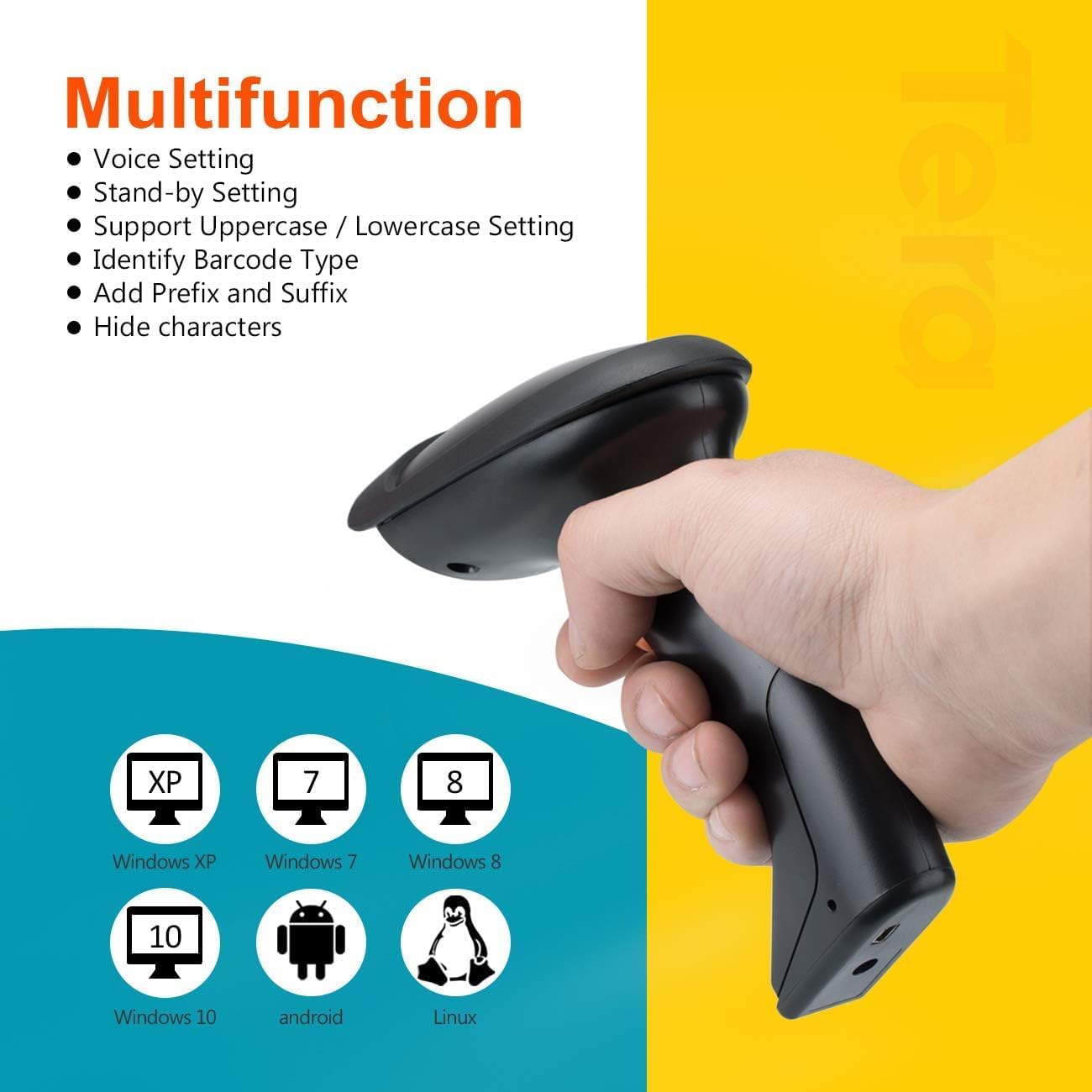
Image: The scanner demonstrating compatibility with multiple operating systems.
4. Ракување со скенерот
4.1. Режими на скенирање
The scanner supports two primary scanning modes:
- Режим за активирање на клучот: Press the trigger button to activate the laser and scan a barcode. Release the button to stop scanning.
- Режим на континуирано скенирање: The scanner continuously emits the laser, allowing for hands-free scanning when placed on the stand. This mode is ideal for high-volume scanning.
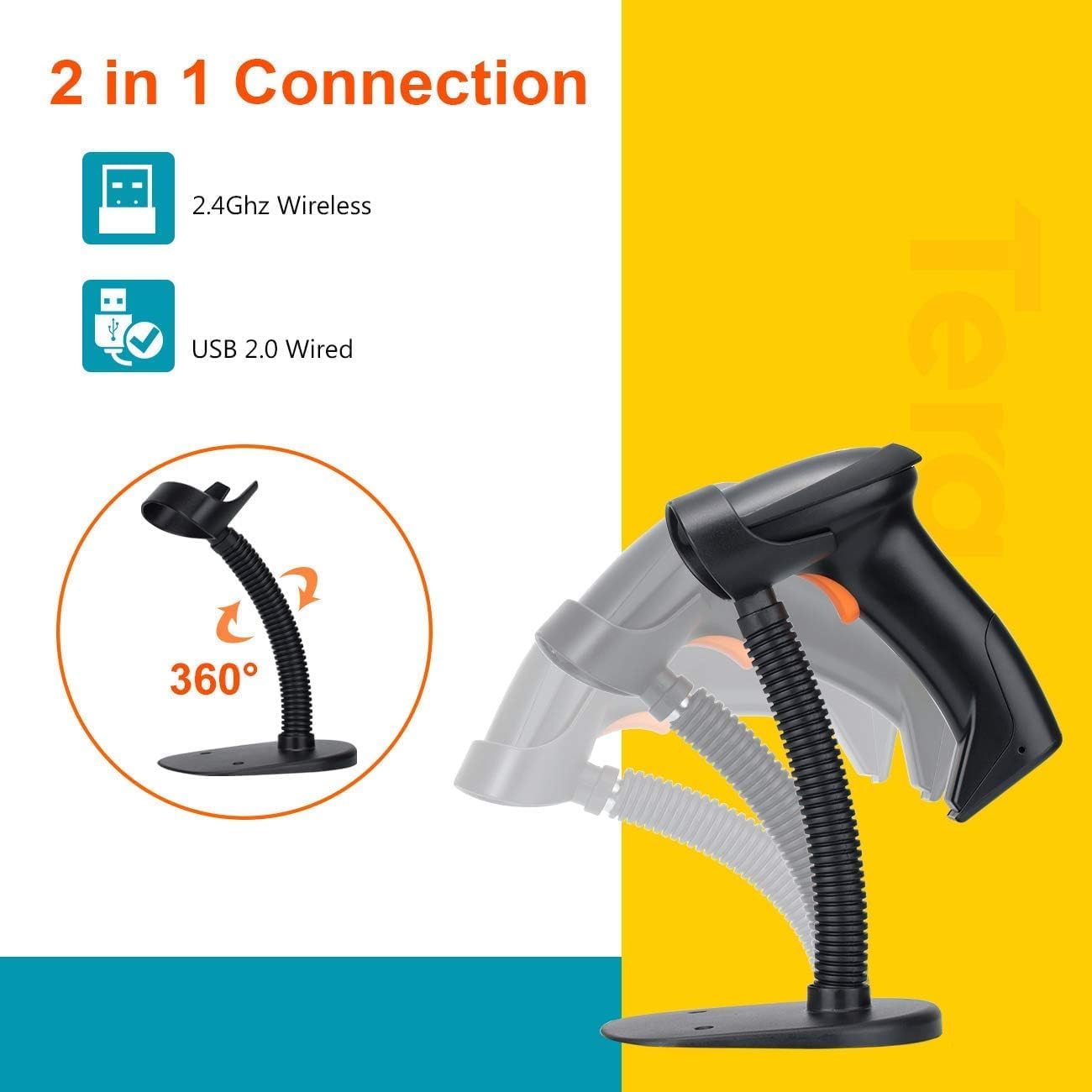
Image: The scanner on its adjustable stand, highlighting its 360-degree rotation and dual connection capabilities.
4.2. Data Upload Modes
The scanner offers two methods for uploading scanned data:
- Режим на инстант прикачување: Barcodes are synchronously uploaded to your connected device immediately after scanning. This is the default mode for real-time data entry.
- Storage Upload Mode: Barcodes are stored in the scanner's built-in 16MB memory. This mode is useful for scanning outside the wireless signal range. Data can be uploaded to your device later when needed.
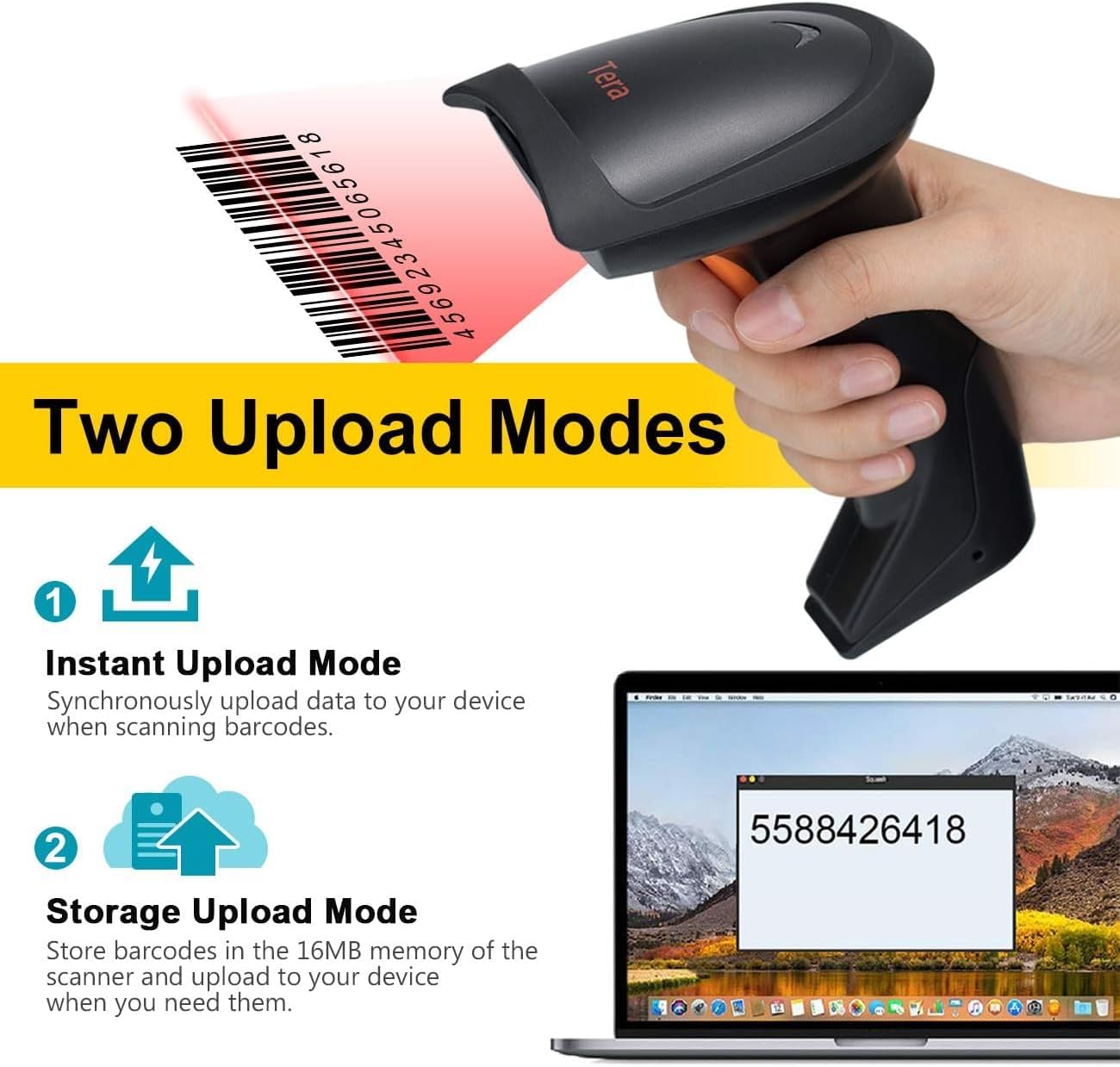
Image: A visual representation of the two data upload modes: Instant Upload and Storage Upload.
4.3. Supported Barcodes and Languages
The scanner supports a wide range of 1D printed barcodes and multiple languages for output:
- Supported 1D Barcodes: Code 39, UPC-A/UPC-E (Include Complement Code), EAN13, EAN8, Code 93, Code 128, Codabar, Industrial/Interleaved 2 of 5, MSI, Code11, ISBN/ISSN, Matrix 2 of 5.
- Unsupported Codes: 2D codes (e.g., QR, PDF417) and barcodes displayed on screens.
- Поддржани јазици: English, Spanish, German, Japanese, French, Italian.

Image: The scanner highlighting its multi-language support and the types of 1D barcodes it can read.
4.4. Multifunction Settings
The scanner offers several configurable settings to enhance its functionality:
- Поставување глас
- Stand-by Setting
- Support Uppercase / Lowercase Setting
- Identify Barcode Type
- Add Prefix and Suffix to scanned data
- Скриј карактери
Refer to the detailed programming guide (usually a separate document or a section within a comprehensive manual) for instructions on how to configure these settings by scanning specific setup barcodes.
5. Одржување
Правилното одржување обезбедува долготрајност и оптимални перформанси на вашиот скенер за баркодови.
- Чистење: Use a soft, dry, lint-free cloth to clean the scanner's exterior. For the scanning window, use a lens cleaning cloth and a mild, non-abrasive cleaning solution if necessary. Avoid harsh chemicals or abrasive materials.
- Складирање: Чувајте го скенерот на ладно и суво место, подалеку од директна сончева светлина и екстремни температури.
- Нега на батеријата: As the scanner is battery-powered, ensure it is charged regularly. Avoid fully discharging the battery frequently to prolong its lifespan. If storing for an extended period, charge the battery to about 50% and store in a cool, dry place.
- Ракување: Avoid dropping the scanner or subjecting it to strong impacts, which can damage internal components.
6 Смена на проблеми
If you encounter issues with your Tera HW0004 barcode scanner, refer to the following common troubleshooting steps:
| Проблем | Можна причина | Решение |
|---|---|---|
| Scanner not turning on. | Проблем со слаба батерија или напојување. | Charge the scanner using the USB cable. Ensure the cable is properly connected to a power source. |
| No data output after scanning. | Incorrect connection mode, scanner not paired, or application issue. |
|
| Скенерот дава звучен сигнал, но нема податоци. | Barcode not recognized or corrupted. |
|
| Безжичната врска е нестабилна. | Проблеми со пречки или растојание. |
|
If the problem persists, please contact Tera customer support for further assistance.
7. Спецификации
| Карактеристика | Детал |
|---|---|
| Модел | HW0004 |
| Бренд | Тера |
| Технологија за поврзување | 2.4GHz Wireless, USB 2.0 Wired |
| Тип на скенер | 1D Laser Handheld Linear Bar Code Reader |
| Поддржани баркодови | Code 39, UPC-A/UPC-E, EAN13, EAN8, Code 93, Code 128, Codabar, Industrial/Interleaved 2 of 5, MSI, Code11, ISBN/ISSN, Matrix 2 of 5 |
| Unsupported Barcodes | 2D codes (QR, PDF417), barcodes from screens |
| Компатибилни уреди | Десктоп, лаптоп |
| Компатибилни оперативни системи | Windows XP/7/8/10, Mac OS, Android, Linux |
| Извор на енергија | Напојува со батерија |
| Тежина на ставката | 8 унци (приближно 227 грама) |
| Димензии на пакетот | 7.9 x 3.9 x 3.2 инчи (приближно 20.1 x 9.9 x 8.1 см) |
| Производител | Тера |
| Датум прв на располагање | 4 септември 2023 година |
8. Гаранција и поддршка
Specific warranty information for the Tera HW0004 Barcode Scanner is typically provided with the product packaging or available on the manufacturer's official webстраница. Ве молиме погледнете ги овие ресурси за детални услови и одредби за гаранција.
For technical support, troubleshooting beyond this manual, or inquiries regarding product functionality, please visit the official Tera webвеб-страница или контактирајте го нивниот оддел за услуги на клиентите. Контакт информациите обично може да се најдат на пакувањето на производот или на упатството на производителот. webсајт.
You can visit the Tera Store on Amazon for more information: Tera Store
9. Сценарија за примена
The Tera HW0004 barcode scanner is suitable for a variety of applications, including but not limited to:
- Логистика
- Управување со складиште
- Supermarkets and Convenient Stores
- Библиотеки
- Retail Industry
- Postal Industry
- Банките
- Медицински установи

Слика: Прamples of environments where the barcode scanner can be effectively utilized.


