Вовед
This manual provides essential information for setting up, operating, and maintaining your HP Essential 17t Laptop TPN-I139. Please read these instructions carefully to ensure proper use and to maximize the lifespan of your device.
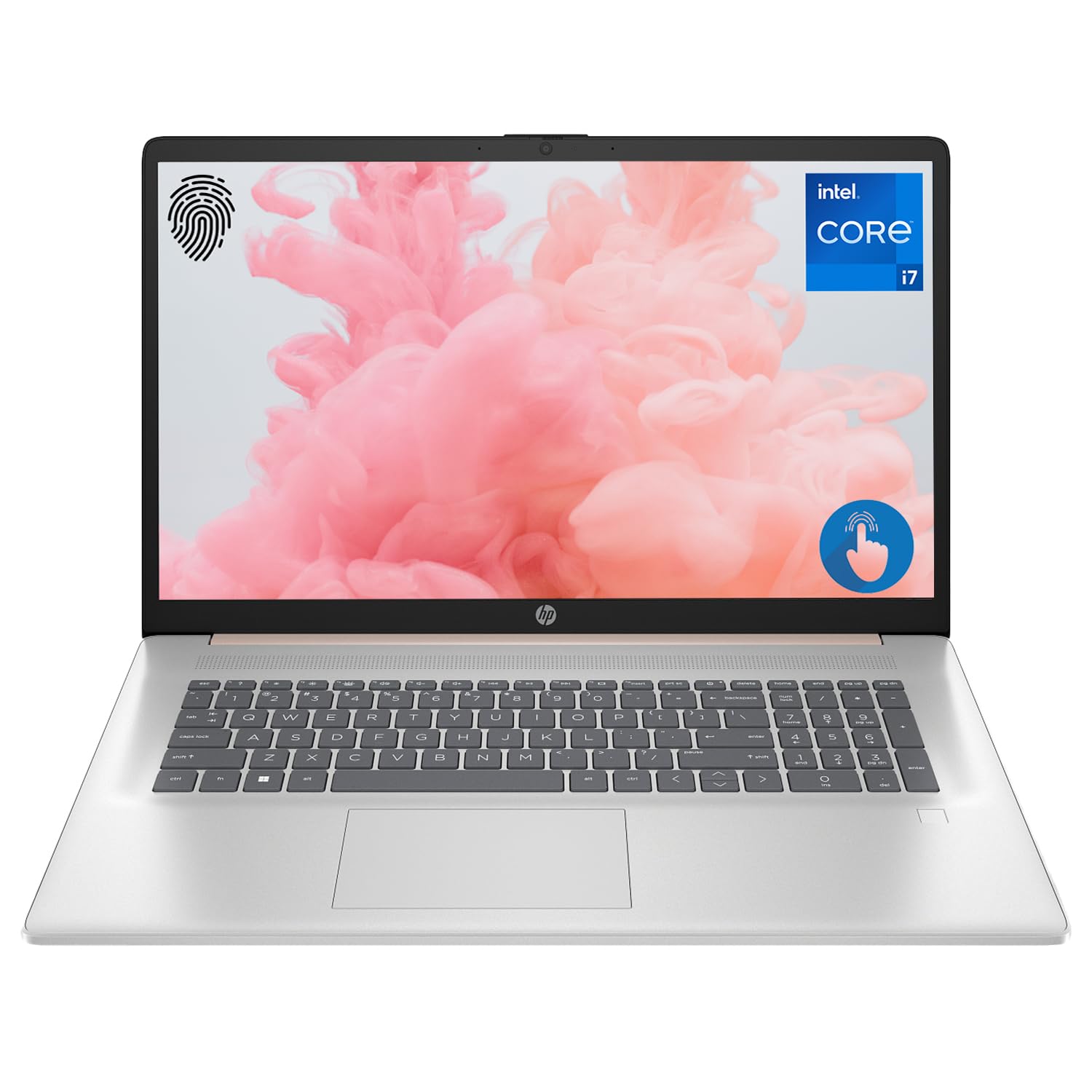
Figure 1: HP Essential 17t Laptop
The HP Essential 17t Laptop is designed for productivity and everyday use, featuring a 17.3-inch HD+ touchscreen, an Intel Core i7-1355U processor, 64GB of RAM, and a 2TB SSD. It comes pre-installed with Windows 11 Home.
Почеток
1. Што има во кутијата
- HP Essential Touchscreen Laptop
- Адаптер за напојување со наизменична струја
- Водич за брз почеток (доколку е вклучен)
2. Првично вклучување и поставување
- Поврзете го адаптерот за наизменична струја со лаптопот и штекерот.
- Отворете го капакот на лаптопот и притиснете го копчето за вклучување, кое обично се наоѓа на тастатурата.
- Follow the on-screen instructions to complete the Windows 11 Home setup. This includes selecting your region, connecting to a Wi-Fi network, creating a user account, and accepting the license agreement.

Figure 2: Windows 11 Home Interface
Хардвер завршиview
Пристаништа и конектори
Familiarize yourself with the various ports on your laptop for connecting external devices.

Figure 3: Laptop Ports and Connectors
- SuperSpeed USB Type-A (5Gbps signaling rate): За поврзување на USB уреди како глувци, тастатури или надворешни дискови.
- HDMI 1.4b: За поврзување со надворешни дисплеи или проектори.
- SuperSpeed USB Type-C (5Gbps signaling rate): A versatile port for data transfer and connecting compatible devices.
- Headphone/Microphone Combo Jack (3.5mm): За поврзување слушалки, надворешни звучници или слушалки со микрофон.
Тастатура и подлога за допир
The laptop features a full-size backlit keyboard for comfortable typing in various lighting conditions and a responsive touchpad for navigation.
Приказ
Your HP Essential 17t Laptop is equipped with a 17.3-inch HD+ (1600 x 900) touchscreen display, offering intuitive interaction with Windows 11.

Figure 4: 17.3" HD+ Touchscreen Display
Ракување со вашиот лаптоп
Управување со енергија
- Вклучување/исклучување: Press the power button to turn the laptop on. To shut down, click the Start button, then Power > Shut down.
- Режим на спиење: Close the lid or click the Start button, then Power > Sleep to put the laptop into a low-power state.
- Нега на батеријата: The laptop supports battery fast charge, reaching approximately 50% charge in 45 minutes. For optimal battery health, avoid consistently draining the battery to 0% or keeping it at 100% for extended periods.
Користење на екранот на допир
Interact with your laptop directly on the screen using touch gestures. Common gestures include tapping to select, pinching to zoom, and swiping to scroll.
Користење на читач за отпечатоци
The integrated fingerprint reader allows for secure and quick login. Set up your fingerprints through Windows Hello in the Windows Settings app (Accounts > Sign-in options).
Поврзување на Wi-Fi
To connect to a wireless network, click the Wi-Fi icon in the taskbar, select your desired network, and enter the password if prompted. The laptop supports Wi-Fi 6 for fast and reliable wireless connectivity.
Карактеристики на продуктивност
This laptop integrates Copilot + AI capabilities to enhance productivity. These features can assist with scheduling, drafting emails, summarizing documents, and more, streamlining your workflow.

Figure 5: Copilot + AI for Enhanced Productivity
Одржување и нега
Чистење на вашиот лаптоп
- Користете мека крпа без влакненца малку гampизмијте го со вода или средство за чистење на екранот за да го исчистите екранот.
- За тастатурата и куќиштето, користете мека, сува крпа. Избегнувајте груби хемикалии или абразивни материјали.
- Пред чистење, проверете дали лаптопот е исклучен од струја и изваден од струја.
Софтверски ажурирања
Редовно проверувајте и инсталирајте ажурирања на Windows за да се осигурате дека вашиот систем ги има најновите безбедносни закрпи и подобрувања во перформансите. Одете во Поставки > Ажурирање на Windows.
Решавање проблеми
Ако наидете на проблеми со вашиот лаптоп, обидете се со следниве основни чекори за решавање проблеми:
- Без моќност: Проверете дали адаптерот за наизменична струја е безбедно поврзан и со лаптопот и со функционален штекер. Обидете се со друг штекер.
- Прикажи проблеми: If the screen is blank, try connecting an external monitor to check if the issue is with the laptop's display.
- Wi-Fi поврзување: Restart your router and modem. Ensure Wi-Fi is enabled on your laptop.
- Бавни перформанси: Close unnecessary applications. Check for available Windows updates.
За посложени проблеми, погледнете ја поддршката на HP. webстраница или контактирајте ја службата за корисници на HP.
Спецификации
Below are the key technical specifications for the HP Essential 17t Laptop TPN-I139:

Figure 6: Intel Core i7-1355U Processor
| Карактеристика | Спецификација |
|---|---|
| Име на моделот | TPN-I139 |
| Процесор | 13-та генерација Intel Core i7-1355U (10 јадра, 12 нишки, до 5.0 GHz) |
| RAM меморија | 64 GB DDR4 SDRAM (3200 MHz) |
| Складирање | 2 TB PCIe NVMe M.2 SSD |
| Приказ | 17.3" HD+ (1600 x 900) Touchscreen, BrightView, 250 нити |
| Графика | Графика на Intel Iris Xe |
| Оперативен систем | Windows 11 Home |
| Безжично поврзување | Wi-Fi 6 (802.11ax) |
| Пристаништа | 1x SuperSpeed USB Type-C (5Gbps), 2x SuperSpeed USB Type-A (5Gbps), 1x HDMI 1.4b, 1x Headphone/Microphone Combo |
| Посебни карактеристики | Тастатура со позадинско осветлување, читач на отпечатоци од прсти |
| Димензии (ДxШxВ) | 15.78 x 10.15 x 0.78 инчи |
| Тежина | 5.25 фунти |

Figure 7: Intel Iris Xe Graphics
Гаранција и поддршка
Your HP Essential 17t Laptop comes with a standard manufacturer's warranty. For detailed warranty terms and conditions, please refer to the documentation included with your product or visit the official HP support website. For technical assistance, driver downloads, or service requests, please contact HP customer support directly.
Производот завршиview Видео
Погледнете го ова видео за визуелен прегледview of the HP Essential 17t Laptop's features and capabilities.
Video 1: HP Essential 17 Touchscreen 13th Gen i7 Laptop Overview by PCOnline US. This video highlights key features and design aspects of the laptop.