1. Вовед
This manual provides detailed instructions for the installation, operation, and maintenance of your Agunto AGU-OC1 & AGU-IC1 Security Camera Set. Please read this manual thoroughly before using the product to ensure proper functionality and safety.
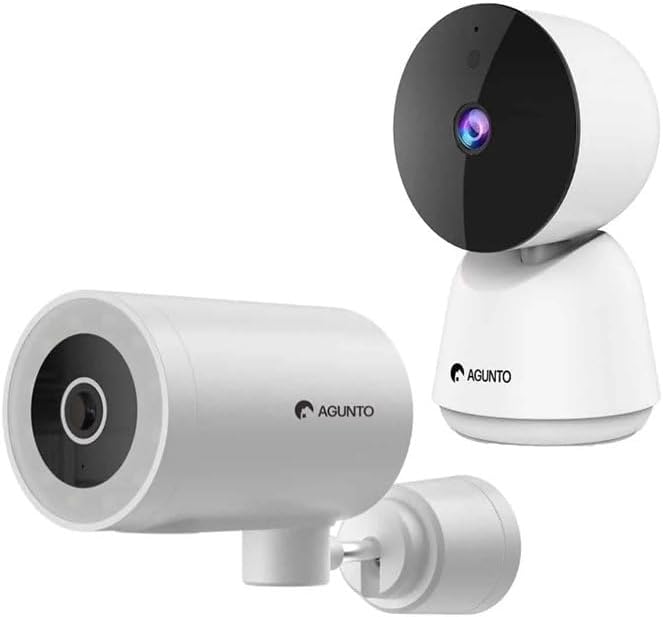
Image: The Agunto AGU-OC1 outdoor camera (left) and AGU-IC1 indoor camera (right), forming the complete security camera set.
2. Производот завршиview
The Agunto Security Camera Set includes two primary components: the AGU-OC1 outdoor camera and the AGU-IC1 indoor camera. This system is designed to provide comprehensive surveillance for both indoor and outdoor environments.
2.1. AGU-OC1 Outdoor Camera
- Резолуција: 1080P
- Објектив: 180-degree rotatable lens
- Отпорност на времето: IP66 водоотпорен и отпорен на прашина
- Ноќно гледање: Infrared night vision and color night vision (due to built-in lamp)
- Откривање: Откривање на движење и звук
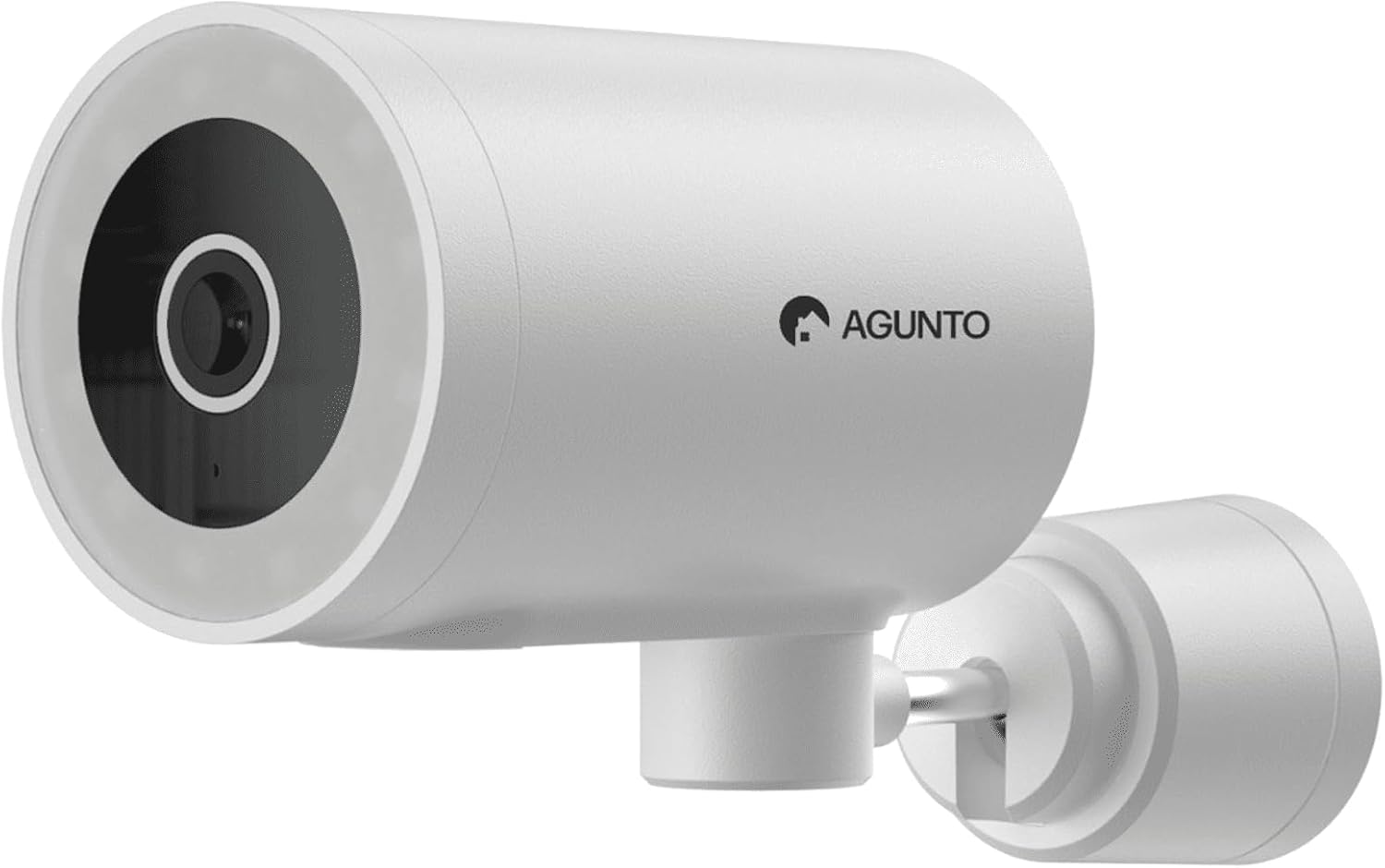
Слика: Детална view of the Agunto AGU-OC1 outdoor camera, highlighting its robust design and lens.
2.2. AGU-IC1 Indoor Camera
- Резолуција: 1080P
- Објектив: 359-degree rotatable lens
- Ноќно гледање: Инфрацрвено ноќно гледање
- Откривање: Откривање на движење и звук

Image: The Agunto AGU-IC1 indoor camera, shown with its product packaging, indicating Wi-Fi connectivity and Google Assistant compatibility.
3. Поставување и инсталација
3.1. Пред да започнете
- Ensure you have a stable Wi-Fi connection.
- Download the free Agunto app from the App Store (iOS) or Google Play Store (Android).
- Unpack all components and verify contents against the packing list.

Image: A screenshot of the Agunto mobile application interface, demonstrating remote control capabilities and links to download the app from the App Store and Google Play.
3.2. Инсталација на апликација и креирање сметка
- Пребарај за "Agunto" in your device's app store and install the application.
- Open the Agunto app and follow the on-screen prompts to create a new account or log in if you already have one.
3.3. Camera Placement and Mounting
AGU-OC1 Outdoor Camera:
- Изберете локација со јасна view од областа што сакате да ја следите.
- Проверете дали камерата е во опсегот на вашата Wi-Fi мрежа.
- Mount the camera securely to a wall using the provided mounting hardware. The camera supports wall mounting.
AGU-IC1 Indoor Camera:
- Place the camera on a flat surface or mount it to a wall/ceiling in a central location for optimal coverage.
- Ensure it is within Wi-Fi range.
3.4. Connecting Cameras to the App
- Open the Agunto app.
- Допрете ја иконата „+“ за да додадете нов уред.
- Select the appropriate camera model (AGU-OC1 or AGU-IC1).
- Follow the in-app instructions to connect each camera to your Wi-Fi network. This typically involves scanning a QR code displayed on your phone with the camera's lens or entering Wi-Fi credentials.
- Once connected, you can name each camera for easy identification.
4. Упатства за работа
4.1. Во живо View и далечински управувач
- Open the Agunto app.
- Select the desired camera from the device list to view неговиот пренос во живо.
- For AGU-OC1, use the app to rotate the 180-degree lens.
- For AGU-IC1, use the app to control the 359-degree pan/tilt function.
4.2. Снимање и складирање
The camera set supports two storage options:
- Микро SD картичка: Insert a Micro SD card (not included) into the designated slot on each camera for local storage of recordings.
- Складирање во облак: Utilize the cloud storage options provided through the Agunto app (subscription may be required).
4.3. Ноќно гледање
- Both cameras feature infrared night vision for clear images in low-light conditions.
- The AGU-OC1 outdoor camera also has a built-in lamp for color night vision, providing enhanced visibility at night.
4.4. Детекција на движење и звук
- Enable motion and sound detection in the Agunto app settings for each camera.
- Receive real-time alerts on your smartphone when motion or sound is detected.
- Adjust sensitivity settings to minimize false alarms.
5. Одржување
- Чистење: Нежно избришете ги леќите и телото на фотоапаратот со мека, сува крпа. Не користете јаки хемикалии или абразивни средства за чистење.
- Ажурирања на фирмверот: Regularly check the Agunto app for available firmware updates to ensure optimal performance and security.
- Стабилност на мрежата: Ensure your Wi-Fi network remains stable for uninterrupted camera operation.
6 Смена на проблеми
6.1. Camera Not Connecting to Wi-Fi
- Ensure your Wi-Fi password is entered correctly.
- Доближете ја камерата до вашиот Wi-Fi рутер.
- Рестартирајте го рутерот и камерата.
- Verify that your Wi-Fi network is 2.4GHz, as these cameras may not support 5GHz networks.
6.2. No Live View / Offline Camera
- Проверете ја вашата интернет конекција.
- Проверете дали камерата е вклучена.
- Restart the camera from its power source.
- Ако проблемот продолжи, обидете се повторно да ја спарите камерата со апликацијата.
6.3. Детекцијата на движење не работи
- Проверете дали детекцијата на движење е овозможена во поставките на апликацијата.
- Прилагодете го нивото на чувствителност.
- Осигурајте се дека нема пречки што го блокираат пристапот на камерата view.
6.4. Лош квалитет на сликата
- Исчистете ја леќата на камерата.
- Обезбедете соодветно осветлување во контролираната област.
- Check your internet speed, as low bandwidth can affect streaming quality.
7. Спецификации
| Карактеристика | Детал |
|---|---|
| Бренд | Агунто |
| Име на моделот | AGU-OC1IC1 |
| Протокол за поврзување | Wi-Fi |
| Компатибилни уреди | Паметен телефон |
| Тип на монтирање | Монтирање на ѕид |
| Материјал | Пластика |
| Product Dimensions (L x B x H) | 10 x 4.4 x 7.3 cm |
| Тежина на ставката | 78 грама |
| Потребни се батерии | бр |
| Outdoor Camera (AGU-OC1) Features | 1080P, 180-degree rotatable lens, IP66 waterproof/dustproof, Infrared & Color Night Vision |
| Indoor Camera (AGU-IC1) Features | 1080P, 359-degree rotatable lens, Infrared Night Vision |
| Опции за складирање | Micro SD card (local), Cloud storage |
8. Гаранција и поддршка
For warranty information and technical support, please refer to the official Agunto website or contact their customer service. The product is designed for long-term use with proper care and maintenance.
Политика за враќање: Победникот во кутијата за купување означува политика за враќање во рок од 30 дена за враќање/замена.
Производител: Агунто
Продавач: Homevitaal (via Amazon.nl)
За дополнителна помош, можете да ја посетите Agunto Store on Amazon.


