Вовед
This manual provides essential information for the safe and effective operation of your Gemini Sound GSP-L2200PK Powered DJ Speaker System. This bundle includes a 2200W 15-inch powered Bluetooth PA speaker with sound-reactive LED lighting, a speaker stand, a Polsen M-85 microphone with cable, two Auray MS-5230F tripod microphone stands, and an XLR-XLR cable. Please read this manual thoroughly before use and retain it for future reference.
Важни безбедносни инструкции
- Прочитајте ги овие упатства.
- Чувајте ги овие упатства.
- Внимавајте на сите предупредувања.
- Следете ги сите инструкции.
- Не користете го овој апарат во близина на вода.
- Чистете само со сува крпа.
- Не ги блокирајте отворите за вентилација. Инсталирајте во согласност со упатствата на производителот.
- Не инсталирајте во близина на извори на топлина како што се радијатори, топлински регистри, шпорети или други апарати (вклучувајќи ampлајфикатори) кои произведуваат топлина.
- Не ја нарушувајте безбедносната намена на поларизираниот или заземјувачкиот приклучок. Поларизираниот приклучок има две сечила со едно пошироко од другото. Приклучокот од типот на заземјување има две сечила и трет заземјувач. Широкото сечило или третиот жлеб се обезбедени за ваша безбедност. Ако дадениот приклучок не се вклопува во вашиот штекер, консултирајте се со електричар за замена на застарениот штекер.
- Заштитете го кабелот за напојување од газење или стискање, особено на приклучоците, приклучните приклучоци и местото каде што тие излегуваат од апаратот.
- Користете само додатоци/додатоци наведени од производителот.
- Користете го само со количка, држач, статив, држач или маса назначена од производителот или се продава со апаратот. Кога се користи количка, внимавајте кога ја преместувате комбинацијата количка/апарат за да избегнете повреда од превртување.
- Исклучете го овој апарат од струја за време на громови или кога не го користите подолг временски период.
- Целото сервисирање упатете го на квалификуван сервисен персонал. Сервисирањето е потребно кога апаратот е оштетен на кој било начин, како што е оштетен кабелот за напојување или приклучокот, течноста е истурена или предмети паднале во апаратот, апаратот бил изложен на дожд или влага, не работи нормално , или е исфрлен.
Содржина на пакетот
Ве молиме проверете дали сите артикли наведени подолу се вклучени во вашиот пакет:
- 1x Gemini 2200W 15" Powered Bluetooth PA Speaker with Lights
- 1x држач за звучници
- 1x Polsen M-85 Professional Dynamic Handheld Microphone
- 1x Microphone Cable (XLR to 1/4")
- 1x кабел за напојување
- 1x XLR-XLR Cable (20")
- 2x Auray MS-5230F Tripod Microphone Stand with Fixed Boom
- 2x Cable-Guide Clip (for mic stands)
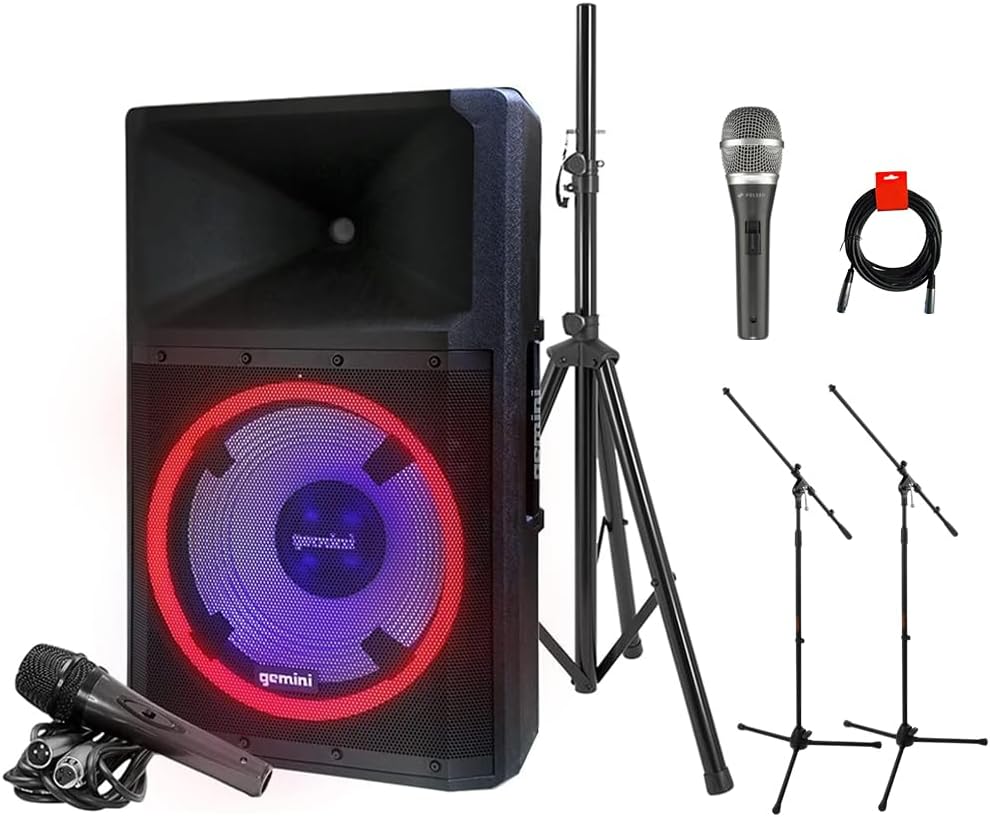
Image: The complete GSP-L2200PK bundle, showing the main speaker, a speaker stand, a Polsen M-85 microphone, two tripod microphone stands, and an XLR cable.
Производот завршиview
Gemini GSP-L2200PK Powered Speaker
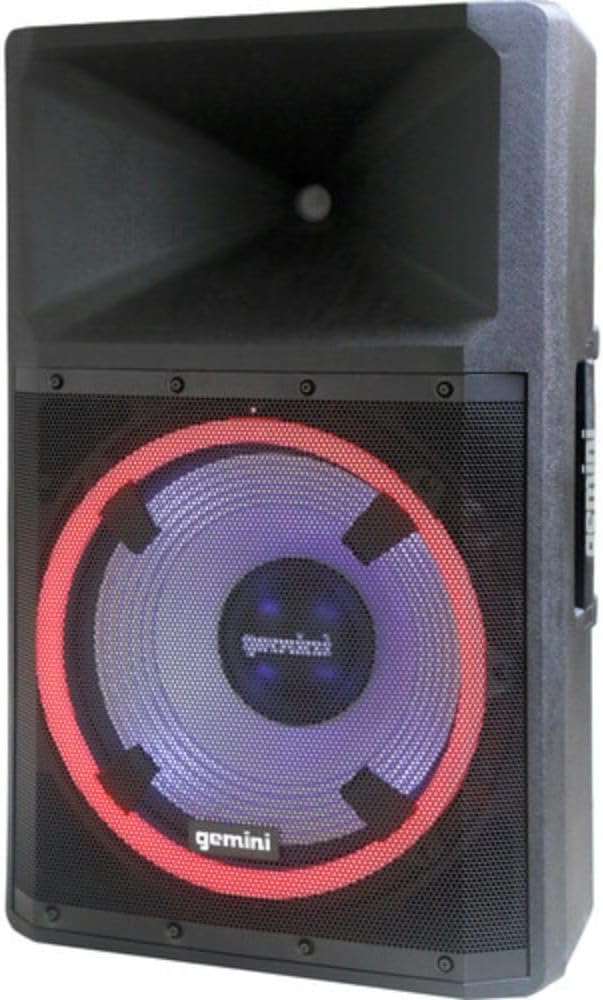
Слика: напред view of the Gemini GSP-L2200PK speaker, highlighting the 15-inch woofer with its illuminated LED ring and the horn tweeter.

Image: Rear panel of the Gemini GSP-L2200PK speaker, displaying the various input and output connections, volume controls, and the built-in media player interface.
The GSP-L2200PK is a powerful 15-inch bi-amped PA speaker featuring a 2200W peak output. It includes a 15" low-frequency woofer, a 3" voice coil, and a 1.35" tweeter for clear audio reproduction. The speaker is equipped with a three-channel mixer, individual gain controls, and a built-in media player that supports Bluetooth, SD cards, and USB drives. It also features adjustable full-color LED party lighting and a telescopic handle with wheels for portability.
Polsen M-85 Professional Dynamic Handheld Microphone

Image: The Polsen M-85 Professional Dynamic Handheld Microphone, a cardioid microphone with durable all-metal construction and an on/off switch.
The Polsen M-85 is a cardioid dynamic microphone designed for clear vocal reproduction. It features durable all-metal construction and a balanced XLR output connector for reliable performance.
Auray MS-5230F Tripod Microphone Stands
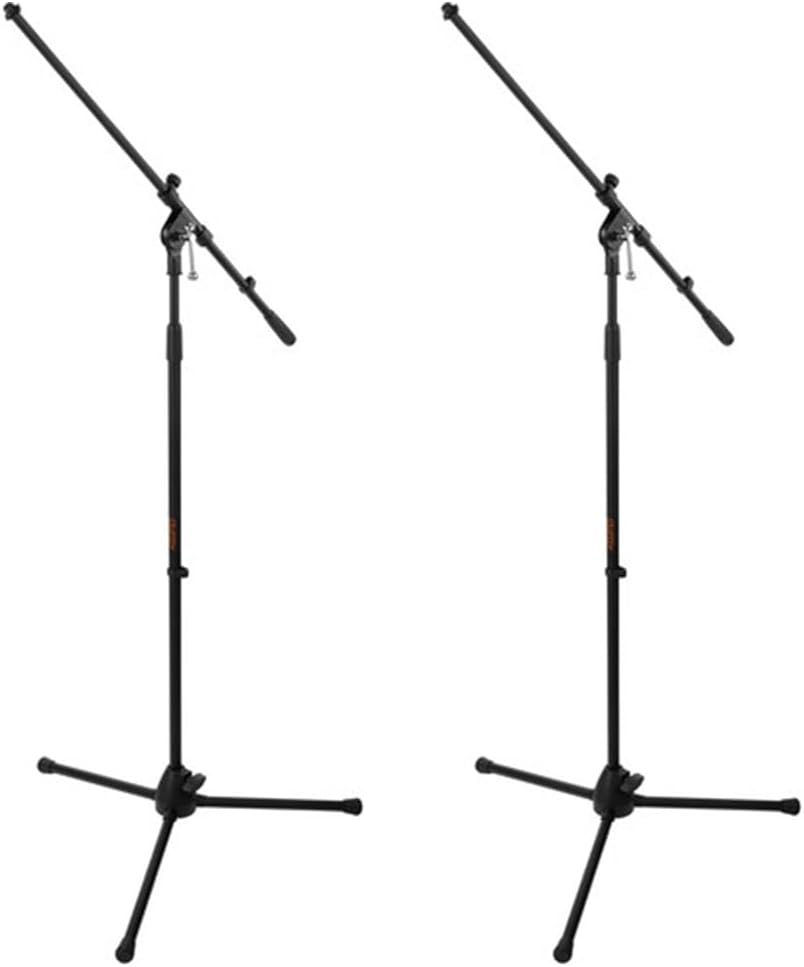
Image: Two Auray MS-5230F Tripod Microphone Stands, featuring a stable tripod base and a fixed boom arm for microphone positioning.
The MS-5230F stands feature durable steel construction with a stable tripod base and a fixed boom arm, ideal for various microphone placements.
Кабли

Image: A coiled 20-inch XLR-XLR cable, used for connecting audio equipment.
The bundle includes a power cord for the speaker, an XLR to 1/4" cable for the Polsen M-85 microphone, and a 20-inch XLR-XLR cable for linking speakers or other audio devices.
Водич за поставување
1. Поставување звучници
- Unpack the GSP-L2200PK speaker and the speaker stand.
- Extend the legs of the speaker stand to form a stable tripod base. Ensure the locking mechanisms are securely fastened.
- Carefully lift the GSP-L2200PK speaker and place it onto the pole of the speaker stand. Ensure it is seated firmly and securely.
- Position the speaker in a central location, elevated for optimal sound dispersion. Avoid placing it directly against walls or in corners, which can affect bass response.
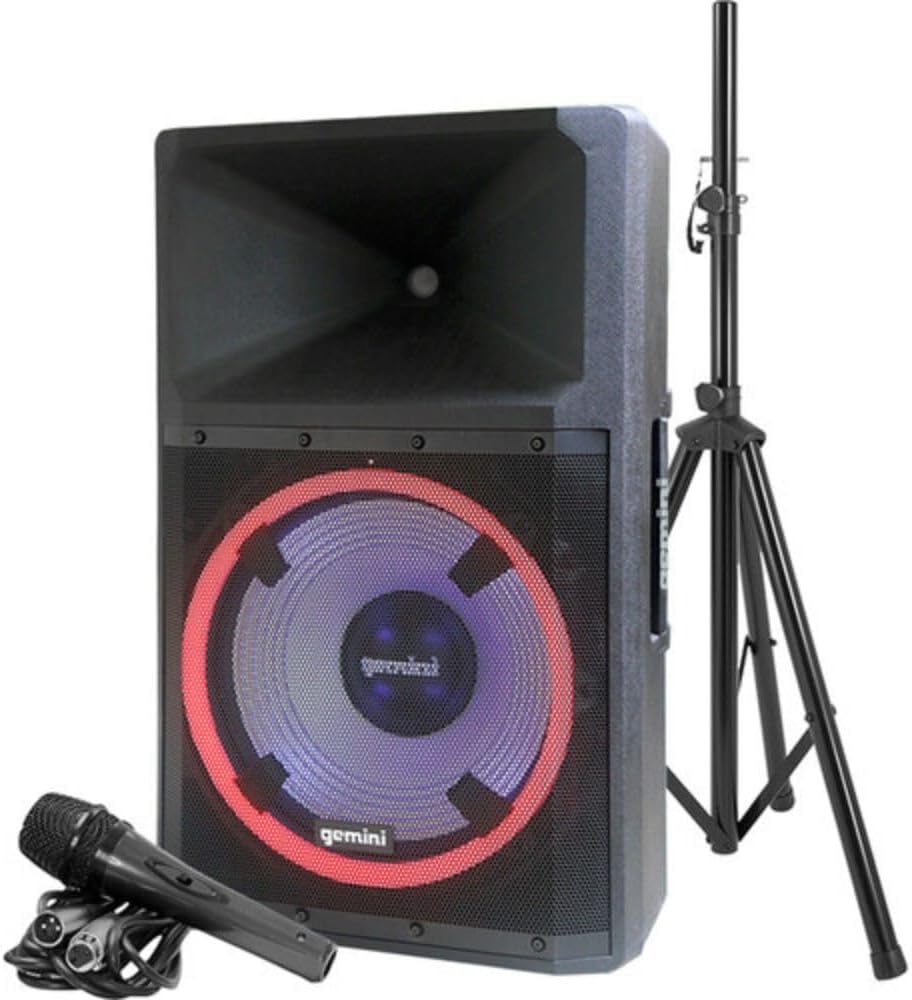
Image: The Gemini GSP-L2200PK speaker correctly mounted on its included stand, with the Polsen M-85 microphone positioned in front.
2. Поставување на микрофонот
- Assemble the Auray MS-5230F tripod microphone stands by extending the legs and attaching the fixed boom arm.
- Attach the microphone clip to the boom arm of the stand.
- Insert the Polsen M-85 microphone into the microphone clip.
- Connect the XLR end of the provided microphone cable (XLR to 1/4") to the Polsen M-85 microphone.
- Connect the 1/4" end of the microphone cable to one of the Microphone Input (XLR/1/4" Combo) jacks on the rear panel of the GSP-L2200PK speaker.
3. Поврзување за напојување
- Осигурајте се дека прекинувачот за вклучување на звучникот е во положба OFF (ИСКЛУЧЕНО).
- Connect the provided power cord to the AC INLET on the rear panel of the speaker.
- Приклучете го другиот крај на кабелот за напојување во соодветен штекер за струја.
Упатства за работа
1. Powering On and Initial Volume Settings
- Before powering on, ensure all volume knobs (Master, Mic, Line, Media Player) are set to their minimum (counter-clockwise) position.
- Flip the POWER switch on the rear panel to the ON position. The power indicator light will illuminate.
- Slowly increase the MASTER VOLUME to a low listening level.
2. Bluetooth спарување
- On the speaker's media player, select the Bluetooth mode. The Bluetooth indicator will flash, indicating it's ready for pairing.
- На вашиот паметен телефон, таблет или компјутер, овозможете Bluetooth и пребарајте достапни уреди.
- Select "GSP-L2200PK" from the list of devices. Once paired, the Bluetooth indicator on the speaker will become solid.
- You can now stream audio wirelessly to the speaker. Adjust the MEDIA PLAYER VOLUME knob for the desired level.
3. Wired Audio Inputs
- Влезови за микрофон: Connect your Polsen M-85 microphone (or other XLR/1/4" microphones) to the MIC INPUT 1 or MIC INPUT 2 jacks. Adjust the corresponding MIC VOLUME knob.
- Линиски влезови: For other audio sources (e.g., mixer, instrument, non-Bluetooth player), use the LINE INPUTS (XLR, RCA, or 3.5mm AUX). Connect your device and adjust the LINE VOLUME knob.
- Влез за гитара: The 1/4" input can also be used for guitar connection.
4. Контрола на LED осветлување
The GSP-L2200PK features built-in LED lights with several operational modes. Refer to the controls on the rear panel to cycle through different lighting effects, including sound-reactive modes, or to turn the lights off.
5. TWS Linking (True Wireless Stereo)
For a stereo sound experience, you can wirelessly link two GSP-L2200PK speakers. Consult the speaker's specific TWS linking instructions, usually involving pressing a dedicated TWS button on both units until they pair.
6. XLR Output
The XLR OUTPUT allows you to link additional powered speakers or send the mixed audio signal to another sound system. Use the provided XLR-XLR cable for this connection.
Одржување
- Чистење: Always unplug the speaker before cleaning. Use a soft, dry cloth to wipe down the exterior surfaces. Do not use abrasive cleaners, waxes, or solvents.
- Складирање: When not in use for extended periods, store the speaker and accessories in a cool, dry place, away from direct sunlight and extreme temperatures.
- Кабли: Inspect all cables regularly for signs of wear or damage. Replace any damaged cables immediately to ensure safe operation.
- Вентилација: Ensure that the ventilation openings on the speaker are not blocked to prevent overheating.
Решавање проблеми
| Проблем | Можна причина | Решение |
|---|---|---|
| Нема моќ | Power cord not connected; Power outlet not active; Speaker power switch off. | Ensure power cord is securely connected; Test outlet with another device; Turn speaker power switch ON. |
| Нема излез на звук | Volume knobs too low; Incorrect input selected; Source device not playing; Damaged cable. | Increase MASTER, MIC, LINE, or MEDIA PLAYER volume; Ensure correct input is active; Check source device playback; Replace cable if damaged. |
| Bluetooth не се спарува | Speaker not in pairing mode; Device too far; Incorrect device selected. | Ensure speaker is in Bluetooth pairing mode (flashing indicator); Move device closer to speaker; Select "GSP-L2200PK" from device list. |
| Искривен звук | Volume too high (clipping); Input signal too strong; Damaged speaker component. | Reduce MASTER or input volume; Lower output level from source device; Contact customer support if distortion persists at low volumes. |
| Микрофонот не работи | Microphone switch off; Cable not connected properly; MIC VOLUME too low. | Ensure microphone switch is ON; Check cable connection at both ends; Increase MIC VOLUME. |
Спецификации
| Карактеристика | Детал |
|---|---|
| Број на модел | GSP-L2200PK |
| Излезен Ватtage | 2200 вати (врв) |
| Големина на вуфер | 15 инчи |
| Големина на Твитер | 1.35 инчи |
| Број на канали | 3 (Mic 1, Mic 2, Line/Media Player) |
| Технологија за поврзување | Bluetooth, XLR, 1/4" TRS or TS, RCA |
| Аудио влезови | XLR microphones, 1/4'' instrument inputs, RCA, 3.5mm auxiliary inputs |
| Аудио излез | XLR Link Output |
| Извор на енергија | Електричен со кабел |
| Материјал | Steel (stands), Durable Enclosure (speaker) |
| Боја | Црното |
| Тежина на ставката | 58 фунти (вкупен пакет) |
| Димензии на пакетот | 30.5 x 21 x 16.13 инчи |
| Тип на монтирање | Монтирање на пол |
| Препорачана употреба | Events, speaking engagements, fitness programs, DJ parties, karaoke, indoor events |
Гаранција и поддршка
For warranty information and technical support, please refer to the warranty card included with your product or visit the official Gemini Sound webстраница. Зачувајте го доказот за купување за какви било гаранциски побарувања.
Gemini Customer Support: For assistance with your GSP-L2200PK system, please contact Gemini customer support. Contact details can typically be found on the manufacturer's webна локацијата или на пакувањето на производот.


