Вовед
Thank you for choosing the R-MUSIC KARADUO Complete Karaoke Pack. This manual provides detailed instructions for the safe and efficient use of your new karaoke system, which includes a portable RGB speaker and two wireless microphones. Please read this manual thoroughly before operation and retain it for future reference.
Содржина на пакетот
По распакувањето, проверете дали сите предмети се присутни и во добра состојба:
- 1 x R-MUSIC KARADUO Portable RGB Speaker
- 2 x безжични микрофони
- 1 x кабел за полнење USB-C
- 1 x Упатство за употреба (овој документ)

Image: The R-MUSIC KARADUO portable RGB speaker and two wireless microphones, as included in the package.
Производот завршиview
Компоненти и контроли на звучникот

Слика: Горе view of the R-MUSIC KARADUO speaker, showing the control buttons.
- LED Animation Button: Press to cycle through 5 different LED light animations.
- Volume + / Next Song Button: Кратко притискање за зголемување на јачината на звукот. Долго притискање за прескокнување на следната песна.
- ON / OFF / Pause / Play Button: Long press to power the speaker on or off. Short press to play or pause music.
- Volume - / Previous Song Button: Кратко притискање за намалување на јачината на звукот. Долго притискање за враќање на претходната песна.
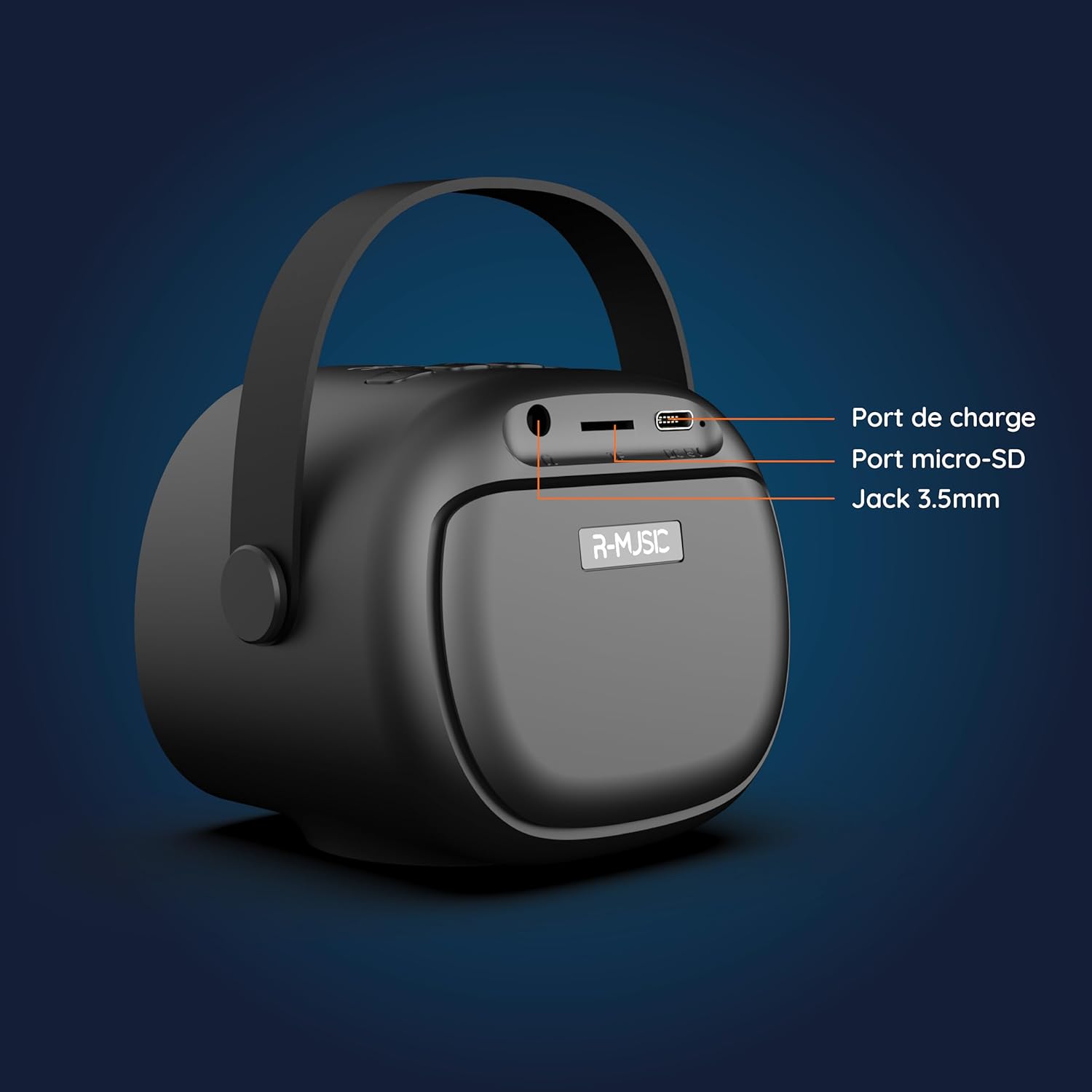
Слика: Назад view of the R-MUSIC KARADUO speaker, highlighting the charging port, Micro-SD card slot, and 3.5mm Jack port.
- Порта за полнење (USB-C): Поврзете го испорачаниот USB-C кабел за полнење.
- Слот за микро-SD картичка: Вметнете микро-SD картичка за директна репродукција на музика.
- 3.5 мм AUX порт: Поврзете надворешни аудио уреди користејќи 3.5 мм аудио кабел (не е вклучен).
Контроли на микрофон

Image: Close-up of the R-MUSIC wireless microphones, illustrating the power, volume, and mode buttons.
- Копче за вклучување: Long press to power the microphone on or off.
- Том + копче: Зголемете ја јачината на звукот на микрофонот.
- Копче за јачина на звук: Намалете ја јачината на звукот на микрофонот.
- Копче за режим (М): Short press to cycle through 5 voice deformation effects and 3 karaoke modes.
Поставување
1. Charging the Speaker and Microphones
Пред првата употреба, целосно наполнете го звучникот и двата микрофони.
- Говорник: Connect the provided USB-C charging cable to the speaker's charging port and a compatible USB power adapter (not included). The charging indicator will show the charging status.
- Микрофони: Each microphone has its own charging port (usually Micro-USB, check the microphone itself). Connect them to a USB power source using appropriate cables (not included, or check if included with microphones).
A full charge provides approximately 14 hours of speaker playback without LED lights, or 7 hours with LED lights activated.
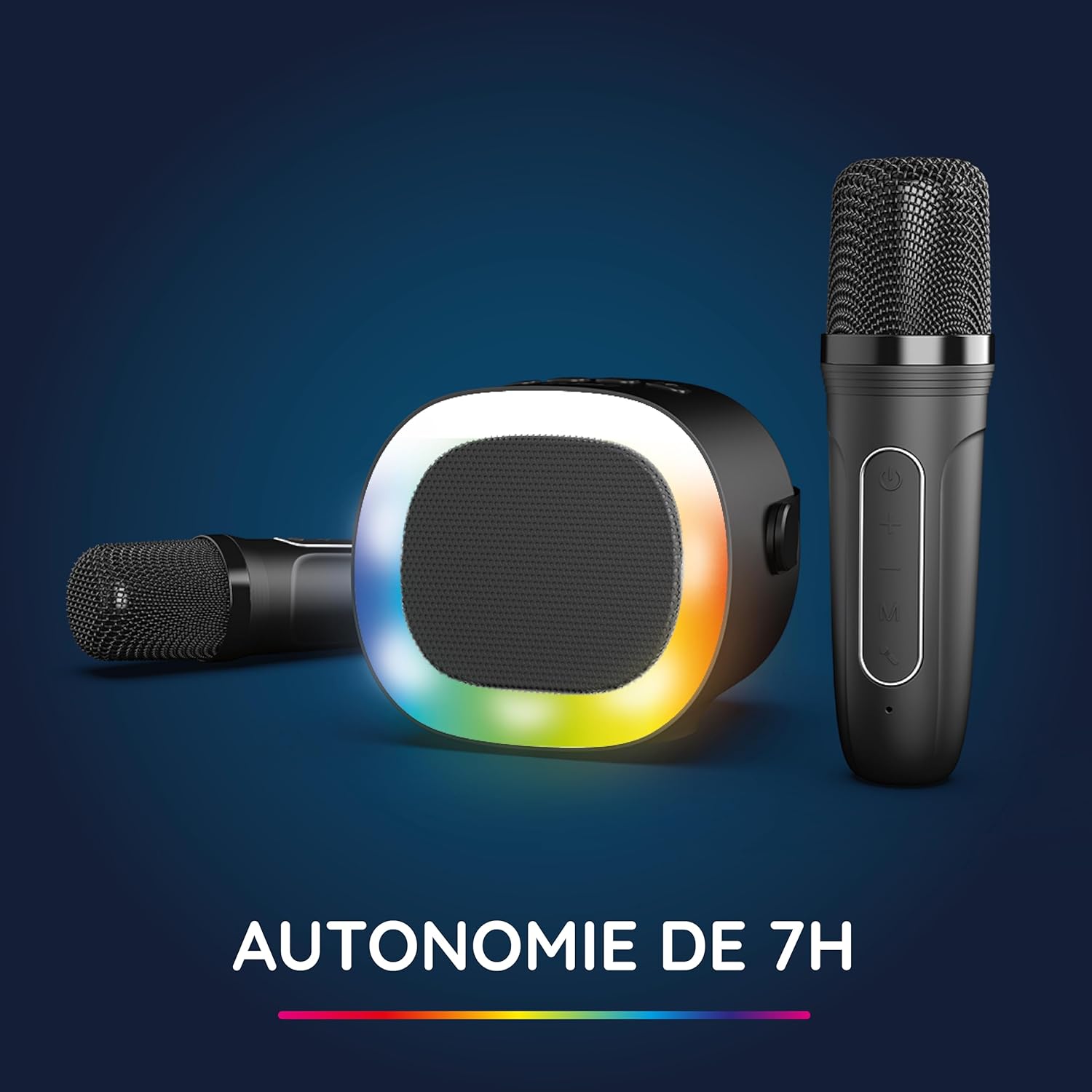
Image: The R-MUSIC speaker and microphones, illustrating the battery life with LED lights active.
2. Powering On and Pairing Microphones
- Вклучување на звучникот: Long press the ON/OFF button on the speaker until it powers on.
- Вклучување на микрофони: Long press the Power button on each microphone until they power on.
- The microphones should automatically pair with the speaker. If not, ensure they are within close proximity and try powering them off and on again.
Упатства за работа
1. Поврзување со аудио извори
The KARADUO speaker offers multiple connectivity options:
- Bluetooth 5.0:
- Проверете дали звучникот е вклучен.
- Activate Bluetooth on your smartphone, tablet, PC, or other compatible device.
- Пребарај за "KARADUO" in your device's Bluetooth settings and select it to pair. A confirmation sound will indicate a successful connection.
- The Bluetooth 5.0 technology ensures optimal sound quality and a stable connection up to 10 meters.
- Влез AUX:
- Connect a 3.5mm audio cable (not included) from your audio device's headphone jack to the speaker's 3.5mm AUX port.
- Звучникот автоматски ќе се префрли во AUX режим.
- Micro-SD Card Playback:
- Insert a Micro-SD card containing MP3 audio files into the Micro-SD card slot on the back of the speaker.
- Звучникот автоматски ќе ја детектира картичката и ќе почне да пушта музика.
2. Speaker Operation
- Пушти/Пауза: Short press the ON/OFF/Pause/Play button.
- Прилагодување на јачината на звукот: Short press the Volume + or Volume - buttons.
- Следна / претходна песна: Long press the Volume + (next) or Volume - (previous) buttons.
- Режими на LED светло: Press the LED Animation button to cycle through 5 different LED light animations.

Image: The R-MUSIC speaker showcasing its dynamic LED light animations.
3. Работа со микрофон
- Јачина на звук на микрофонот: Use the Volume + and Volume - buttons on the microphone to adjust your vocal volume.
- Voice Deformation Effects: Short press the 'M' (Mode) button on the microphone to cycle through 5 different voice deformation effects.
- Караоке режими: Continue pressing the 'M' button to cycle through 3 distinct karaoke modes.
Одржување
To ensure the longevity and optimal performance of your R-MUSIC KARADUO system, follow these maintenance guidelines:
- Чистење: Use a soft, dry cloth to clean the speaker and microphones. Do not use abrasive cleaners, solvents, or harsh chemicals.
- Складирање: Чувајте го уредот на ладно и суво место, подалеку од директна сончева светлина и екстремни температури кога не е во употреба.
- Изложеност на вода: This product is not waterproof. Avoid exposure to water or excessive moisture.
- Полнење: Only use the provided charging cable and a compatible USB power adapter. Do not overcharge the device.
Решавање проблеми
If you encounter issues with your KARADUO system, please refer to the following common problems and solutions:
| Проблем | Можна причина | Решение |
|---|---|---|
| Нема моќ | Батеријата е слаба или уредот е исклучен. | Charge the speaker/microphones. Long press the power button to turn on. |
| Нема звук од звучникот | Јачината на звукот е прениска, режимот на внесување е неправилен или уредот не е поврзан. | Increase speaker volume. Ensure correct input (Bluetooth, AUX, Micro-SD). Reconnect Bluetooth or check AUX cable. |
| Микрофоните не работат | Microphones off, low battery, or not paired. | Ensure microphones are charged and powered on. They should automatically pair with the speaker. If not, power cycle them. |
| Исклучување на Bluetooth | Device out of range, interference, or low battery. | Move the connected device closer to the speaker (within 10m). Ensure no major obstacles. Recharge the speaker. |
If the problem persists after trying these solutions, please contact R-MUSIC customer support.
Спецификации
| Карактеристика | Детал |
|---|---|
| Бренд | Р-МУЗИКА |
| Број на модел | RM484437 |
| Боја | Црното |
| Технологија за поврзување | Bluetooth 5.0 |
| Пристаништа за поврзување | 3.5mm Jack, USB Type-C (charging), Micro-SD Card Slot |
| Посебни карактеристики | 2 Wireless Microphones, Universal Connectivity, 5 Voice Deformation Effects, LED Lights |
| Компатибилни уреди | PC, Smartphone, Tablet, TV (via AUX) |
| Извор на енергија | Напојува со батерија |
| Speaker Battery Life | Up to 14 hours (without LED), 7 hours (with LED) |
| Опсег на Bluetooth | До 10 метри |

Image: Technical dimensions of the R-MUSIC KARADUO speaker, showing its height, width, and depth.
Гаранција и поддршка
Information regarding specific warranty terms and conditions for the R-MUSIC KARADUO Complete Karaoke Pack is not available in this document. Please refer to the product packaging or the retailer's webсајт за детали за гаранцијата.
For technical support or further assistance, please contact R-MUSIC customer service through their official webстраницата или информациите за контакт дадени со вашето купување.


