1. Вовед
Thank you for choosing the COCOCAM 2PCS Solar Camera Outdoor Wireless. This manual provides detailed instructions for the installation, operation, and maintenance of your new security cameras. Please read this manual thoroughly before use to ensure proper functionality and safety.

Image: Two COCOCAM ZY-C2 solar cameras, showcasing their design and integrated solar panels.
2. Што има во кутијата
Проверете ја содржината на вашиот пакет за да се осигурате дека сите предмети се присутни:
- 2 x COCOCAM ZY-C2 Solar Security Cameras
- 2 x Solar Panels (integrated or separate, depending on model variant)
- 2 х загради за монтирање
- Монтирачки завртки и ѕидни приклучоци
- USB кабел за полнење
- Упатство за употреба (овој документ)
3. Производот завршиview
The COCOCAM ZY-C2 is a high-performance outdoor security camera designed for comprehensive surveillance. Key features include:
- 2K QHD резолуција: Delivers crisp 3MP image quality for clear video monitoring.
- Flexible 360° Coverage: Features 355° pan and 120° tilt rotation, controllable via the Cloudage/Cococam app, ensuring no blind spots.
- Solar Powered & 100% Wireless: Equipped with a solar panel and 5200mAh rechargeable batteries for continuous power, eliminating the need for frequent charging.
- Детекција на движење со вештачка интелигенција: Optimized algorithms enhance human-like recognition, reducing false alarms. Supports optional paid features for pet, car, and package recognition.
- Ноќно гледање во боја: Provides clear, full-color video even in low-light conditions, alongside traditional infrared night vision.
- Двонасочно аудио: Вградениот микрофон и звучник овозможуваат комуникација во реално време.
- IP66 Водоотпорност: Designed to withstand various weather conditions, operating reliably from -25°C to 60°C (-13°F to 140°F).
- Двојни антени: 4DBi dual antennas ensure stronger and more stable 2.4GHz Wi-Fi reception.

Image: The camera's dual solar panel design, illustrating 365-day power capability.

Image: Comparison of color night vision and infrared night vision, highlighting the camera's low-light capabilities.
4. Водич за поставување
4.1 Полнење на батеријата
Although solar-powered, it is recommended to fully charge the camera's internal battery via the USB port before the first use. Connect the camera to a 5V/2A USB power adapter (not included) using the provided USB cable. The charging indicator light will show the charging status.
4.2 Инсталација на апликација и креирање сметка
- Download the 'Cloudage' or 'Cococam' app from your smartphone's app store (iOS or Android).
- Open the app and register a new account using your email address.
- Следете ги инструкциите на екранот за да го завршите процесот на регистрација.
4.3 Camera Pairing with Wi-Fi
- Проверете дали вашата Wi-Fi мрежа е 2.4 GHz. Камерата не поддржува Wi-Fi од 5 GHz.
- In the app, tap '+' or 'Add Device' to add a new camera.
- Select the appropriate camera model or scan the QR code on the camera.
- Follow the in-app instructions to connect the camera to your Wi-Fi network. This typically involves generating a QR code on your phone screen for the camera to scan.
- Once connected, you will hear a confirmation sound from the camera, and it will appear in your app's device list.
4.4 Физичка инсталација
Choose a suitable outdoor location for installation, ensuring the solar panel receives adequate direct sunlight throughout the day. The camera can be mounted on a wall or ceiling.
- Означете ги точките за дупчење користејќи го држачот за монтирање како шаблон.
- Дупчете дупки и вметнете ѕидни приклучоци доколку е потребно.
- Secure the mounting bracket to the surface with screws.
- Attach the camera to the mounting bracket and adjust its angle for optimal viewинг.
- Ensure the solar panel is positioned to maximize sun exposure.

Image: An outdoor mounted camera illustrating its pan and tilt range for comprehensive monitoring.
5. Упатства за работа
5.1 Во живо View и PTZ контрола
Open the Cloudage/Cococam app and select your camera from the device list to access the live viewОд тука, можете:
- Пан/навалување: Drag your finger across the screen to remotely adjust the camera's horizontal (355°) and vertical (120°) viewинг агли.
- Дигитален зум: Pinch to zoom in or out on the live feed for more detail.
- Слика/Снимање: Снимајте фотографии или видео клипови директно на вашиот телефон.
5.2 Детекција на движење со вештачка интелигенција и известувања
The camera uses advanced AI to detect motion and send instant alerts to your smartphone.
- Овозможи/Оневозможи: Navigate to camera settings in the app to enable or disable motion detection.
- Прилагодување на чувствителност: Adjust the detection sensitivity to minimize false alarms.
- Откривање на луѓе: Enable AI human detection for more accurate alerts.
- Paid Features: Optional paid features allow for recognition of pets, cars, and packages.
- Alert Methods: Configure push notifications, light warnings, sound warnings, or audible/light warnings via the app.

Image: AI motion detection in action, highlighting its ability to identify various objects like people, vehicles, and packages.
5.3 Режими на ноќно гледање
The camera supports two night vision modes:
- Ноќно гледање во боја: Utilizes built-in spotlights to provide full-color video in dark environments.
- Инфрацрвено ноќно гледање: Uses infrared LEDs for black-and-white video in complete darkness.
- Можете да се префрлате помеѓу овие режими или да ги поставите на автоматски во поставките на апликацијата.
5.4 Двонасочно аудио
За да ја користите функцијата за двонасочно аудио:
- Во живо view, допрете ја иконата за микрофон за да зборувате преку звучникот на камерата.
- Допрете ја иконата на звучникот за да слушате аудио од микрофонот на камерата.
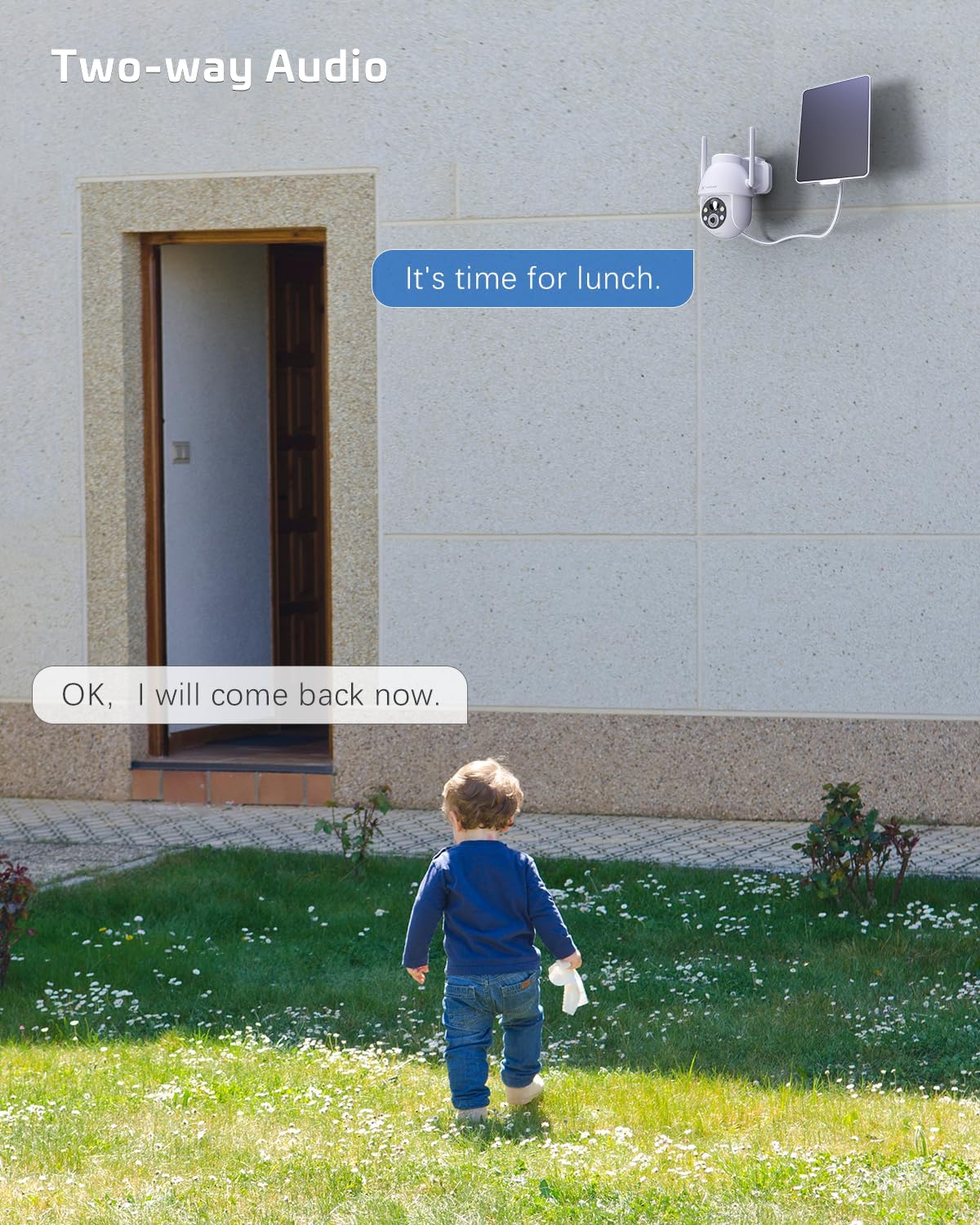
Image: A visual representation of the two-way audio feature, showing communication between a person and the camera.
5.5 Опции за складирање
The camera offers flexible storage solutions for recorded footage:
- Складирање на TF картичка: Supports up to 128GB TF (microSD) card (not included) for local storage. Insert the card into the designated slot on the camera.
- Складирање во облак: A cloud storage service is available (paid feature) for secure, off-site storage of your video recordings. All cloud video is encrypted.
5.6 Споделување со повеќе корисници
You can easily share camera access with family members or friends:
- In the app, go to the camera settings and find the 'Share Device' option.
- Generate a QR code or invite link for others to scan or click, granting them access to the camera feed.
6. Одржување
To ensure optimal performance and longevity of your COCOCAM security camera:
- Редовно чистење: Периодично бришете го објективот на камерата и соларниот панел со мека, дamp крпа за отстранување прашина и остатоци. Не користете јаки хемикалии.
- Ажурирања на фирмверот: Check the app regularly for firmware updates. Keeping your camera's firmware up-to-date ensures the latest features and security patches.
- Здравје на батеријата: While solar-powered, ensure the solar panel is free from obstructions to maintain optimal battery charge. In prolonged periods of low sunlight, consider manually charging the camera via USB.
- Еколошки услови: The camera is IP66 weatherproof, but extreme conditions outside its operating temperature range (-25°C to 60°C / -13°F to 140°F) may affect performance.

Image: The camera operating effectively in rainy conditions, highlighting its IP66 weatherproof design.
7 Смена на проблеми
7.1 Camera Offline / Disconnected
- Wi-Fi сигнал: Ensure the camera is within range of your 2.4GHz Wi-Fi router and the signal strength is adequate.
- Поставки на рутерот: Verify that your router's settings are not blocking the camera. Restarting the router may help.
- Напојување: Check if the camera has sufficient battery charge. Ensure the solar panel is clean and receiving sunlight.
- Повторно спарување: Ако проблемите продолжат, обидете се повторно да ја спарите камерата со апликацијата.
7.2 Motion Detection Issues (Too Many/Few Alerts)
- Чувствителност: Adjust the motion detection sensitivity in the app settings. Lower sensitivity for fewer false alarms, higher for more detections.
- Зона за откривање: If available, configure specific detection zones to focus on critical areas and ignore irrelevant motion.
- Откривање на луѓе со вештачка интелигенција: Осигурајте се дека е овозможено откривање на луѓе со вештачка интелигенција за филтрирање на движења кои не се човечки.
7.3 Лош квалитет на сликата
- Чистота на објективот: Исчистете го објективот на камерата за да отстраните какви било дамки или нечистотија.
- Брзина на мрежата: Ensure your internet connection is stable and fast enough for 2K video streaming.
- Ноќно гледање: If image quality is poor at night, check if the night vision mode is set correctly (color or infrared) and if the spotlights/IR LEDs are unobstructed.
7.4 Батеријата не се полни
- Соларен панел: Ensure the solar panel is clean and positioned to receive direct sunlight for several hours a day.
- Кабелско поврзување: Проверете ја врската помеѓу соларниот панел и камерата.
- Manual Charge: Try charging the camera directly via the USB port to confirm the battery is functional.
8. Спецификации
| Карактеристика | Спецификација |
|---|---|
| Модел | ZY-C2 |
| Резолуција за снимање видео | 1440p (2K QHD) |
| Технологија за поврзување | Wireless (2.4GHz Wi-Fi, Bluetooth) |
| Извор на енергија | Напојувано со батерии, напојувано со сончева енергија |
| Капацитет на батеријата | 5200 mAh (се полни) |
| Капацитет за складирање на меморија | 128 GB (TF card, not included) |
| Агол на движење/навалување | 355° Пан, 120° навалување |
| Оценка за отпорност на атмосферски влијанија | IP66 |
| Работна температура | -25°C до 60°C (-13°F до 140°F) |
| Тип на монтирање | Монтирање на таван, држач за ѕид |
| Компатибилен ОС | iOS, Android |
| Димензии (Д x Ш x В) | 18 x 17 x 14 cm |
| Тежина на ставката | 1.3 кг |
9. Гаранција и поддршка
COCOCAM provides a 2 година гаранција for its cameras. If you encounter any problems using our products or require technical assistance, please do not hesitate to contact our customer support team. Refer to the contact information provided on the product packaging or the official COCOCAM webстраница за канали за поддршка.
We are committed to providing high-quality service and ensuring your satisfaction with our products.


