1. Производот завршиview
The MEETION Wireless Keyboard and Mouse Combo provides a full-sized keyboard with a wrist rest and a 3-DPI adjustable mouse, offering a reliable 2.4G wireless connection for various computing needs.
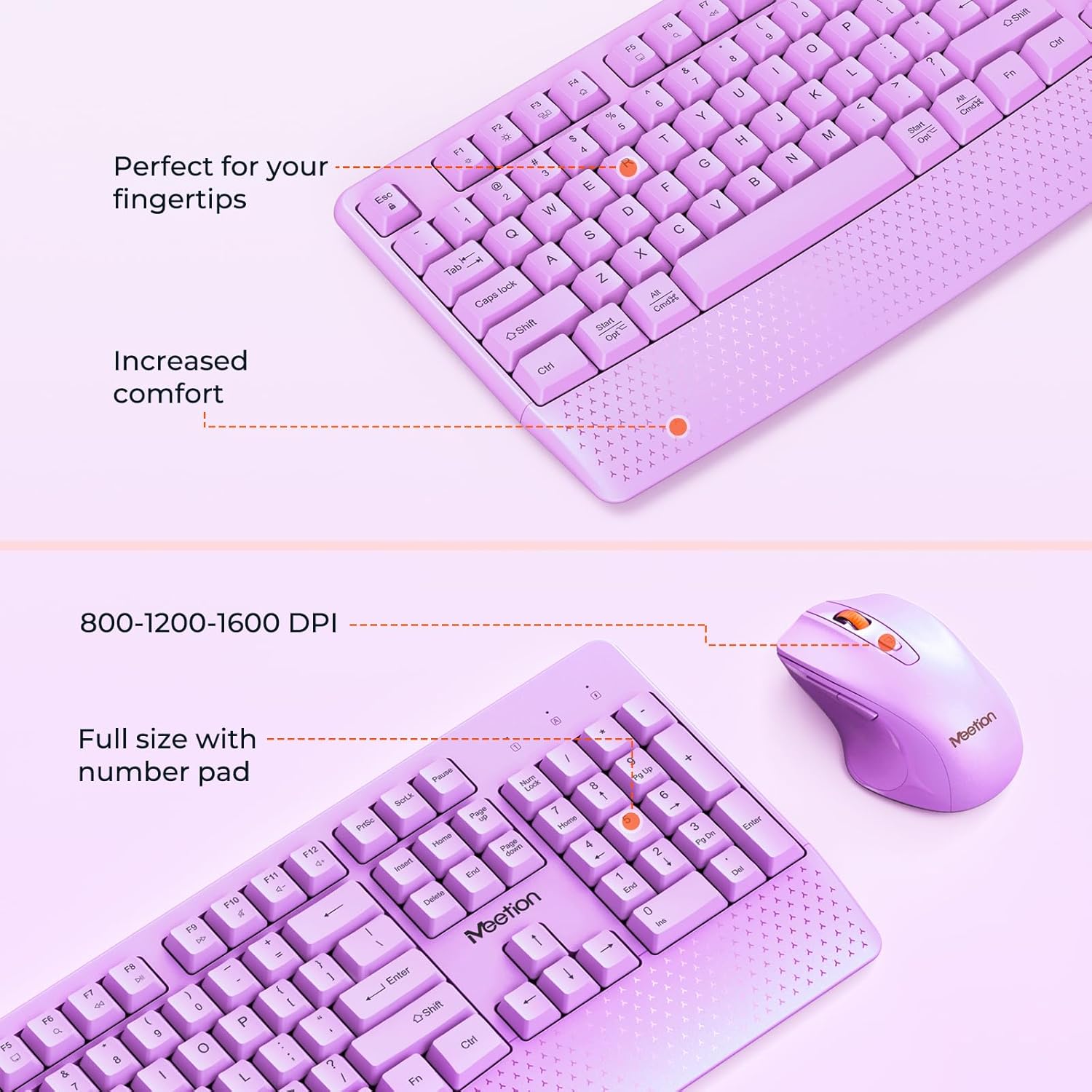
Image: The keyboard features a full-size layout with a number pad and an integrated wrist rest for comfort. The mouse offers adjustable DPI settings.

Слика: Надview of the keyboard and mouse, highlighting various function keys on the keyboard and the buttons and features of the mouse.
2. Упатства за поставување
2.1. Инсталација на батерија
The keyboard requires two AA batteries, and the mouse requires one AA battery. Batteries are not included.
- Пронајдете го делот за батерии на долната страна од тастатурата и глувчето.
- Отворете ги капаците на батериите.
- Вметнете ги батериите, обезбедувајќи правилен поларитет (+/-).
- Затворете ги капаците на батериите безбедно.

Image: This image illustrates the battery compartments for both the keyboard (requiring 2 AA batteries) and the mouse (requiring 1 AA battery).
2.2. Поврзување на безжичниот приемник
The keyboard and mouse share a single 2.4G USB Nano Receiver.
- Locate the USB Nano Receiver, typically stored in the mouse's battery compartment or packaging.
- Приклучете го USB нано приемникот во слободен USB-A порт на вашиот компјутер.
- If your device only has USB-C ports, use the provided USB-C adapter. First, plug the USB Nano Receiver into the USB-C adapter, then plug the adapter into your device's USB-C port.
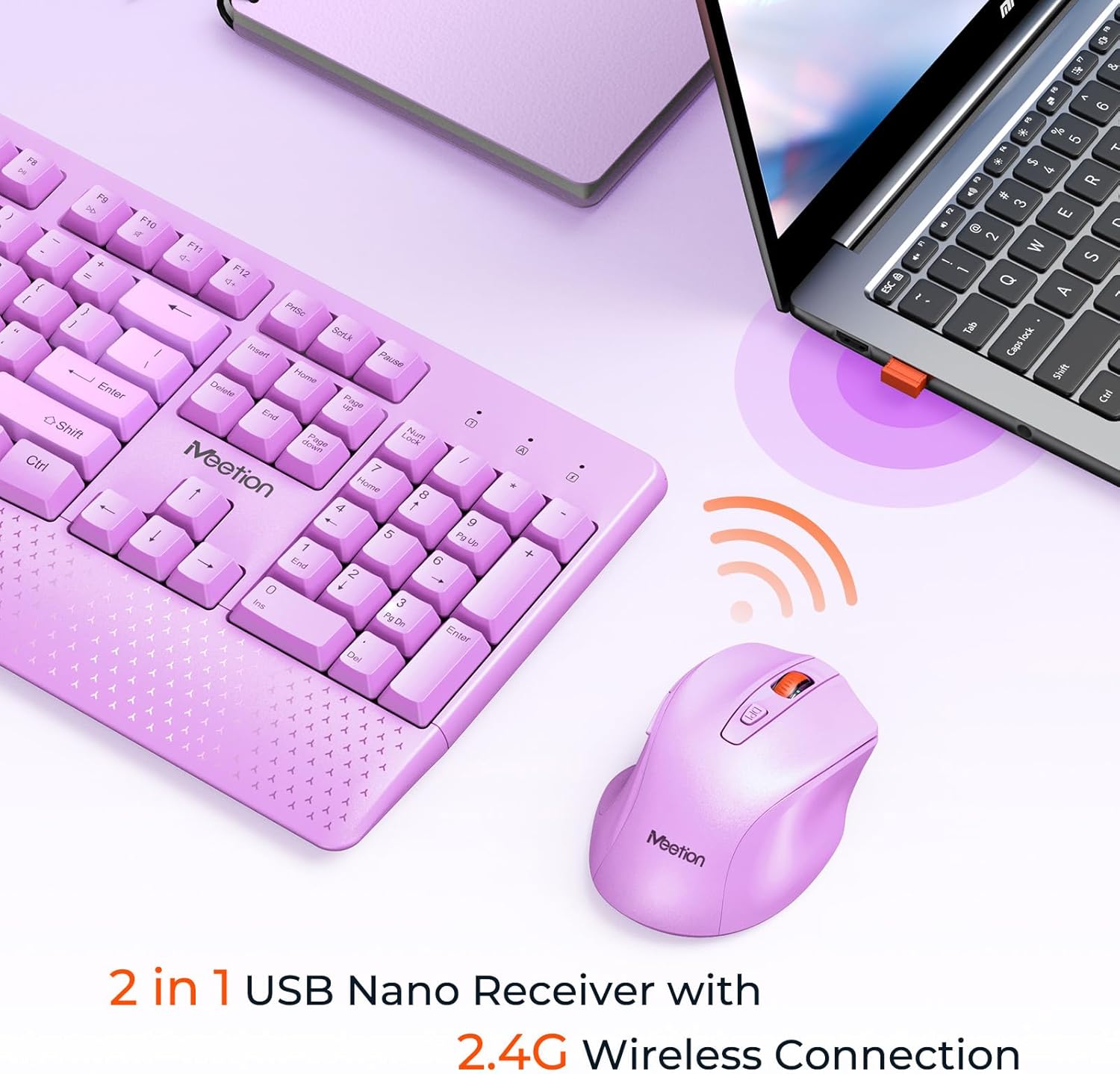
Image: The keyboard and mouse wirelessly connect to a laptop via a 2.4G USB Nano Receiver, shown plugged into a USB port.
Image: A diagram demonstrating how to use the USB-C adapter: the USB receiver plugs into the adapter, which then plugs into a Type-C port on a computer.
2.3. Вклучување
- For the mouse, slide the ON/OFF switch located on its underside to the 'ON' position.
- The keyboard does not have a separate power switch; it activates automatically upon successful connection and battery insertion.
3. Упатства за работа
3.1. Употреба на тастатура
- Распоред со целосна големина: The keyboard features a standard full-size layout, including a numeric keypad for efficient data entry.
- Интегриран потпирач за зглоб: The ergonomic wrist rest is designed to provide comfort and reduce strain during extended typing sessions.
- Прилагодлив наклон: Flip out the kickstands on the underside of the keyboard to adjust the typing angle for improved comfort.
- Функциски копчиња: Utilize the Fn (Function) key in combination with F1-F12 keys for multimedia controls and other shortcuts. Refer to the keyboard layout for specific functions.
Image: A close-up of the keyboard's side profile, illustrating the adjustable 8-degree tilt angle provided by the kickstands for ergonomic typing.
3.2. Употреба на глушец
- Ергономски дизајн: The mouse is shaped to fit comfortably in your hand, promoting natural wrist and arm posture.
- Прилагодлив DPI: Cycle through DPI settings (800, 1200, 1600) by pressing the DPI button located behind the scroll wheel. This allows you to adjust cursor sensitivity to your preference.
- Тивки кликови: The mouse features silent click buttons for a quiet working environment.
- Странични копчиња: Use the side buttons for forward and backward navigation in web прелистувачи и други апликации.

Image: A detailed diagram of the mouse, labeling its components including the Left Button, Right Button, Scroll Wheel, DPI Button, Forward/Backward buttons, ON/OFF switch, Optical sensor, Battery Cover, Anti-Slip Pads, and USB Nano Receiver storage slot.
Image: An illustration demonstrating the adjustable DPI settings of the mouse, showing options for 800, 1200, and 1600 DPI.
4. Одржување
4.1. Чистење
- To clean the keyboard and mouse, power them off and remove batteries if possible.
- Користете мека, гamp cloth to wipe surfaces. Avoid harsh chemicals or abrasive materials.
- За копчињата на тастатурата, користете компримиран воздух за отстранување на прашина и остатоци.
4.2. Замена на батеријата
Replace batteries when performance degrades or the low battery indicator (if present) illuminates. Follow the battery installation steps in Section 2.1.
5 Смена на проблеми
- Нема конекција: Ensure batteries are correctly installed and charged. Verify the USB Nano Receiver is securely plugged into a working USB port. If using a USB-C adapter, ensure it is properly connected.
- Глувчето не реагира: Check the mouse's ON/OFF switch. If the mouse enters sleep mode after inactivity, click any button to wake it up.
- Доцнење или прекината врска: Move the keyboard and mouse closer to the USB Nano Receiver. Avoid placing the receiver near other wireless devices or large metal objects that may cause interference.
- DPI Adjustment Not Working: Press the DPI button on the mouse to cycle through the available sensitivity settings (800/1200/1600 DPI).
6. Спецификации
| Карактеристика | Детал |
|---|---|
| Бренд | СРЕДБА |
| Модел (тастатура) | MT-CA330 |
| Модел (глушец) | MT-CA130 |
| Технологија за поврзување | 2.4G Wireless, USB |
| Специјална функција на тастатурата | Потпирач за зглоб |
| Поставки за DPI на глувчето | 800-1200-1600 |
| Батерии за тастатура | 2 AA батерии (не се вклучени) |
| Батерии за глувци | 1 AA батерија (не е вклучена) |
| Компатибилни уреди | PC, Computer, Laptop, Windows, Mac, Gaming Console |
| Димензии на пакетот | 17.56 x 10.75 x 1.89 инчи |
| Тежина на ставката | 1.98 фунти |
7. Гаранција и поддршка
For warranty information and technical support, please refer to the documentation included with your product packaging or visit the official MEETION webсајт. Чувајте ја вашата потврда за купување за барања за гаранција.