1. Вовед
Thank you for choosing the ZEBRONICS K4000MW Wireless Keyboard. This manual provides essential information for setting up, operating, maintaining, and troubleshooting your new keyboard. The K4000MW offers versatile connectivity options, including 2.4 GHz wireless and dual Bluetooth, making it compatible with a wide range of devices such as laptops, desktops, tablets, and smartphones. Its compact design and integrated multimedia keys enhance productivity and user convenience.

Слика 1: Од горе надолу view of the ZEBRONICS K4000MW Wireless Keyboard, showcasing its compact layout and black finish.
2. Поставување
2.1 Содржина на пакетот
- ZEBRONICS K4000MW Wireless Keyboard
- USB Nano Receiver (for 2.4 GHz connection)
- Упатство за употреба
2.2 Инсталација на батерија
- Пронајдете го делот за батерии на долната страна од тастатурата.
- Отворете го капакот на преградата за батерии.
- Insert the required batteries (not specified in JSON, typically AA or AAA) according to the polarity markings.
- Добро затворете го капакот на преградата за батерии.
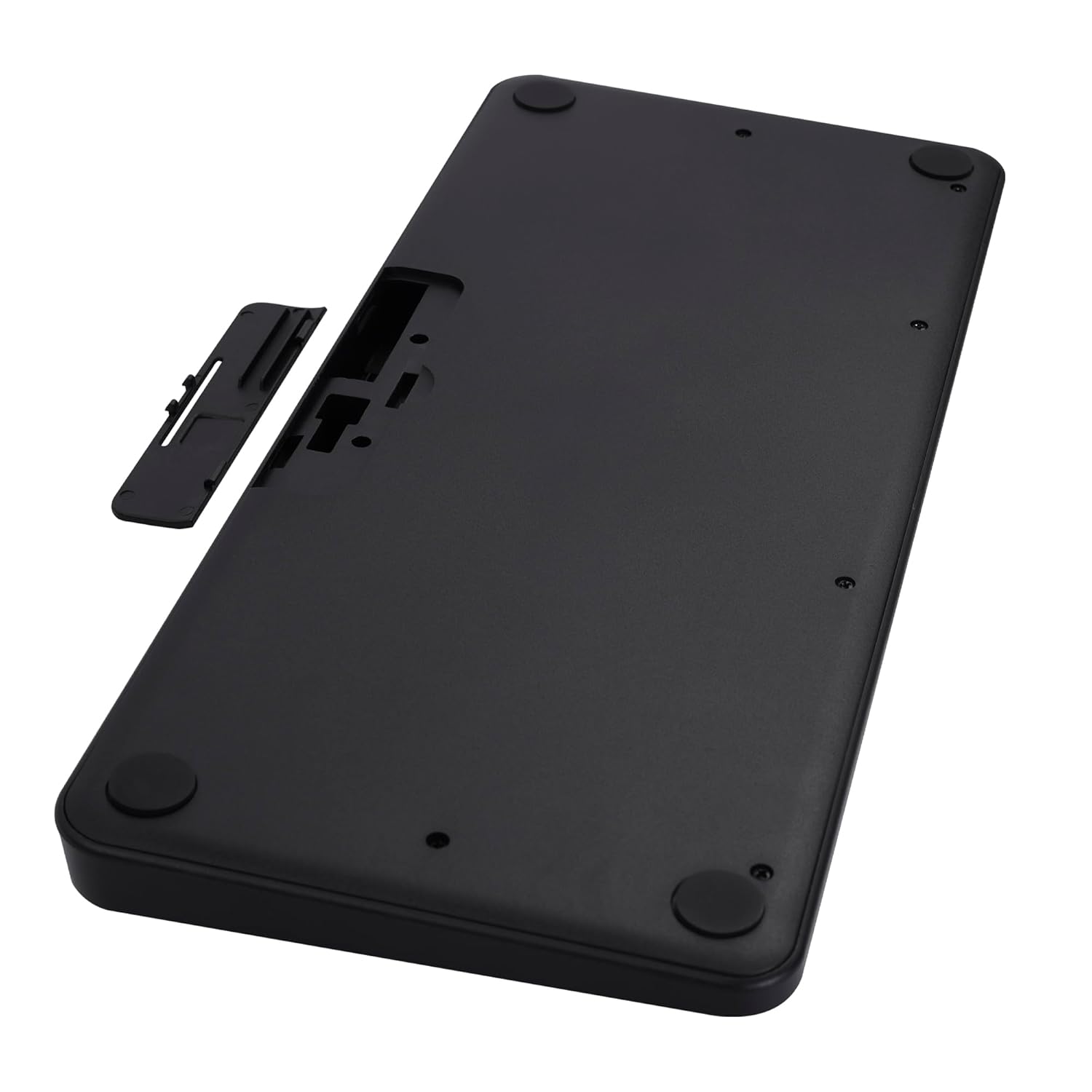
Image 2: The underside of the keyboard, showing the battery compartment and the slot for the USB nano receiver.
2.3 Поврзување преку безжична мрежа од 2.4 GHz
- Remove the USB nano receiver from its storage slot in the battery compartment.
- Plug the nano receiver into an available USB port on your computer or compatible device.
- The keyboard should automatically connect. The 2.4G LED indicator on the keyboard will illuminate briefly to confirm connection.
2.4 Поврзување преку Bluetooth
The keyboard supports up to two Bluetooth connections (BT1 and BT2).
- Pairing for BT1:
а. Притиснете и задржете го Fn + BT1 keys simultaneously for 3-5 seconds until the BT1 LED indicator starts blinking rapidly.
b. On your device (laptop, tablet, smartphone), enable Bluetooth and search for available devices.
c. Select "ZEB-K4000MW" from the list of devices to pair.
d. Once paired, the BT1 LED indicator will stop blinking and remain solid for a few seconds. - Pairing for BT2:
a. Follow the same steps as for BT1, but press and hold Fn + BT2 клучеви.
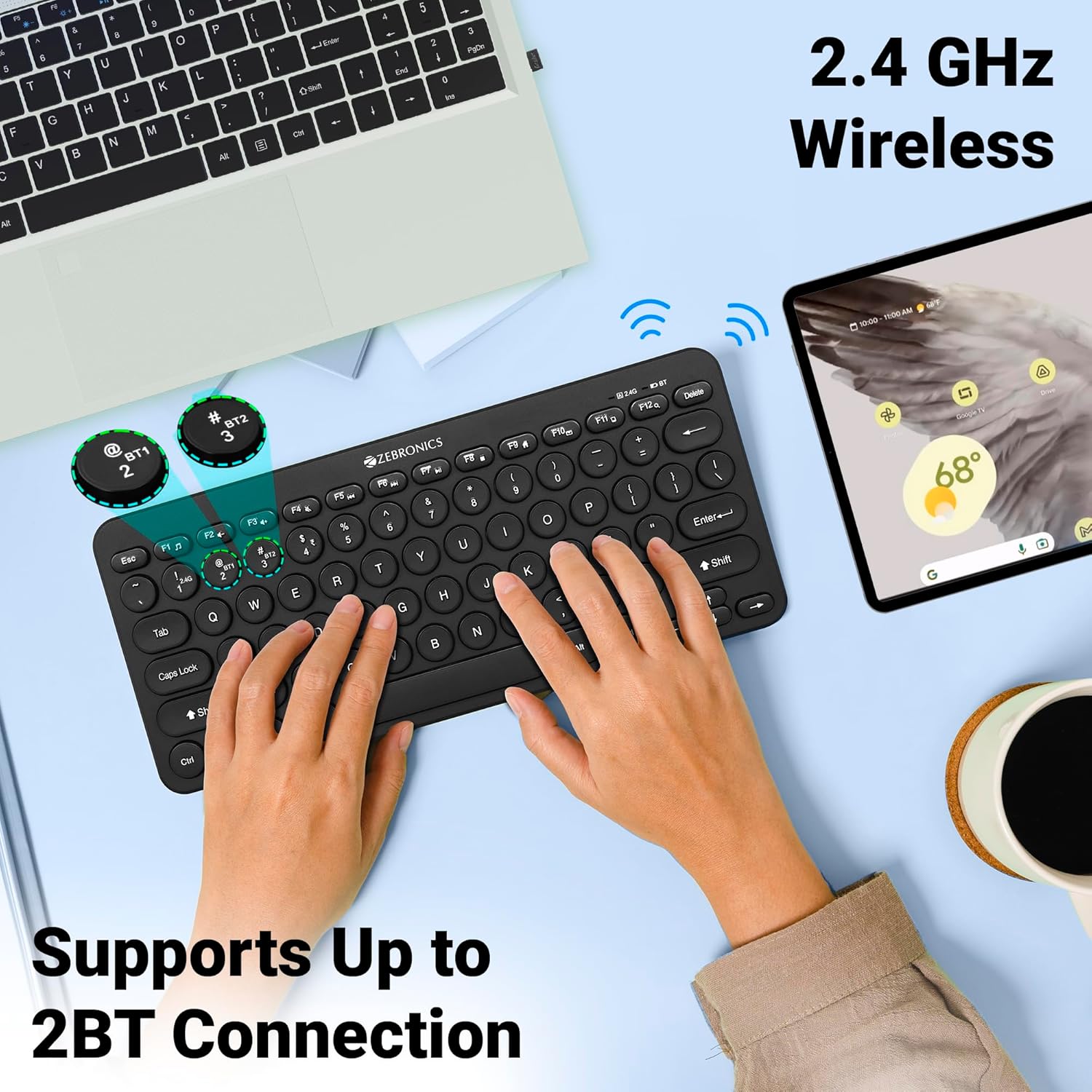
Image 3: The keyboard in use, highlighting the 2.4 GHz wireless and dual Bluetooth connection capabilities with LED indicators.
2.5 Префрлување помеѓу уреди
За да се префрлате помеѓу поврзани уреди:
- Притиснете Fn + 2.4G to switch to the device connected via the 2.4 GHz nano receiver.
- Притиснете Fn + BT1 to switch to the device paired with Bluetooth 1.
- Притиснете Fn + BT2 to switch to the device paired with Bluetooth 2.
3. Ракување со тастатурата
3.1 Основно пишување
The keyboard features 78 UV-coated keys designed for comfortable and efficient typing. The layout includes standard alphanumeric keys, function keys, and navigation keys.
3.2 Мултимедијални клучеви
The keyboard integrates 12 multimedia keys (F1-F12) for quick access to media controls and other functions. To use these functions, press the Fn копчето истовремено со саканото функционално копче.
- Fn+F1: Медиа плеер
- Fn+F2: Намалување на јачината на звукот
- Fn+F3: Јачина на звук нагоре
- Fn+F4: Исклучи звук
- Fn+F5: Претходна песна
- Fn+F6: Пушти/Пауза
- Fn+F7: Следна песна
- Fn+F8: Стоп
- Fn+F9: Web Прелистувач
- Fn+F10: Е-пошта
- Fn+F11: Мојот компјутер
- Fn+F12: Калкулатор
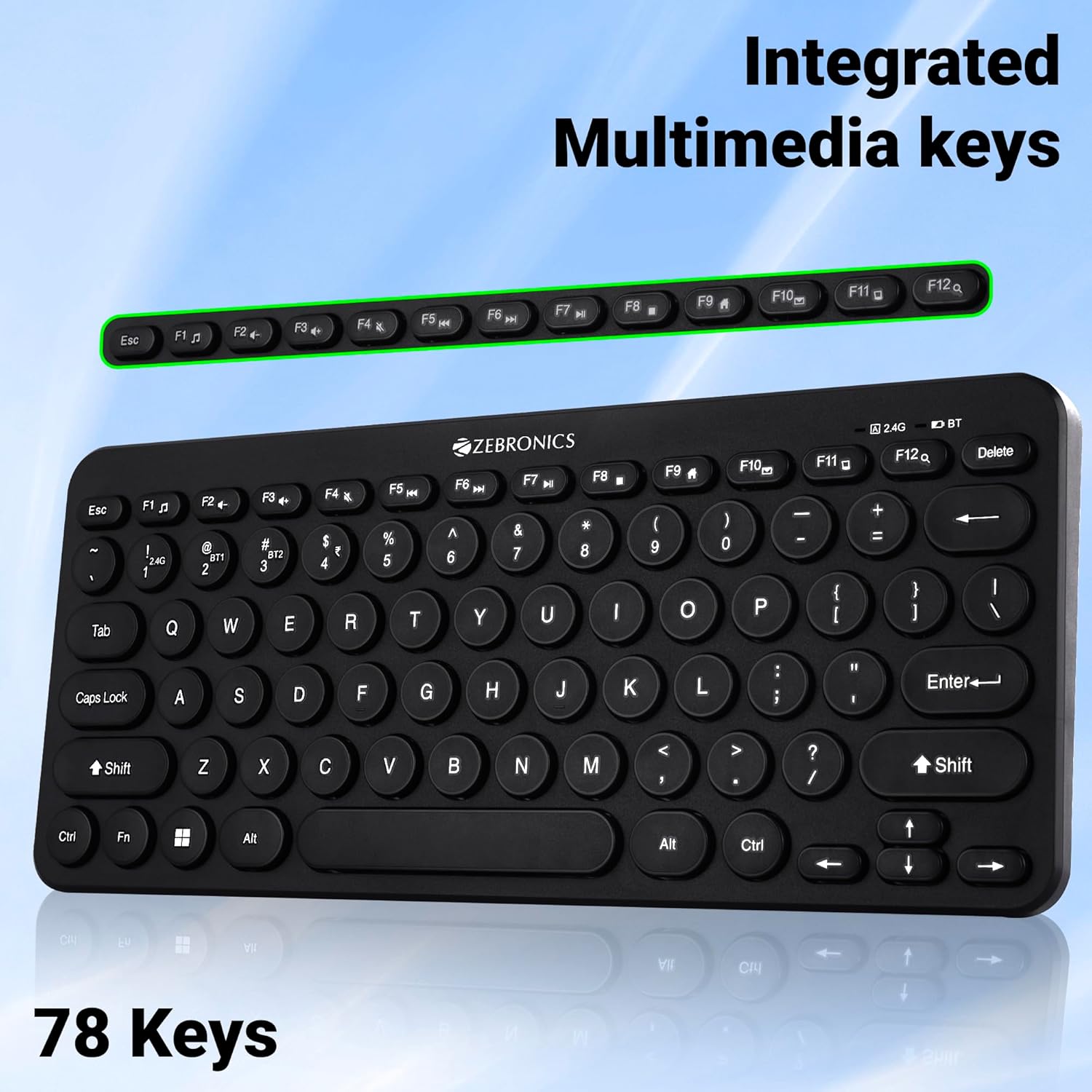
Image 4: The keyboard with the row of function keys (F1-F12) highlighted, indicating their integrated multimedia capabilities.
3.3 Rupee Key
The keyboard includes a dedicated Rupee key, indicating regional inclusivity for users.
3.4 LED индикатори
The keyboard features LED indicators to provide status information:
- 2.4G LED: Indicates 2.4 GHz wireless connection status.
- BT1/BT2 LED: Indicates Bluetooth connection status for BT1 or BT2.
- LED диода за Caps Lock: Свети кога е активно Caps Lock.
- ЛЕР со слаба батерија: Flashes or changes color to indicate low battery power.
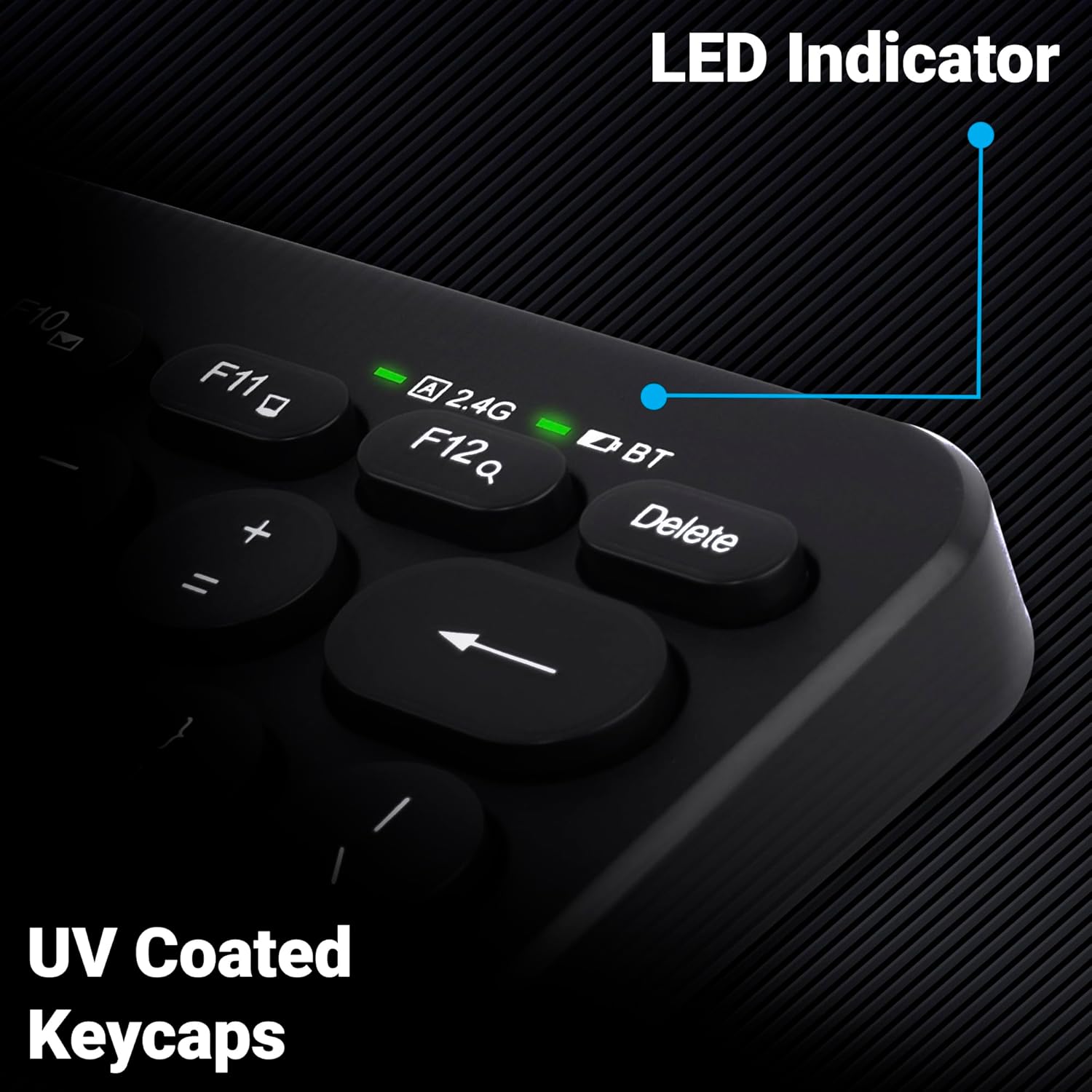
Слика 5: Крупен план view of the keyboard's top right corner, showing the LED indicators for 2.4G, BT, and Caps Lock, along with the UV-coated keycaps.
3.5 Компатибилност со уреди
The K4000MW keyboard is designed for broad compatibility, integrating seamlessly with:
- Лаптопи
- Десктоп компјутери
- Таблети
- Паметни телефони
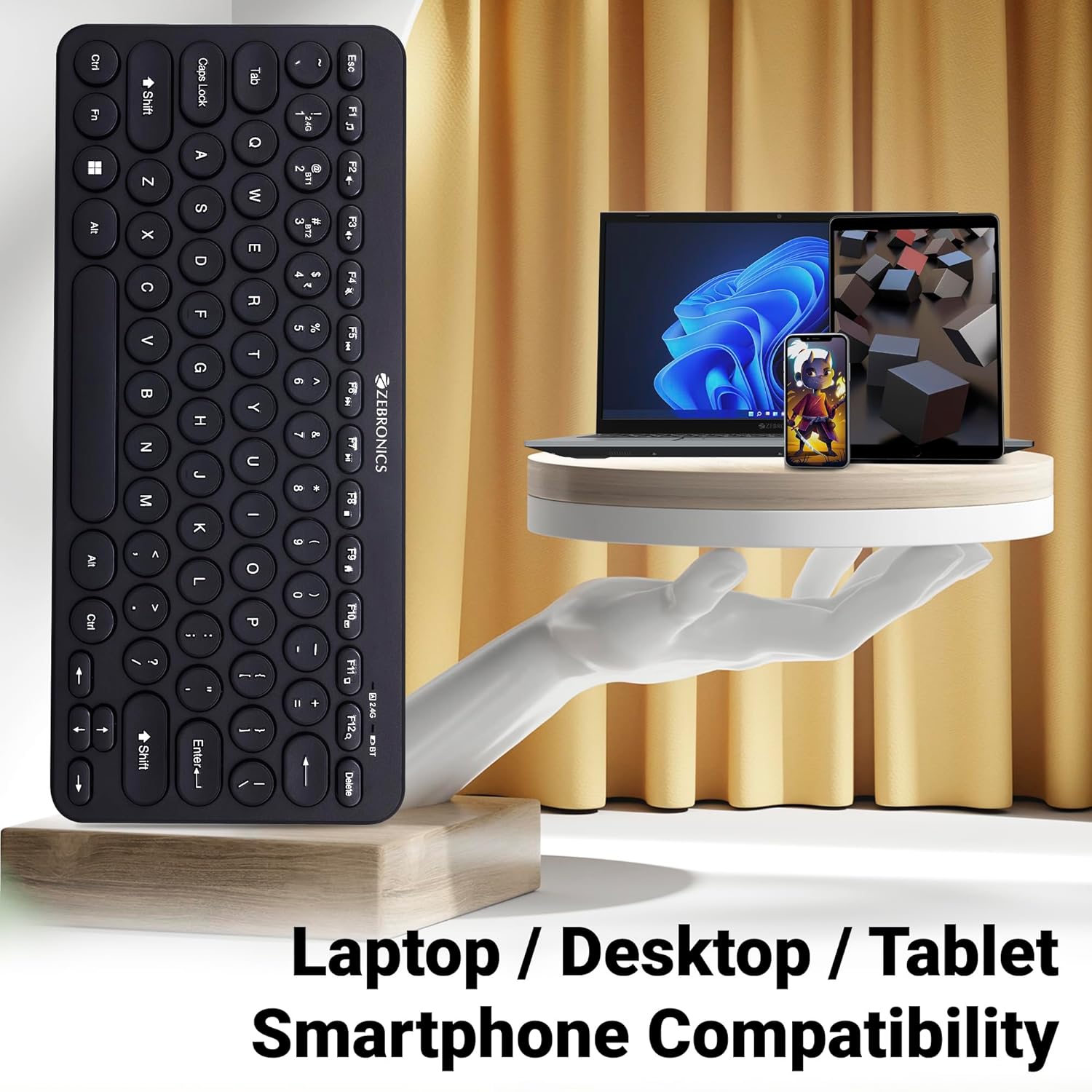
Image 6: The keyboard positioned next to a laptop, tablet, and smartphone, illustrating its multi-device compatibility.
4. Одржување
4.1 Чистење
- Користете мека, сува крпа за да ја избришете површината на тастатурата.
- За тврдокорна нечистотија, малку дampИзмијте ја крпата со вода или благ раствор за чистење. Избегнувајте прекумерна влага.
- Do not use harsh chemicals or abrasive cleaners, as these can damage the keycaps and finish.
- Користете компримиран воздух за отстранување на прашина и остатоци од меѓу копчињата.
4.2 Грижа за батерии
- Replace batteries when the low battery indicator illuminates to ensure uninterrupted operation.
- Доколку тастатурата нема да се користи подолг период, се препорачува да ги извадите батериите за да спречите протекување.
- Store the keyboard in a cool, dry place.
5 Смена на проблеми
5.1 Тастатурата не реагира
- Проверете ги батериите: Проверете дали батериите се правилно инсталирани и имаат доволно полнење. Заменете ги доколку е потребно.
- Проверете ја врската: Verify that the 2.4 GHz nano receiver is securely plugged into the USB port, or that the Bluetooth connection is active and paired.
- Префрли канали: If using Bluetooth, ensure you are on the correct BT1 or BT2 channel.
- Повторно спарување на Bluetooth: If connection issues persist, try unpairing and re-pairing the keyboard with your device.
- Пречки: Move the keyboard closer to the receiver/device and away from other wireless devices that might cause interference.
5.2 Keys Not Working or Lagging
- Чисти клучеви: Уверете се дека нема остатоци заглавени под клучевите.
- Ниво на батерија: Low battery can sometimes affect key responsiveness. Replace batteries.
- Пречки: Wireless interference can cause lag. Try moving closer to the receiver/device.
- Компатибилност на уредот: Ensure your device's operating system is compatible with the keyboard.
5.3 Проблеми со исклучување на Bluetooth
- Растојание: Осигурајте се дека тастатурата е во рамките на ефективниот опсег на вашиот Bluetooth уред.
- Пречки: Other Bluetooth or wireless devices nearby can cause disconnections.
- Device Bluetooth Driver: Update your device's Bluetooth drivers to the latest version.
- Повторно спарување: Отстранете ја тастатурата од Bluetooth листата на вашиот уред и повторно спарете ја.
6. Спецификации
| Карактеристика | Детал |
|---|---|
| Бренд | ЗЕБРОНИКА |
| Име на моделот | K4000MW |
| Технологија за поврзување | 2.4 GHz Wireless, Bluetooth (Dual BT) |
| Број на клучеви | 78 |
| Мултимедијални клучеви | 12 Integrated Multimedia Keys |
| Тип на тастатура | UV-Coated |
| Посебни карактеристики | Rupee Key, LED Indicator (Battery, Connectivity, Caps Lock) |
| Дизајн | Slim & Minimalist |
| Компатибилни уреди | Desktop, Laptop, Tablet, Smartphone |
| Оперативен систем | Windows 10 (и други компатибилни оперативни системи) |
| Извор на енергија | Напојува со батерија |
| Димензии на производот (ДxШxВ) | 29.4 x 13.4 x 3 cm |
| Тежина на ставката | 320 гр |
7. Гаранција и поддршка
7.1 Информации за гаранцијата
For specific warranty terms and conditions, please refer to the warranty card included with your product or visit the official ZEBRONICS webлокација. Чувајте ја сметката како доказ за купување за гаранциски побарувања.
7.2 Поддршка за корисници
If you encounter any issues or have questions regarding your ZEBRONICS K4000MW Wireless Keyboard, please contact ZEBRONICS customer support through their official webстраницата или информациите за контакт наведени во пакувањето на вашиот производ.


