1. Производот завршиview
The Ctronics 4G LTE Indoor Security Camera is a versatile surveillance device designed for indoor use. It features 3G/4G mobile connectivity, eliminating the need for Wi-Fi, and offers a 360° Pan-Tilt-Zoom (PTZ) function for comprehensive area coverage. Equipped with advanced motion and human detection, automatic tracking, color night vision, and two-way audio, this camera provides robust monitoring capabilities. It supports local storage via TF card and cloud storage options.
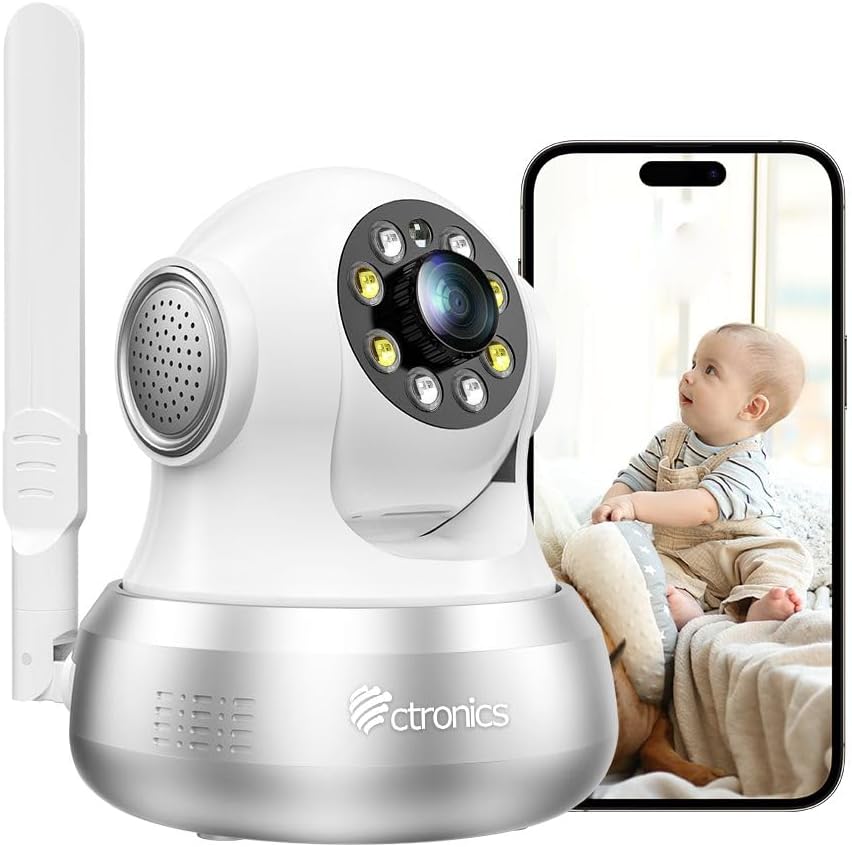
Figure 1: Ctronics 4G LTE Indoor Security Camera with a smartphone displaying live feed.
2. Содржина на пакетот
Ве молиме проверете го пакувањето за следните ставки:
- Ctronics 4G LTE Indoor Security Camera
- Адаптер за напојување
- Држач за монтирање и завртки
- Етернет кабел
- SIM Card (with 300 MB test data)
- Упатство за употреба
- Алатка за исфрлување SIM

Figure 2: Illustration of the camera and its included accessories.
3. Водич за поставување
3.1 SIM Card Installation and Power On
- Вметнете SIM-картичка: Locate the SIM card slot on the camera. Using the provided SIM ejector tool, carefully insert the included 3G/4G SIM card. Ensure the SIM card is correctly oriented.
- Поврзување за напојување: Connect the power adapter to the camera and plug it into a power outlet. The camera will power on automatically.
- Првично стартување: Allow a few moments for the camera to boot up and establish a 4G connection. The status indicator light will show the connection status.

Figure 3: Visual guide for initial setup, including SIM card insertion and power connection.
3.2 Преземање на апликација и спарување на камерата
- Преземи апликација: Scan the QR code in the manual or search for "Ctronics Pro" in your mobile app store (iOS/Android) to download the application.
- Регистрација/Најава: Open the Ctronics Pro app and register a new account or log in if you already have one.
- Додадете камера: Следете ги упатствата во апликацијата за да ја додадете вашата камера. Ова обично вклучува скенирање QR-код на камерата или рачно внесување на нејзиниот ID.
- Целосно поставување: Once the camera is successfully added, you can view преносот во живо и конфигурирајте ги поставките.
3.3 Опции за монтирање
The camera can be placed on a flat surface or mounted on a wall or ceiling. A mounting bracket and screws are included for secure installation.
- Поставување на маса: Едноставно поставете ја камерата на стабилна, рамна површина.
- Монтирање на ѕид/таван: Use the provided bracket as a template to mark drill holes. Secure the bracket with screws, then attach the camera to the bracket. Ensure the camera is oriented correctly for the desired viewинголен агол.
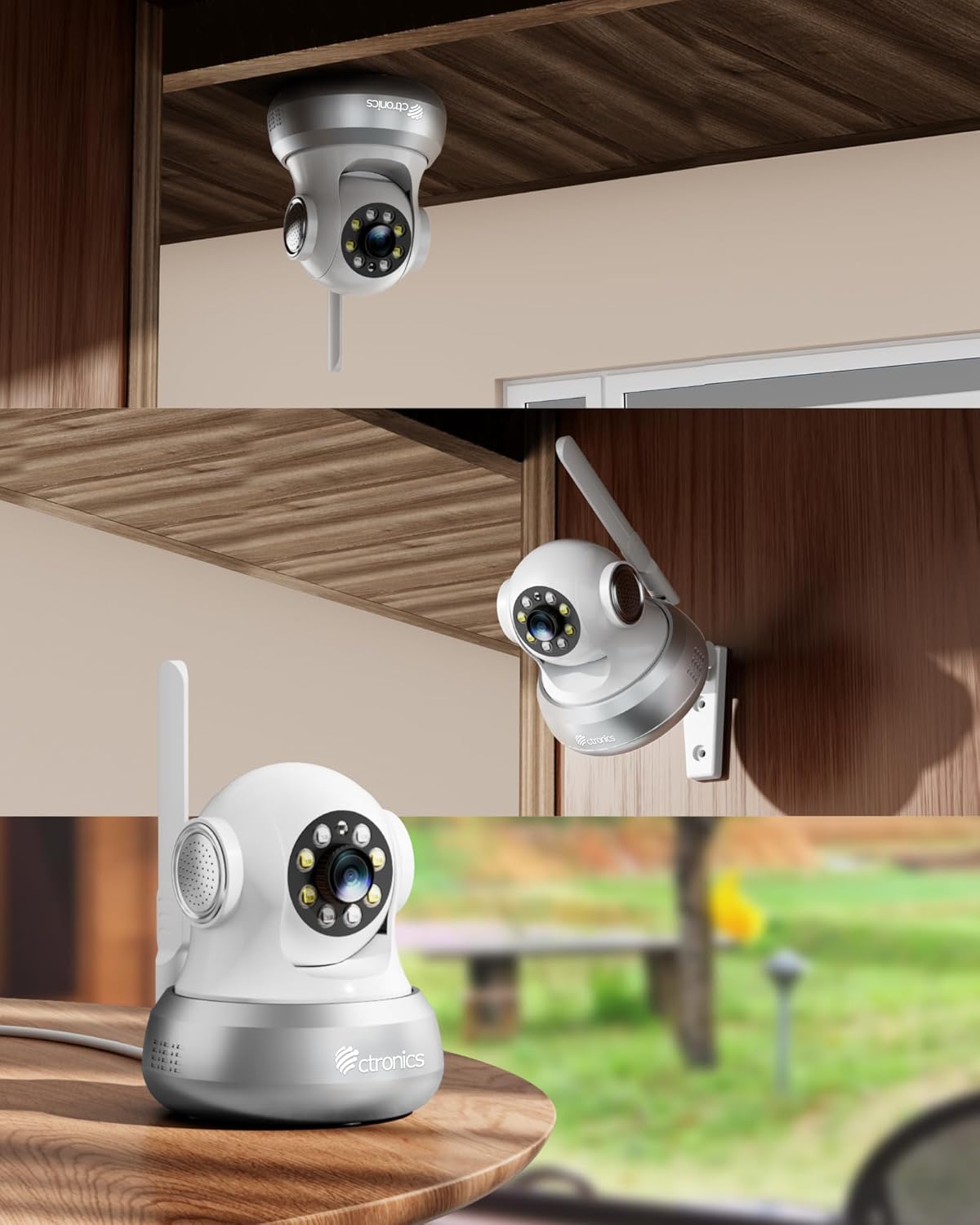
Слика 4: Прamples of flexible camera placement on a table, wall, or ceiling.
4. Упатства за работа
4.1 Во живо View и PTZ контрола
Access the live video feed through the Ctronics Pro app. Use the on-screen controls to pan (355°) and tilt (90°) the camera, allowing you to view кој било агол од собата.

Figure 5: Illustrates the camera's PTZ capabilities and preset monitoring points.
4.2 Motion and Human Detection with Auto Tracking
The camera features an integrated AI algorithm for intelligent detection of humans and motion. When triggered, the camera will automatically lock onto the detected target and track its movements. White lights will flash to deter intruders, and you will receive alarm notifications via the app and email.

Figure 6: The camera's smart detection and tracking feature in action.
4.3 Ноќно гледање во боја
Equipped with 4 white lights and 4 infrared lights, the camera provides clear color night vision up to 20 meters, ensuring visibility even in complete darkness.

Слика 7: Прample of color night vision and alarm features.
4.4 Двонасочно аудио
The built-in microphone and speaker allow for real-time two-way communication. You can hear what's happening around the camera and speak through the camera to family members or visitors.

Figure 8: Demonstrating the two-way audio communication feature.
4.5 Снимање и складирање
The camera supports 24/7 continuous or time-scheduled recording. Videos can be stored on a TF card (up to 64 GB, not included) or via the Ctronics Pro app's cloud storage service.
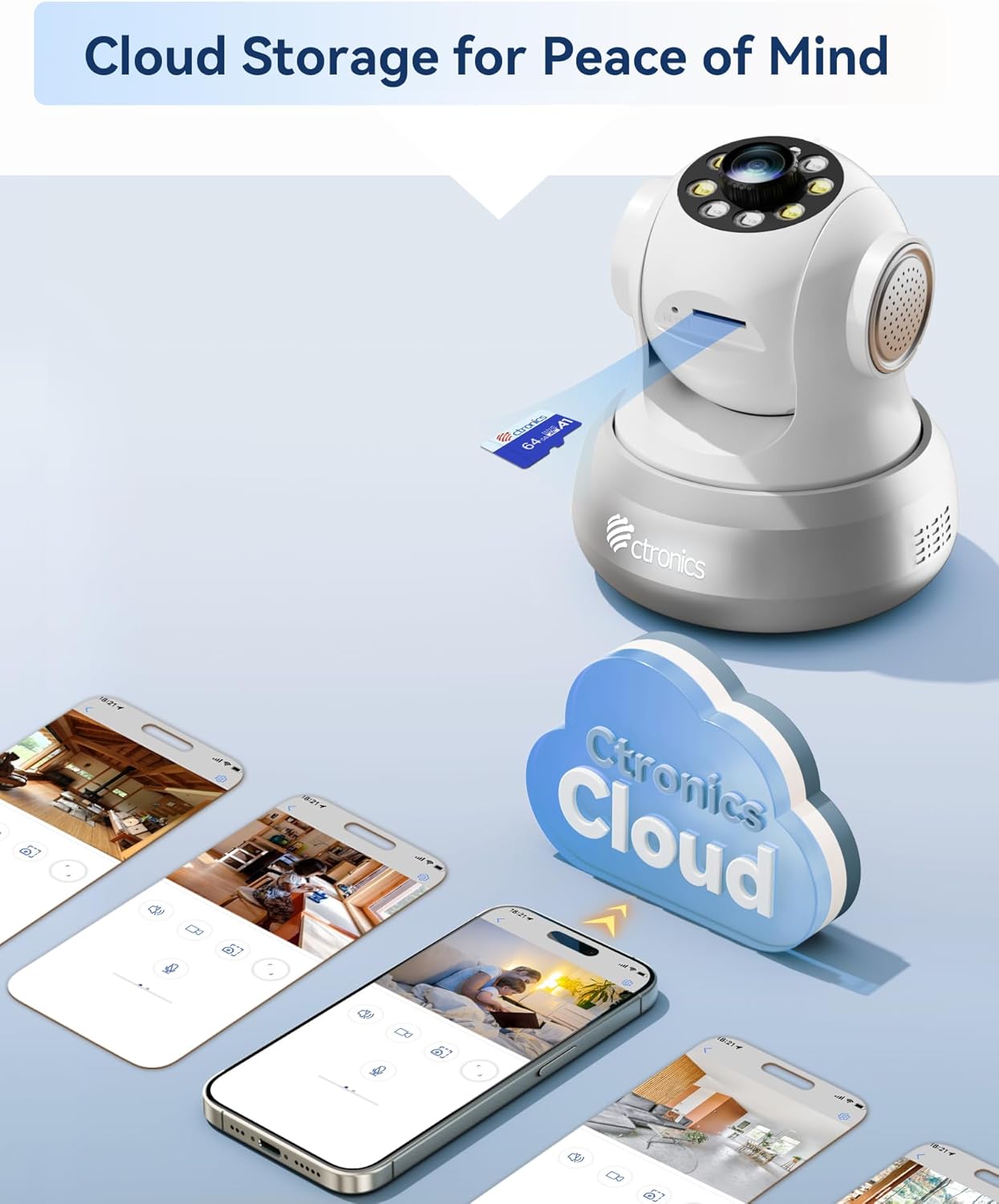
Figure 9: Storage options for recorded footage.
5. Одржување
- Чистење: Нежно избришете го објективот и телото на камерата со мека, сува крпа. Избегнувајте употреба на јаки хемикалии или абразивни средства за чистење.
- Ажурирања на фирмверот: Regularly check the Ctronics Pro app for available firmware updates to ensure optimal performance and security.
- Управување со SIM-картичка: Monitor your SIM card data usage to ensure continuous connectivity. Replace or recharge the SIM card as needed.
- Управување со складирање: Периодично повторноview снимен footage and manage storage space on your TF card or cloud service.
6 Смена на проблеми
- Camera Not Connecting to 4G:
- Проверете дали SIM-картичката е правилно вметната и активирана.
- Check if the SIM card has sufficient data balance.
- Verify 4G signal strength in the camera's location.
- Restart the camera by unplugging and re-plugging the power.
- Нема видео довод во апликацијата:
- Confirm the camera is powered on and connected to the 4G network.
- Check your mobile device's internet connection.
- Ensure the Ctronics Pro app is updated to the latest version.
- Try removing and re-adding the camera in the app.
- Откривањето движење не работи:
- Проверете дали детекцијата на движење е овозможена во поставките на апликацијата.
- Adjust sensitivity settings to an appropriate level.
- Осигурајте се дека нема пречки што го блокираат пристапот на камерата view.
- Лош квалитет на ноќно гледање:
- Проверете дали објективот на камерата е чист.
- Check for any reflective surfaces close to the camera that might interfere with infrared or white lights.
7. Спецификации
| Карактеристика | Спецификација |
|---|---|
| Број на модел | CTIPC-750C-S-EU4G |
| Бренд | Ctronics |
| Технологија за поврзување | 3G/4G Mobile Network (SIM Card included), Wired Ethernet |
| Ефективна видео резолуција | 1080 стр |
| Опсег на пан/навалување | Пан 355 °, Навалување 90 ° |
| Ноќна визија | Color Night Vision (up to 20m) with 4 white lights and 4 infrared lights |
| Откривање | Human/Motion Detection, Automatic Tracking |
| Аудио | Two-Way Audio (Built-in microphone and speaker) |
| Опции за складирање | TF Card (up to 64GB, not included), Cloud Storage (via Ctronics Pro app) |
| Извор на енергија | Електричен со кабел |
| Материјал | Акрилонитрил бутадиен стирен (ABS) |
| Оперативна средина | Indoor Use Only (Not water-resistant) |
| Димензии на пакетот | 18.7 x 14.6 x 12.4 см; 510 гр |
8. Гаранција и поддршка
Ctronics products typically come with a standard manufacturer's warranty. For specific warranty details, please refer to the warranty card included in your product packaging or visit the official Ctronics website. For technical support, troubleshooting assistance, or any product-related inquiries, please contact Ctronics customer service through their official channels. Contact information can usually be found on the Ctronics website or within the Ctronics Pro application.


