1. Вовед
The Phanteks 5.5” Hi-Res Universal LCD Display is designed to enhance your PC setup by providing a versatile secondary screen. This display offers a high-resolution visual experience and multiple mounting options for seamless integration into or outside your PC chassis. This manual will guide you through the installation, operation, and maintenance of your new display.
2. Содржина на пакетот
Ве молиме проверете дали сите артикли наведени подолу се присутни во пакувањето на вашиот производ:
- Phanteks 5.5” Hi-Res Display
- 4x завртки за вентилатор
- 4x M4 завртки
- 1x SATA to Micro USB Type B Cable
- 1x HDMI кабел
- 2x Feet (for external placement)
3. Производот завршиview
The Phanteks 5.5” Hi-Res Universal LCD Display is engineered for both functionality and aesthetic appeal. Key features include:
- High-resolution 2160 x 1440 IPS display
- Wide range of mounting options – Hidden magnets for mounting on a steel surface. Mount to chassis fan location or fans directly.
- Smooth 60hz refresh rate with 450 nit brightness, IPS Panel with LED backlighting and 99% sRGB support.
- Plug-and-play with HDMI and SATA Power cable included.
- Secondary display with endless possibilities and edge-to-edge tempered glass panel.
4. Поставување
4.1. Поврзување на екранот
- Поврзете го обезбеденото HDMI кабел from your graphics card or motherboard to the HDMI input port on the Phanteks display.
- Поврзете го обезбеденото SATA to Micro USB Type B Cable from an available SATA power connector in your PC to the Micro USB Type B port on the Phanteks display for power.
- Ensure both connections are secure. The display should power on automatically once your PC is running.
4.2. Опции за монтирање
The Phanteks display offers flexible mounting solutions:
- Магнетна монтажа: The display features hidden magnets allowing it to be securely attached to any steel surface within your PC chassis.
- Монтирање на вентилаторот: Use the provided 4x Fan Screws or 4x M4 Screws to mount the display to a 120mm fan bracket or directly to a fan location in your chassis.
- External Placement: Attach the 2x Feet to the display for stable placement outside your PC, such as on your desk.

Слика 1: Предна страна view of the Phanteks 5.5” Hi-Res Universal LCD Display.

Слика 2: Назад view of the display, highlighting magnetic mounting points and screw holes for fan mounting.
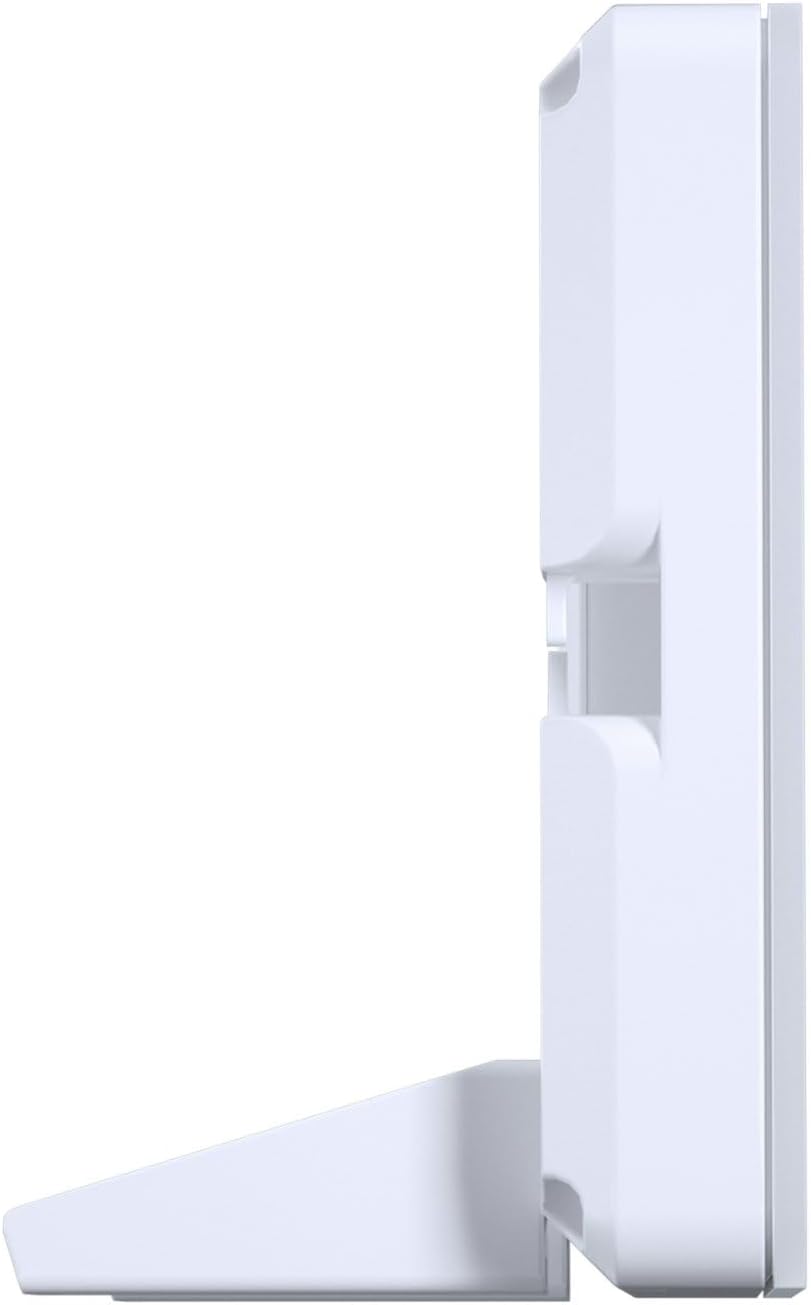
Слика 3: Страна view of the display with the included feet attached for desktop use.
4.3. Поставување софтвер
The Phanteks display is designed for plug-and-play functionality, recognized by your PC as a standard secondary monitor. For advanced customization, such as displaying system statistics (CPU/GPU temperature, usage, etc.) or custom animations, third-party software like AIDA64, Rainmeter, or Wallpaper Engine may be utilized. Refer to the documentation of your chosen software for specific setup instructions.
5. Работење
Once connected and powered on, the Phanteks display will function as an extension of your main monitor. You can drag windows, applications, or custom monitoring dashboards onto it.
- Прикажани информации: Use compatible software to output real-time system data, custom images, or videos to the display.
- Приспособување: Many third-party applications allow for extensive customization of the displayed content, including themes, layouts, and background images/animations.
6. Одржување
To ensure the longevity and optimal performance of your Phanteks display, follow these maintenance guidelines:
- Чистење: Gently wipe the screen with a soft, lint-free cloth. For stubborn smudges, use a screen-safe cleaning solution applied to the cloth, not directly to the screen.
- Ракување: Избегнувајте прекумерен притисок врз екранот или испуштање на уредот.
- Животна средина: Operate the display in a well-ventilated area and avoid extreme temperatures or humidity.
7 Смена на проблеми
If you encounter issues with your Phanteks display, refer to the following common troubleshooting steps:
- Екранот не се вклучува:
- Ensure both the HDMI and SATA power cables are securely connected.
- Verify that your PC is powered on and the graphics card is functioning correctly.
- Try connecting the display to a different HDMI port on your graphics card/motherboard or a different USB power source.
- Distorted Colors or Flickering:
- Check the HDMI cable for any damage or loose connections. Try a different HDMI cable if available.
- Осигурајте се дека драјверите за графичка картичка се ажурирани.
- Verify the display resolution and refresh rate settings in your operating system.
- Display Not Detected by PC:
- Рестартирајте го вашиот компјутер.
- Ensure the HDMI cable is connected to an active output port on your graphics card.
- Check your display settings in your operating system to see if the secondary monitor is detected but disabled.
8. Спецификации
Detailed technical specifications for the Phanteks 5.5” Hi-Res Universal LCD Display:
| Карактеристика | Детал |
|---|---|
| Димензии на производот | 5.94 x 3.15 x 0.65 инчи |
| Тежина на ставката | 7.2 унци |
| Производител | Фантекс |
| Број на модел на ставка | PH-HRLCD_WT01 |
| Големина на приказ на стоечки екран | 5.5 инчи |
| Резолуција | 2160x1440 |
| Осветленост на сликата | 450 нити |
| Спектар на бои | sRGB99% |
| Стапка на освежување | 60 Hz |
| Опис на површината на екранот | Сјајни |

Figure 4: Display dimensions: 5.94" (L) x 3.15" (B) x 0.65" (H).
9. Гаранција и поддршка
For warranty information, technical support, or service inquiries, please refer to the official Phanteks webлокација или контактирајте го нивниот оддел за корисничка поддршка. Зачувајте го доказот за купување за гаранциски барања.


