Вовед
Thank you for choosing the CORN Gaming Wired USB Mouse. This manual provides detailed instructions for setting up, operating, and maintaining your new mouse, ensuring optimal performance and longevity. Please read this manual thoroughly before using the product.
Водич за поставување
Содржина на пакетот:
- 1 x CORN Gaming Wired USB Mouse (Model SB-186)
- 1 x Упатство за употреба (овој документ)
Системски барања:
- Operating System: Windows 2000/2003/XP/Vista/Win7/Win8/Win10, Mac OS, Android
- Достапна USB порта
Инсталација:
- Locate an available USB port on your computer (PC, Desktop, Laptop, Macbook, Tablet).
- Insert the USB connector of the CORN Gaming Wired USB Mouse into the USB port.
- Оперативниот систем автоматски ќе ги открие и инсталира потребните драјвери. Овој процес може да потрае неколку моменти.
- Once the installation is complete, the mouse will be ready for use. No additional software installation is required.
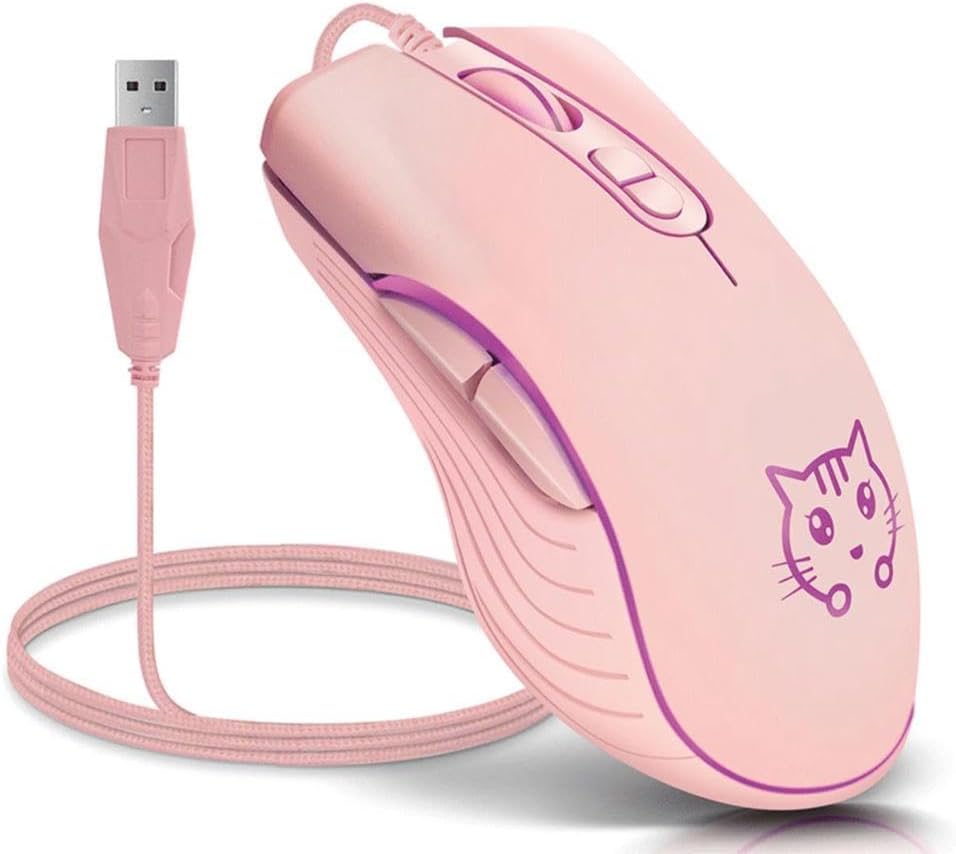
Image: The CORN Gaming Wired USB Mouse with its USB cable, illustrating the wired connection.
Упатства за работа
Mouse Layout and Functions:
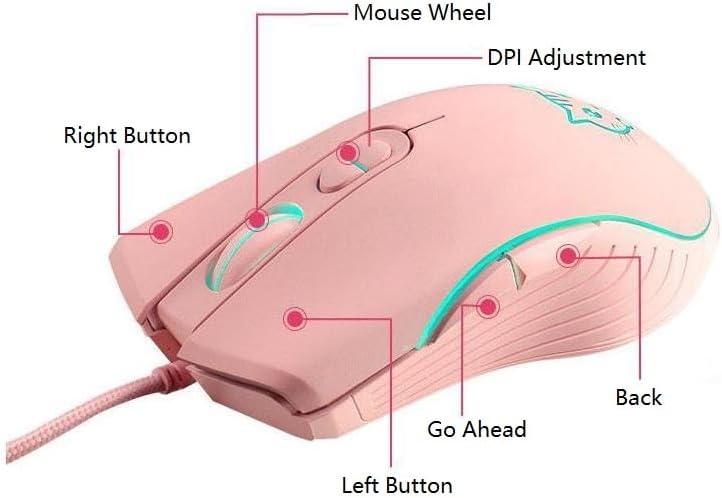
Image: Labeled diagram of the mouse showing the location and function of each button.
- Лево копче: Стандардна функција за кликнување со левото копче.
- Десно копче: Стандардна функција за кликнување со десното копче.
- Mouse Wheel: Scroll up or down. Can also be pressed for middle-click functionality.
- Копче за прилагодување на DPI: Циклично менува поставките за DPI.
- Go Ahead Button: Навигира напред во web прелистувачи или file истражувачи.
- Копче за назад: Навигира назад во web прелистувачи или file истражувачи.
Adjusting DPI (Dots Per Inch):
The mouse features 4 adjustable DPI levels, allowing you to change cursor sensitivity on the fly. Press the DPI Adjustment Button located behind the scroll wheel to cycle through the following settings:
- 800 DPI (Lowest sensitivity, suitable for precise tasks)
- 1200 DPI (Standard sensitivity)
- 1600 DPI (Increased sensitivity)
- 2400 DPI (Highest sensitivity, ideal for fast-paced gaming)
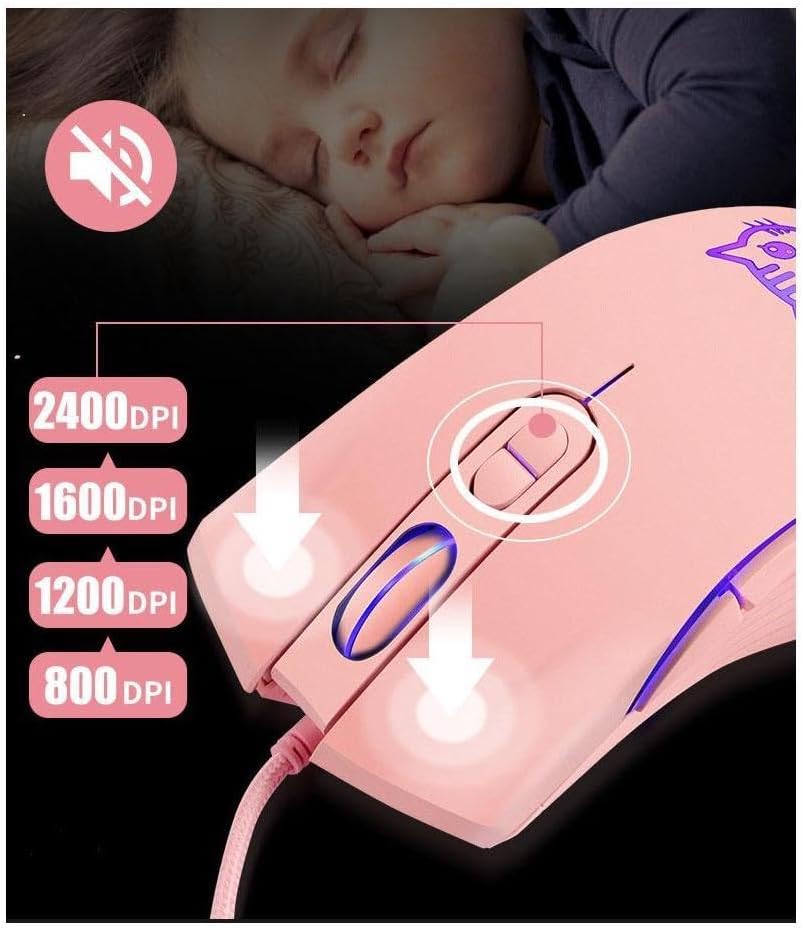
Image: Visual guide for DPI adjustment, highlighting the button and available sensitivity levels.
Silent Click Feature:
The CORN Gaming Mouse is designed with noiseless click buttons, reducing sound output during use. This feature is beneficial in quiet environments, preventing disturbance to others.

Image: Depiction of the mouse's silent click functionality, emphasizing its quiet operation.
7-Color Backlight Modes:
The mouse features a dynamic 7-color backlight system that changes automatically, adding to its aesthetic appeal. The cute kitten pattern on the mouse also illuminates with these changing colors.
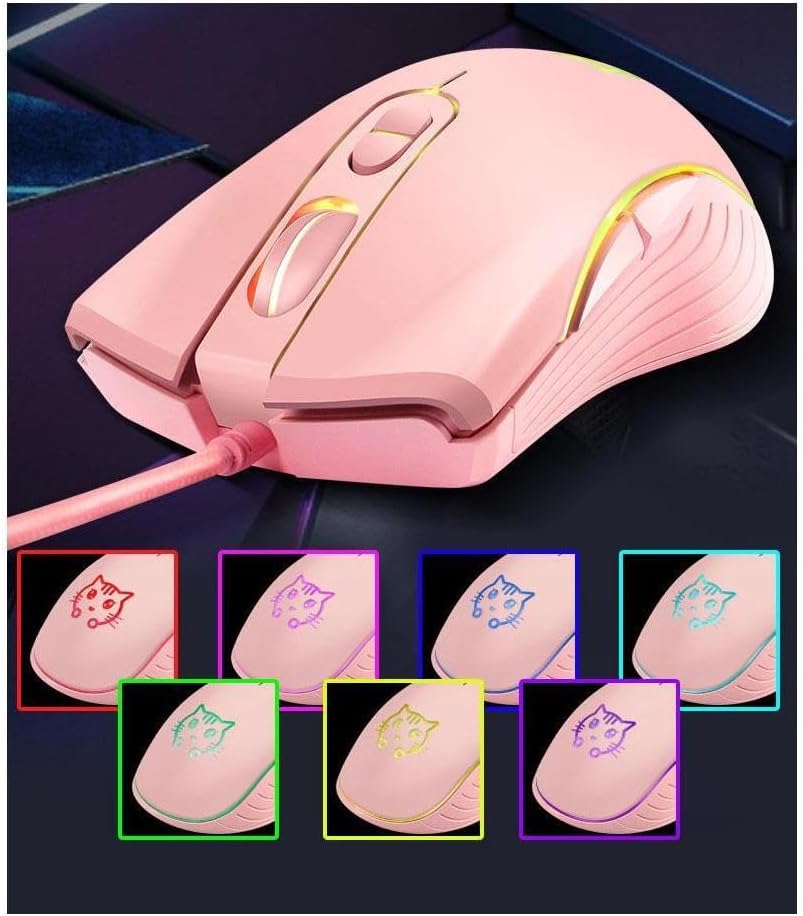
Слика: Шоуто на глувчетоasing its 7-color backlight modes, highlighting the visual effects.
Ергономски дизајн:
The mouse is designed to fit the natural curvature of your palm, providing a comfortable and breathable grip for extended use. Its anti-skid side wing design further enhances stability and prevents slipping.
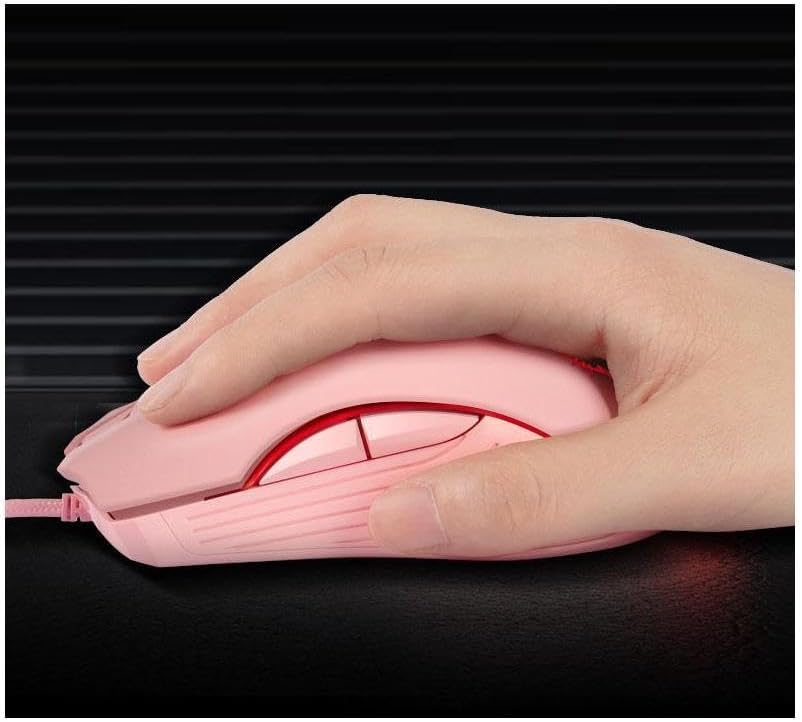
Image: A hand demonstrating the ergonomic grip of the mouse.
Одржување
To ensure the longevity and optimal performance of your CORN Gaming Wired USB Mouse, follow these simple maintenance guidelines:
- Чистење: Користете мека, сува крпа за да ја избришете површината на глувчето. За тврдокорна нечистотија, малку дampИзмијте ја крпата со вода или благ раствор за чистење. Избегнувајте употреба на груби хемикалии или абразивни материјали.
- Нега на сензорот: Keep the optical sensor on the bottom of the mouse clean and free from dust or debris. Use a cotton swab or compressed air to gently clean the sensor area.
- Управување со кабли: Avoid sharp bends or kinks in the USB cable. Store the mouse with the cable neatly coiled to prevent damage.
- Складирање: When not in use for extended periods, store the mouse in a clean, dry place away from extreme temperatures and direct sunlight.
- Избегнувајте капки: While built with solid construction, avoid dropping the mouse or subjecting it to strong impacts, as this can damage internal components.
Решавање проблеми
If you encounter any issues with your CORN Gaming Wired USB Mouse, please refer to the following common problems and their solutions:
| Проблем | Можна причина | Решение |
|---|---|---|
| Глувчето не реагира. | USB кабелот не е правилно поврзан; неисправен USB порт; проблем со драјверот. |
|
| Движењето на курсорот е неправилно или скокотливо. | Dirty optical sensor; unsuitable mouse pad surface. |
|
| DPI adjustment button not changing sensitivity. | Software conflict; temporary glitch. |
|
| Back/Forward buttons not working. | Application specific; driver issue. |
|
Спецификации на производот
| Бренд | Пченка |
| Број на модел | SB-186 |
| Технологија за поврзување | USB жичен |
| Технологија за откривање на движење | Оптички |
| Нивоа на DPI | 800 / 1200 / 1600 / 2400 DPI |
| Број на копчиња | 6 |
| Посебни карактеристики | Ergonomic Design, LED Lights, Silent Click |
| Боја | Розова |
| Тежина на ставката | 9.9 унци (приближно 280 г) |
| Димензии на пакетот | 5.59 x 4.02 x 2.05 инчи |
| Оперативен волtage | DC 5V |
| Работна струја | 10 mA |
| Switch Life | 5 милиони пати |
| Roller Life | 10 милиони пати |
| Компатибилни системи | Windows 2000/2003/XP/Vista/Win7/Win8/Win10, Mac OS, Android |

Image: Detailed product information including a labeled diagram and a table of technical specifications.
Информации за гаранцијата
CORN products are manufactured to the highest quality standards. This product comes with a standard manufacturer's warranty against defects in materials and workmanship from the date of purchase. Please retain your proof of purchase for warranty claims. The warranty does not cover damage caused by misuse, accident, unauthorized modification, or normal wear and tear.
Поддршка за корисници
For further assistance, technical support, or warranty inquiries, please contact CORN customer service through the retailer's platform where you purchased the product or visit the official CORN webсајт за детали за контакт.
We are committed to providing you with the best possible experience with your CORN product.


