1. Вовед
The WHATOOK 2-in-1 Computer Vacuum Cleaner and Compressed Air Duster Blower is a versatile and powerful tool designed for efficient cleaning of electronic devices, car interiors, and various household items. Featuring a high-speed motor, adjustable airflow modes, and a rechargeable battery, this device offers both blowing and suction capabilities to effectively remove dust, debris, and dirt from hard-to-reach areas. Its portable and cordless design, coupled with multiple nozzles and brushes, makes it an ideal solution for comprehensive cleaning tasks.

Figure 1.1: The WHATOOK 2-in-1 Computer Vacuum Cleaner and Air Duster, showcasing the main unit, various nozzles, cleaning brushes, and USB-C charging cable.
2. Информации за безбедност
Внимателно прочитајте ги сите безбедносни упатства пред да го користите уредот. Непочитувањето на овие упатства може да резултира со електричен удар, пожар или сериозни повреди.
- Држете го уредот подалеку од вода и други течности. Не ракувајте со него со влажни раце.
- Do not block the air intake or outlet during operation to prevent overheating.
- Use only the provided Type-C charging cable and a compatible power adapter (not included) for charging.
- Не го расклопувајте, не го поправајте или не го модифицирајте уредот сами. Контактирајте ја службата за корисничка поддршка за помош.
- Keep out of reach of children and pets. This device is not a toy.
- Avoid pointing the air duster directly at eyes, ears, or other sensitive body parts.
- Do not use the device in environments with flammable gases or liquids.
- Чувајте го уредот на ладно и суво место кога не го користите.
3. Содржина на пакетот
Проверете дали сите артикли се присутни во пакувањето:
- WHATOOK 2-in-1 Computer Vacuum Cleaner / Air Duster Unit
- Кабел за полнење USB Type-C
- 8 x Interchangeable Nozzles (various shapes and sizes for blowing and vacuuming)
- 3 x Cleaning Brushes (for different cleaning needs)
- Торба за складирање
- Упатство за употреба (овој документ)

Figure 3.1: Visual representation of the items included in the product package, including the main unit, various attachments, charging cable, and storage bag.
4. Поставување
4.1 Полнење на уредот
Before first use, fully charge the device. Connect the provided USB Type-C charging cable to the charging port on the device and plug the other end into a compatible USB power source (e.g., wall adapter, computer USB port, power bank). The LED indicator will show charging status and turn off when fully charged.
- Време на полнење: приближно 3 часа за целосно полнење.
- Runtime: Up to 50 minutes depending on the speed setting.

Figure 4.1: The device connected to a power source via its USB Type-C charging cable, illustrating convenient and fast charging capabilities.
4.2 Прикачување на млазници
Select the appropriate nozzle for your cleaning task. The device supports both blowing and vacuuming functions, each requiring specific nozzle attachments.
- За режим на дување: Firmly push the desired blowing nozzle onto the front air outlet of the device until it clicks into place.
- For Vacuum Mode: Attach the vacuum collection cup to the rear of the device, then firmly push the desired vacuum nozzle onto the opening of the collection cup.

Figure 4.2: Step-by-step guide on how to properly install nozzles for both the blowing and vacuuming functions of the device.
5. Упатства за работа
5.1 Вклучување/исклучување и прилагодување на брзината
The device features three adjustable airflow modes for versatile cleaning.
- За вклучување/исклучување: Долго притиснете го копчето за вклучување 3 секунди.
- За прилагодување на брзината: Once powered on, short press the power button to cycle through the three speed settings:
- Брзина 1 (мала брзина): 60,000 RPM / 6,000 PA (approx. 55 minutes runtime)
- Gear 2 (Medium Speed): 80,000 RPM / 8,000 PA (approx. 35 minutes runtime)
- Брзина 3 (голема брзина): 100,000 RPM / 10,000 PA (approx. 20 minutes runtime)

Figure 5.1: Illustration of the three-speed control system, detailing the motor speed, pressure, and approximate runtime for each gear.
5.2 Using Blowing Mode (Air Duster)
Attach a blowing nozzle. Point the nozzle towards the area to be cleaned and activate the device. Use the appropriate speed setting for the task. The integrated LED light illuminates the cleaning area for better visibility.
- Ideal for keyboards, computer components, camera lenses, and other delicate electronics.
- Effective for removing dust from air conditioner filters and hard-to-reach crevices.
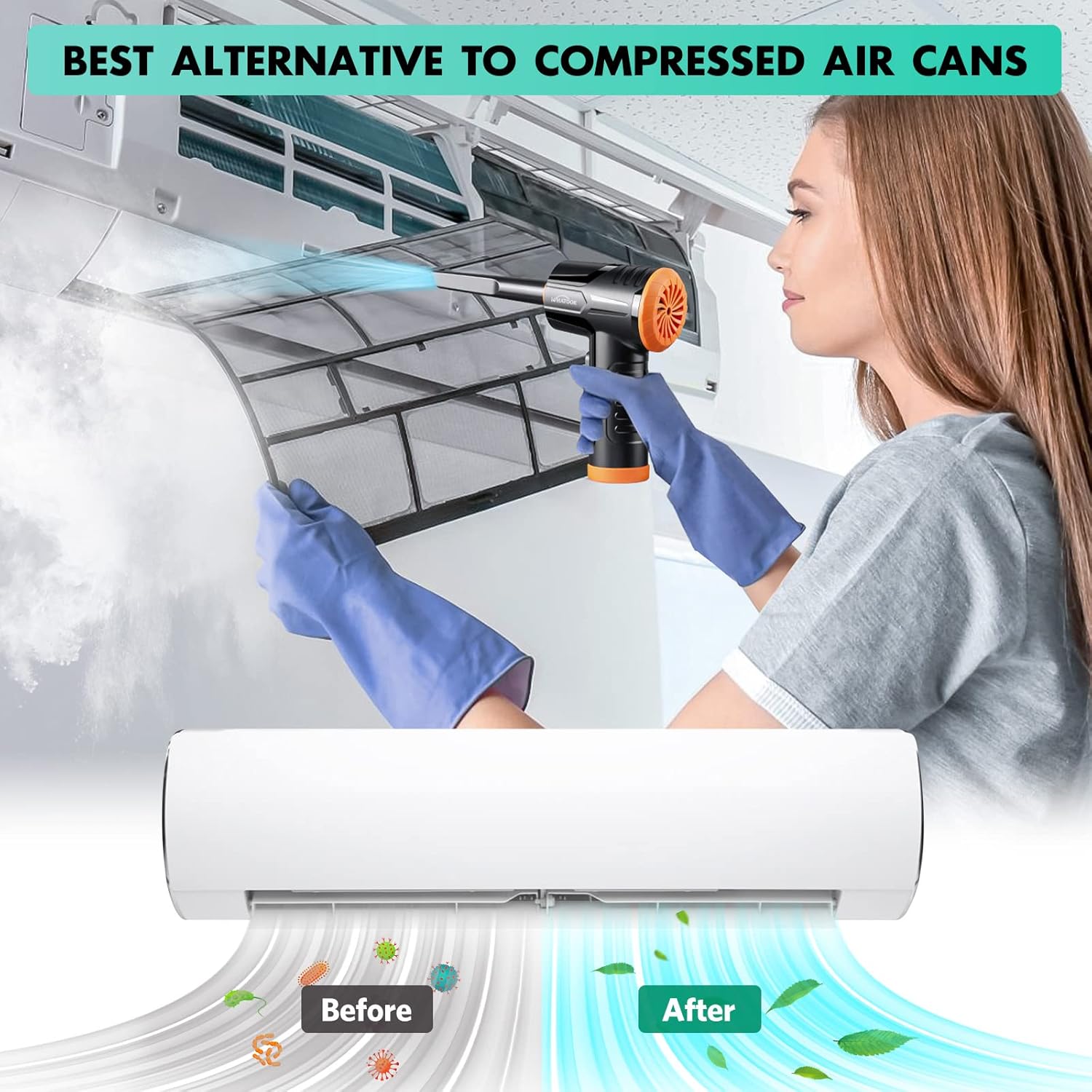
Figure 5.2: The air duster being used to clean a dusty air conditioner filter, demonstrating its effectiveness as an alternative to canned air.
5.3 Using Vacuum Mode (Mini Hoover)
Attach the vacuum collection cup and a vacuum nozzle. Activate the device and move the nozzle over the surface to suction up dust and small debris.
- Suitable for cleaning car interiors, desk surfaces, sofa crevices, and pet hair.
- The vacuum mode is designed for light debris and dust, not heavy-duty vacuuming.

Figure 5.3: The device shown in both its dust blowing mode (top) and vacuuming mode (bottom), illustrating its dual functionality for comprehensive cleaning.

Слика 5.4: Прamples of the device's versatility, showing its application for cleaning various surfaces and objects around the home and in a car.
6. Одржување
6.1 Чистење на филтерот
Regularly clean the filter in the vacuum collection cup to maintain optimal suction performance. A clogged filter can reduce efficiency.
- Remove the vacuum collection cup from the device.
- Twist and pull out the filter assembly from the collection cup.
- Clean the filter by rinsing it under running water. Ensure all dust and debris are removed.
- Allow the filter to air dry completely before reassembling. Do not use the device with a wet filter.
- Reinsert the dry filter assembly into the collection cup and attach it back to the device.
Figure 6.1: Detailed steps for maintaining the device's vacuum filter, ensuring prolonged performance and hygiene.
6.2 Општо чистење
Wipe the exterior of the device with a soft, dry cloth. Do not use harsh chemicals or abrasive cleaners.
7 Смена на проблеми
| Проблем | Можна причина | Решение |
|---|---|---|
| Уредот не се вклучува. | Батеријата е испразнета. | Наполнете го уредот целосно користејќи го испорачаниот USB-C кабел. |
| Weak airflow or suction. | Filter is clogged with dust/debris. Батеријата е ниска. Nozzle is not properly attached. | Clean the filter as described in Section 6.1. Наполнете го уредот. Проверете дали млазницата е безбедно прицврстена. |
| Уредот испушта необичен шум. | Normal operating noise (70 dB). Obstruction in air path. | This is within normal operating parameters. Check for any foreign objects in the air intake or outlet and remove them. |
| Батеријата брзо се троши. | Using high-speed mode frequently. Деградација на батеријата со текот на времето. | High-speed mode consumes more power. Use lower speeds when sufficient. Contact customer support if runtime significantly decreases. |
8. Спецификации
| Бренд | ШТОУК |
| Име на моделот | LH220251-M1 |
| Брзина на моторот | До 100,000 вртежи во минута |
| Моќ на вшмукување | До 10,000 kPa |
| Капацитет на батеријата | 7600mAh (приближно) |
| Време на траење | Up to 50 minutes (varies by speed setting) |
| Тип на полнење | USB тип-C |
| Ниво на бучава | 70 dB |
| Број на брзини | 3 |
| Тежина на ставката | 1.5 фунти |
| Димензии на пакетот | 8.39 x 5.59 x 2.72 инчи |
9. Гаранција и поддршка
WHATOOK is committed to providing quality products and excellent customer service.
- Гаранција: Овој производ доаѓа со 24-месечна гаранција од датумот на купување.
- Поддршка за корисници: For any inquiries, technical assistance, or warranty claims, please contact WHATOOK customer support. We offer 12-hour response times, 7*24 hour stand-by support, and lifetime after-sales support.
- Ве молиме погледнете ја документацијата за купување за конкретни контакт информации.


