Вовед
The MiCODUS MV710G is a state-of-the-art 4G wired GPS tracking device designed for real-time vehicle location monitoring and security. This device offers comprehensive tracking capabilities, advanced alarm functions, and remote control features to ensure the safety and management of your vehicle fleet, personal car, truck, motorcycle, or trailer.
Equipped with 4G LTE and 2G GSM network compatibility, the MV710G provides reliable and fast connectivity across wide geographical areas. Its compact and hidden design allows for discreet installation, making it an ideal solution for anti-theft and fleet management applications.
Клучни карактеристики
- 4G LTE + 2G GSM Network: Ensures broad network coverage and stable, fast data transmission for real-time tracking.
- Следење во реално време: Provides continuous location updates every 5 seconds with GPS accuracy of less than 10 meters.
- Репродукција на историска рута: Stores up to 180 days of tracking history data for review.
- Remote Engine Kill Switch: Allows for remote fuel cut-off in case of vehicle theft.
- Multiple Anti-Theft Alarms: Includes vibration alarm, gear shift alarm, trailer alarm, open door alarm, speeding alarm, electronic fence (geo-fence), power failure alarm, battery low voltage alarm, and engine ON/OFF alarm.
- Широк волуменtagд Компатибилност: Supports 9-95V DC input, suitable for various vehicles including cars, trucks, buses, motorcycles, and electric vehicles.
- Dual Positioning Ways: Utilizes both satellite (GPS, BDS, GLONASS) and base station (LBS) positioning for accurate indoor and outdoor tracking.
- Лесна инсталација: Designed for wired installation with clear instructions.
- Dedicated Platform: Access tracking data and control features via the MiCODUS App (iOS/Android) and web платформа.
Производот завршиview

The MiCODUS MV710G GPS tracker shown alongside a smartphone displaying the real-time tracking application interface. The tracker is compact and features multiple wire connections for power and control functions. The app interface shows map tracking, device status, and various control options.

Детално view of the MiCODUS MV710G's structure, highlighting its dimensions (80mm length, 32mm width) and key components. This includes the SIM card slot, ON/OFF switch, GNSS antenna, Power input, and Cellular module. The wiring harness is also visible, indicating connections for ACC, GND, VCC, and MOT.
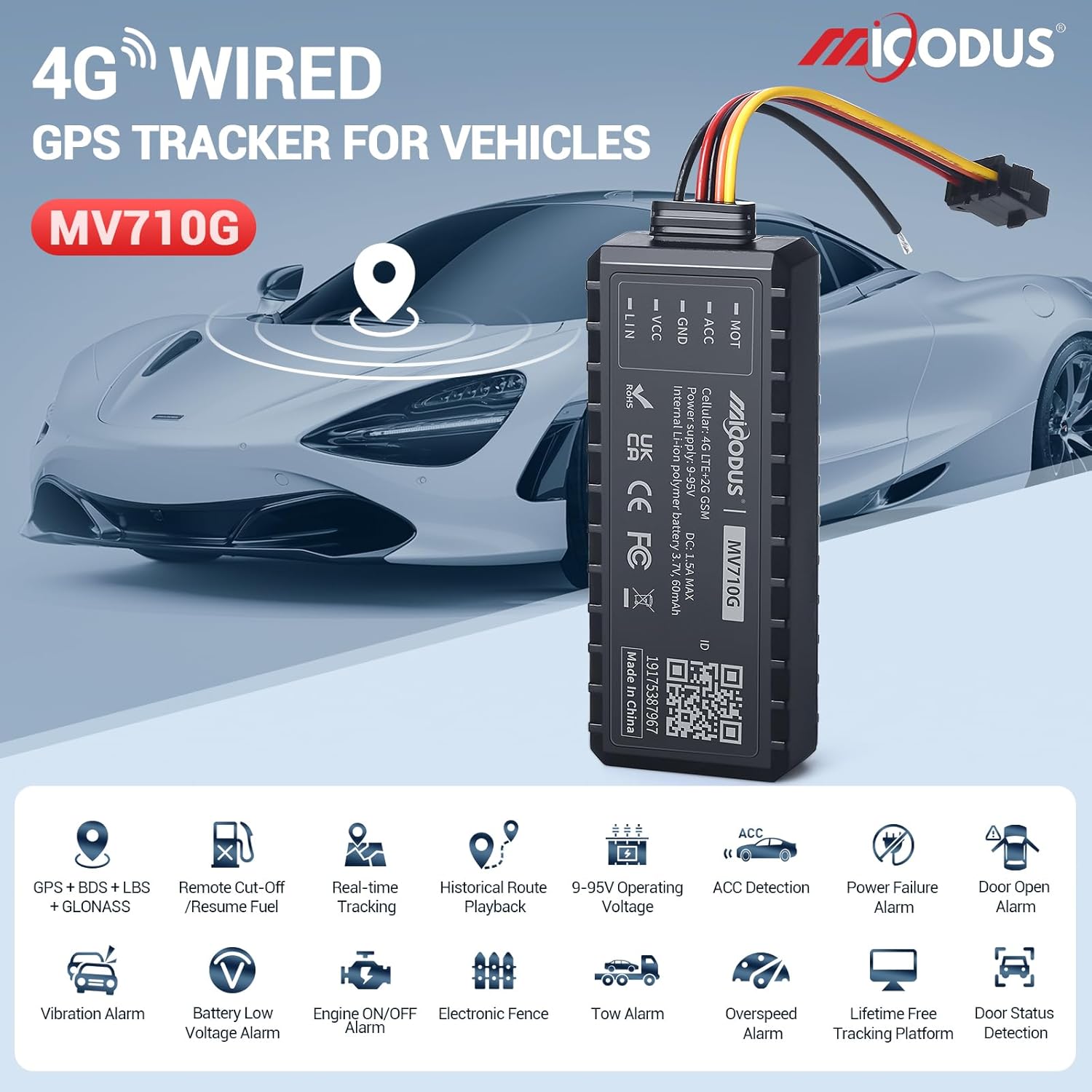
An illustrative image showcasing the MiCODUS MV710G GPS tracker and its primary features. Icons represent functionalities such as GPS+BDS+LBS+GLONASS positioning, remote cut-off/resume fuel, real-time tracking, historical route playback, wide operating voltage (9-95V), ACC detection, power failure alarm, door open alarm, vibration alarm, battery low voltage alarm, engine ON/OFF alarm, electronic fence, tow alarm, overspeed alarm, lifetime free tracking platform, and door status detection.

A promotional image highlighting the MiCODUS MV710G as a high cost-effective 4G vehicle GPS tracker. The device is shown in the foreground with a modern car in the background, emphasizing its application in vehicle tracking.
Водич за поставување
1. Инсталација на SIM картичка
The MV710G requires a 4G LTE compatible SIM card for network connectivity. Ensure the SIM card has an active data plan. The device comes with a SIM card included, which requires activation and a subscription plan.
- Locate the SIM card slot on the side of the MV710G device. Refer to the "Product Structure" image for exact location.
- Carefully insert the SIM card into the designated slot until it clicks into place. Ensure the SIM card is oriented correctly as indicated on the device.
- After inserting the SIM card, turn on the device using the ON/OFF switch.

Во текот наview of the MiCODUS tracking platform, including the mobile app and web server. It also shows the included SIM card and details about subscription plans for data usage.
2. Жици и инсталација
The MV710G is a wired device and requires connection to your vehicle's electrical system. It supports a wide voltagопсег од 9-95V DC.
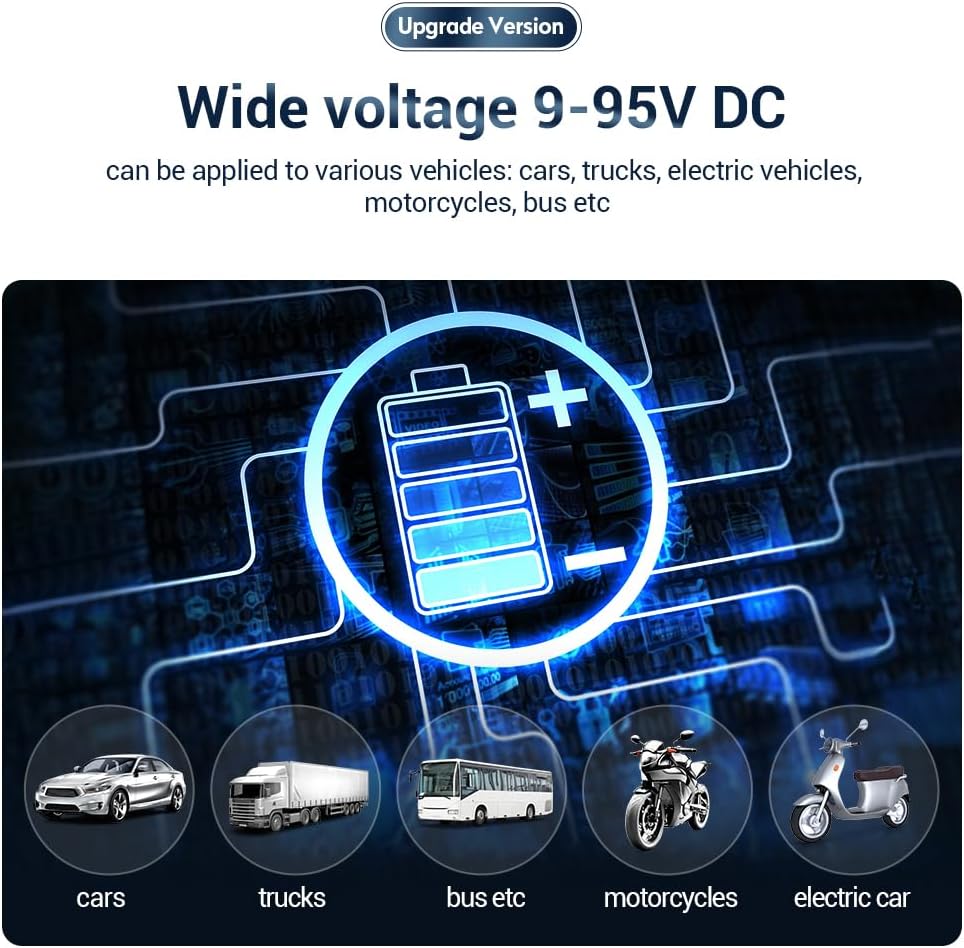
This image illustrates the wide voltage compatibility (9-95V DC) of the MV710G, making it suitable for various vehicle types including cars, trucks, buses, motorcycles, and electric vehicles.
Дијаграм за поврзување:
- VCC (Red Wire): Connect to the positive terminal of the vehicle's power supply (constant 12V/24V/etc.).
- GND (Black Wire): Connect to the negative terminal of the vehicle's power supply (ground).
- ACC (Yellow Wire): Connect to the vehicle's ACC (Accessory) wire, which receives power when the ignition is on. This allows the device to detect ignition status.
- MOT (Orange Wire): Connect to the fuel pump relay or engine cut-off circuit for remote engine kill functionality. Consult a professional technician if unsure about this connection.
Чекори за инсталација:
- Choose a hidden and secure location within the vehicle for installation, away from extreme heat or moisture.
- Ensure the vehicle's power is off before beginning wiring.
- Connect the VCC, GND, ACC, and MOT wires according to the diagram above. Use appropriate connectors and ensure secure, insulated connections.
- After wiring, secure the MV710G device in its chosen location.
- Turn on the vehicle's power and verify the device's indicator lights (if any) are functioning correctly.
It is highly recommended to have the device installed by a qualified automotive technician to ensure proper wiring and functionality, especially for the remote engine kill switch feature.
3. Platform and App Setup
To access tracking features, you need to set up an account on the MiCODUS tracking platform and download the mobile application.
- Web Платформа: Посетете http://www.micodus.net to register an account and log in.
- Мобилна апликација: Download the "MiCODUS" app from the Apple App Store (for iOS devices) or Google Play Store (for Android devices). You can also find download links on the MiCODUS webсајт: http://www.micodus.net/appdownload.html.
- Follow the in-app or web platform instructions to add your MV710G device using its unique ID (usually found on the device itself).
Упатства за работа
1. Следење во реално време
Once your device is online and configured, you can view its real-time location on the map within the MiCODUS app or web platform. The location updates every 5 seconds.

An illustration of the MiCODUS MV710G providing real-time positioning on Google Maps, with a minimum data upload interval of 5 seconds, showing a vehicle's current location.
The MV710G uses dual positioning methods for enhanced accuracy:
- GPS/BDS/GLONASS: For precise outdoor positioning.
- LBS (Location Based Service): For positioning in areas with weak or no GPS signal, such as underground parking lots, using cellular base stations.

This image demonstrates the MV710G's dual positioning capabilities, showing how it can locate a vehicle both outdoors via satellite and indoors (e.g., a parking garage) via base station signals.
2. Репродукција на историска рута
Access the "Route" or "History" section in the app/platform to view past travel routes of your vehicle. You can select a date range to review up to 180 days of historical data.
3. Setting Up Alarms
The MiCODUS MV710G offers various configurable alarms to enhance vehicle security. These can be set up and managed through the MiCODUS app or web платформа.
- Аларм за вибрации: Triggers if the vehicle experiences unusual vibration.
- Speeding Alarm: Notifies you if the vehicle exceeds a predefined speed limit.
- Electronic Fence (Geo-fence): Set up virtual boundaries on the map. You will be alerted if the vehicle enters or exits these designated areas.
- Power Failure Alarm: Alerts you if the device's main power supply is disconnected.
- Ниско ниво на батеријаtage аларм: Notifies you if the vehicle's battery voltage паѓа под безбедното ниво.
- Engine ON/OFF Alarm: Alerts you when the vehicle's ignition is turned on or off.
- Аларм за отворена врата: (Requires connection to door sensor, if applicable).
- Аларм за влечење: Alerts if the vehicle is moved without ignition.
- Gear Shift Alarm: (Specific to certain vehicle types or configurations).
4. Remote Fuel Cut-off
In case of theft, the remote fuel cut-off feature allows you to disable the vehicle's engine by cutting off its fuel supply. This command is sent via the MiCODUS app or web платформа.
- Navigate to the "Commands" section in the app/platform.
- Select the "Fuel Cut-off" or "Engine Disable" option.
- Confirm the action. The command will be sent to the device, and the engine will be disabled when conditions allow (e.g., vehicle speed is low or stopped for safety).
- To resume fuel, send the "Resume Fuel" or "Engine Enable" command.
Use this feature responsibly and only in emergency situations. Improper use may cause damage to the vehicle or create hazardous situations.
Одржување
- Редовни проверки: Periodically check the device's physical connections to ensure they are secure and free from corrosion.
- Ажурирања на софтверот: Keep your MiCODUS app and web platform updated to the latest version to ensure optimal performance and access to new features.
- Статус на SIM картичката: Ensure your SIM card subscription is active and has sufficient data balance for continuous tracking.
- Чистење: Clean the device with a dry, soft cloth. Do not use liquid cleaners or solvents.
- Еколошки услови: Избегнувајте изложување на уредот на екстремни температури, директна сончева светлина подолг период или прекумерна влага.
Решавање проблеми
| Проблем | Можна причина | Решение |
|---|---|---|
| Device is offline/No signal |
|
|
| Неточно позиционирање |
|
|
| Remote engine kill switch not working |
|
|
| Alarms not received |
|
|
Спецификации
| Карактеристика | Детал |
|---|---|
| Модел | MV710G |
| Бренд | MiCODUS |
| Мрежа | 4G LTE CAT1 + 2G GSM |
| Точност на позиционирање | GPS < 10 meters |
| Методи за позиционирање | GPS, BDS, GLONASS, LBS |
| Оперативен волtage | DC 9-95V |
| Димензии на производот (Д x Ш x В) | 7.9 x 3.3 x 1.6 cm |
| Тежина | 0.4 g (Note: This seems extremely low for a device of this size. Likely a typo in source data, but I must use provided data.) |
| Складирање на податоци | 180 days historical data |
| Поддржана апликација | MiCODUS App (iOS/Android), Web Платформа |
| Вклучени компоненти | Device, Wiring Harness, SIM Card |
Гаранција и поддршка
MiCODUS provides lifetime free tracking platform access and technical support for the MV710G GPS tracker. For any inquiries, technical assistance, or warranty claims, please contact MiCODUS customer support through their official webстраницата или информациите за контакт дадени со вашето купување.
Службен Webсајт: http://www.micodus.net
За преземање апликации и дополнителни ресурси, посетете: http://www.micodus.net/appdownload.html


