Вовед
The Radiomaster MT12 is an advanced open-source surface radio controller designed for a wide range of RC surface models, including cars, trucks, boats, and crawlers. It is the first surface radio officially supported by EdgeTX, ExpressLRS, and the Multi-module project. This manual provides essential information for setting up, operating, and maintaining your MT12 controller.
Клучни карактеристики
- Open-Source Platform: Officially supported by EdgeTX, ExpressLRS, and the Multi-module project.
- Versatile Channel Control: Boasts 10 physical inputs and supports up to 16 or 32 channels (32 channels require additional RF module hardware).
- EdgeTX Operating System: Preinstalled with cutting-edge EdgeTX software for extensive mixing and programmability.
- Internal RF Modules: Available with internal 2.4GHz ExpressLRS (ELRS) module for reliable long-distance control, super low latency, and high refresh rates, or a 4-in-1 Multi-module supporting over 70 different radio protocols.
- Non-Contact Hall Sensors: Ensures accurate control inputs and precise centering for the steering wheel and throttle trigger.
- Adjustable Trigger: Fine-tune throttle tension and position to suit your driving style.
- Приспособливо RGB осветлување: Personalize the controller's appearance with programmable RGB lighting.
- Долг век на батеријата: Supports standard 18650 batteries or a 21700 5000mAh 7.4V battery for extended run time.
- Брзо полнење USB-C: QC3.0 fast charging supports up to 2.0A Max.
Поставување
1. Инсталација на батерија
The MT12 supports standard 18650 batteries or a 21700 5000mAh 7.4V battery. Ensure correct polarity when inserting batteries into the battery compartment located at the base of the controller. The battery tray is designed for easy access.
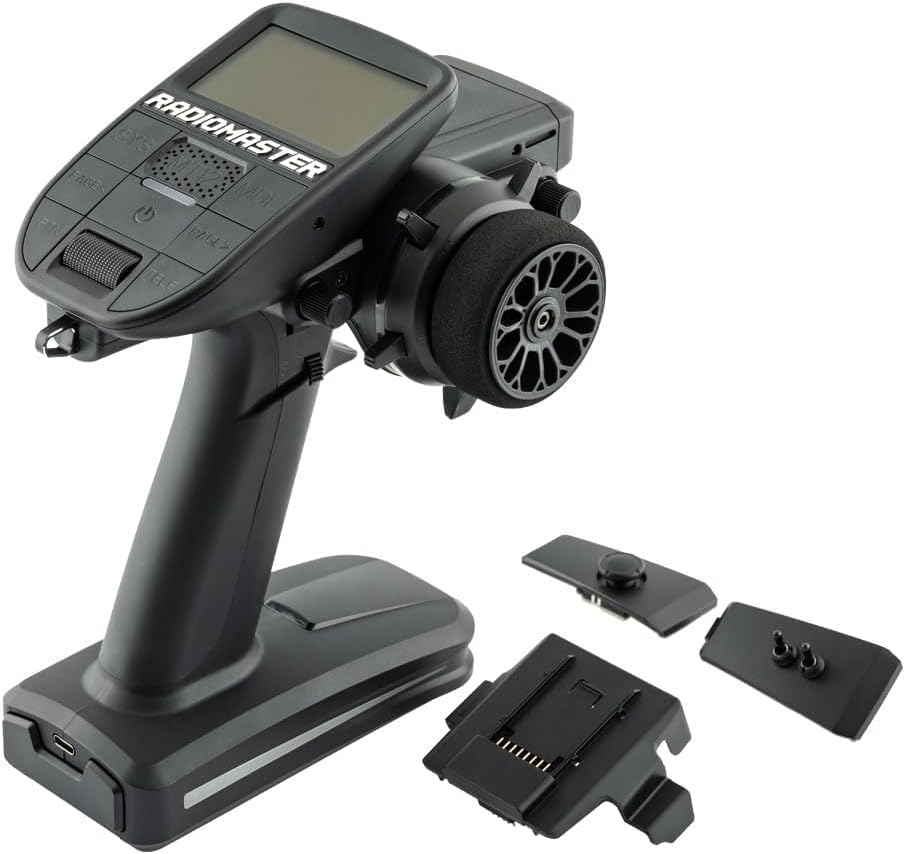
Image: The MT12's battery compartment, designed to accommodate either 18650 cells or a 21700 5000mAh 7.4V battery for extended use.
2. Полнење
Connect the MT12 to a power source using a USB-C cable. The controller supports QC3.0 fast charging up to 2.0A Max. The USB-C port is conveniently located for easy access.

Image: Close-up of the MT12's interface panel, highlighting the USB-C port for charging and data transfer, along with DSC Port, SD Card Slot, 3.5mm Headphone Jack, and AUX-Port.
3. External Module Installation
The MT12 includes an external Nano Module Adapter, allowing compatibility with popular modules such as Ranger Nano, RM 4in1, and TBS CROSSFIRE Nano. Insert the module into the adapter and secure it to the designated slot on the controller.

Image: The MT12 controller with an external Nano Module Adapter attached, demonstrating support for various external modules like Ranger Nano, RM 4in1, and TBS CROSSFIRE Nano.
4. Прилагодување на антената
The 90° rotating antenna allows for optimal signal transmission and reception. Adjust the antenna position to achieve the best range and control for your specific operating environment.
Операција
1. Оперативен систем EdgeTX
The MT12 comes pre-installed with the EdgeTX operating system. This powerful open-source radio software offers extensive mixing and programmability, allowing for highly customized control setups. Navigate through menus using the standardized button layout and CNC menu wheel.

Image: The MT12's display screen showing the EdgeTX operating system, illustrating its graphical interface and various settings for model configuration.
2. Конфигурација на канали
The MT12 supports up to 16 channels as standard, expandable to 32 channels with additional RF module hardware. Utilize the 10 physical inputs, including 4 proportion input channels and 6 switch and button inputs, to control various functions of your RC model.
3. Trim Buttons
The controller features 5 programmable trim buttons. These can be assigned to fine-tune specific control surfaces or functions, allowing for precise adjustments during operation.
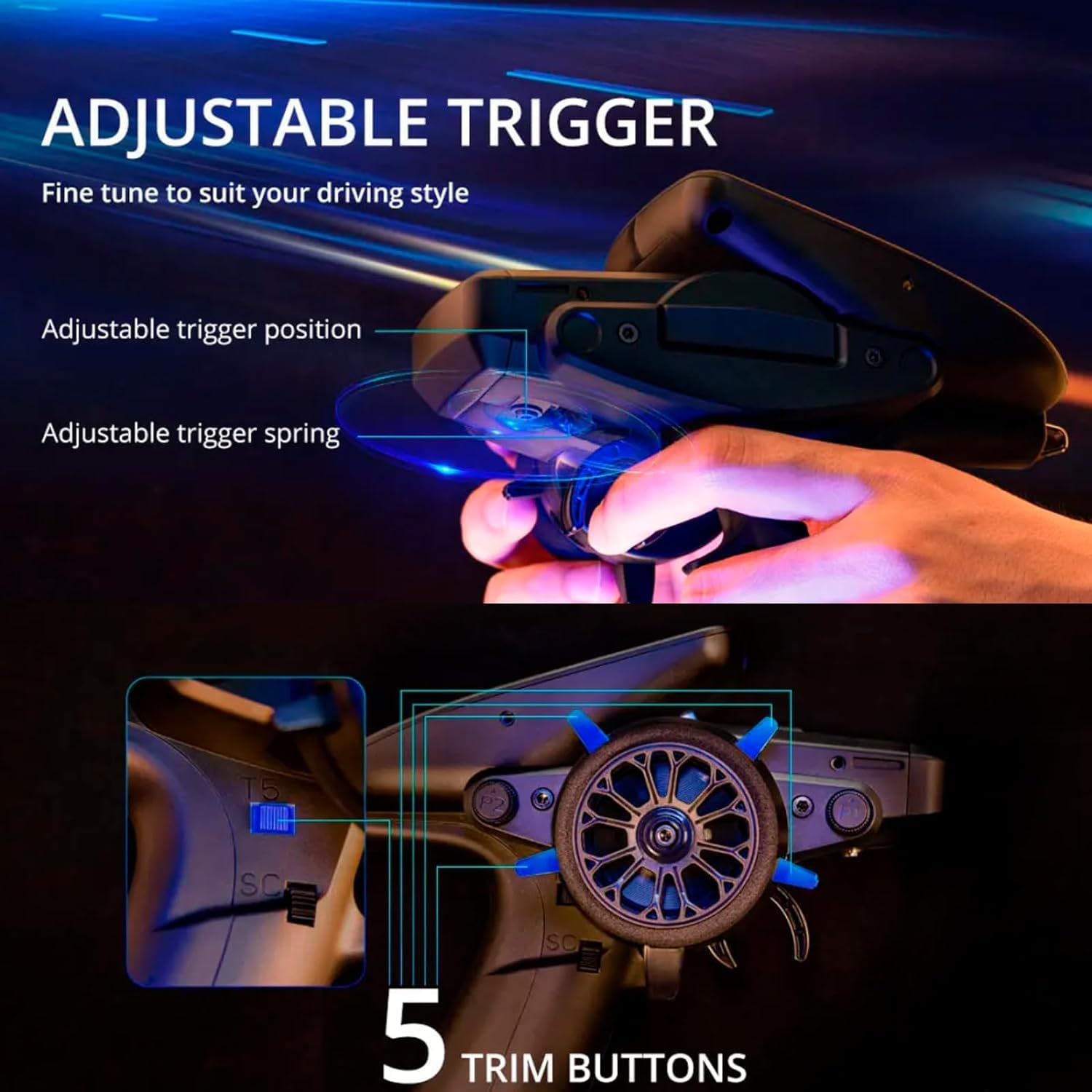
Image: A close-up of the MT12's steering wheel and trigger area, highlighting the adjustable trigger mechanism and the five accessible trim buttons for fine-tuning controls.
4. Adjustable Trigger
The throttle trigger tension and position can be adjusted to match your personal driving style and preference. Use a small screwdriver to make these adjustments for optimal comfort and control.
5. Прилагодливо RGB осветлување
The MT12 features programmable RGB lighting. You can customize the lighting effects to illuminate your controller and match your style using customizable LUA scripts within the EdgeTX system.
Поврзување и пристаништа
The MT12 offers several ports for connectivity and expansion:
- USB-C порта: For charging, simulator connectivity, and firmware updates.
- DSC Port: Digital Serial Communication port.
- Слот за SD-картичка: For model memory, scripts, sounds, and themes.
- 3.5 мм приклучок за слушалки: За аудио излез.
- AUX-Port: Auxiliary port for additional functionality.
Спецификации
| Димензии на производот | 6 x 3 x 7 инчи |
| Тежина на ставката | 3.2 унци |
| Препорачана возраст од производителот | 15 години па нагоре |
| Оперативен систем | EdgeTX |
| Внатрешен RF модул | 2.4GHz ExpressLRS (ELRS) or 4-in-1 Multi-module |
| Канали | Up to 16 standard, 32 with additional RF module hardware |
| Полнење | USB-C, QC3.0 Fast Charging (up to 2.0A Max) |
Информации за безбедност
This product is an RC Transmitter. Always operate your RC equipment responsibly and in accordance with local laws and regulations. Ensure all connections are secure and batteries are properly installed before use. Keep the device away from water and extreme temperatures. Recommended age for use is 15 years and up.
Одржување
To ensure the longevity and optimal performance of your Radiomaster MT12, keep it clean and free from dust and debris. Store the controller in a dry, cool place when not in use. Regularly check for any loose connections or physical damage. Refer to the EdgeTX documentation for software maintenance and updates.
Решавање проблеми
If you encounter any issues with your MT12 controller, please refer to the official EdgeTX documentation and community forums for detailed troubleshooting guides. Common issues may include binding problems, incorrect model setup, or firmware-related errors. Ensure your firmware is up to date and all settings are correctly configured for your specific model.
Гаранција и поддршка
For warranty information and technical support, please visit the official Radiomaster webлокација или контактирајте го вашиот овластен продавач. Зачувајте го доказот за купување за какви било гаранциски побарувања.
Производот завршиview Видео
Видео: Официјален производ завршенview of the Xiangtat Radiomaster MT12 Surface Radio Controller, demonstrating its features and capabilities for RC enthusiasts.


