1. Вовед
This user manual provides essential information for the safe and efficient operation of your Strong 24-inch HD TV, model SRT24HE4023C. Please read this manual thoroughly before using the product and retain it for future reference.
The Strong SRT24HE4023C is a compact and versatile 24-inch (60 cm) HD Ready television, specifically designed for portability with its 12V power input, making it ideal for use in caravans, campers, or other mobile environments. It features a triple tuner for various signal receptions and multiple connectivity options.
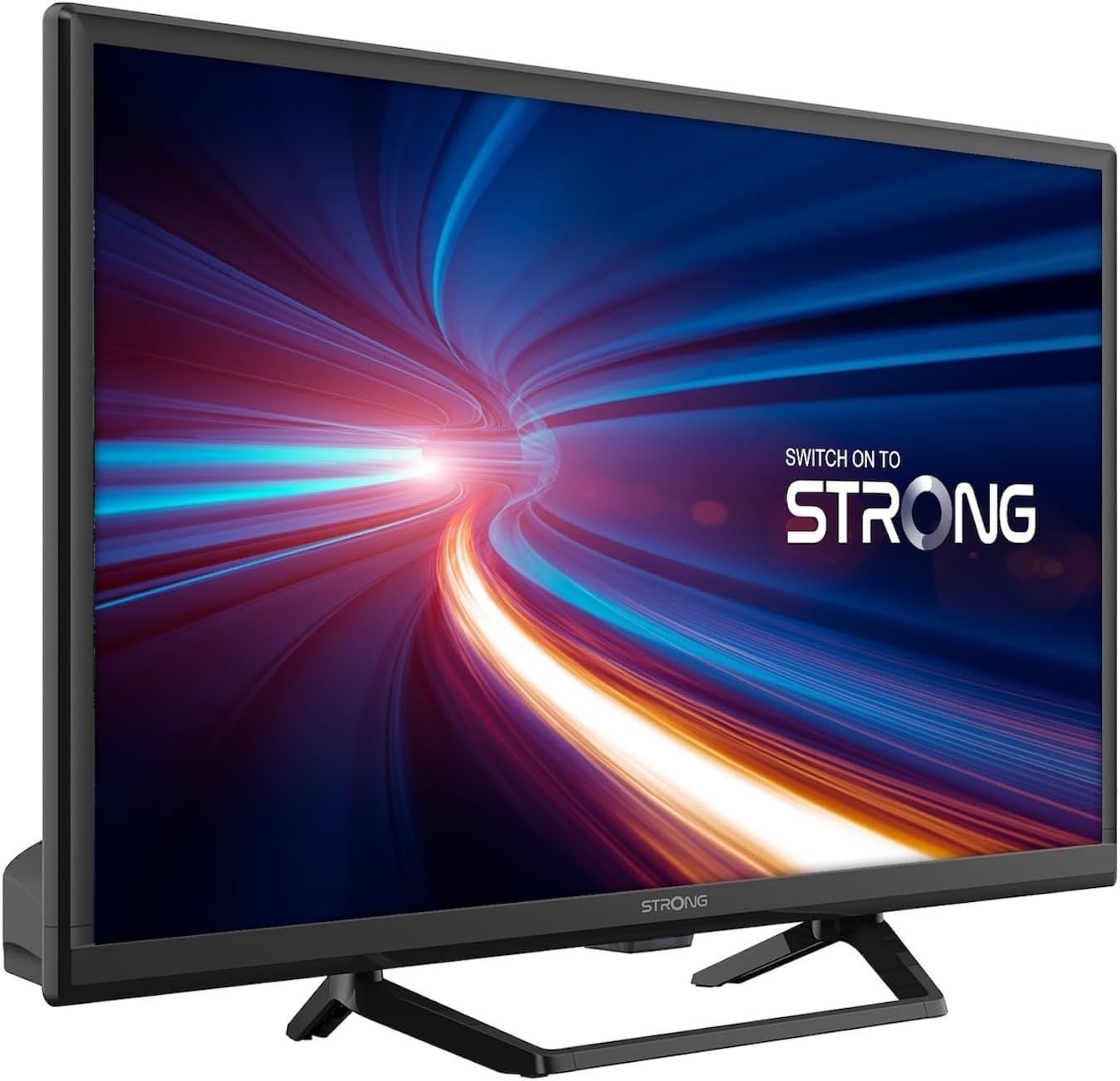
Слика 1.1: Предна страна view of the Strong 24-inch HD TV.
2. Содржина на пакетот
Upon unpacking, please ensure all items listed below are present and in good condition. If any items are missing or damaged, contact your retailer immediately.
- Strong 24-inch HD TV (SRT24HE4023C)
- ТВ-штанд
- Далечински управувач (потребни се 2 AAA батерии, вклучени)
- Упатство за употреба (овој документ)
3. Поставување
3.1. Склопување на штандот
Carefully place the TV screen-down on a soft, clean surface to prevent scratches. Attach the provided stand to the base of the TV using the designated screws. Ensure the stand is securely fastened before placing the TV upright.
3.2. Поврзување за напојување
This TV operates on a 12V DC power supply, making it suitable for mobile applications. Connect the 12V power adapter to the TV's power input port and then to a compatible 12V power source. Ensure the power source can provide sufficient current for the TV's operation.
3.3. Поврзување на надворешни уреди
Телевизорот нуди различни опции за поврзување:
- HDMI порти (x2): Connect Blu-ray players, game consoles, or other HDMI-enabled devices. One port supports ARC (Audio Return Channel).
- USB порт (x1): For playing multimedia files од USB уреди за складирање.
- Мини AV влез: За поврзување на постари уреди со композитни видео и стерео аудио излези.
- Antenna Input (ANT in): Connect a terrestrial antenna for DVB-T/T2 reception.
- Satellite Input (SAT in): Connect a satellite dish for DVB-S/S2 reception.
- CI слот: Insert a Common Interface module for encrypted channels.
- Излез SPDIF: За дигитален аудио излез до надворешен звучен систем.
- Jackек за слушалки: За приватно слушање.

Слика 3.1: Заден дел view showing various connectivity ports.
4. Упатства за работа
4.1. Инсталација за прв пат
When you power on the TV for the first time, a setup wizard will guide you through initial settings such as language, country, and channel scanning. Follow the on-screen prompts to complete the setup.
4.2. Скенирање на канали
The TV features a triple tuner (DVB-T/T2, DVB-C, DVB-S/S2) for receiving digital terrestrial, cable, and satellite broadcasts. To scan for channels:
- Притиснете го МЕНИ копче на вашиот далечински управувач.
- Одете до Канал or Инсталација мени.
- Изберете Автоматско скенирање or Рачно скенирање depending on your preference and connection type.
- Follow the on-screen instructions to start the scan.
4.3. Using the Electronic Program Guide (EPG)
The EPG provides a schedule of current and upcoming TV programs. To access the EPG, press the EPG button on your remote control. You can browse programs, view details, and set reminders.
4.4. Multimedia Playback via USB
Insert a USB storage device into the USB port. The TV will typically prompt you to open the media browser. You can play various multimedia files, including videos, photos, and music.
4.5. Parental Control and Hotel Mode
The TV includes parental control features to restrict access to certain channels or programs based on age ratings. Hotel mode provides advanced settings for managing TV functions in a multi-unit environment.
5. Одржување
5.1. Чистење на телевизорот
Before cleaning, always unplug the TV from the power source. Use a soft, dry cloth to wipe the screen and cabinet. For stubborn marks, lightly dampИзмијте ја крпата со вода или со благ, неабразивен чистач за екран. Никогаш не прскајте течност директно врз телевизорот.
5.2. Замена на батеријата на далечинскиот управувач
The remote control uses two AAA batteries. If the remote control's range decreases or it stops responding, replace both batteries with new ones, ensuring correct polarity.
6 Смена на проблеми
Доколку наидете на проблеми со вашиот телевизор, погледнете ги следните вообичаени проблеми и решенија пред да контактирате со корисничката поддршка.
| Проблем | Можна причина | Решение |
|---|---|---|
| Нема моќ | Power cable disconnected; no power from source. | Check power cable connection. Ensure 12V power source is active. |
| Нема слика, но звукот е присутен | Incorrect input source selected; loose cable connection. | Притиснете го ИЗВОР button to select the correct input. Check HDMI/AV cable connections. |
| Нема звук, но сликата е присутна | Volume too low or muted; audio settings incorrect. | Increase volume. Check mute status. Adjust audio output settings in the menu. |
| Слаб квалитет на слика | Weak signal; incorrect resolution. | Check antenna/satellite connection. Perform a channel scan. Adjust picture settings. |
| Далечинскиот управувач не работи | Батериите се испразнети или неправилно вметнати. | Replace batteries, ensuring correct polarity. Ensure no obstructions between remote and TV. |
7. Спецификации
| Карактеристика | Детал |
|---|---|
| Модел | SRT24HE4023C |
| Големина на екранот | 24 инчи (60 см) |
| Технологија на прикажување | LED, IPS панел |
| Резолуција | 1366 x 768p (HD Ready) |
| Сооднос на аспект | 16:9 |
| Стапка на освежување | 60 Hz |
| Време на одговор | 5 милисекунди |
| Тјунери | DVB-T/T2, DVB-C, DVB-S/S2 |
| Видео кодек | HEVC 265 10-bit |
| HDMI порти | 2 (1 with ARC support) |
| USB порти | 1 |
| Other Inputs/Outputs | Mini AV In, CI Slot, SPDIF Out, Headphone Jack |
| Аудио декодирање | ДТС |
| Напојување | 12 волти DC |
| Димензии (Ш x В x Д) | 55.29 x 36.6 x 14.78 см (со држач) |
| Тежина | 2.5 кг |
| VESA ѕиден носач | Поддржано |
| Класа за енергетска ефикасност | Е (View EPREL details) |
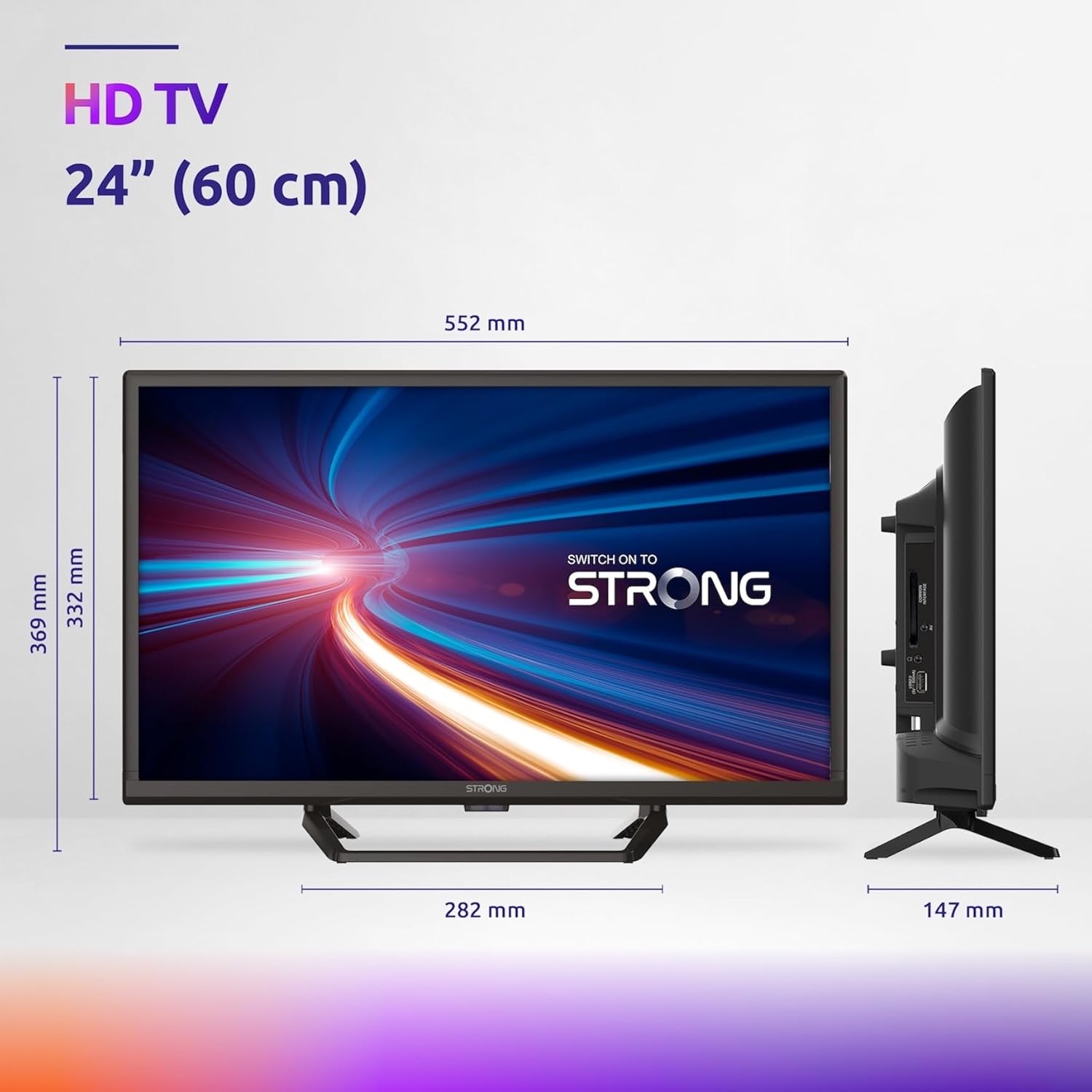
Figure 7.1: Product dimensions of the Strong 24-inch HD TV.

Figure 7.2: Energy efficiency label for the Strong SRT24HE4023C TV.
8. Гаранција и поддршка
Strong products are designed for reliability and performance. For warranty information and technical support, please refer to the warranty card included with your product or visit the official Strong webлокација. Чувајте ја сметката како доказ за купување за гаранциски побарувања.
За дополнителна помош, можете да се повикате и на Strong Brand Store on Amazon за дополнителни информации и ресурси за производот.


