Вовед
Ви благодарам за купувањетоasing the ZEBRONICS Transformer PRO Gaming Wireless Keyboard & Mouse Combo. This manual provides essential information for setting up, operating, and maintaining your new device. Please read it thoroughly before use to ensure optimal performance and longevity.
Производот завршиview
The ZEBRONICS Transformer PRO is a high-performance wireless keyboard and mouse combo designed for gaming and productivity. It features a durable aluminum body, multi-color LED lighting, and a reliable 2.4GHz wireless connection.

Figure 1: ZEBRONICS Transformer PRO Gaming Wireless Keyboard and Mouse Combo.

Figure 2: The ZEB-Transformer Pro keyboard features a durable aluminum body and 104 keys.

Figure 3: The ZEB-Transformer Pro mouse with an ergonomic design and high precision optical sensor.
Клучни карактеристики:
- Безжична конекција од 2.4 GHz: Ensures a stable and reliable connection for both keyboard and mouse.
- Aluminum Body Keyboard: Обезбедува издржливост и премиум чувство.
- Распоред со 104 копчиња: Full-sized keyboard with a dedicated Rupee key for efficient typing.
- Multi-Color LED Modes: Customizable lighting with 3 brightness levels.
- Вградена батерија на полнење: For both keyboard and mouse, with power-saver mode.
- Ergonomic Mouse Design: Comfortable for extended usage with a matte finish.
- Високопрецизен оптички сензор: Mouse supports adjustable DPI settings (1600 / 2400 / 4000 DPI).
- Plug-and-play: Easy setup without the need for additional drivers.
Водич за поставување
- Распакувајте го Комбото: Carefully remove the keyboard, mouse, and USB Nano Receiver from the packaging.
- Лоцирајте го USB нано приемникот: The receiver is typically stored in a compartment on the mouse or keyboard for safe transport.
- Поврзете го ресиверот: Insert the USB Nano Receiver into an available USB port on your computer (Laptop or Personal Computer).
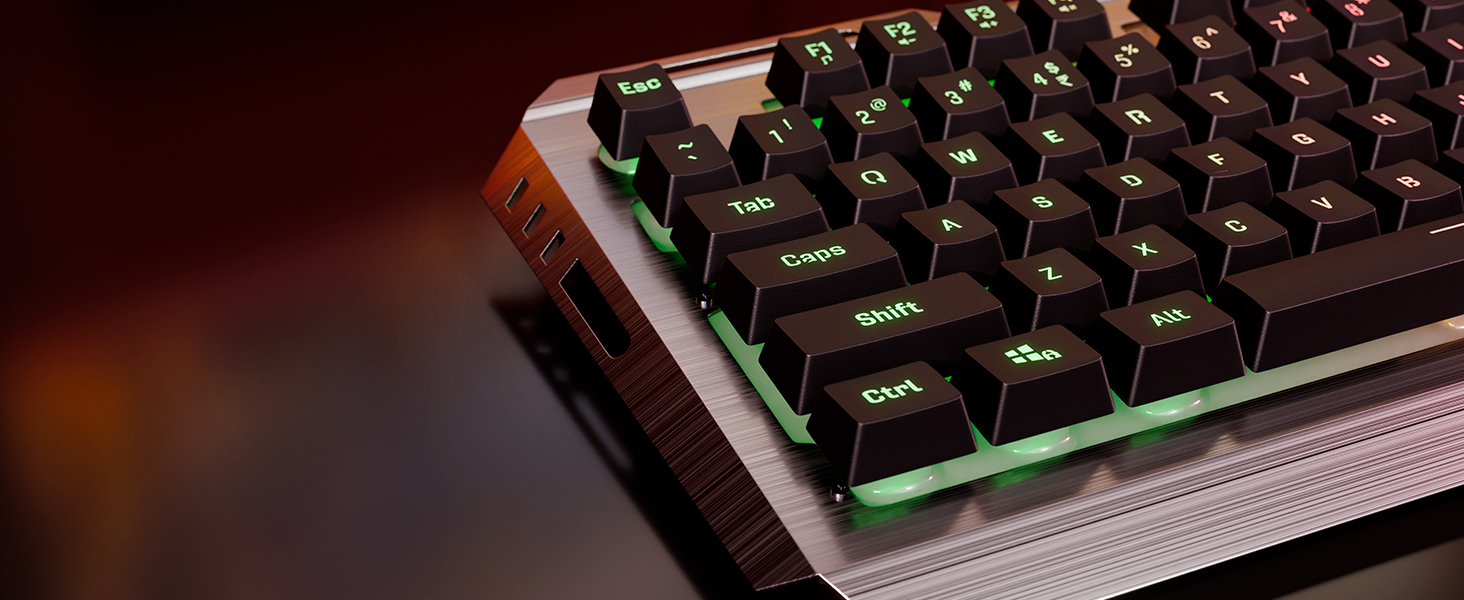
Figure 4: The compact USB Nano Receiver for wireless connectivity.
- Уреди за вклучување:
- For the keyboard, ensure the power switch (if present) is in the 'ON' position.
- For the mouse, locate the power switch on the underside and slide it to the 'ON' position.
- Автоматско поврзување: The keyboard and mouse should automatically connect to your computer. No additional drivers are typically required for Windows operating systems.
- Почетно полнење: It is recommended to fully charge both the keyboard and mouse before first use. Use the provided Type-C cable to connect them to a USB power source.

Figure 5: Both the keyboard and mouse feature built-in rechargeable batteries for convenience.
Упатства за работа
Функции на тастатура:
- Контрола на LED осветлување:
- Притиснете го Fn + Заклучување на лизгање keys to cycle through different multi-color LED modes.
- Притиснете Fn + Page Up/Page Down to adjust LED brightness levels (3 levels available).
- Притиснете Fn + Дома to turn LED lighting On/Off.

Figure 6: The keyboard offers multi-color LED modes and adjustable brightness levels.
- Заклучување на Windows: Притиснете Fn + Windows копче to enable or disable the Windows key, preventing accidental presses during gaming.

Figure 7: Use Fn + Windows key to lock/unlock the Windows key.
- Мултимедијални клучеви: Utilize the Fn key in combination with F1-F12 for various multimedia functions (e.g., volume control, media playback).
- 2-Step Stand: Adjust the keyboard's angle for comfortable typing using the integrated 2-step stand.
Функции на глувчето:
- Прилагодување на DPI: Притиснете го Копче DPI located on the top of the mouse to cycle through DPI settings: 1600, 2400, and 4000 DPI. This allows you to adjust cursor sensitivity.

Figure 8: The mouse features a dedicated DPI button for on-the-fly sensitivity adjustments.
- Копчиња за напред/назад: Use the side buttons for quick navigation in web прелистувачи или file истражувачи.
- Power-Saver Mode: The mouse automatically enters a power-saver mode after a period of inactivity to conserve battery. Move the mouse or click a button to wake it up.
Одржување
- Чистење:
- Користете мека, сува крпа за да ја избришете тастатурата и глувчето.
- За тврдокорна нечистотија, малку дampИзмијте ја крпата со вода или благ раствор за чистење. Избегнувајте прекумерна влага.
- Use compressed air to remove dust and debris from between the keyboard keys.
- Нега на батеријата:
- Редовно полнете ги уредите за да ја одржите состојбата на батеријата.
- Избегнувајте често целосно празнење на батеријата.
- If storing for a long period, charge the devices to about 50% before storage.
- Складирање: Store the combo in a cool, dry place away from direct sunlight and extreme temperatures.
Решавање проблеми
| Проблем | Можна причина | Решение |
|---|---|---|
| Тастатурата/глушецот не реагираат | Low battery; USB receiver disconnected; Device not powered on; Interference. | Charge devices; Reinsert USB receiver; Ensure power switch is ON; Move closer to receiver; Try a different USB port. |
| Доцнење или повремена врска | Растојание од приемникот; Пречки од други безжични уреди. | Reduce distance between devices and receiver; Move away from other 2.4GHz devices (e.g., Wi-Fi routers). |
| LED светлата не работат | LEDs turned off; Low battery. | Press Fn + Home to toggle LEDs; Charge keyboard. |
| Курсорот на глувчето е неправилен или не се движи мазно | Валкан оптички сензор; Несоодветна површина; Слаба батерија. | Clean optical sensor; Use on a clean, non-reflective mouse pad; Charge mouse. |
Спецификации
| Карактеристика | Детал |
|---|---|
| Бренд | ЗЕБРОНИКА |
| Број на модел | Zeb-Transformer Pro |
| Поврзување | 2.4GHz Безжична |
| Копчиња од тастатура | 104 Клучеви |
| Keyboard Body Material | Алуминиум |
| DPI на глувчето | 1600 / 2400 / 4000 DPI (прилагодливо) |
| Батерија | Built-in Rechargeable Battery (for both keyboard and mouse) |
| Порта за полнење | Тип-C |
| Компатибилни оперативни системи | All Windows versions |
| Компатибилни уреди | Лаптоп, персонален компјутер |
| Димензии на производот (тастатура) | Прибл. 13.3 x 7.2 x 4.2 cm (Д x Ш x В) |
| Тежина на ставката | 1 kg (total combo) |
Гаранција и поддршка
The ZEBRONICS Transformer PRO Gaming Wireless Keyboard & Mouse Combo comes with a 1 години гаранција од датумот на купување. Ве молиме зачувајте го доказот за купување за гаранциски барања.
For technical support, service, or warranty inquiries, please visit the official ZEBRONICS website or contact their customer service department. Refer to the product packaging or the ZEBRONICS webстраница за најактуелните информации за контакт.
Забелешка: Гаранцијата не покрива штета предизвикана од злоупотреба, несреќа, неовластена модификација или нормално абење.


