1. Вовед
The American Lifetime Digital Dementia Clock is designed to provide clear and easy-to-read time, day, and date information, particularly beneficial for seniors and individuals with memory challenges. Its large, high-resolution display and intuitive features aim to enhance daily orientation and independence.
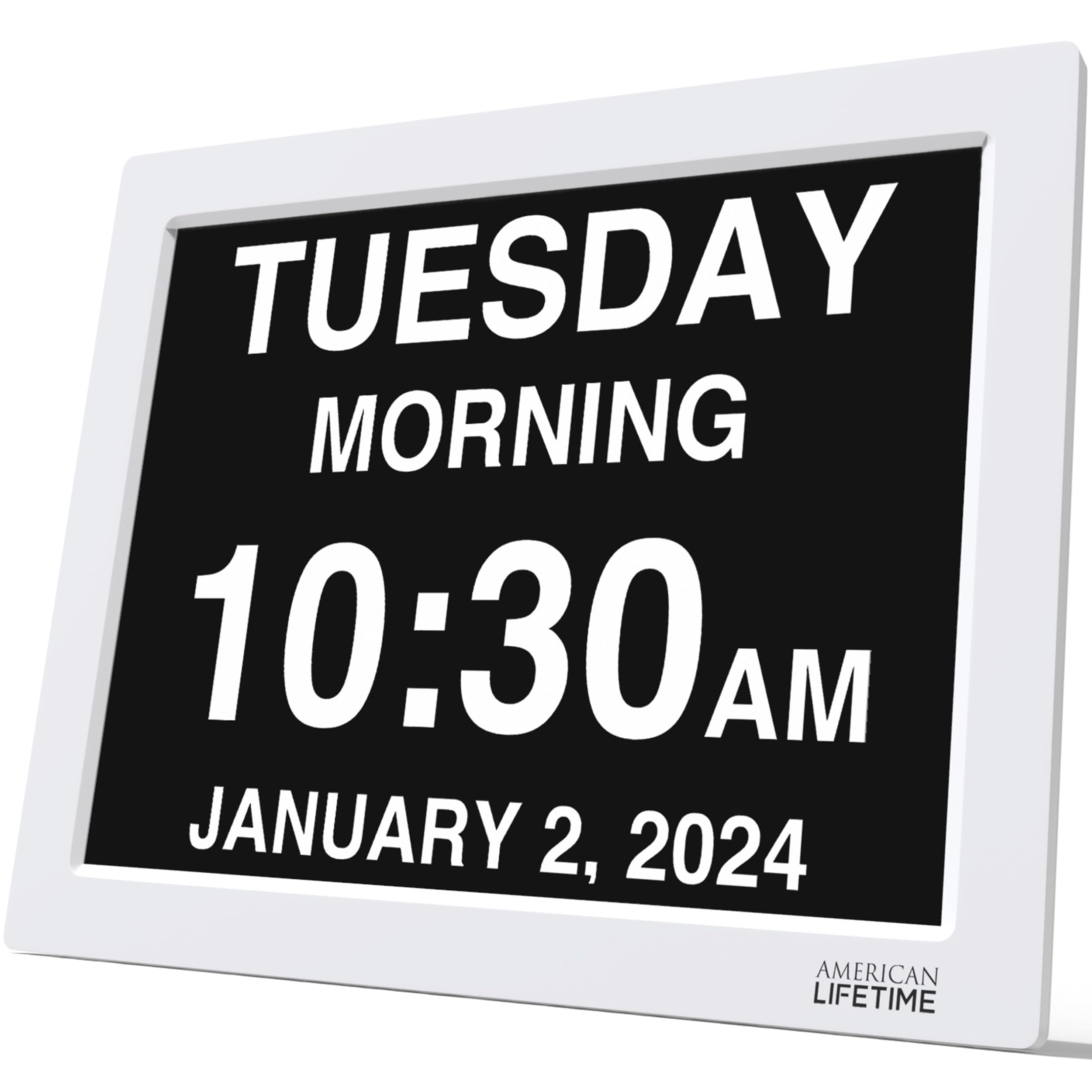
Figure 1: American Lifetime 15-inch Digital Dementia Clock (White)
2. Поставување
2.1 Отпакување и поставување
Carefully remove the clock from its packaging. The clock can be placed on a tabletop using its integrated stand or mounted on a wall. Ensure the chosen location has a stable surface or secure wall mounting, and is within reach of a power outlet.

Figure 2: Dimensions of the 15-inch Digital Dementia Clock
2.2 Поврзување за напојување
Connect the provided power cord to the DC IN port on the back of the clock and then plug it into a standard electrical outlet. The clock will automatically power on and display the current time and date. The clock includes a backup option to retain settings during power outagес.
3. Упатства за работа
3.1 Карактеристики на екранот
- Голем, јасен екран: The clock features a high-resolution display that clearly spells out the time, period of the day (e.g., Morning, Afternoon), full day of the week, month, and date in large, unambiguous letters.
- Автоматско затемнување: The display automatically adjusts its brightness to match the ambient light conditions in the room, ensuring readability without being overly bright at night.
- Повеќе опции за приказ: The clock supports various time formats (12-hour or 24-hour) and date modes (Month-Day-Year, Day-Month-Year).

Слика 3: Клучни карактеристики на екранот
3.2 Поставување време и датум
Use the control buttons located on the back of the clock to navigate the menu and adjust settings. Refer to the included quick start guide for detailed button functions.
- Press the 'Menu' button to access settings.
- Use the Up/Down arrows to select 'Set Time' or 'Set Date'.
- Use the Left/Right arrows to adjust the values.
- Press 'OK' to confirm changes and 'Back' to exit the menu.
3.3 Alarms and Reminders
The clock supports up to 5 customizable daily alarms. These can be set for important events such as medication times or appointments. You can also customize the alarm message.
- From the menu, select 'Alarms'.
- Choose an 'Alarm Time' to set.
- Adjust the time and select a pre-set message (e.g., 'TAKE YOUR MEDICINE') or create a custom message.
- Ensure the alarm is set to 'ON'.

Figure 4: Customizable Alarms and Multi-language Support
3.4 Поддршка за повеќе јазици
The clock supports multiple languages, making it accessible to a wider range of users. The language setting can be changed via the menu.
4. Одржување
- Чистење: Користете мека, сува крпа за чистење на екранот и рамката. Избегнувајте абразивни средства за чистење или растворувачи.
- Трајност: The clock is designed with durable materials to withstand daily use. However, avoid dropping or subjecting it to excessive force.
5 Смена на проблеми
| Прашање | Можно решение |
|---|---|
| Часовникот не се вклучува | Ensure the power cord is securely plugged into both the clock and a working electrical outlet. |
| Incorrect time/date displayed | Access the 'Set Time' and 'Set Date' options in the menu to manually adjust. |
| Екранот е премногу светол/затемнет | The clock has an auto-dimming feature. Ensure it is enabled in the settings. If issues persist, contact customer support. |
| Алармите не се вклучуваат | Verify that the alarm time is correctly set and the alarm is enabled ('ON') in the 'Alarms' menu. Check volume settings if applicable. |
6. Спецификации
- Бренд: Американски живот
- Број на модел: DC-01
- Боја: Бело
- Тип на приказ: Дигитален
- Големина: 15 инчи
- Димензии на производот: 15"Ш x 13.5"В
- Тежина на ставката: 4.62 фунти
- Извор на енергија: Power Cord (Electrical Operation)
- Специјална карактеристика: Corded, Auto-Dimming, Custom Alarms, Multi-Language Support, Battery Backup
- Тип на монтирање: На маса, држач за ѕид
- Материјал: Пластика
7. Гаранција и поддршка
American Lifetime offers a 1 година гаранција on this product. Additionally, you can return the product for free within the first 30 days, no questions asked.
For any questions or support needs, please contact the American Lifetime customer service team. They are available Monday-Friday, 9 AM - 5 PM EST.
Е-пошта: contact@americanlifetime.com


