1. Вовед
This manual provides essential instructions for the safe and effective use of your Bissell CleanView XR & XR Pet Stick Vacuum Extra Battery, Model 4054. This 24V MAX Lithium-Ion battery is designed to provide extended runtime for your compatible Bissell CleanView XR and CleanView XR Pet stick vacuums.
Using genuine BISSELL parts, including this battery, ensures optimal performance and maintains your product's warranty. Damage or malfunction caused by non-BISSELL parts may not be covered.
2. Поставување
2.1 Инсталација на батерија
To install the extra battery, align the battery pack with the battery slot on your Bissell CleanView XR or CleanView XR Pet stick vacuum. Gently slide the battery into place until it clicks securely. Ensure a firm connection before operation.
2.2 Полнење на батеријата
Before first use, fully charge the battery. To charge, remove the battery from the vacuum by pressing the release button and sliding it out. Connect the charging adapter to the battery pack. Plug the adapter into a standard wall outlet. The indicator lights on the battery will show the charging status. A full charge typically provides up to 40 minutes of runtime, depending on the power setting used.

Figure 1: Inserting the 24V MAX Lithium-Ion battery into the charging dock.

Figure 2: Key specifications of the Bissell 24V MAX Lithium-Ion battery.
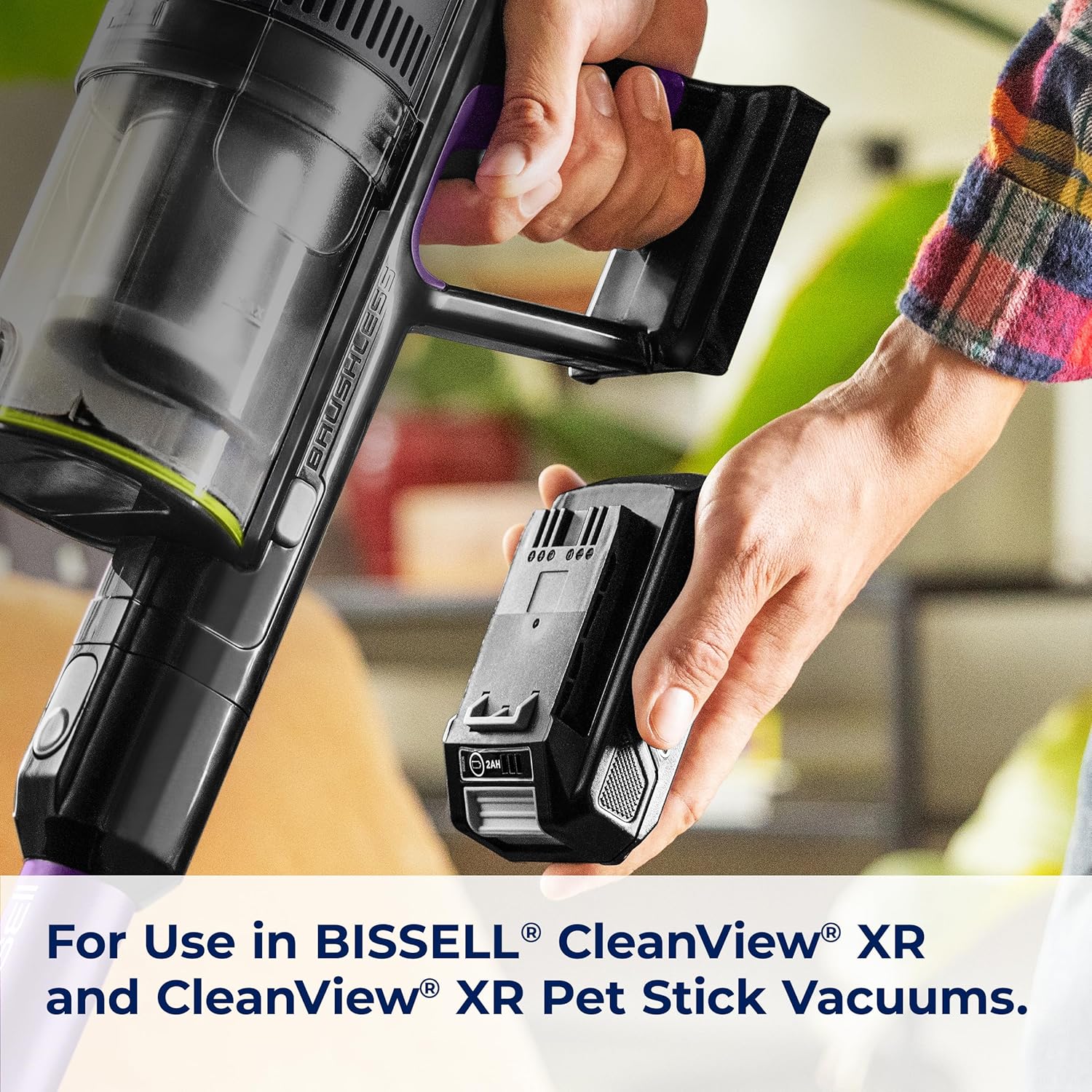
Figure 3: The extra battery is compatible with Bissell CleanView XR and CleanView XR Pet stick vacuums.
3. Работење
3.1 нивоа на моќност
The Bissell CleanView XR and XR Pet stick vacuums typically feature multiple power levels to suit different cleaning needs. Refer to your vacuum's specific manual for detailed instructions on how to switch between these power settings. The 24V MAX Lithium-Ion battery supports these varying power demands, offering up to 40 minutes of runtime on lower settings.
3.2 Extended Runtime
This extra battery allows you to extend your cleaning sessions without interruption. Simply swap out a depleted battery for a fully charged one to continue vacuuming. This is particularly useful for larger homes or extensive cleaning tasks.
4. Одржување
Regular maintenance of your vacuum and battery ensures longevity and optimal performance. This includes emptying the dirt tank, cleaning filters, and checking the brush roll for tangled hair or debris.
4.1 Cleaning the Dirt Tank and Filters
Periodically empty the dirt tank when debris reaches the 'MAX' fill line. Remove the tank from the vacuum, open the bottom flap, and discard contents into a waste bin. Filters should also be cleaned regularly. Some filters may be washable; always allow them to air dry completely for at least 24 hours before reinserting to prevent damage and maintain suction power.
4.2 Чистење на ролната со четка
Inspect the brush roll for any tangled hair, strings, or debris that could impede its rotation. Follow your vacuum's manual for instructions on how to safely remove and clean the brush roll.
Video 1: Detailed guide on how to use and disassemble the Bissell CleanView XR vacuum for cleaning and maintenance, including battery, dustbin, and brush roll.
Video 2: Long-term review and maintenance tips for the Bissell CleanView XR vacuum, covering battery life, filter cleaning, and overall performance after one year of use.
5 Смена на проблеми
5.1 Батеријата не се полни
- Ensure the charging adapter is securely plugged into both the battery and a working wall outlet.
- Check the battery indicator lights for charging status. If no lights appear, try a different outlet.
- Verify that the battery is properly seated in the charging dock.
5.2 Намалено време на извршување
- Уверете се дека батеријата е целосно наполнета пред употреба.
- Check if the vacuum's filters are clean. Clogged filters can reduce efficiency and battery life.
- Inspect the brush roll for any obstructions that might be causing the motor to work harder.
- Using the vacuum on higher power settings will naturally reduce runtime.
5.3 Warranty Considerations
Damage to or malfunction of your machine caused by non-BISSELL parts, such as an incompatible battery, may not be covered under your warranty. Always use genuine BISSELL replacement parts.
6. Спецификации
| Бренд | Бисел |
| Број на модел | 4054 |
| Тип на батерија | 24V MAX Lithium-Ion |
| Траење на батеријата | До 40 минути |
| Извор на енергија | Напојува со батерија |
| Voltage | 24 волти |
| Тежина на ставката | 1.08 фунти |
| Димензии на производот | 4.75"Д x 9.75"Ш x 5"В |
| Препорачана употреба | Правосмукалка |
7. Гаранција и поддршка
7.1 Информации за гаранцијата
Warranty Description: Not available. Please refer to your original product purchase documentation or contact Bissell customer support for specific warranty details regarding this replacement battery.
7.2 Поддршка за корисници
For further assistance, troubleshooting, or to purchase genuine replacement parts, please visit the official Bissell website or contact their customer support line. Contact information can typically be found on the Bissell website or on your original vacuum cleaner's manual.