Вовед
Welcome to the user manual for your new Reflex Active Amoled Series 30 Smart Watch. This guide provides essential information on setting up, operating, maintaining, and troubleshooting your device to ensure you get the most out of its advanced features. The Series 30 Smart Watch combines cutting-edge technology with a sleek design, offering an exceptional user experience with its vibrant AMOLED display and comprehensive health and connectivity features.

Figure 1: Reflex Active Amoled Series 30 Smart Watch
This image displays the front of the Reflex Active Amoled Series 30 Smart Watch, highlighting its always-on display and the "CALLING BUILT IN" feature, set against a vibrant, colorful background.
Што има во кутијата
Upon unboxing your Reflex Active Amoled Series 30 Smart Watch, please verify that all the following items are included:
- Reflex Active Amoled Series 30 Smart Watch
- Упатство за употреба
- USB кабел за полнење
- Кутија за подароци

Слика 2: Содржина на кутијата
This image shows the Reflex Active Smart Watch packaging, including the watch box, the instruction manual, and the USB charging cable, laid out next to the watch itself.
Поставување
1. Полнење на вашиот паметен часовник
Before initial use, fully charge your Reflex Active Series 30 Smart Watch. Connect the provided USB charging cable to the charging port on the back of the watch and plug the other end into a USB power adapter (not included) or a computer's USB port. A full charge typically takes approximately 2 hours.

Figure 3: Watch Back and Sensors
Оваа слика овозможува крупен план view of the back of the Reflex Active Smart Watch, clearly showing the charging contacts and the optical heart rate sensor.
2. Downloading the Reflex Active Red App
To unlock the full functionality of your smart watch, download the free Reflex Active Red App from your smartphone's app store. The app is compatible with Android 9.0+ and iOS 12.0+ devices.
- Пребарај за "Reflex Active Red" in the Google Play Store (for Android) or Apple App Store (for iOS).
- Преземете ја и инсталирајте ја апликацијата.
- Следете ги упатствата на екранот за да креирате сметка или да се најавите.
3. Спарување на вашиот паметен часовник
Откако апликацијата ќе биде инсталирана и вашиот часовник ќе биде наполнет, продолжете со спарувањето:
- Проверете дали Bluetooth е овозможен на вашиот паметен телефон.
- Open the Reflex Active Red App.
- Одете до делот за спарување на уреди во апликацијата.
- Select your "Reflex Active Series 30" from the list of available devices.
- Потврдете го барањето за спарување и на вашиот часовник и на паметниот телефон.
Упатства за работа
Екран и навигација
The Reflex Active Series 30 features a 1.78'' AMOLED display, offering exceptional clarity and vibrant colors. You can interact with the watch using its full touch screen or the rotating crown for smooth navigation.
- Екран на допир: Повлечете налево, надесно, нагоре или надолу за да се движите низ менијата и известувањата. Допрете за да изберете ставки.
- Ротирачка круна: Rotate the crown to scroll through lists and options. Press the crown to return to the home screen or confirm selections.
- Секогаш вклучен екран: This feature allows the time and essential information to remain visible on the screen without needing to activate the display by touch or wrist lift.

Слика 4: Клучни карактеристикиview
This infographic highlights the main functionalities of the Reflex Active Smart Watch, including communication, display interaction, time management, durability, display modes, navigation, and battery life.
Карактеристики на комуникација
- Make & Receive Calls: Connect your watch to your smartphone to make and receive calls directly from your wrist.
- Messages & Social Notifications: Receive alerts for incoming messages, emails, and social media notifications directly on your watch display.
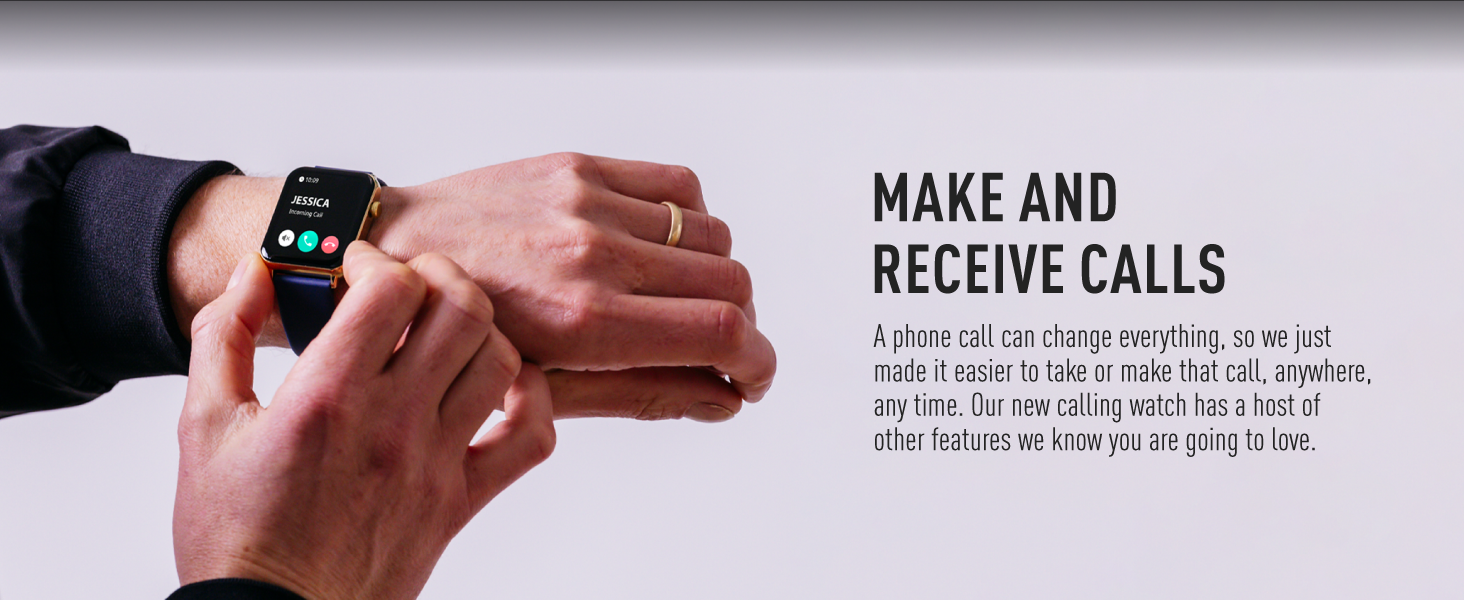
Figure 5: Make and Receive Calls
This image shows the Reflex Active Smart Watch on a person's wrist, displaying an incoming call, illustrating the watch's capability to handle phone calls directly.
Health & Wellness Tracking
The Series 30 Smart Watch offers comprehensive tracking for your health and fitness goals:
- Бројач на чекори: Tracks your daily steps and distance covered.
- Мониторинг на отчукувањата на срцето: Континуирано го следи вашиот пулс во текот на денот.
- Кислород во крвта (SpO2): Ги мери нивоата на сатурација на кислород во крвта.
- Анализа на спиењето: Monitors your sleep patterns, including deep, light, and REM sleep.
- Следење на калории: Estimates calories burned based on your activity levels.
- Спортски режими: Multiple activity modes (e.g., walking, running, swimming) to track specific workouts.
- Вежби за дишење: Guided breathing sessions to help you relax and de-stress.
- Потсетници за хидратација: Поставете потсетници за пиење вода во текот на целиот ден.
- Седентарен потсетник: Ве известува кога сте биле неактивни предолго време.
- Здравје на жените: Provides tracking and insights for menstrual cycles.
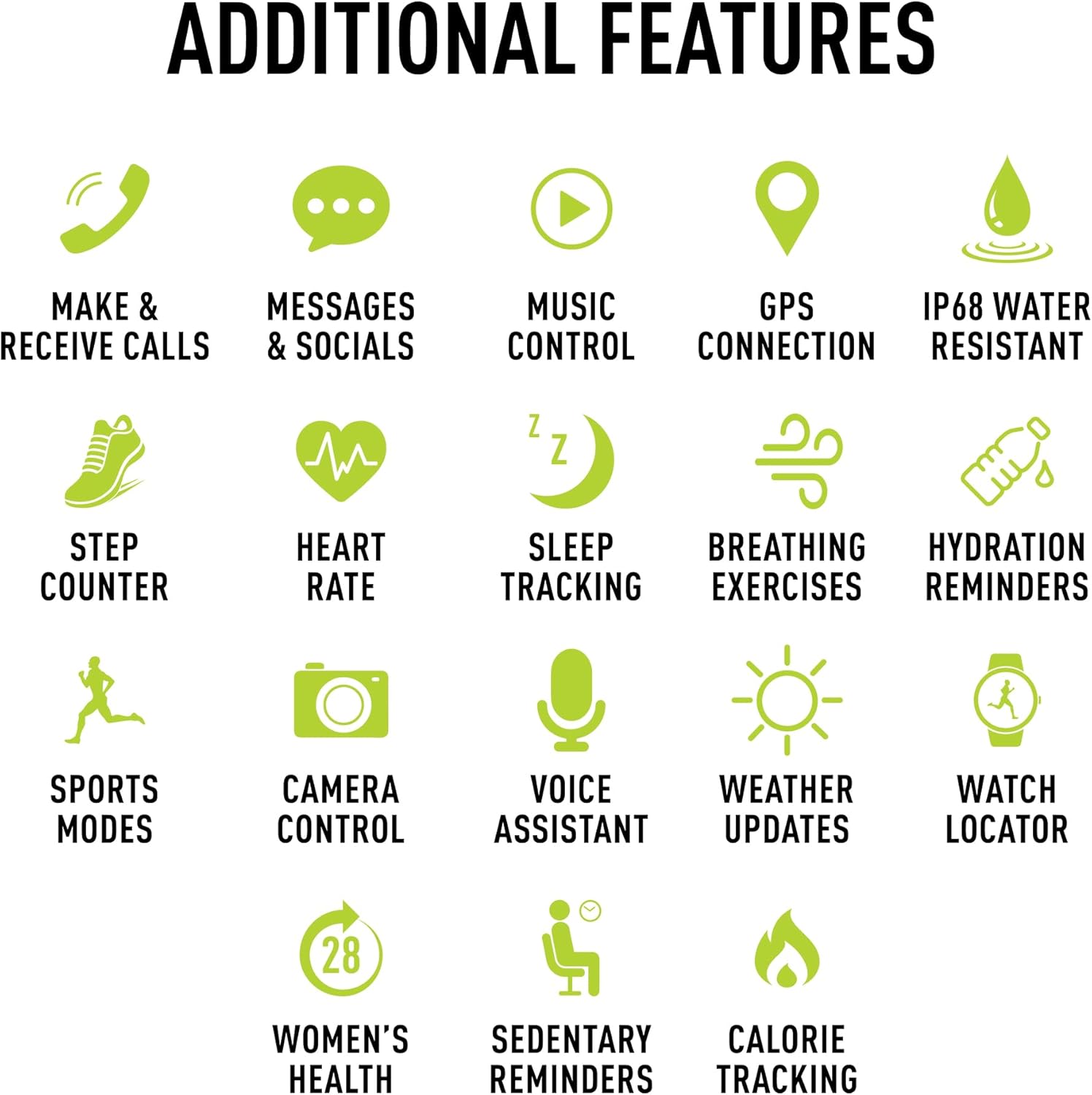
Слика 6: Дополнителни карактеристики
This image presents a comprehensive list of additional features available on the Reflex Active Smart Watch, categorized by function with corresponding icons for easy understanding.
Други карактеристики
- Контрола на музика: Контролирајте ја репродукцијата на музика на вашиот паметен телефон директно од вашиот часовник.
- GPS конекција: Connects to your phone's GPS for accurate activity tracking and route mapping.
- Контрола на камерата: Користете го вашиот часовник како далечински управувач за блендата за камерата на вашиот паметен телефон.
- Гласовен асистент: Access your smartphone's voice assistant through the watch.
- Новости за времето: Get real-time weather information on your wrist.
- Watch Locator: Helps you find your watch if it's misplaced nearby.
- Dual-Time Feature: Displays time for two different time zones, useful for travel.
Прилагодување
Personalize your watch to match your style and preferences:
- Exclusive Dials: Choose from an incredible selection of exclusive Reflex Active dials, including animated displays.
- Personalized Photo Dials: Use a photo from your phone gallery to create a unique watch face.

Слика 7: Прилагодување на маската на часовникот
This image showcases the wide array of high-definition AMOLED watch faces available for the Reflex Active Smart Watch, with the watch itself displaying a colorful dial and a smartphone screen showing numerous other design options.
Одржување
Чистење на вашиот часовник
To maintain the appearance and functionality of your smart watch, clean it regularly:
- Избришете го екранот и ременот со мека крпа што не остава влакненца.
- За тврдокорни траги, малку дampИзмијте ја крпата со вода. Избегнувајте употреба на груби хемикалии или абразивни материјали.
- Пред полнење, проверете дали контактите за полнење на задната страна од часовникот се чисти и суви.
Водоотпорност (IP68)
Your Reflex Active Series 30 Smart Watch has an IP68 water resistance rating, making it suitable for surface swimming and various activities. However, it is not recommended for diving or high-pressure water activities. Always dry the watch thoroughly after exposure to water.
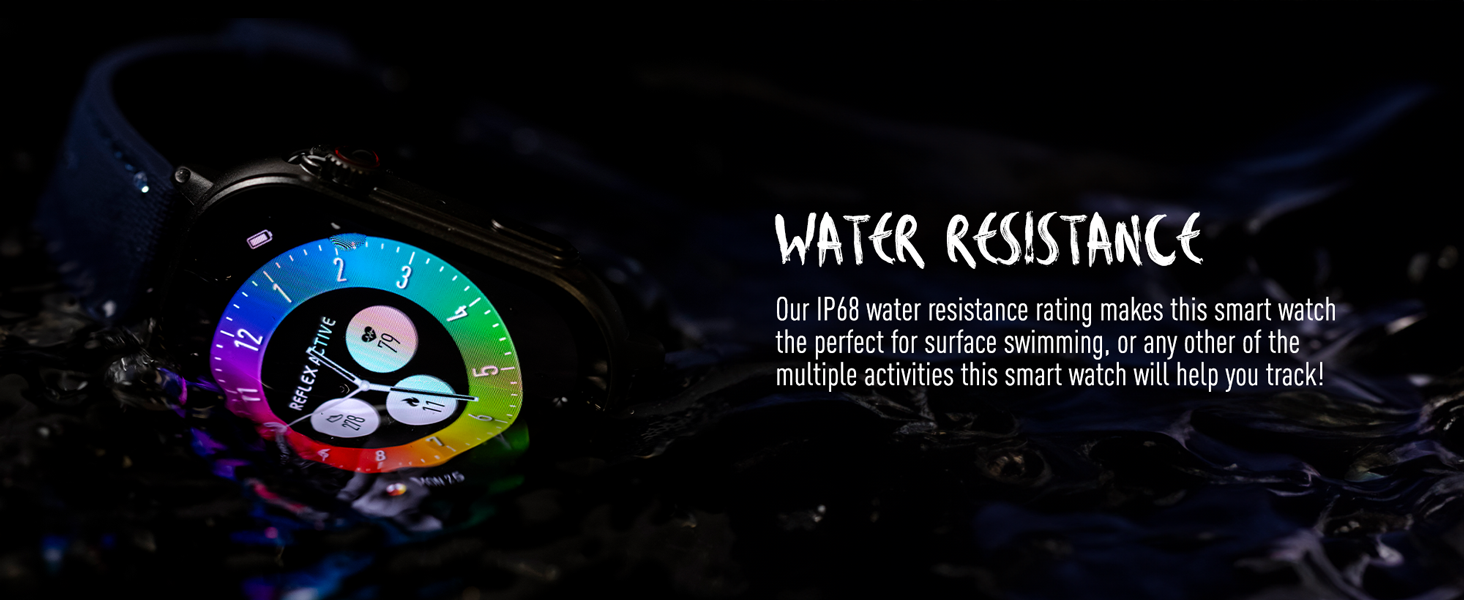
Слика 8: Водоотпорност
This image depicts the Reflex Active Smart Watch partially submerged in water, visually representing its IP68 water resistance capability.
Траење на батеријата
The watch offers up to 14 days of battery life, depending on usage. Features like Always-On Display, frequent notifications, and continuous health monitoring will consume more power. Charge your watch regularly to ensure uninterrupted use.
Решавање проблеми
If you encounter issues with your Reflex Active Series 30 Smart Watch, try the following solutions:
| Проблем | Решение |
|---|---|
| Гледајте да не се вклучува | Проверете дали часовникот е целосно наполнет. Поврзете го со полначот најмалку 30 минути. |
| Не може да се спари со паметен телефон |
|
| Известувањата не се појавуваат |
|
| Неточни здравствени податоци |
|
| Краток век на батеријата |
|
Спецификации
| Карактеристика | Детал |
|---|---|
| Број на модел | Серија 30 |
| Тип на дисплеј | AMOLED |
| Големина на екранот | 1.78 инчи |
| Оценка за отпорност на вода | IP68 |
| Поврзување | Bluetooth, USB (за полнење) |
| Тип на батерија | Lithium Metal (1 included) |
| Траење на батеријата | До 14 дена (во зависност од потрошувачката) |
| Компатибилност на оперативниот систем | Android 9.0+, iOS 12.0+ |
| Димензии на производот | 16.1 x 8.5 x 19.5 см; 60 гр |
| Производител | Перс Харди |
| Земја на потекло | Кина |
Гаранција и поддршка
Your Reflex Active Amoled Series 30 Smart Watch comes with a 2 години гаранција, ensuring peace of mind regarding its quality and performance. For any support inquiries, technical assistance, or warranty claims, please refer to the official Reflex Active support channels.
For additional support, FAQs, and detailed guides, please visit the official Reflex Active webсајт: