Hantek TO1000 Series Full Touch Screen Oscilloscope Instruction Manual
Модел: TO1112
1. Производот завршиview
The Hantek TO1000 Series is a versatile full touch screen smart oscilloscope designed for various measurement tasks. It integrates multiple functions including a digital storage oscilloscope, a high-precision multimeter, and a signal generator. The device features a multi-touch large screen with a resolution of up to 800x480, offering a user-friendly interface and an intuitive interaction experience.
Главните карактеристики вклучуваат:
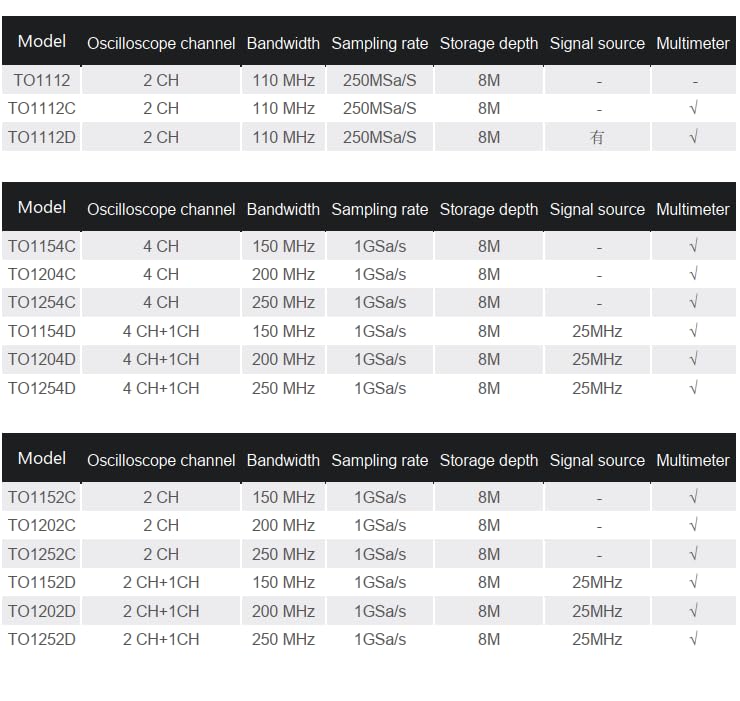
Standard configuration of 2-channel oscilloscope with a maximum bandwidth of 110MHz and a maximum sampling rate of 1GSa/s, featuring 8M large storage.
High-precision multimeter with data recording, storage, trend chart, and statistical analysis functions.
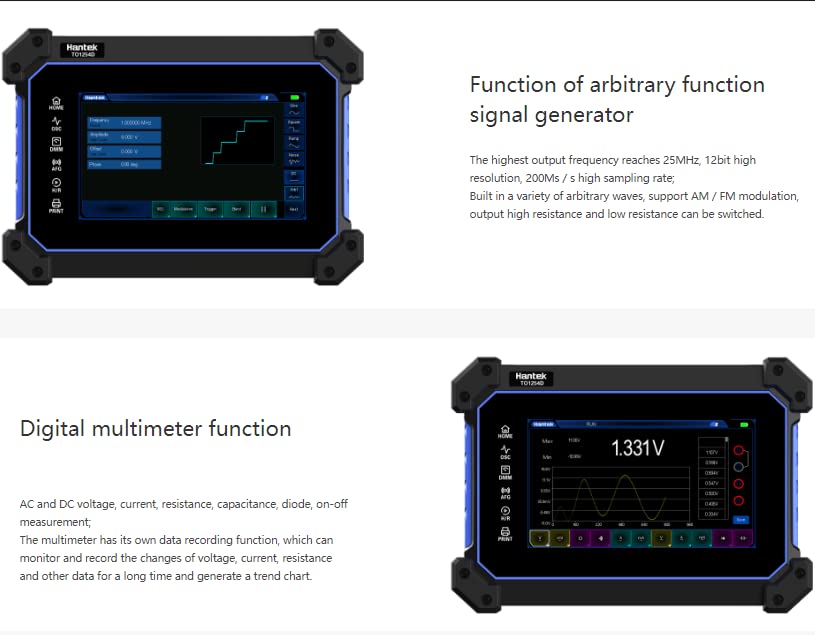
Built-in arbitrary waveform signal generator with a highest output frequency of 25MHz.
One-key waveform storage for convenient and fast data saving.
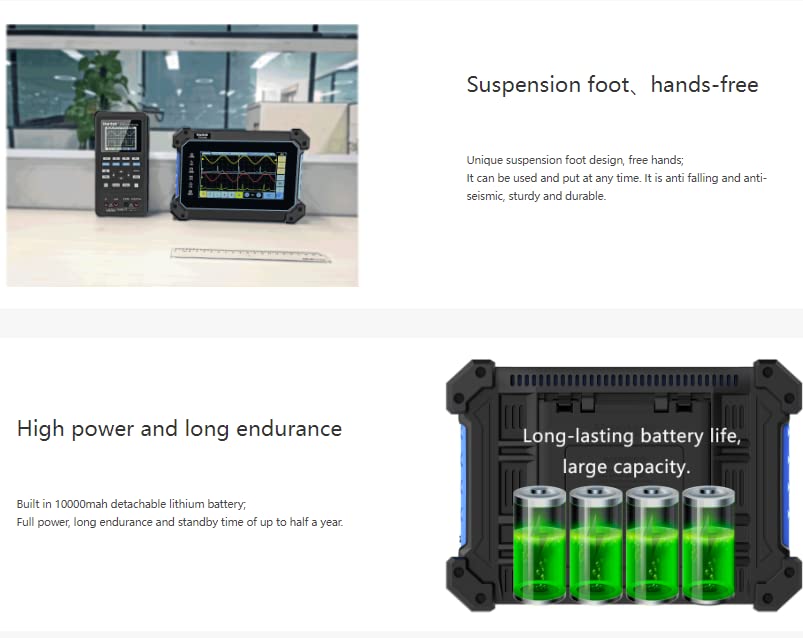
Suspension foot design for multi-angle adjustment, anti-falling, and anti-seismic protection.
Built-in super large capacity lithium battery for long endurance, with standby time up to half a year.
Standard 18W charger supporting Type-C fast charging.
Слика 1.1: Главна view of the Hantek TO1000 Series Oscilloscope.
Figure 1.2: The Hantek TO1000 Series integrates multiple functions, including oscilloscope, multimeter, signal generator, and more, accessible via its touch screen interface.
Видео 1.1: Надview of Hantek TO1000 Series features and design, demonstrating its multi-functionality and portability.
2. Поставување
2.1 Почетно полнење
Before first use, fully charge the device using the provided 18W Type-C charger. Connect the charger to the Type-C port on the side of the oscilloscope and plug it into a power outlet. The charging indicator will show the charging status. A full charge ensures optimal battery life and performance.
2.2 Вклучување/исклучување
За вклучување: Press and hold the power button located on the side of the device until the Hantek logo appears on the screen.
За исклучување: Press and hold the power button until a power-off prompt appears on the screen. Follow the on-screen instructions to shut down the device.
2.3 Поврзување на сонди
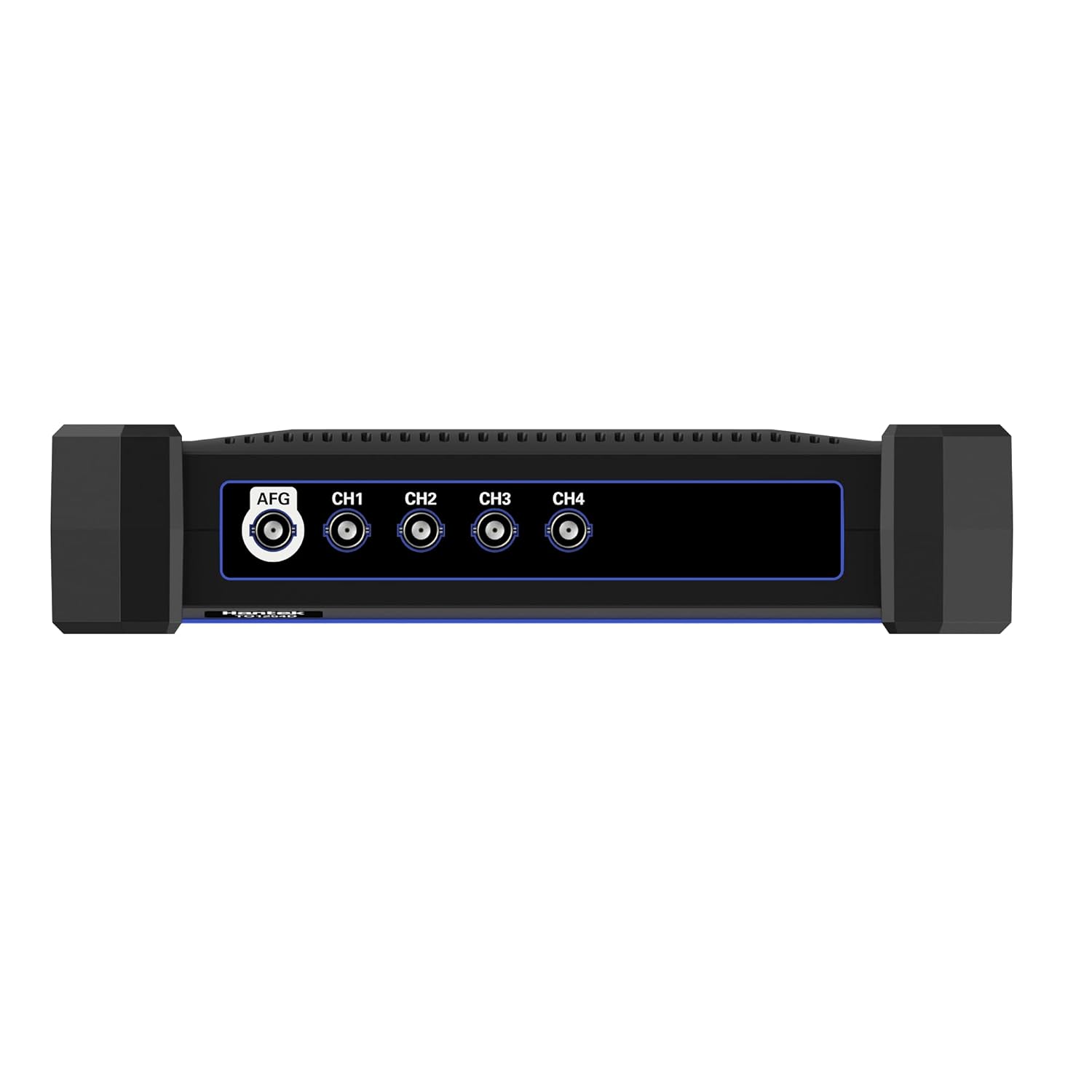
Connect the oscilloscope probes to the BNC connectors (CH1, CH2) on the top of the device. Ensure a secure connection. For multimeter functions, use the dedicated multimeter probes and connect them to the appropriate ports (V/Ω/C, COM, mA, A) on the side of the device.
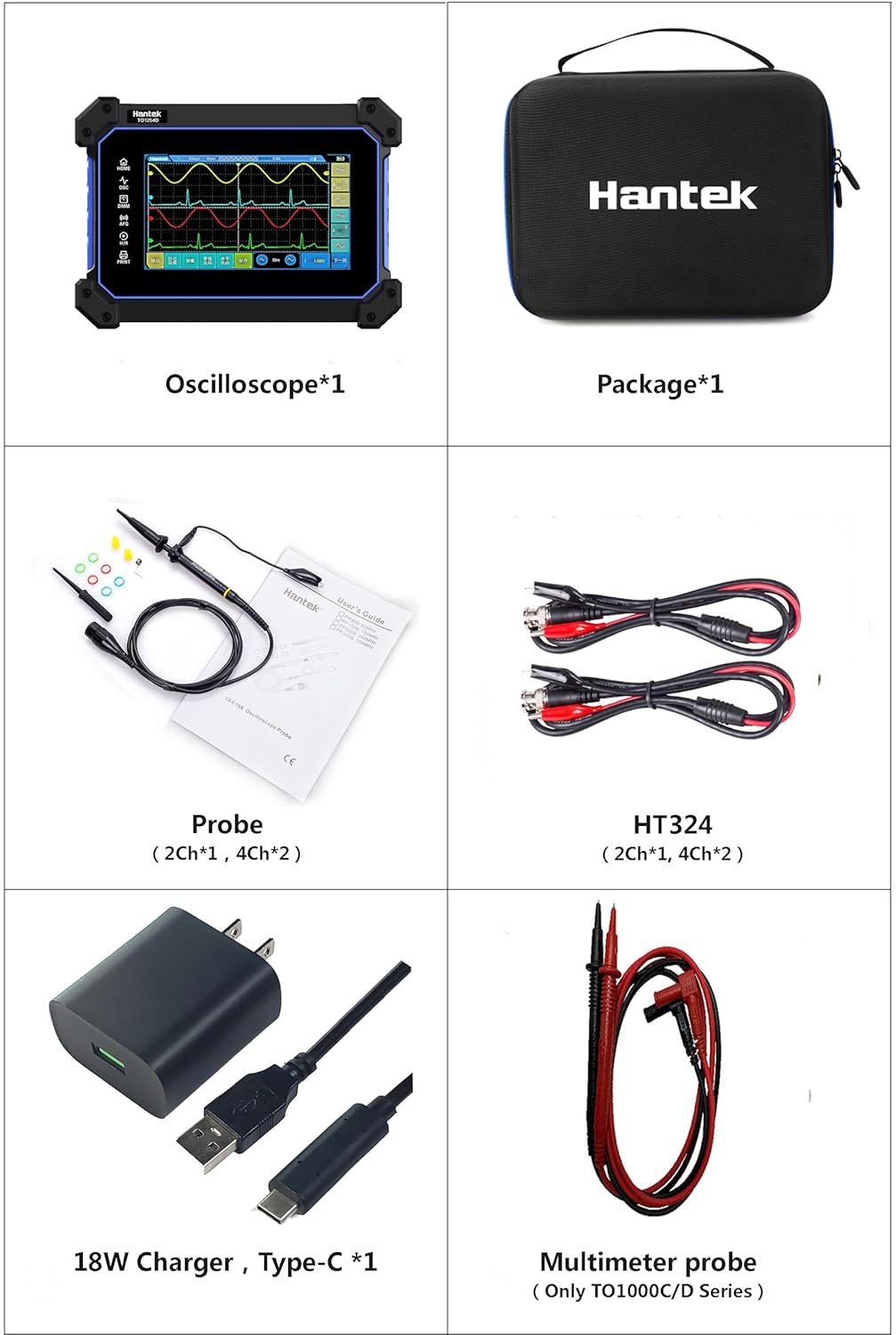
Figure 2.1: Included accessories, showing oscilloscope, probes, HT324 cables, 18W Type-C charger, and multimeter probes.
3. Упатства за работа
3.1 Навигација низ интерфејсот на допирниот екран
The TO1000 Series features a multi-touch screen. Use gestures such as tap, swipe, and pinch-to-zoom for navigation and control. The main screen displays icons for different functions: Oscilloscope (OSC), Digital Multimeter (DMM), Arbitrary Function Generator (AFG), File Browser, Settings, and Pictures.
3.2 Oscilloscope Function (OSC)
Tap the 'OSC' icon to enter the oscilloscope interface. Here you can view and analyze waveforms. The TO1112 model offers 2 channels with 110MHz bandwidth and 1GSa/s sampстапка на линг.
Избор на канал: Select active channels (CH1, CH2) from the on-screen menu.
Вертикална скала (волти/дивидуал): Adjust the vertical scale using touch controls to change the voltage по дивизија.
Хоризонтална скала (Време/Дел): Adjust the horizontal scale to change the time per division.
Поставки за активирање: Configure trigger type (Edge, Slope, Pulse Width, Video, Timeout), source, and level to stabilize waveforms.
Мерења: Access automatic measurement functions for parameters like frequency, period, Vpp, Vmax, Vmin, etc.
Складирање на бранови форми: Use the one-key waveform storage feature to save current waveforms.
Figure 3.1: The oscilloscope interface showing multiple waveforms and measurement parameters on the touch screen.
3.3 Digital Multimeter Function (DMM)
Tap the 'DMM' icon to access the digital multimeter. This function provides high-precision measurements for various electrical parameters.
Режими на мерење: Select between AC/DC voltage, current, resistance, capacitance, diode test, and on-off measurement.
Снимање на податоци: The multimeter has a data recording function to monitor and record changes in voltage, current, and resistance over time, generating trend charts.
Figure 3.2: The digital multimeter interface displaying voltage readings and a trend graph.
3.4 Arbitrary Function Generator (AFG)
Tap the 'AFG' icon to enter the arbitrary function generator interface. This allows you to generate various waveforms for testing purposes.
Избор на бранови форми: Choose from a variety of built-in arbitrary waveforms.
Фреквенција и Ampлитуда: Adjust the output frequency (up to 25MHz) and ampјачината на генерираниот сигнал.
Модулација: Support for AM/FM modulation.
Излезна импеданса: Switch between high resistance and low resistance output.
Figure 3.3: The arbitrary function generator interface, showing waveform selection and parameter adjustments.
4. Одржување
4.1 Чистење на уредот
Use a soft, dry cloth to clean the exterior of the oscilloscope. For the touch screen, use a screen-specific cleaning solution and a microfiber cloth. Avoid using abrasive cleaners or solvents that could damage the screen or casing.
4.2 Грижа за батерии
The device is equipped with a high-capacity lithium battery. To prolong battery life:
Избегнувајте често целосно празнење на батеријата.
Store the device in a cool, dry place when not in use for extended periods, with the battery charged to approximately 50-70%.
Use only the provided 18W Type-C charger or a compatible charger to prevent damage.
4.3 Складирање
When storing the device, especially for long periods, ensure it is powered off and placed in a protective case to prevent physical damage. The suspension foot design allows for stable placement on various surfaces.
Figure 4.1: The suspension foot design allows for hands-free operation and stable positioning.
5 Смена на проблеми
5.1 Уредот не се вклучува
Проверете ја батеријата: Ensure the battery is sufficiently charged. Connect the device to the charger and wait a few minutes before attempting to power on again.
Поврзување со полнач: Verify that the Type-C charger is properly connected to both the device and a working power outlet.
Копче за вклучување: Ensure the power button is pressed and held for the required duration (typically a few seconds) to initiate power-on.
5.2 Incorrect or Unstable Readings
Поврзување со сонда: Ensure all probes (oscilloscope or multimeter) are securely connected to the device and the circuit under test. Loose connections can cause erratic readings.
Компензација на сондата: For oscilloscope probes, perform probe compensation if waveforms appear distorted (e.g., overshoots or undershoots). Refer to the detailed user manual for compensation procedures.
Мерен опсег: Обезбедете го точниот волtage/current/resistance range is selected for the multimeter function.
Фактори на животната средина: Strong electromagnetic interference can affect measurements. Operate the device in a stable environment.
5.3 Екранот на допир не реагира
Рестартирајте го уредот: If the touch screen becomes unresponsive, try restarting the device by holding down the power button.
Исчистете го екранот: Осигурајте се дека екранот е чист и без остатоци или влага што би можеле да го попречат внесувањето со допир.
6. Спецификации
Карактеристика
Спецификација
Производител
Hantek Qingdao
Број на модел
YQH-TO1112
Тежина на ставката
1.5 кг
Димензии на производот
21 x 11 x 16 cm
Батерии
Потребна е 1 литиум метална батерија (вклучена)
Осцилоскопски канали
2 канали
Пропусен опсег
110 MHz
Sampling Стапка
250MSa/s (for TO1112)
Длабочина на складирање
8M
Извор на сигнал
Not included in TO1112 (available in 'D' models)
Функција на мултиметар
Да
Ватtage
10 вати
Точност на мерење
0.5%
Сертификати
CE, ISO 9001, RoHS
Материјал
Акрилонитрил Бутадиен Стирен
Боја
Разнобојна
7. Гаранција и поддршка
7.1 Информации за гаранцијата
Please refer to the warranty card included with your product for specific warranty terms and conditions. Generally, Hantek products come with a limited warranty covering manufacturing defects from the date of purchase. Keep your proof of purchase for warranty claims.
7.2 Техничка поддршка
For technical assistance, troubleshooting, or service inquiries, please contact Hantek customer support. You can typically find contact information on the official Hantek website or through the retailer where you purchased the product. When contacting support, please have your product model number (TO1112) and serial number ready.
Поврзани документи - TO1112
Упатство за користење на рачен осцилоскоп од серијата Hantek2000 Сеопфатно упатство за корисникот за рачните осцилоскопи од серијата Hantek2000, детални карактеристики, работа, функции на DMM, генерирање сигнал, решавање проблеми и технички спецификации за модели како Hantek2C72, Hantek2C42, Hantek2D72 и Hantek2D42.