Вовед
This manual provides essential information for the safe and efficient operation of your OMTech 50W Fiber Laser Engraver. Please read thoroughly before use.
Информации за безбедност
- Always wear protective eyewear (safety goggles included) when operating the laser engraver.
- Ensure proper ventilation to avoid inhaling fumes during engraving.
- Запознајте се со локацијата и функцијата на копчето за итно сопирање.
- Do not operate the machine rapidly or out of sequence; allow a 3-second interval between operations.
- This is a Class 2 laser product (0.874 mW output power).
Водич за поставување
Распакување и почетно склопување
Carefully unpack all components from the shipping crate. Ensure all parts listed in the packing list are present.
Опис на видеото: This video demonstrates the step-by-step installation process for the OMTech fiber laser engraver, including attaching the laser arm and connecting components.
Опис на видеото: A detailed guide on setting up your OMTech laser engraver, covering initial assembly and connections.
Идентификација на компоненти

Опис на сликата: Визуелно завршеноview of the main components of the OMTech 50W Fiber Laser Engraver, including the main unit, laser arm, and control panel.
Поврзување на напојување и USB
Connect the power cable to a standard 110V power supply. Connect the machine to your computer via the provided USB cable.
Опис на видеото: This video provides a comprehensive setup guide for the compact fiber marker, detailing how to connect the power, USB, and other essential components.
Software Installation (EzCad2)
Install the EzCad2 software from the provided USB drive. Ensure drivers are correctly installed via Device Manager.

Опис на сликата: An image showing the EzCad2 software interface on a laptop, which is used to control the OMTech 50W Fiber Laser Engraver.
Упатства за работа
Фокусирање на ласерот
Use the red dot pointer for precise calibration and focusing. Adjust the laser arm height until the two red dots converge into one for optimal focus.

Опис на сликата: This image illustrates the red dot guidance system, which helps in precisely focusing the laser on the material before engraving.
Процес на гравирање
Import your design into EzCad2, set engraving parameters (speed, power, frequency), and preview the engraving area using the frame function. Wear safety goggles before initiating engraving.
Опис на видеото: A short video demonstrating the OMTech fiber laser engraver in action, showing the laser marking a surface.
Опис на видеото: This video shows the OMTech fiber laser engraver working with a rotary axis to engrave cylindrical objects.

Опис на сликата: This image highlights the professional precision achieved by the OMTech engraver, showcasing fine details on an engraved design.
Rotary Axis Operation (Optional)
For engraving curved surfaces, connect a compatible rotary axis (not included) to the 4-pin port.

Опис на сликата: An image depicting the OMTech fiber laser engraver set up to engrave on curved surfaces using an optional rotary axis.
Одржување
Regularly clean the lens and work area to ensure optimal performance. Refer to the user manual for detailed cleaning procedures and recommended maintenance schedules.
The laser source has an average service life of over 100,000 hours, requiring minimal maintenance for the laser unit itself.
Решавање проблеми
Заеднички прашања и решенија
- Ласерот не пука: Check power connections, emergency stop button, and ensure the "Fiber Laser" button is pressed. Verify the "Scan Head" key is turned to the ON position.
- Poor engraving quality: Re-check focal length using the red dot pointer. Ensure material is clean and flat on the workbed. Adjust engraving parameters (speed, power) in the software.
- Software not recognizing machine: Reinstall USB drivers from the provided USB drive. Check USB cable connection.
Спецификации
- Број на модел: LYF-50W
- Ласерска моќност: 50W Solid-State Fiber Laser
- Ласерска класа: 2 (0.874 mW output power)
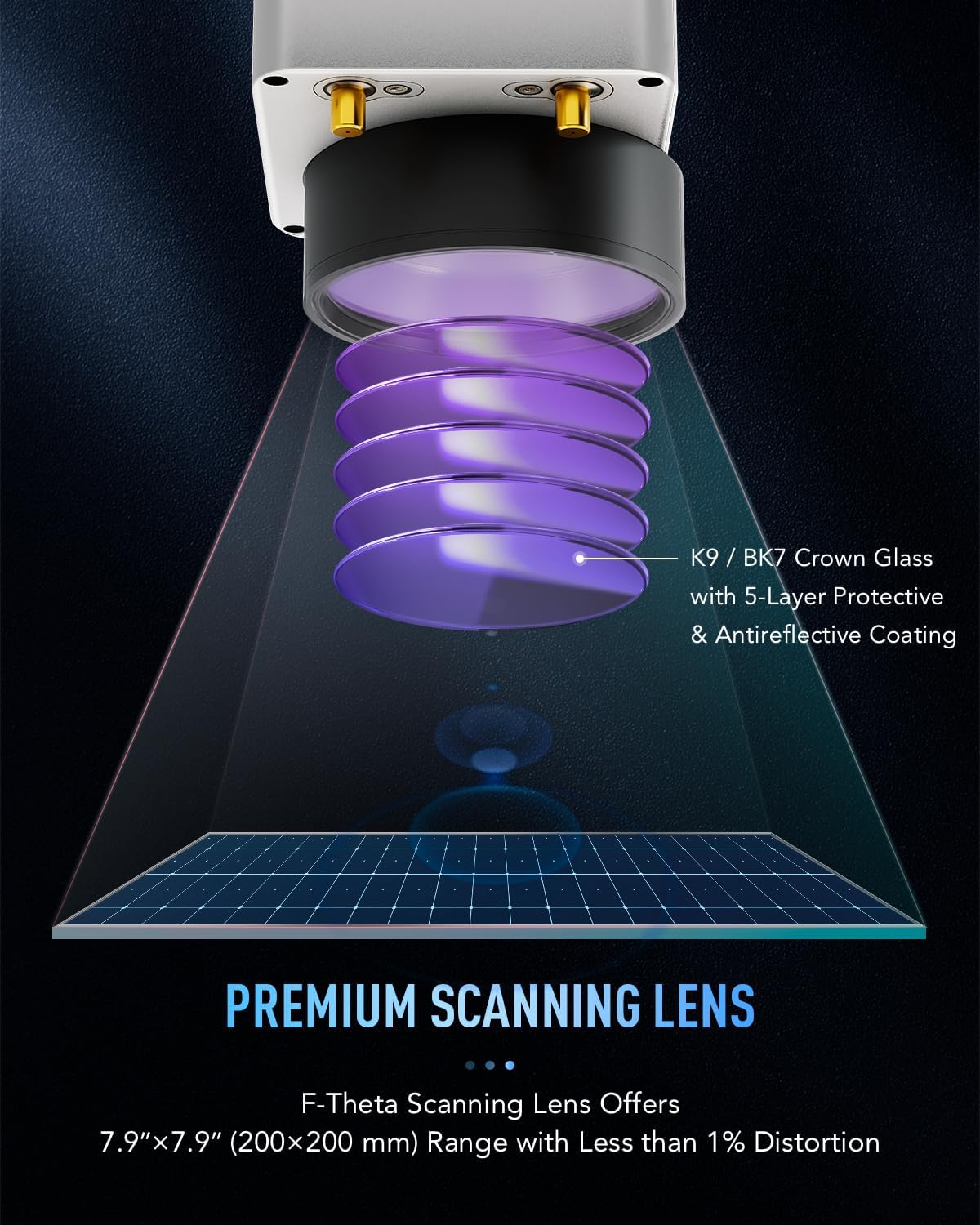
- Работна област: 7.9 x 7.9 инчи (200 x 200 mm)
- Брзина на гравирање: До 10,000 mm/s
- Engraving Precision: 0.01 мм
- Per-Pass Depth: 0.1 мм
- Laser Source Life: Над 100,000 часа
- Компатибилност на софтвер: EzCad2 (Windows), LightBurn compatible
- Димензии на производот: 30.5 x 17.7 x 31.1 инчи
- Капацитет на материјалот: До 44.1 фунта.
Гаранција и поддршка
This product includes a 30-day return policy for refund or replacement. For specific warranty details beyond this period, please contact OMTech Direct.
OMTech offers U.S.-based technical support and 24/7 online customer service. Our teams are available Monday to Friday, 8:30 AM to 4:30 PM PST.
За поддршка, посетете ја OMTech Store on Amazon or contact support@omtechlaser.com.
Дополнителни ресурси
For further assistance and community engagement, consider joining official laser user groups on Facebook or checking instructional videos on the OMTech YouTube channel.
A QR code is provided on the machine for the latest version of the user manual and additional resources.
Опис на сликата: A product image showing the OMTech 50W Fiber Laser Engraver, with a visible QR code that links to the latest user manual and support resources.


