1. Вовед
This manual provides detailed instructions for the setup, operation, and maintenance of your CZEview ZY-D1 Babyphone. Please read this manual thoroughly before using the device to ensure proper functionality and safety. The CZEview ZY-D1 is designed to help you monitor your baby with advanced features such as 2K Ultra HD video, AI-powered detection, two-way audio, and environmental monitoring.
2. Содржина на пакетот
- Чешкаview ZY-D1 Babyphone Camera
- Адаптер за напојување и кабел
- Mounting Accessories (for wall mounting)
- Упатство за употреба (овој документ)
3. Производот завршиview и Карактеристики
CZEview ZY-D1 Babyphone offers a comprehensive monitoring solution with the following key features:
- 2K ултра HD видео: Provides clear and detailed video surveillance.
- 360° AI Tracking: Intelligent AI technology tracks movements, ensuring no blind spots with 355° horizontal and 90° vertical rotation.
- Инстант известувања: Receive immediate alerts for detected motion, noise, or crying.
- Двонасочно аудио: Communicate with your baby remotely using the built-in microphone and speaker.
- Stable Dual-Band Wi-Fi: Compatible with both 2.4 GHz and 5 GHz Wi-Fi networks for reliable connectivity.
- Инфрацрвено ноќно гледање: Clear monitoring even in low-light or dark conditions.
- Comfort Night Light & Lullabies: Features a looping night light and 14 pre-installed lullabies to soothe your baby.
- Мониторинг на температура и влажност: Keep track of the nursery environment.
- Анализа на спиењето: Monitor and analyze your baby's sleep patterns.
- Алекса интеграција: Seamlessly integrates with Amazon Alexa for voice control and viewинг.

Слика 1: CZEview ZY-D1 Babyphone camera, featuring a white body and colorful ears, designed for monitoring infants.
4. Поставување
4.1 Вклучување
- Connect the provided power cable to the camera's power port.
- Приклучете го адаптерот за напојување во стандарден штекер.
- The camera will power on, and an indicator light will show its status.
4.2 Инсталација на апликација
- Scan the QR code provided on the product packaging or in the quick start guide to download the official CZEview апликација.
- Инсталирајте ја апликацијата на вашиот паметен телефон или таблет.
- Регистрирајте се за нова сметка или најавете се ако веќе имате.
4.3 Wi-Fi конекција
- Отворете го CZEview app and follow the on-screen instructions to add a new device.
- Select your Wi-Fi network (supports both 2.4 GHz and 5 GHz).
- Внесете ја вашата лозинка за Wi-Fi.
- The app will guide you through pairing the camera with your network. This usually involves scanning a QR code displayed on your phone with the camera lens.
- Once connected, the camera's indicator light will change, and you will see the live feed in the app.

Слика 2: Illustration of the CZEview Babyphone's compatibility with both 5GHz and 2.4GHz dual-band Wi-Fi for a stable connection.
4.4 Монтирање на камерата
CZEview ZY-D1 Babyphone can be placed on a flat surface or mounted to a wall. If wall mounting, use the provided accessories and ensure the camera is securely fastened at a safe distance from the crib, out of reach of children.
5. Упатства за работа
5.1 Во живо View и контрола на панорамирање/навалување
- Отворете го CZEview app and select your camera to view живата храна.
- Use the on-screen controls to pan (355° horizontal) and tilt (90° vertical) the camera lens to adjust the viewинголен агол.
- The automatic tracking feature will detect and follow moving objects within its field of view.
5.2 Двонасочно аудио

Слика 3: A parent using the CZEview app on a smartphone to engage in two-way communication with a baby in a crib.
- Додека сте во живо view, допрете ја иконата за микрофон во апликацијата.
- Зборувајте во микрофонот на телефонот за да го пренесете вашиот глас преку звучникот на камерата.
- Release the microphone icon to listen to your baby.
5.3 Детекција и известувања со вештачка интелигенција

Слика 4: CZEview Babyphone camera positioned near a baby in a crib, highlighting its intelligent AI detection capabilities for motion, noise, and crying.
- Access the detection settings in the app.
- Enable Motion Detection, Noise Detection, and Cry Detection as needed.
- Прилагодете ги нивоата на чувствителност за да ги минимизирате лажните аларми.
- You will receive instant push notifications on your smartphone when an event is detected.
5.4 Night Vision and Lullabies

Слика 5: CZEview Babyphone emitting a soft glow as a night light, with musical notes floating around a sleeping baby, illustrating its infrared night vision and lullaby features.
- Ноќното гледање се активира автоматски во услови на слаба осветленост.
- To play lullabies or activate the night light, navigate to the respective controls in the app.
- Select from the 14 available lullabies to soothe your baby.
5.5 Мониторинг на температурата и влажноста
The app displays real-time temperature and humidity readings from the camera's environment. You can set alerts for specific temperature or humidity ranges.
5.6 Анализа на спиењето

Слика 6: A visual representation of a sleep analysis timeline on a smartphone screen, showing snapshots of a baby at different times during sleep.
CZEview app provides a timeline view of your baby's activity, which can be used to analyze sleep patterns. Review recorded events and snapshots to understand sleep duration and disturbances.
5.7 Интеграција со Amazon Alexa
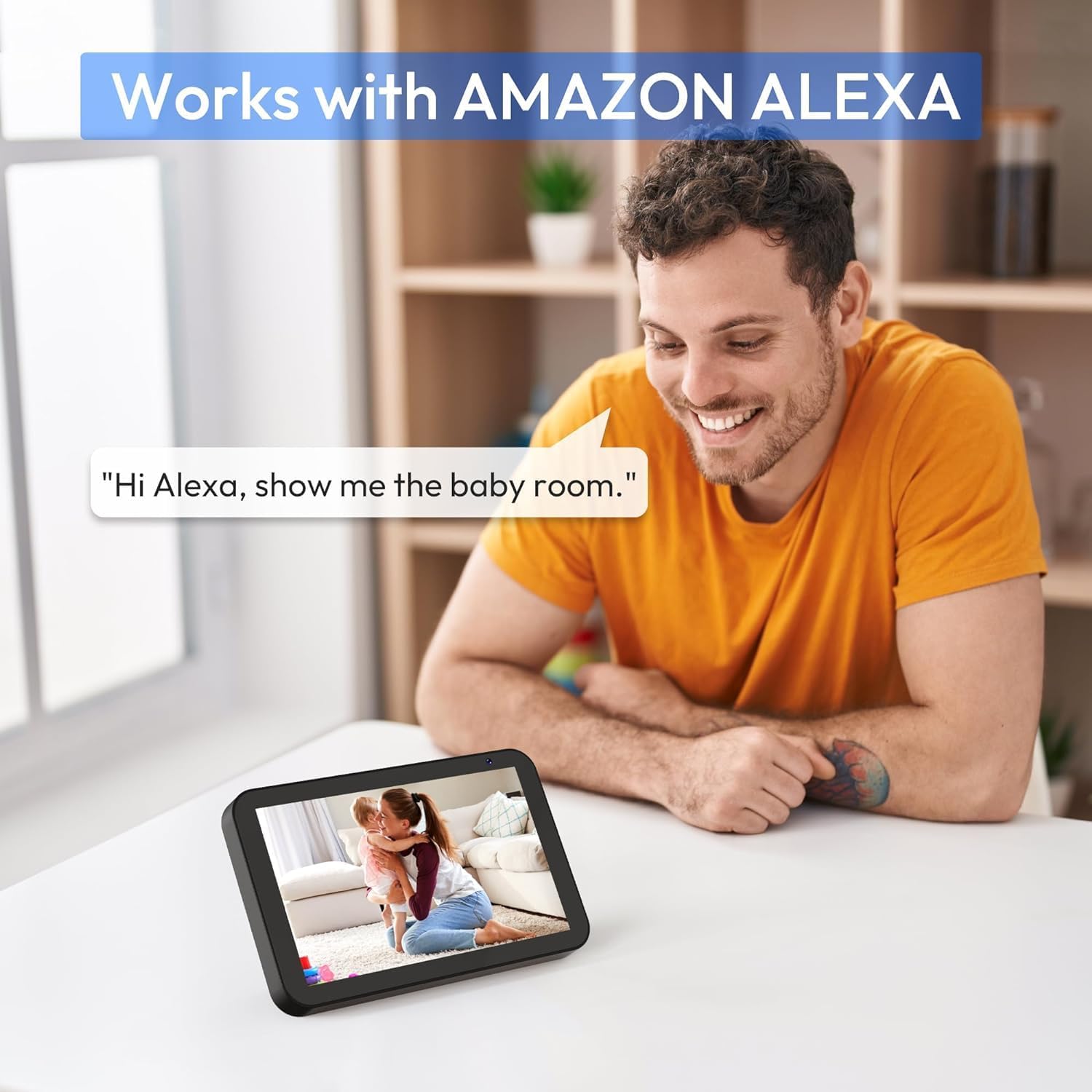
Слика 7: A person interacting with an Amazon Echo Show device, displaying the live feed from the CZEview Babyphone, demonstrating Alexa integration.
- Enable the CZEview skill in your Amazon Alexa app.
- Link your CZEview account with Alexa.
- Use voice commands such as "Alexa, show me the baby room" to view напојувањето на камерата на компатибилни Alexa уреди.
5.8 Multi-User Access and SD Card Recording
- Семејно споделување: You can invite family members to view the camera feed through the app. Invited users may have limited control functions compared to the primary account holder.
- Локално складирање: Insert an SD card (not included) into the camera's designated slot for local video recording and to enable certain features like playing lullabies directly from the camera.
6. Одржување
- Чистење: Користете мека, сува крпа за чистење на објективот и телото на камерата. Не користете течни средства за чистење или аеросоли.
- Ажурирања на фирмверот: Редовно проверувајте ја апликацијата за достапни ажурирања на фирмверот за да обезбедите оптимални перформанси и безбедност.
- Поставување: Ensure the camera is placed in a well-ventilated area and not exposed to extreme temperatures or direct sunlight.
7 Смена на проблеми
- Без моќност: Ensure the power cable is securely connected to both the camera and the power outlet. Try a different outlet.
- Проблеми со поврзувањето со Wi-Fi: Verify your Wi-Fi password. Ensure the camera is within range of your router. Restart your router and the camera. Confirm your network is 2.4 GHz or 5 GHz compatible.
- Лош квалитет на сликата: Check your internet connection speed. Ensure the camera lens is clean and free from obstructions. Adjust the video quality settings in the app if available.
- Лош аудио квалитет: Ensure there are no obstructions near the camera's microphone or speaker. Check the volume settings in the app.
- Известувањата не се примени: Check app notification settings on your phone and within the CZEview app. Ensure the camera is connected to Wi-Fi.
- Камерата не реагира: Unplug the camera, wait 10 seconds, and plug it back in to restart.
8. Спецификации
| Карактеристика | Спецификација |
|---|---|
| Број на модел | ZY-D1 |
| Технологија на безжична комуникација | Wi-Fi (2.4 GHz & 5 GHz) |
| Viewинголен агол | 360 Degrees (355° horizontal, 90° vertical) |
| Материјал | Пластика |
| Димензии на ставката (Д x Ш x В) | 12.7 x 7.62 x 7.62 cm |
| Протокол за поврзување | Wi-Fi |
| Тип на контролер | Амазон Алекса |
| Тип на монтирање | Монтирање на ѕид |
| Боја | Бело |
| Вклучени компоненти | Кабел |
| Препорачана употреба | Babyphone, Baby Monitoring, Night Vision |
9. Информации за безбедност
- Keep the camera and all accessories out of reach of children.
- Do not place the camera or its power cord within 1 meter (3 feet) of the crib or playpen to prevent strangulation hazards.
- Користете го само испорачаниот адаптер за напојување. Употребата на неовластени адаптери може да го оштети уредот и да ја поништи гаранцијата.
- Не го изложувајте уредот на вода, влага или екстремни температури.
- Do not attempt to open or repair the device yourself. Contact customer support for assistance.
10. Гаранција и поддршка
For warranty information and customer support, please refer to the warranty card included in your product packaging or visit the official CZEview website. If you encounter any issues not covered in this manual, please contact CZEview услуги на клиенти за помош.


