1. Вовед
Thank you for choosing Baseus Bowie MA10S and AirNora 2 Wireless Earbuds. These earbuds are designed to provide a superior audio experience with advanced features such as Hybrid Active Noise Cancellation, immersive Spatial Audio, and robust bass performance. The AirNora 2 model also features a lightweight design tailored for comfort and an integrated make-up mirror in its charging case.
This manual will guide you through the setup, operation, and maintenance of your new earbuds, ensuring you get the most out of their capabilities.

Image: Baseus Bowie MA10S (black) and AirNora 2 (orange) wireless earbuds with their respective charging cases. The Bowie MA10S case shows a digital battery display, while the AirNora 2 case features an integrated mirror.
2. Содржина на пакетот и поставување
2.1 Што има во кутијата
- Baseus Bowie MA10S or AirNora 2 Wireless Earbuds (L/R)
- Случај за полнење
- USB-C кабел за полнење
- Повеќе големини на врвови за уши
- Упатство за употреба (овој документ)

Image: The AirNora 2 earbuds, their charging case with mirror, USB-C charging cable, and various sizes of ear tips, displayed within their decorative packaging.
2.2 Полнење на слушалките и футролата
- Ставете ги слушалките во кутијата за полнење, осигурувајќи се дека се правилно поставени.
- Поврзете го USB-C кабелот за полнење со приклучокот за полнење на куќиштето, а другиот крај вклучете го во USB адаптер за напојување (не е вклучен).
- The indicator lights on the case will show charging status. For Bowie MA10S, the digital display will show battery percentage.
- Fully charge the case and earbuds before first use.
2.3 Спарување преку Bluetooth
- Отворете ја кутијата за полнење. Слушалките автоматски ќе влезат во режим на спарување (индикаторските светла ќе трепкаат).
- На вашиот уред (паметен телефон, таблет итн.), овозможете Bluetooth.
- Пребарај за available Bluetooth devices and select "Baseus Bowie MA10S" or "Baseus AirNora 2" from the list.
- Once connected, the indicator lights on the earbuds will turn off or show a steady light, and your device will confirm the connection.
2.4 Носење на слушалките
Choose the ear tips that provide the best seal and comfort. Gently insert each earbud into your ear canal and twist slightly to secure a snug fit. A proper fit is crucial for optimal sound quality and noise cancellation.
3. Упатства за работа
3.1 Допрете Контроли
The earbuds feature touch-sensitive areas for control. Specific functions may vary slightly between models, but common controls include:
- Еднократно допрете: Пуштање/Паузирање музика, Одговорување/Завршување на повик.
- Двоен допир (лево/десно): Next/Previous track (configurable).
- Троен допир: Активирајте го гласовниот асистент.
- Долг печат: Switch between ANC/Transparency/Normal modes, Reject call.
3.2 Активно поништување на бучава (ANC) и режим на транспарентност
The Bowie MA10S and AirNora 2 earbuds feature Hybrid Active Noise Cancellation, reducing external noise by up to -48dB (MA10S) or -42dB (AirNora 2). Transparency mode allows you to hear your surroundings without removing the earbuds.

Image: A man wearing Baseus Bowie MA10S earbuds, illustrating the Hybrid Active Noise Cancellation feature with a graphic indicating -48dB ANC.

Image: A close-up of an AirNora 2 earbud, highlighting its -42dB Active Noise Canceling capability with sound wave graphics.
3.3 Audio Modes (Bowie MA10S)
The Bowie MA10S offers tailored audio modes:
- Режим на бас: Enhanced bass for sports or energetic music.
- Музички режим: Балансиран звук за секојдневно импресивно слушање.
- Режим на игра: Low latency audio and video synchronization for gaming.

Слика: Експлодира view diagram illustrating the Titanium-plated PU composite diaphragm, emphasizing 50% punchier bass and 100% clearer treble.
3.4 Immersive Spatial Audio
Both models feature 360° immersive spatial audio. A built-in gyroscope and spatial audio algorithm track your head movements, keeping you at the center of the sound experience.
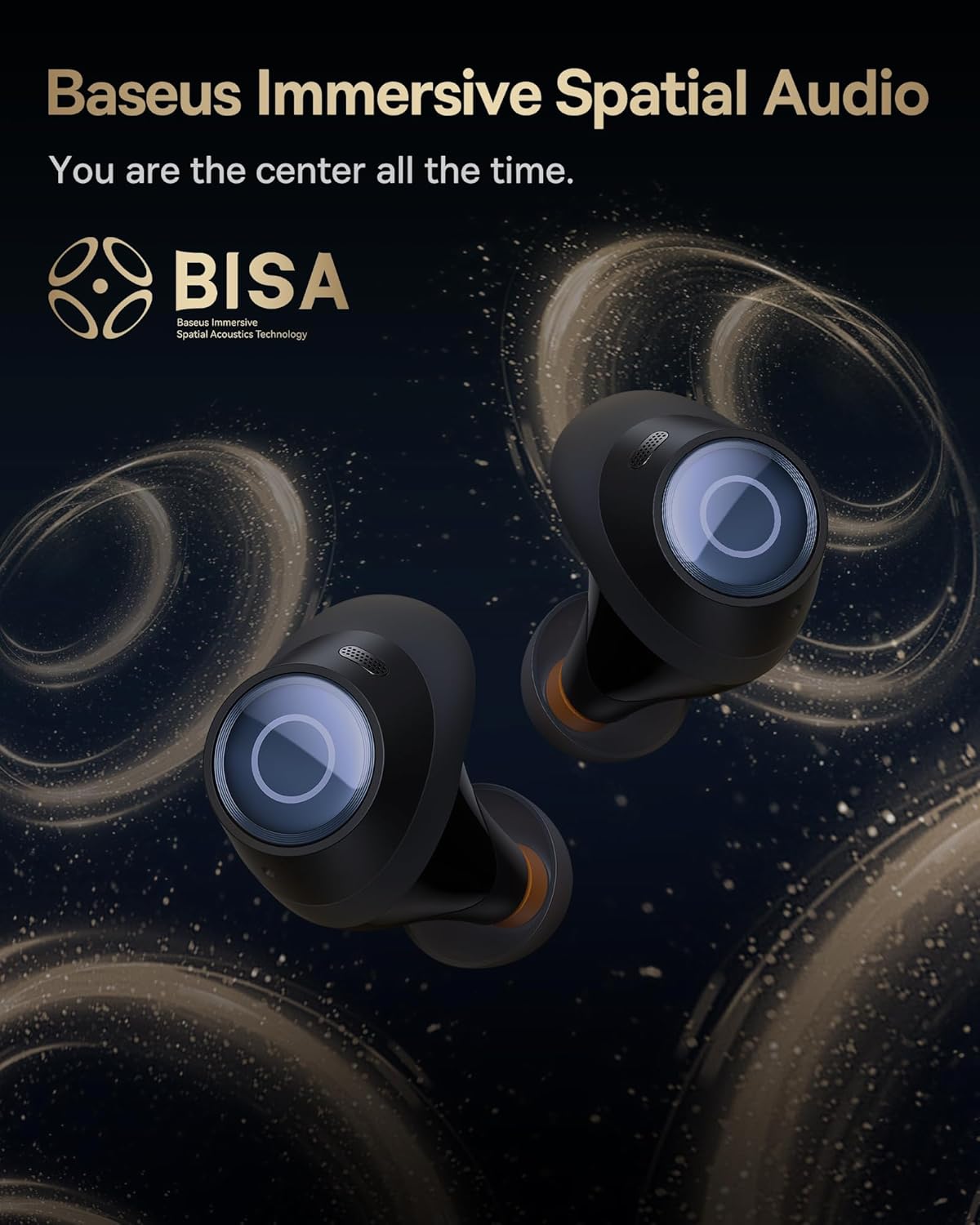
Image: A pair of Baseus Bowie MA10S earbuds with the 'BISA' (Baseus Immersive Spatial Acoustics) technology logo, indicating 360° immersive spatial audio.
4. Одржување и грижа
4.1 Чистење
- Редовно чистете ги слушалките, особено врвовите на слушалките и контактите за полнење, со мека, сува крпа што не остава влакненца.
- Отстранете ги врвовите за уши и исчистете ги со благ сапун и вода доколку е потребно, осигурувајќи се дека се целосно суви пред повторно да ги прикачите.
- Чистете го куќиштето за полнење со мека, сува крпа. Избегнувајте употреба на абразивни материјали или груби хемикалии.
4.2 Водоотпорност (IPX4)
The earbuds are IPX4 water-resistant, meaning they are protected against splashing water from any direction. This makes them suitable for workouts and light rain. However, they are not designed for swimming or submersion in water.

Image: Baseus Bowie MA10S earbuds shown with water splashing around them, illustrating their IPX4 water resistance rating.
4.3 Складирање и грижа за батеријата
- Чувајте ги слушалките во нивната кутија за полнење кога не се во употреба за да ги заштитите и да ги одржувате наполнети.
- Avoid exposing the earbuds or case to extreme temperatures, direct sunlight, or high humidity.
- For long-term storage, charge the case and earbuds to about 50% every few months to preserve battery health.
4.4 AirNora 2 Make-up Mirror
The AirNora 2 charging case includes an integrated make-up mirror. Keep the mirror clean with a soft, dry cloth. Avoid scratching the surface.

Image: The AirNora 2 charging case opened, showcasing the earbuds inside and the integrated vanity mirror on the lid.
5 Смена на проблеми
5.1 Слушалките не се спаруваат/поврзуваат
- Ensure earbuds are charged and in pairing mode (lights flashing).
- Исклучете и вклучете го Bluetooth на вашиот уред.
- Заборавете го уредот во поставките за Bluetooth на вашиот телефон и обидете се повторно да го спарите.
- Вратете ги слушалките во футролата, затворете го капакот, почекајте неколку секунди, а потоа повторно отворете ги.
5.2 Нема звук или има ниска јачина на звук
- Проверете ја јачината на звукот и на вашиот уред и на слушалките.
- Проверете дали слушалките се правилно поврзани со вашиот уред.
- Исчистете ги сите остатоци од мрежата на звучникот за уши.
5.3 Прашања за наплата
- Осигурајте се дека кабелот за полнење е безбедно поврзан и со куќиштето и со изворот на напојување.
- Проверете дали адаптерот за напојување работи правилно.
- Исчистете ги контактите за полнење и на слушалките и во внатрешноста на кутијата.
5.4 ANC не работи ефикасно
- Ensure the earbuds are properly seated in your ears and you have chosen the correct size ear tips for a good seal.
- Verify that ANC mode is activated via touch controls.
6. Спецификации
| Карактеристика | Спецификација |
|---|---|
| Име на моделот | Baseus Bowie MA10S / AirNora 2 |
| Технологија за поврзување | Безжичен (Bluetooth) |
| Bluetooth верзија | 5.0 |
| Контрола на бучава | Active Noise Cancellation (Hybrid ANC) |
| Ниво на отпорност на вода | IPX4 |
| Материјал | Rubber, Silicone |
| Опсег на фреквенција | 20 Hz - 20,000 Hz |
| Контролен метод | Допрете |
| Поставување на увото | Во уво |
| Форма фактор | Во уво |
| Производител | Басеус |
| Прво достапен датум | 25 март 2024 година |
7. Гаранција и поддршка
For warranty information and detailed support, please refer to the official Baseus website or the warranty card included with your product. You may also contact Baseus customer service directly for assistance with product issues or inquiries.
Официјален претставник на Baseus Webсајт: www.baseus.com


