1. Вовед
Thank you for choosing the goobay Digital Timer. This device is designed to help you manage power consumption and enhance home security by automatically switching electrical appliances on and off. It features up to 16 programmable settings (8 ON/OFF pairs), a random mode for anti-burglary protection, and an integrated backup battery to retain settings during power outagес.
Please read this manual carefully before use to ensure proper operation and safety.
2. Инструкции за безбедност
- Само за внатрешна употреба. Не изложувајте на влага или екстремни температури.
- Do not exceed the maximum load of 3680 W (230 V AC, 16 A).
- Не расклопувајте го и не обидувајте се да го поправите уредот. За сите сервиси обратете се на квалификуван персонал.
- Осигурајте се дека тајмерот е безбедно вклучен во заземјен штекер.
- Да се чува подалеку од дофат на деца.
- Unplug the timer from the wall outlet before cleaning. Clean only with a dry cloth.
- Do not connect appliances that generate a lot of heat, such as heaters, without supervision.
3. Производот завршиview
The goobay Digital Timer is a compact and efficient device for controlling your electrical appliances.
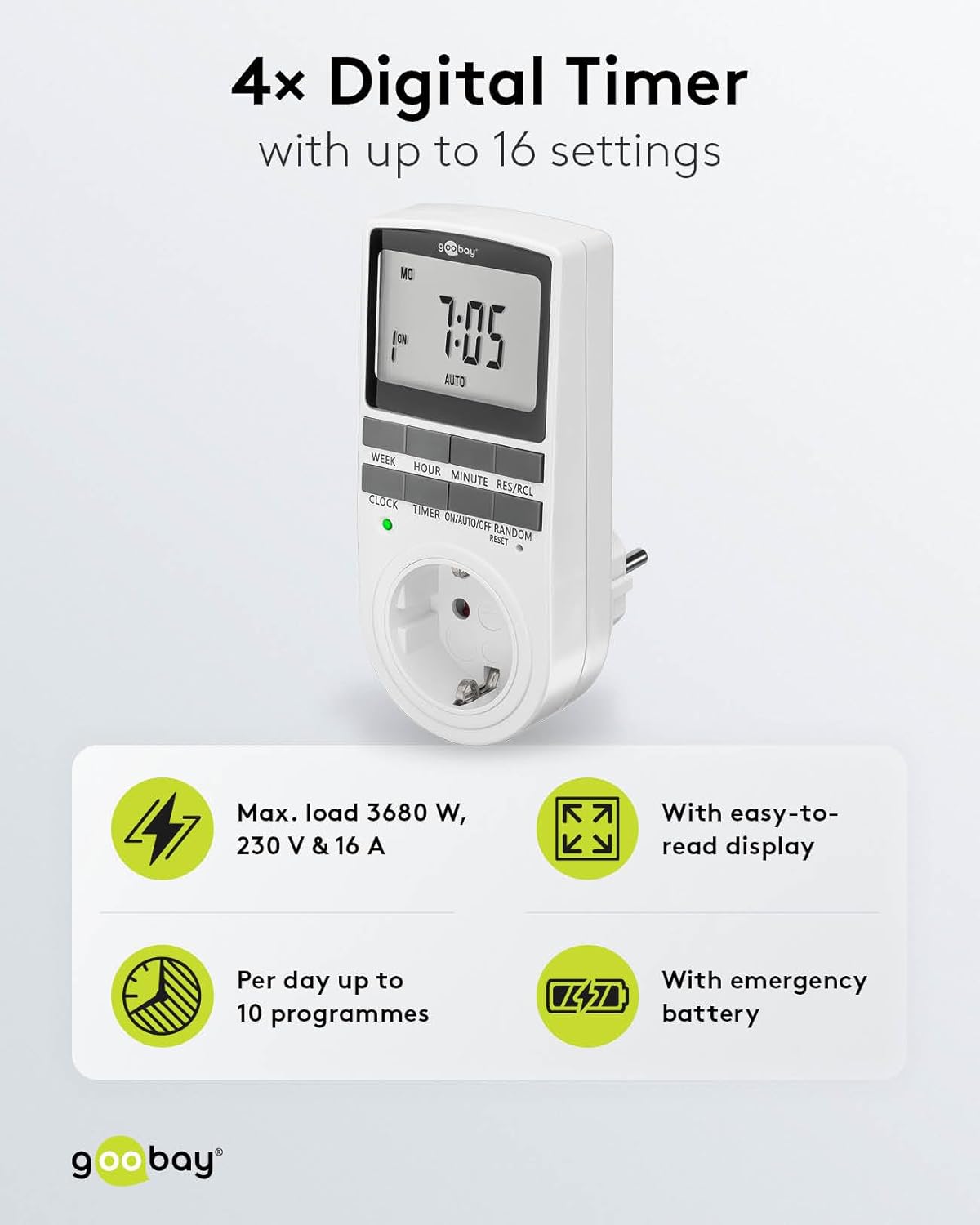
Image: goobay Digital Timer highlighting its features: Max. load 3680 W, 230 V & 16 A; Easy-to-read display; Up to 10 programs per day; Emergency backup battery.
Главните карактеристики вклучуваат:
- Макс. Вчитај: 3680 W, 230 V & 16 A
- Програмабилни поставки: Up to 8 ON/OFF program pairs (16 individual settings).
- Случаен режим: Simulates presence for enhanced security.
- Резервна батерија: Retains settings for over 100 days during power outagес.
- Заштеда на енергија: Interrupts standby mode of connected devices.
- Компактен дизајн: Space-saving installation.

Слика: Страна view of the goobay Digital Timer showing its compact dimensions: 135 mm height, 60 mm width, 38 mm depth, and 155g weight.
4. Поставување
4.1 Почетно полнење
Before first use, plug the timer into a wall outlet for approximately 5-10 minutes to charge the internal backup battery. This ensures the display functions and settings can be retained even when unplugged.
4.2 Ресетирање на уредот
If the display is blank or unresponsive, or if you wish to clear all previous settings, press the РЕСЕТИРАЈ button using a small, non-metallic pointed object (e.g., a toothpick or the included reset tool). This will clear all programs and reset the clock.

Image: The goobay Digital Timer showing the LED status display, Reset function (with reset tool), Safety plug (Type F, CEE 7/4, 230V, 16A, 3680W), and Safety socket (Type F, CEE 7/3, 6A, 250V output).
4.3 Поставување на тековното време
- Притиснете го ЧАСОВНИК копче.
- Притиснете го НЕДЕЛА button to select the current day of the week (MO, TU, WE, TH, FR, SA, SU).
- Притиснете го ЧАС button to set the current hour (0-23).
- Притиснете го МИНУТА button to set the current minute (0-59).
- Притиснете го ЧАСОВНИК притиснете го копчето повторно за да потврдите и да излезете од режимот за поставување време.

Image: Close-up of the goobay Digital Timer's display, indicating Weekday, Selected time setting (1-10), Time of day, and Operating mode (On/Auto/Off).
5. Упатства за работа
5.1 Програмирање на времиња на вклучување/исклучување
The timer allows for up to 8 ON/OFF program pairs (16 individual settings).
- Притиснете го ТАЈМЕР копче за да влезете во режим на програмирање. На екранот ќе се прикаже „1 ВКЛУЧЕНО“.
- Притиснете НЕДЕЛА to select the day(s) for this program. Options include:
- Individual days (MO, TU, WE, TH, FR, SA, SU)
- Groups of days (MO TU WE TH FR SA SU, MO TU WE TH FR, SA SU, MO TU WE TH FR SA, MO WE FR, TU TH SA, MO TU WE, TH FR SA)
- Притиснете ЧАС за да го поставите посакуваниот час на вклучување.
- Притиснете МИНУТА за да ја поставите саканата минута за вклучување.
- Притиснете ТАЈМЕР повторно. На екранот ќе се прикаже „1 OFF“.
- Repeat steps 2-4 to set the desired OFF time for the same program.
- Продолжете со притискање ТАЈМЕР to cycle through program settings 2 ON, 2 OFF, up to 8 ON, 8 OFF, setting each as needed.
- Откако ќе ги поставите сите посакувани програми, притиснете го копчето ЧАСОВНИК копче за да излезете од режимот на програмирање и да се вратите на приказот на тековното време.

Image: Diagram illustrating the functions of the goobay Digital Timer's buttons: WEEK (Set weekday), HOUR (Set hours), MINUTE (Set minutes), RES/RCL (Delete or restore setting), CLOCK (Set different times of day), TIMER (Switch set times), ON/AUTO/OFF (Manual or automatic mode), RANDOM (Random mode).
5.2 Operating Modes (ON/AUTO/OFF)
Притиснете го ВКЛУЧЕНО/АВТОМАТСКО/ИСКЛУЧЕНО копче за циркулирање низ режимите на работа:
- НА: Поврзаниот апарат ќе остане постојано ВКЛУЧЕН, заменувајќи ги сите програмирани поставки.
- АВТОМАТ: The connected appliance will operate according to the programmed ON/OFF times. This is the standard operating mode for scheduled tasks.
- ИСКЛУЧЕНО: Поврзаниот апарат ќе остане постојано ИСКЛУЧЕН, заменувајќи ги сите програмирани поставки.
5.3 Случаен режим
The random mode is designed to simulate presence for security purposes. When activated, the timer will switch ON and OFF at random intervals between 6:00 PM and 5:30 AM.
- Осигурајте се дека тајмерот е вклучен АВТОМАТСКИ режим.
- Притиснете го СЛУЧАЈНИ button to activate or deactivate this mode. An "R" will appear on the display when random mode is active.
5.4 Летно сметање на времето (DST)
To adjust for Daylight Saving Time, press the ЧАС и МИНУТА buttons simultaneously while in ЧАСОВНИК mode. The time will advance or rewind by one hour. Repeat to revert.
6. Одржување
- Чистење: Unplug the timer from the wall outlet before cleaning. Wipe the exterior with a soft, dry cloth. Do not use liquid cleaners or sprays.
- Складирање: If storing the timer for an extended period, ensure the backup battery is charged periodically to maintain its functionality.
- Резервна батерија: The integrated backup battery is designed to retain settings for over 100 days. No user maintenance is required for the battery.
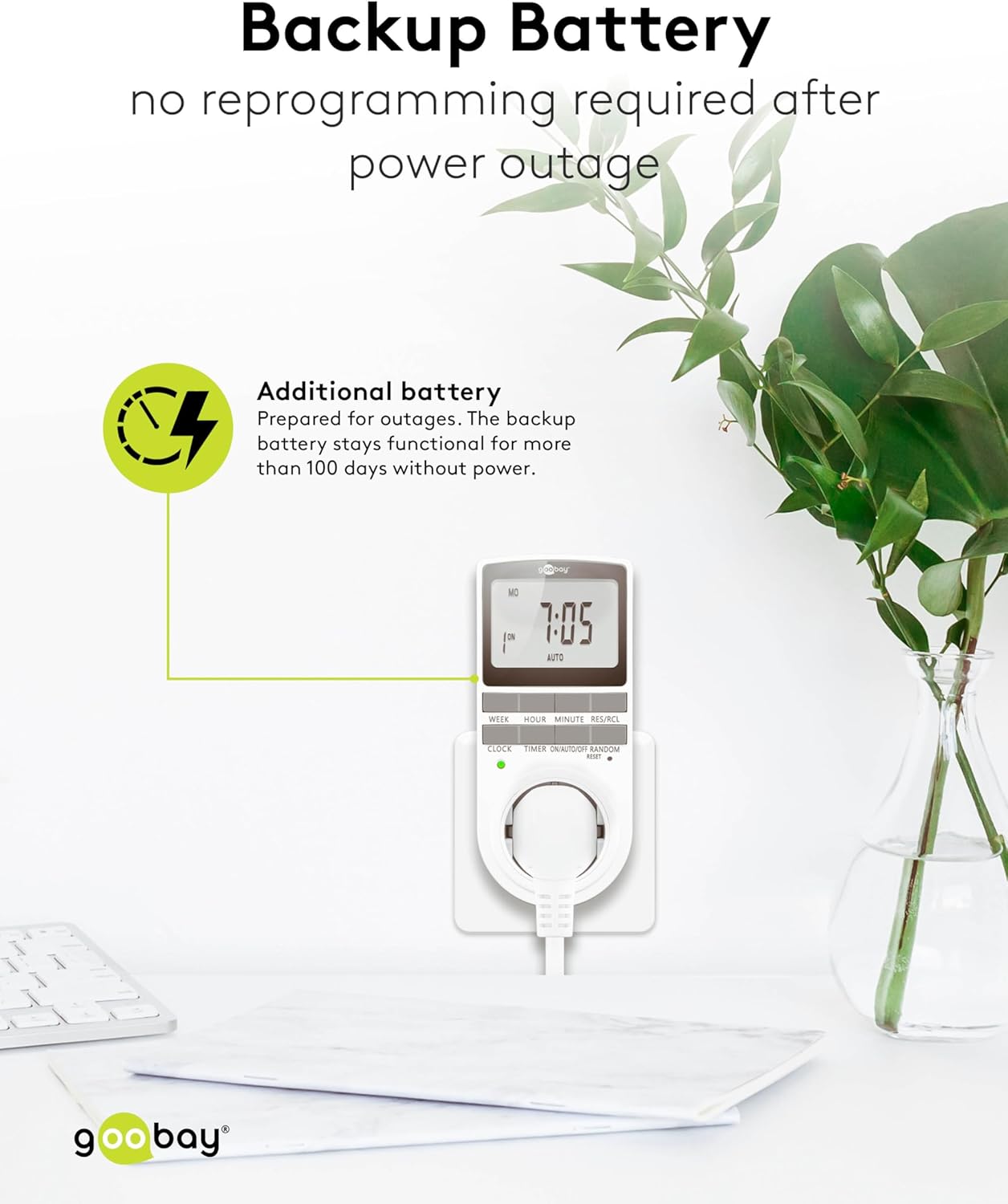
Image: The goobay Digital Timer plugged into an outlet, illustrating the backup battery feature which prevents reprogramming after a power outage.
7 Смена на проблеми
| Проблем | Можна причина | Решение |
|---|---|---|
| Екранот е празен или не реагира. | Backup battery is depleted or device needs reset. | Plug the timer into a live outlet for 5-10 minutes to charge the battery. If still unresponsive, press the РЕСЕТИРАЈ копче. |
| Апаратот не се вклучува/исклучува во програмираните времиња. | Timer is not in АВТОМАТСКИ mode, programs are incorrect, or appliance is faulty. | Осигурајте се дека тајмерот е поставен на АВТОМАТСКИ mode. Verify programmed ON/OFF times. Check if the connected appliance works when plugged directly into the wall outlet. |
| Random mode is not working. | Timer is not in АВТОМАТСКИ mode or random mode is not activated. | Осигурајте се дека тајмерот е вклучен АВТОМАТСКИ Мод. Притиснете го СЛУЧАЈНИ button to activate it (an "R" should appear on the display). |
| Времето е неточно по исклучување на струјатаtage. | Backup battery is depleted or was not charged sufficiently. | Plug the timer into a live outlet for at least 10 minutes to fully charge the backup battery. Reset and reprogram if necessary. |
8. Спецификации
| Бренд: | губај |
| Број на модел: | 74217 |
| Боја: | Бело |
| Материјал: | Акрилонитрил бутадиен стирен пластика |
| Димензии на производот (Д x Ш x В): | 7.6 x 6 x 13.5 cm |
| Тежина на ставката: | 155 гр |
| Набавка Voltage: | 230 V (AC) |
| Макс. Преклопна моќност: | 3680 W |
| Макс. Тековно: | 16.0 А |
| Број на поставки: | 16 (8 ON/OFF program pairs) |
| Оценка за заштита: | IP20 |
| Класа на заштита: | I |
| Земја на потекло: | Кина |
9. Гаранција и поддршка
Specific warranty information is not provided within this manual. For details regarding warranty coverage, technical support, or service, please refer to the official goobay webсајт или контактирајте со вашиот продавач на мало.
You can often find additional resources and contact information on the manufacturer's webсајт: www.goobay.com


