1. Вовед и повеќеview
Преносната електрана MARSTEK M2200 е разновидно и робусно решение за напојување дизајнирано за различни намени, вклучувајќи надворешни апликации.amping, home backup, and professional work. It features a high-capacity 2240Wh LiFePO4 (LFP) battery, capable of 6000 charge cycles, ensuring a long lifespan. With its fast charging capabilities and expandable design, the M2200 provides reliable power for a wide range of appliances.

Image: The MARSTEK M2200 Portable Power Station, showcasinнеговиот компактен дизајн и интегриран дисплеј.
2. Што има во кутијата
Ве молиме проверете дали сите од следниве компоненти се вклучени во вашиот пакет:
- Пренослива електрана MARSTEK M2200
- Кабел за полнење со наизменична струја
- Кабел за полнење автомобил
- Упатство за употреба
- Картичка за професионална услуга
3. Карактеристики на производот
3.1 Faster Charging
The M2200 supports ultra-fast AC charging, allowing it to reach 80% capacity in just 60 minutes and a full 100% in 70 minutes. This rapid charging capability is ideal for quick power replenishment before trips or during emergencies.

Image: The M2200 connected to an AC outlet, illustrating its fast charging speed compared to other devices.
3.2 Long-Lasting LFP Battery
Equipped with a self-developing LiFePO4 (LFP) battery cell, the M2200 offers an impressive 6000 charge cycles while maintaining over 80% of its original capacity. This translates to a potential lifespan of 10 years with daily use, or up to 25 years with less frequent use, providing stable and reliable performance over time.
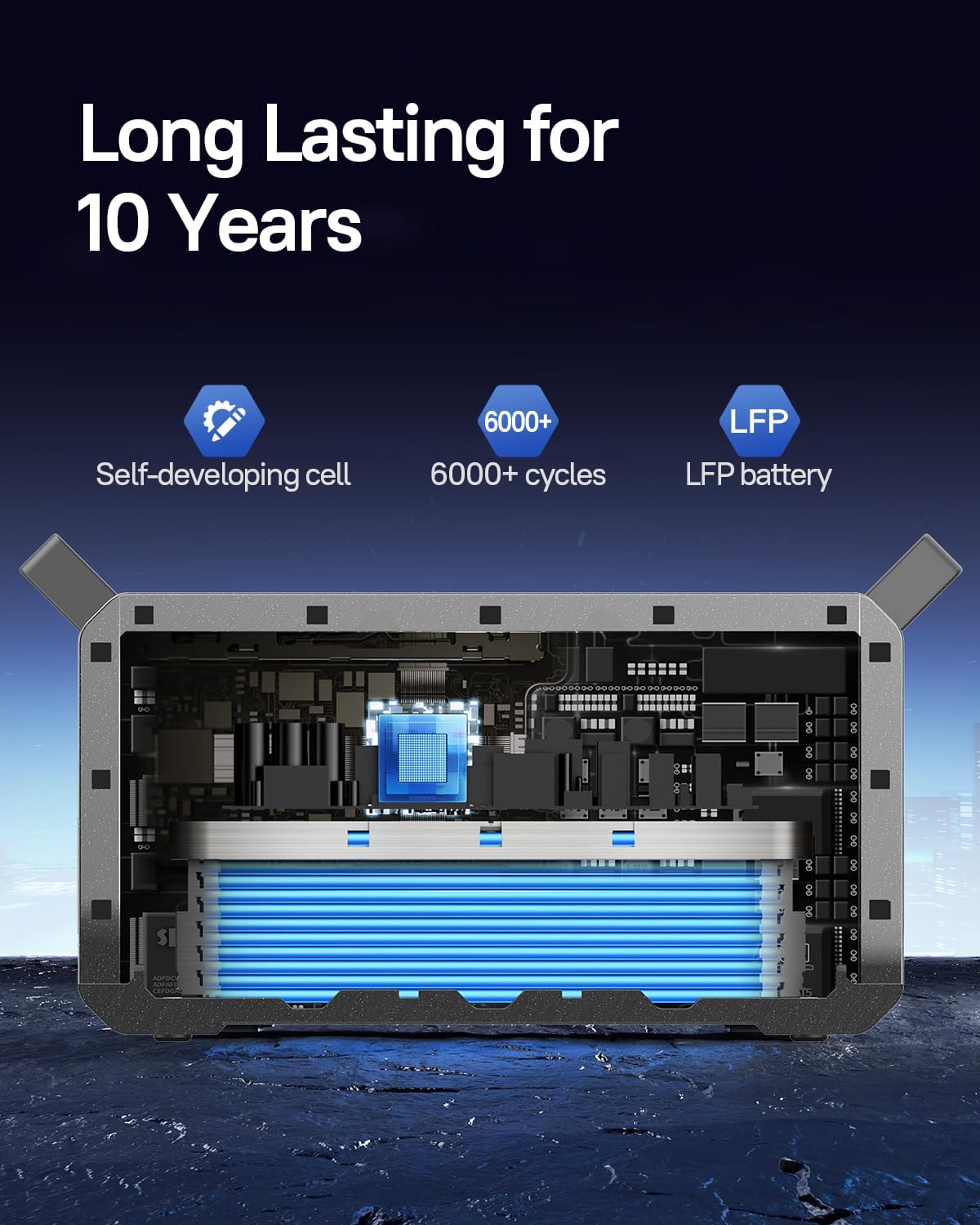
Слика: Внатрешен view of the M2200, highlighting the long-lasting LFP battery cells.
3.3 Проширлив капацитет
The M2200 is designed for expandability, featuring two additional expansion ports. Its capacity can be expanded from 2240Wh up to a maximum of 6720Wh by connecting external battery packs (sold separately). This modular design allows for increased power storage to meet larger energy demands.

Image: Multiple M2200 units stacked, demonstrating the expandable and flat-stack design.
3.4 Powerful Output and Multiple Ports
With a powerful inverter and 16 output ports, the M2200 can power up to 99% of common appliances. It delivers a maximum output of 2400W, making it suitable for high-power devices such as coffee makers, refrigerators, microwaves, and even electric picks.

Image: The M2200 shown powering various household appliances, illustrating its versatility.
3.5 Контрола на паметни апликации
The MARSTEK M2200 can be monitored and controlled remotely via a dedicated smartphone application. The app allows users to check charging status, control output ports, and manage settings conveniently through Bluetooth or Wi-Fi connectivity.

Image: A smartphone displaying the MARSTEK app interface, showing battery status and control options.
3.6 Efficient Solar Charging
The M2200 supports up to 1000W of solar panel input, enabling it to be fully charged by solar power in approximately 2.3 hours. This feature provides an environmentally friendly and efficient charging option for off-grid use.

Image: Two M2200 units in a field with solar panels, demonstrating solar charging capabilities.
4. Водич за поставување
4.1 Отпакување и проверка
- Внимателно извадете ја електраната и сите додатоци од пакувањето.
- Inspect the unit for any signs of damage during transit. If damage is found, contact customer support immediately.
- Проверете дали сите компоненти наведени во Дел 2 се присутни.
4.2 Почетно полнење
- Before first use, it is recommended to fully charge the M2200.
- Поврзете го кабелот за полнење со наизменична струја со влезниот порт за наизменична струја на електраната, а потоа со стандарден ѕиден штекер.
- The display will indicate the charging status. Charge until the battery indicator shows 100%.
5. Упатства за работа
5.1 Вклучување/исклучување
- To power on the unit, press and hold the main power button for 3 seconds. The display will illuminate.
- To power off, press and hold the main power button again for 3 seconds until the display turns off.
5.2 Користење на излез на наизменична струја
- Press the AC output button to activate the AC outlets. The AC indicator on the display will light up.
- Plug your AC appliances into the available outlets. Ensure the total power consumption does not exceed 2400W.
- Press the AC output button again to turn off the AC outlets when not in use.
5.3 Using DC and USB Output
- Press the DC output button to activate the DC and USB ports. The corresponding indicators will light up.
- Connect your DC-powered devices or USB devices to the respective ports.
- Press the DC output button again to turn off these ports.
5.4 Разбирање на екранот
The integrated display provides real-time information about the power station's status:
- Ниво на батерија: Го прикажува моменталниот процент на батеријатаtage.
- Влезна моќност: Displays the current power input (e.g., from AC, solar, or car charger).
- Излезна моќност: Shows the total power being drawn by connected devices.
- Remaining Runtime/Charge Time: Estimates the remaining operating time or time to full charge based on current power usage/input.
- Индикатори за грешка: Alerts for overload, over-temperature, or other system warnings.
6. Методи за полнење
6.1 Полнење на ѕид со наизменична струја
- Connect the provided AC charging cable to the AC input port on the M2200.
- Plug the other end into a standard 100-120V AC wall outlet.
- The power station will begin fast charging automatically.
6.2 Полнење на соларни панели
- Connect compatible solar panels (up to 1000W input) to the solar input port on the M2200.
- Ensure solar panels are placed in direct sunlight for optimal charging efficiency.
- The display will show the incoming solar power.
6.3 Полнење автомобил
- Use the provided car charging cable.
- Plug one end into the car's 12V cigarette lighter socket and the other end into the car charging input port on the M2200.
- This method is suitable for charging while on the go.
7. Одржување
7.1 Упатства за складирање
- Чувајте ја електраната на ладно и суво место, подалеку од директна сончева светлина и екстремни температури.
- За долгорочно складирање, полнете го уредот приближно 50-80% на секои 3-6 месеци за да ја зачувате состојбата на батеријата.
- Avoid storing in environments with high humidity or corrosive substances.
7.2 Чистење
- Користете мека, сува крпа за да ја избришете надворешноста на електраната.
- Не користете абразивни средства за чистење или растворувачи.
- Држете ги отворите за вентилација чисти од прашина и остатоци.
8 Смена на проблеми
| Проблем | Можна причина | Решение |
|---|---|---|
| Уредот не се вклучува | Battery is completely depleted; Power button not held long enough. | Наполнете го уредот со помош на AC адаптерот; Притиснете го и држете го копчето за вклучување 3 секунди. |
| AC излезот не работи | AC output not activated; Overload protection triggered; Device power consumption too high. | Press the AC output button; Reduce connected load; Restart the unit. |
| Бавно полнење преку сончева светлина | Insufficient sunlight; Panels not optimally angled; Panels not compatible. | Ensure direct sunlight and proper angle; Verify panel specifications and connections. |
| Екранот не работи | Уредот е исклучен; дефект на софтверот. | Power on the unit; Try restarting the unit. If issue persists, contact support. |
9. Спецификации
| Спецификација | Детал |
|---|---|
| Бренд | МАРСТЕК |
| Име на моделот | Преносна електрана M2200 |
| Извор на енергија | Соларна енергија, клима уред, автомобил |
| Тип на батерија | LiFePO4 (LFP) |
| Капацитет на батеријата | 2240Wh (може да се прошири до 6720Wh) |
| Циклус на живот | 6000 циклуси до 80%+ капацитет |
| Излезен Ватtagд (максимум) | 2400 W |
| AC Input Charging Time (0-80%) | 60 минути |
| Сончев влез (макс.) | 1000 W |
| Тежина на ставката | 52.91 фунти |
| Димензии на производот | 16.1"Д x 11.77"Ш x 12.09"В |
| Материјал | ABS + компјутер + метал |
| Број на пристаништа | 16 |
10. Гаранција и поддршка
10.1 Информации за гаранцијата
The MARSTEK M2200 Portable Power Station comes with a 2 година гаранција од датумот на купување. Оваа гаранција ги покрива дефектите во материјалите и изработката при нормална употреба. Ве молиме задржете го доказот за купување за гаранциски барања.
10.2 Поддршка за корисници
For technical assistance, warranty claims, or any questions regarding your MARSTEK M2200, please contact our customer support team. Refer to the professional service card included in your package for specific contact details or visit the official MARSTEK webсајт.

Image: MARSTEK customer service representatives, indicating available support.