1. Вовед
Thank you for choosing the Reobiux 2K Outdoor WiFi Surveillance Camera. This camera is designed to provide comprehensive and reliable outdoor monitoring with advanced features such as dual lenses, 360° PTZ control, 2K resolution, color night vision, motion detection, two-way audio, and IP66 waterproofing. This manual will guide you through the installation, operation, and maintenance of your new security camera.
2. Содржина на пакетот
Внимателно проверете ја содржината на пакувањето. Доколку недостасуваат или се оштетени некои предмети, ве молиме контактирајте ја службата за корисници.
- 1 x Reobiux 2K Outdoor WiFi Surveillance Camera
- 1 x 3m Power Adapter
- 1 x Упатство за употреба
- 1 x Сет завртки за монтирање
3. Карактеристики на производот
3.1 Dual Lens 2-in-1 & 360° View
The camera features two lenses for a comprehensive 360° panoramic view. The fixed lens provides a wide overview, while the rotating lens offers flexible pan (355° horizontal) and tilt (90° vertical) capabilities to cover every corner of your surveillance area without delay.

Image: Illustration of the camera's dual lens system and PTZ (Pan-Tilt-Zoom) functionality.
3.2 2K Resolution & Color Night Vision
Experience remarkably clear images with 2K resolution, capturing every detail with impressive clarity. The camera offers three night vision modes: infrared mode for black and white clarity in total darkness, full-color mode for vivid night images, and an alarm siren mode for deterrence.

Image: Demonstrates the difference between infrared and full-color night vision modes.

Image: Visual comparison highlighting the enhanced detail provided by the 2.5K QHD resolution over standard 1080P.
3.3 Motion Detection & 24/7 Recording
The camera features intelligent motion detection. Upon detecting a moving object, it sends real-time notifications to your device. Continuous video recording to an SD card (up to 128GB) ensures you can review footage anytime without missing important details.
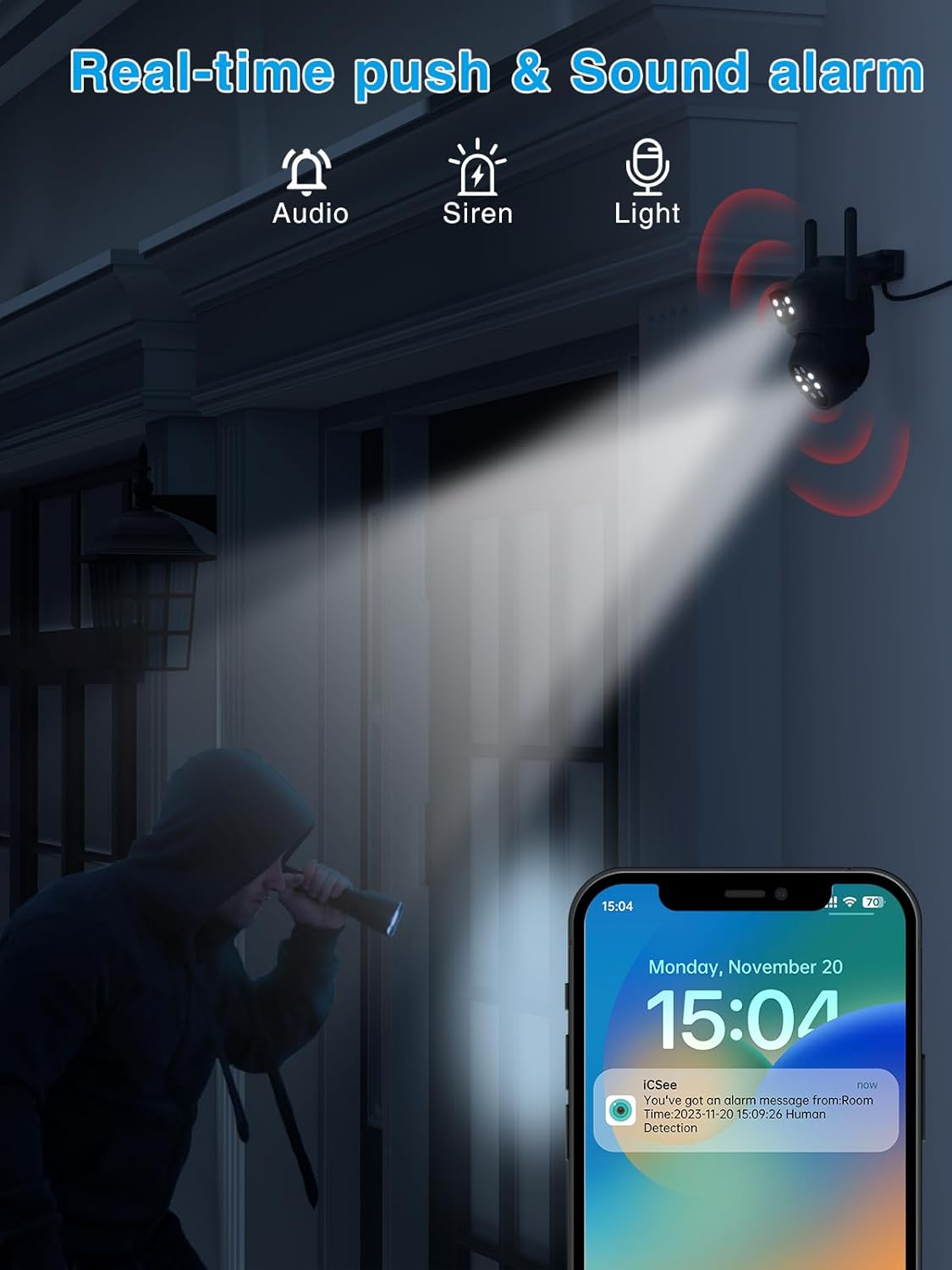
Image: Depicts the camera's motion detection and real-time alarm notification feature.
3.4 Two-Way Audio & Alarm Siren
Communicate with visitors or deter intruders using the built-in two-way audio function. The integrated alarm siren can be remotely activated upon detection of suspicious activity, alerting neighbors and enhancing home security.

Image: Illustrates the two-way audio communication capability of the camera.
3.5 IP66 Waterproof & Multi-User Access
With an IP66 waterproof rating, the camera is designed to withstand various weather conditions, including rain and snow. It also supports multi-user access, allowing multiple family members or colleagues to monitor the outdoor space simultaneously.

Image: Shows the camera's durability and IP66 waterproof design in outdoor conditions.
4. Водич за поставување
4.1 Инсталација
- Choose a suitable outdoor location for mounting the camera, ensuring a clear view од областа што сакате да ја следите.
- Use the included mounting screws to securely attach the camera to a wall or desired surface.
- Connect the 3m power adapter to the camera and plug it into a power outlet.
4.2 App Connection (iCSee App)
- Download the 'iCSee' app from your smartphone's app store (iOS or Android).
- Регистрирајте нова сметка или најавете се ако веќе имате.
- Допрете ја иконата „+“ за да додадете нов уред.
- Follow the on-screen instructions to connect the camera to your Wi-Fi network. This typically involves scanning a QR code on the camera or using an AP hotspot connection.
- Откако ќе се поврзете, можете да го именувате вашиот фотоапарат и да започнете во живо viewинг.
5. Упатства за работа
5.1 Во живо View и PTZ контрола
- Open the iCSee app and select your camera from the device list.
- Use the on-screen joystick or swipe gestures to control the camera's pan (horizontal) and tilt (vertical) movements.
- Tap the screen to zoom in or out (digital zoom).
5.2 Снимање и репродукција
- Insert a Micro SD card (up to 128GB, not included) into the camera's SD card slot for local storage.
- In the app settings, configure recording modes (e.g., continuous, motion-triggered).
- На view снимен footage, go to the 'Playback' section in the app and select the desired date and time.
5.3 Двонасочно аудио
- Додека сте во живо view, допрете ја иконата за микрофон за да зборувате преку звучникот на камерата.
- Ensure the speaker icon is enabled to hear audio from the camera's microphone.
5.4 Аларм и известувања
- Enable motion detection and push notifications in the app settings to receive alerts on your phone.
- You can also manually activate the alarm siren from the app when suspicious activity is detected.
6. Одржување
- Чистење: Редовно бришете го објективот на камерата со мека, сува крпа за да обезбедите јасен квалитет на сликата. Не користете груби хемикалии.
- Ажурирања на фирмверот: Check the iCSee app periodically for firmware updates. Keeping your camera's firmware up-to-date ensures optimal performance and security.
- Напојување: Ensure the power adapter and cable are not damaged and are securely connected.
7 Смена на проблеми
| Проблем | Можна причина | Решение |
|---|---|---|
| Камера офлајн | Нема струја; Wi-Fi е исклучен; Проблем со рутерот | Check power connection; Restart camera and router; Reconnect camera to Wi-Fi via app. |
| Нема снимање на SD картичка | SD card full/faulty; Recording settings incorrect | Format or replace SD card; Check recording schedule in app. |
| Лош квалитет на сликата | Dirty lens; Low light; Network bandwidth | Clean the lens; Ensure adequate lighting for color night vision; Check Wi-Fi signal strength. |
| Не може да се поврзе на Wi-Fi | Incorrect password; Weak signal; Router compatibility | Double-check Wi-Fi password; Move camera closer to router; Try 2.4GHz Wi-Fi band. |
8. Спецификации
| Карактеристика | Детал |
|---|---|
| Број на модел | REO-A9HQ-6MP |
| Видео резолуција | 2K (2.5K QHD) |
| Опсег на ноќни визии | 15 метри |
| Опсег на пан/навалување | Пан 355 °, Навалување 90 ° |
| Поврзување | Безжичен (Wi-Fi) |
| Отпорност на вода | IP66 Водоотпорен |
| Складирање | Микро SD картичка (до 128GB, не е вклучена) |
| Двонасочно аудио | Да |
| Детекција на движење | Да |
| Извор на енергија | Електричен кабел (12 волти, 5 вати) |
| Материјал | Пластика |
| Димензии (Д x Ш x В) | 12 x 12 x 10 cm |
| Тежина | 630 грама |
| Тип на инсталација | Wall Mount (Screw-in) |
| Тип на контролер | Апликација iCSee |
9. Гаранција и поддршка
Reobiux products come with a standard manufacturer's warranty. For specific warranty details, please refer to the warranty card included in your package or visit the official Reobiux website. If you encounter any issues or have questions regarding your camera, please contact Reobiux customer support through the contact information provided on our website or within the iCSee app.
Ве молиме чувајте го вашиот доказ за купување за барањата за гаранција.


