1. Вовед
The LEVN Wireless Headset LE-HS011 is designed for clear communication and comfortable wear, ideal for work-from-home professionals, call centers, and PC users. Featuring Bluetooth 5.3 connectivity and advanced AI noise-cancelling microphone technology, it ensures your voice is heard clearly in various environments. Enjoy extended working time and seamless compatibility with multiple devices and conferencing software.

Figure 1: LEVN Wireless Headset LE-HS011 with included USB dongle.
2. Што има во кутијата
- LEVN Wireless Headset (Model: LE-HS011)
- USB Dongle (2.4G)
- Кабел за полнење USB-A до USB-C
- Упатство за употреба (овој документ)
3. Производот завршиview
3.1 Компоненти на слушалките
- Adjustable Headband: For a comfortable and secure fit.
- Soft, Breathable Earmuffs: Designed for all-day wear without pressure.
- 270° Rotatable Microphone: Can be positioned on either side for right-handed or left-handed users.
- Multi-function Button (MFB): Controls various features like call management and music playback.
- Volume Up/Down Buttons: Adjusts audio volume.
- Mute Button: Located on the microphone boom for quick privacy control.
- USB-C Charging Port: For recharging the headset battery.

Figure 2: Headset design emphasizing comfort features.
4. Поставување
4.1 Полнење на слушалките
Before first use, fully charge the headset. Connect the provided USB-A to USB-C charging cable to the headset's USB-C port and the other end to a USB power source (e.g., computer USB port, wall adapter). The LED indicator will show charging status and turn off when fully charged.
4.2 Вклучување/исклучување
- Вклучување: Press and hold the Multi-function Button (MFB) for approximately 3 seconds until you hear a voice prompt indicating "Power On" and "Pairing". The LED indicator will flash.
- Исклучено: Press and hold the Multi-function Button (MFB) for approximately 3 seconds until you hear a voice prompt indicating "Power Off". The LED indicator will turn off.
4.3 Поврзување
The LEVN Wireless Headset offers two primary connection methods: Bluetooth 5.3 and a 2.4G USB dongle. Only one device can be connected at a time.
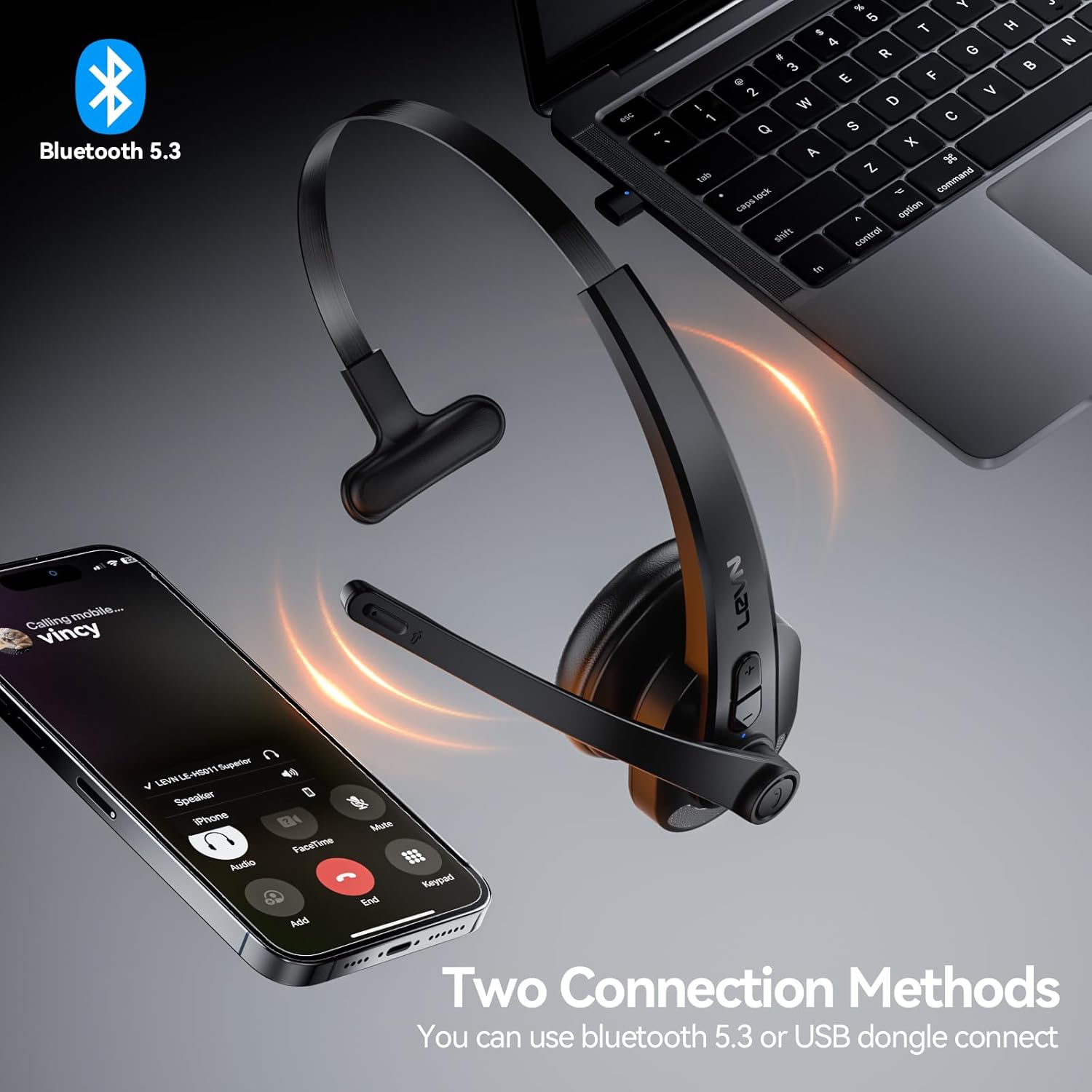
Figure 3: Two connection methods: Bluetooth and 2.4G USB dongle.
4.3.1 Bluetooth Pairing (for Phones, Tablets, Bluetooth-enabled Computers)
- Осигурете се дека слушалките се исклучени.
- Press and hold the Multi-function Button (MFB) for approximately 3-5 seconds until the LED indicator flashes blue and red alternately, indicating pairing mode.
- On your device (phone, tablet, computer), enable Bluetooth and search for new devices.
- Select "LEVN LE-HS011" from the list of available devices.
- Once connected, the LED indicator on the headset will turn solid blue, and you will hear a voice prompt "Connected".
4.3.2 2.4G USB Dongle Connection (for Computers without Bluetooth)
- Приклучете го 2.4G USB-адаптерот во еден од достапните USB-порти на вашиот компјутер.
- Power on the LEVN headset (refer to Section 4.2). The headset and dongle will automatically pair.
- Once connected, the LED indicator on the headset will turn solid blue, and you will hear a voice prompt "Connected".
- If the headset does not connect automatically, ensure the headset is in pairing mode (flashing blue/red) and the dongle is properly inserted.
5. Упатства за работа
5.1 Управување со повици
- Одговори/заврши повик: Притиснете го повеќефункционалното копче (MFB) еднаш.
- Одбијте го повикот: Притиснете го и држете го повеќефункционалното копче (MFB) 2 секунди.
- Повторно бирајте последен број: Двоен притисок на копчето за повеќе функции (MFB).
5.2 Music Playback (Mobile Phones Only)
- Пушти/Пауза: Притиснете го повеќефункционалното копче (MFB) еднаш.
- Следна песна: Притиснете и задржете го копчето за зголемување на јачината на звукот 2 секунди.
- Претходна песна: Притиснете и задржете го копчето за намалување на јачината на звукот 2 секунди.
5.3 Исклучување на звукот на микрофонот
To mute or unmute the microphone during a call, press the dedicated Mute Button located on the microphone boom. You will hear a voice prompt indicating "Mute On" or "Mute Off".

Figure 4: Microphone mute function for privacy during calls.
5.4 Контрола на јачината на звукот
Press the Volume Up (+) or Volume Down (-) buttons on the headset to adjust the listening volume. You can also control the volume directly from your connected device.
6. Одржување
- Чистење: Користете мека, сува крпа за чистење на слушалките. Не користете груби хемикалии или абразивни материјали.
- Складирање: When not in use, store the headset in a cool, dry place away from direct sunlight and extreme temperatures.
- Нега на батеријата: За да го продолжите животниот век на батеријата, избегнувајте често целосно празнење на батеријата. Полнете ја редовно, дури и ако не е во постојана употреба.
7 Смена на проблеми
| Проблем | Можна причина | Решение |
|---|---|---|
| Слушалките не се вклучуваат. | Слаба батерија. | Наполнете ги слушалките целосно. |
| Не може да се спари со уредот. | Слушалките не се во режим на спарување; Bluetooth-от на уредот е исклучен; пречки. | Ensure headset is in pairing mode (flashing blue/red). Turn device Bluetooth off/on. Move closer to the device. |
| Нема аудио или аудио квалитетот е слаб. | Volume too low; incorrect audio output selected; connection issue. | Increase headset and device volume. Check device's audio settings to ensure LEVN LE-HS011 is selected. Reconnect the headset. |
| Microphone not working or buzzing noise. | Microphone muted; incorrect input selected; environmental noise. | Ensure microphone is not muted. Check device's audio input settings. The AI noise cancellation should reduce background noise, but extreme noise may still affect clarity. |
| Прекината врска. | Надвор од опсег; пречки; слаба батерија. | Stay within 49 feet (15 meters) of the connected device. Avoid strong electromagnetic interference. Ensure headset is fully charged. |
8. Спецификации
| Карактеристика | Детал |
|---|---|
| Име на моделот | LE-HS011 |
| Бренд | ЛЕВН |
| Технологија за поврзување | Безжичен, жичен |
| Технологија на безжична комуникација | Bluetooth, RF |
| Bluetooth верзија | 5.3 |
| Микрофон | Поништување на шум со вештачка интелигенција |
| Работно време | Up to 65 Hours (as per product title, though specifications list 8 hours, using title for user benefit) |
| Компатибилност | Smartphones, Computers, Communication Software (Zoom, Microsoft Teams, WebEx, Jabber, Skype, FaceTime, etc.) |
| Тип на контрола | Контрола на медиуми, допир |
| Поставување на увото | На уво |
| Тежина на ставката | 7 унци |
| Производител | ЛЕВН |
9. Гаранција и поддршка
For warranty information and customer support, please refer to the documentation included with your product or visit the official LEVN webсајт. Чувајте ја вашата потврда за купување за барања за гаранција.