1. Вовед
This manual provides detailed instructions for the setup, operation, and maintenance of your DANFI AUDIO DF TE-103 Vinyl Record Player. This versatile audio system features a 3-speed turntable, Bluetooth input, USB/SD card playback and recording, FM radio, and auxiliary input/output options. Please read this manual thoroughly before use to ensure proper function and longevity of your device.
2. Информации за безбедност
- Не го изложувајте уредот на дожд или влага.
- Не блокирајте никакви отвори за вентилација.
- Осигурете се дека кабелот за напојување не е приклештен или одење по него.
- Исклучете го уредот од струја за време на громови или кога не се користи долго време.
- Целото сервисирање упатете го на квалификуван сервисен персонал.
- Држете го уредот подалеку од директна сончева светлина, извори на топлина и силни магнетни полиња.
3. Содржина на пакетот
Проверете дали сите артикли наведени подолу се вклучени во вашиот пакет:
- DANFI AUDIO DF TE-103 Vinyl Record Player
- Енергетска единица
- Адаптер за 45 вртежи во минута
- Слипмат
- Backup Needle
4. Производот завршиview
Familiarize yourself with the main components and controls of your record player.

Слика 4.1: Предна страна view of the DANFI AUDIO DF TE-103 Vinyl Record Player.
4.1 Контроли и врски на предниот панел

Слика 4.2: Детално view of the front panel with USB, AUX IN, LED Display, and Mode Switch key.
- Лед екран: Ги прикажува тековниот режим, информациите за песната или FM фреквенцијата.
- Копче за префрлување режим: Toggles between Turntable, Bluetooth, USB/SD, FM Radio, and AUX modes.
- USB порта: For USB flash drives for playback and recording.
- AUX ВО: 3.5 mm влез за поврзување на надворешни аудио уреди.
- Контрола на јачината на звукот: Ја прилагодува излезната јачина на звук.
- EQ копче: Selects sound equalizer presets (Jazz, Pop, Classical, Rock, Vocal).
4.2 Приклучоци на задниот панел

Figure 4.3: Rear panel with RCA Line Out connections.
- Излез на линијата RCA: Се поврзува со надворешен ampлајфикатори или звучници со напојување.
- Влез на енергија: Се поврзува со испорачаниот адаптер за напојување.
5. Поставување
- Отпакување: Carefully remove the record player and all accessories from the packaging. Retain packaging for future transport or storage.
- Поставување: Place the unit on a stable, level surface away from direct sunlight, heat sources, and excessive dust.
- Покривка за прашина: Attach the dust cover to the hinges at the back of the unit.
- Поврзување за напојување: Connect the power unit to the DC input on the rear of the record player, then plug the power adapter into a wall outlet.
- Почетно вклучување: Притиснете го копчето за вклучување за да го вклучите уредот. LED екранот ќе светне.
6. Упатства за работа
6.1 Свирење винил плочи

Figure 6.1: The turntable supports 3 speeds for various record types.
- Проверете дали уредот е вклучен.
- Подигнете го капакот за прав.
- Place a vinyl record on the platter. If playing a 45 RPM single, use the included 45 RPM adaptor.
- Изберете ја соодветната брзина (33, 45 или 78 вртежи во минута) користејќи го прекинувачот за избор на брзина.
- Gently move the tonearm to the desired position on the record. The platter will begin to spin automatically.
- Прилагодете ја јачината на звукот по ваш избор.
- The AUTO STOP function will automatically stop the turntable when the record finishes playing.
6.2 Bluetooth Connection (Input Only)
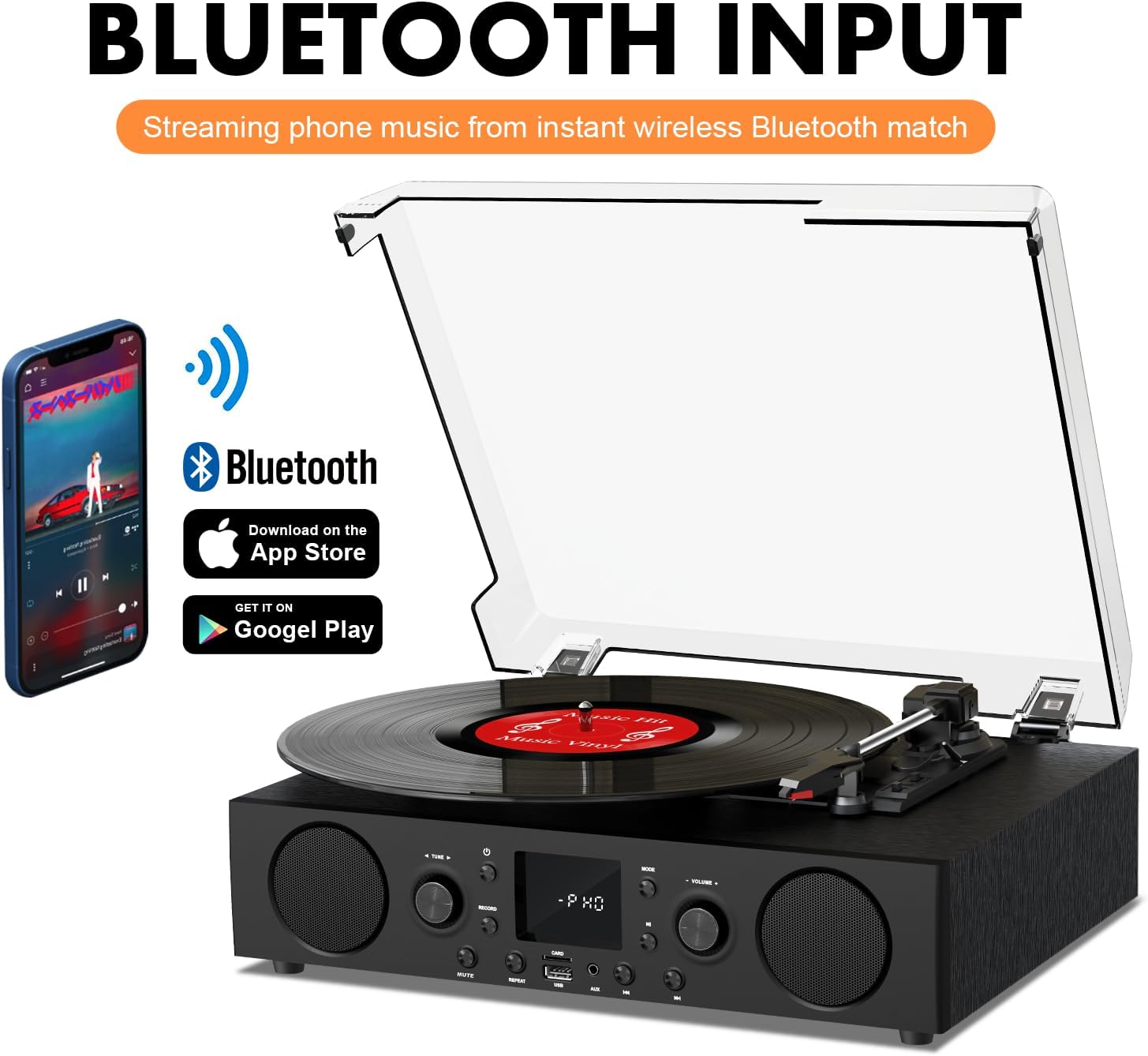
Figure 6.2: Connecting a smartphone via Bluetooth to the turntable.
- Притиснете го Режим button until "Bluetooth" or a similar indicator appears on the LED display. The unit will enter pairing mode.
- На вашиот паметен телефон, таблет или компјутер, овозможете Bluetooth и пребарајте достапни уреди.
- Select "DANFI AUDIO DF TE-103" (or similar name) from the list of devices to pair.
- Once paired, you can stream audio wirelessly from your device to the record player.
- Забелешка: This turntable supports Bluetooth input only and cannot transmit audio to Bluetooth headphones or speakers.
6.3 USB/SD Input and MP3 Encoding

Figure 6.3: Vinyl to MP3 encoding process using a USB flash drive.
- Репродукција преку USB/SD: Insert a USB flash drive or SD card into the respective port. Press the Режим button to select USB/SD mode. The unit will automatically play compatible audio files.
- Vinyl to MP3 Encoding:
- Insert a USB flash drive or SD card into the port.
- Start playing a vinyl record.
- Притиснете го Снимајте button. The LED display will indicate recording is in progress.
- Притиснете го Снимајте button again to stop recording. The recorded audio will be saved as an MP3/WAV file on the USB drive/SD card.
6.4 FM радио
- Притиснете го Режим button to select FM Radio mode. The current frequency will appear on the LED display.
- Use the tuning controls (often the Skip/Search buttons) to scan for radio stations.
- The unit can store approximately 20 stations.
6.5 RCA Line Out and AUX Input

Figure 6.4: Connecting to external speakers using RCA Line Out.
- Излез на линијата RCA: Connect RCA cables from the rear of the record player to the audio input of an external amplifier or powered speakers. This allows for boosted volume and playback through a larger sound system. The turntable's internal speakers will not be muted automatically when using RCA output.
- Влез AUX: Connect an external audio source (e.g., MP3 player, smartphone) to the 3.5mm AUX IN port on the front panel using an audio cable. Press the Режим копче за да изберете AUX режим за репродукција на аудио од поврзаниот уред.
6.6 Еквилајзер (EQ)

Figure 6.5: Available equalizer presets for audio customization.
Притиснете го EQ button to cycle through the available sound equalizer presets: Jazz, Pop, Classical, Rock, and Vocal. Select the preset that best suits your audio preference.
7. Одржување
- Чистење: Use a soft, dry cloth to clean the exterior of the unit. For the dust cover, use a slightly damp cloth and then dry thoroughly. Avoid abrasive cleaners.
- Грижа за игла: Periodically check the stylus (needle) for wear or damage. A worn stylus can damage records and degrade sound quality. Replace the stylus with a compatible backup needle when necessary.
- Грижа за картоните: Keep your vinyl records clean and stored vertically in their sleeves to prevent dust accumulation and warping.
8 Смена на проблеми
| Проблем | Можна причина | Решение |
|---|---|---|
| Нема моќ | Кабелот за напојување не е поврзан; Приклучокот за напојување не е активен | Проверете дали кабелот за напојување е безбедно вклучен; тестирајте го штекерот со друг уред |
| Нема звук | Јачината на звукот е прениска; Избран е неправилен режим; Надворешните звучници не се поврзани/напојуваат | Increase volume; Press Mode button to select correct source; Check RCA connections and external speaker power |
| Плочата не се врти | Unit not powered on; Tonearm not moved over record | Ensure power is on; Gently move tonearm over the record to activate platter |
| Bluetooth не се поврзува | Not in Bluetooth mode; Device too far; Already paired with another device | Изберете Bluetooth режим; Приближете го уредот; Исклучете се од други уреди и обидете се повторно да се спарите |
| Лош квалитет на звук од винил | Валкана плоча; Истрошена пенкало; Избрана е неточна брзина | Clean record; Replace stylus; Select correct RPM speed |
9. Спецификации
| Карактеристика | Детал |
|---|---|
| Име на моделот | TE-103 |
| Бренд | DANFI AUDIO DF |
| Димензии на производот | 14.37 x 10.82 x 5.28 инчи |
| Тежина на ставката | 6.2 фунти |
| Материјал | Акрилик, инженерско дрво |
| Брзини на грамофон | 33 1/3, 45, 78 вртежи во минута |
| Вклучени компоненти | Power unit, 45 rpm adaptor, Slipmat, Backup needle |
| Посебни карактеристики | Equalizer (EQ), FM Radio, USB Input, USB/SD Card Recording, Bluetooth Input |
| Поврзување | Bluetooth (Input only), USB, SD Card, AUX Input, RCA Line Out |
| Компатибилни уреди | Headphones, MP3 Players, Personal Computers, Smartphones, Speakers, Tablets |
| Потрошувачка на енергија (во режим на работа) | 5 вати |
10. Гаранција и поддршка
For warranty information or technical support, please refer to the documentation provided with your purchase or contact DANFI AUDIO DF customer service through their official channels. Keep your purchase receipt as proof of purchase for warranty claims.


