Вовед
This manual provides detailed instructions for the TECPHILE iPad Keyboard Case, Model T5509D. It covers setup, operation, maintenance, and troubleshooting to ensure optimal use of your device. Please read this manual thoroughly before using the product.
Компатибилност
The TECPHILE iPad Keyboard Case (Model T5509D) is specifically designed for the following iPad Pro 12.9-inch models:
- iPad Pro 12.9-inch (6th Generation, 2022): Модели A2436, A2764, A2437, A2766
- iPad Pro 12.9-inch (5th Generation, 2021): Модели A2378, A2379, A2461, A2462
- iPad Pro 12.9-inch (4th Generation, 2020): Модели A2233, A2229, A2069, A2232
- iPad Pro 12.9-inch (3rd Generation, 2018): Модели A1876, A2014, A1895, A1983
This case is not compatible with any other iPad models.

Image: Compatibility chart for TECPHILE iPad Keyboard Case. Please verify your iPad model number on the back of your device to ensure compatibility.
Содржина на пакетот
По отварањето на пакувањето, проверете дали се присутни сите потребни елементи:
- TECPHILE iPad Keyboard Case (with integrated kickstand and pencil holder)
- Detachable Wireless Backlit Keyboard
- USB-C кабел за полнење
- Упатство за употреба (овој документ)
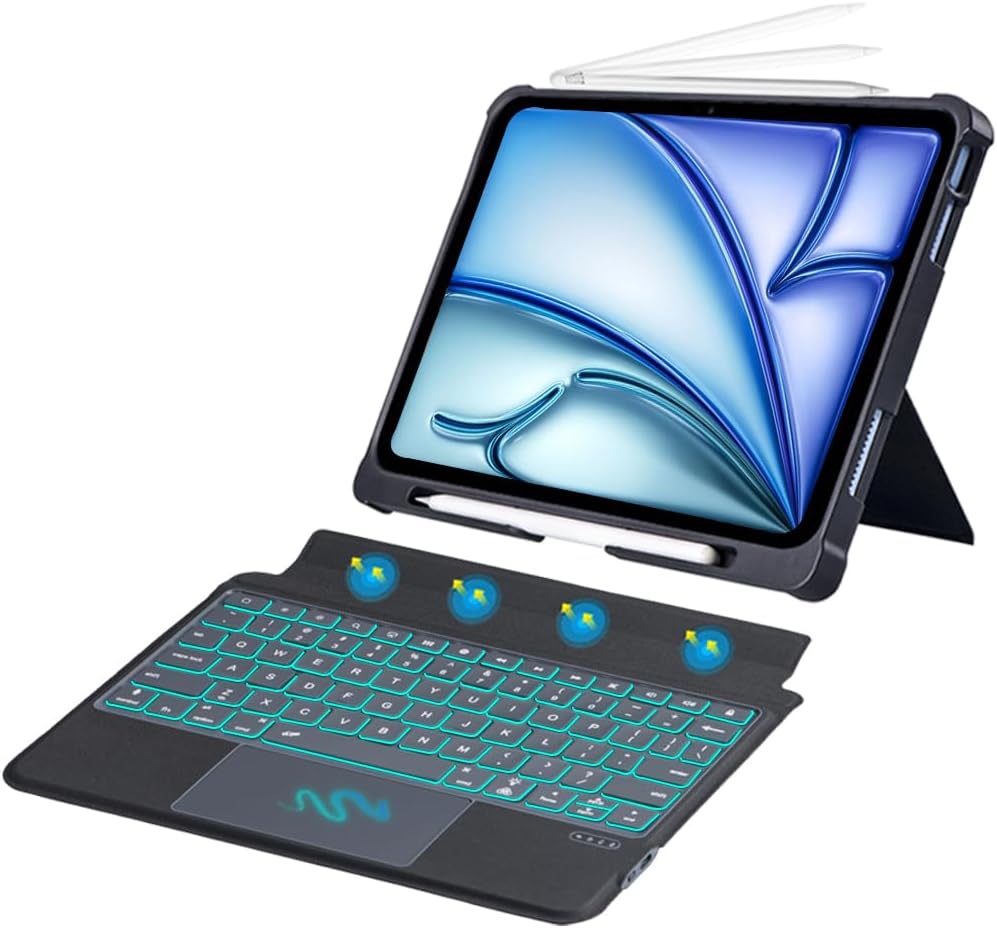
Слика: Надview of the TECPHILE iPad Keyboard Case components, including the case with an iPad and the detached wireless keyboard.
Водич за поставување
1. Прикачување на вашиот iPad на футролата
- Gently align your iPad Pro 12.9-inch with the case.
- Insert the iPad into the protective shell, ensuring all corners are securely fitted. The case provides full protection and features honeycomb heat release design.
- The case includes a dedicated pencil holder and supports wireless charging for your Apple Pencil.
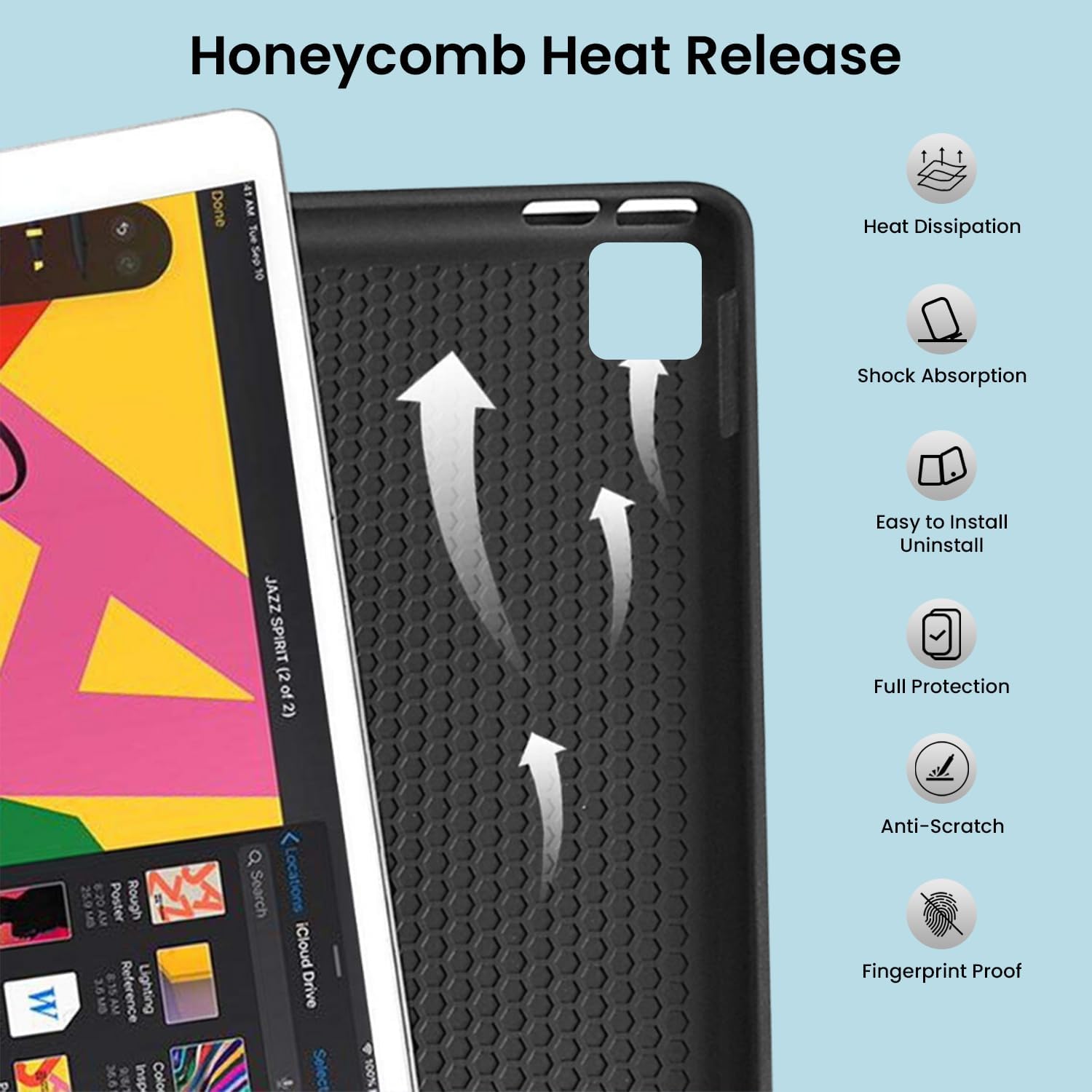
Image: Detail of the case's honeycomb structure for heat dissipation and protective features.

Image: Illustrates the wireless charging capability for the Apple Pencil and the integrated pencil holder.
2. Полнење на тастатурата
Before initial use, fully charge the keyboard. The keyboard has a 500mAh battery capacity.
- Пронајдете го USB-C приклучокот за полнење од страната на тастатурата.
- Connect the provided USB-C cable to the keyboard and a power source (e.g., USB wall adapter, computer USB port).
- The charging indicator light will illuminate. Once fully charged, the light may change or turn off.
A full charge provides approximately 80 hours of use without backlight or 5 hours with backlight enabled.

Image: Keyboard charging port and battery performance details.
3. Поврзување на тастатурата преку Bluetooth
The keyboard connects wirelessly to your iPad via Bluetooth.
- Осигурајте се дека тастатурата е наполнета и вклучена.
- На тастатурата, притиснете го Fn+Z keys simultaneously. The Bluetooth indicator light will start blinking, indicating it's in pairing mode.
- На вашиот iPad, одете на Поставки > Bluetooth.
- Вклучете Bluetooth. Вашиот iPad ќе пребарува достапни уреди.
- Locate and tap "Bluetooth Keyboard" (or similar name) in the list of devices to connect.
- Once connected, the Bluetooth indicator light on the keyboard will stop blinking.

Image: Visual guide for Bluetooth pairing process.
Упатства за работа
Функции на тастатурата
The detachable keyboard features a QWERTY layout with additional function keys for iPad control.
- Контрола на задно осветлување: Притиснете Fn + 💡 (light bulb icon) to turn on/off the backlight and cycle through 7 different colors. Press Fn + ☀️ (sun icon) to adjust the 3 levels of brightness.
- Full Shortcut Row: Access common iPad functions directly from the top row of keys.
- Intelligent Voice Input Function: Utilize the dedicated key for voice input.

Слика: Детална view of the keyboard's backlit keys and function controls.
Smart Multi-Gesture Trackpad
The integrated large trackpad supports multi-touch gestures for enhanced navigation.
- Основна навигација: Поместете го курсорот со лизгање на прстот преку тракпедот.
- Click Functions: Supports right and left click functions.
- Multi-Finger Gestures: Utilize native iPad multi-finger gestures for scrolling, swiping, and other actions. Refer to your iPad's settings for a full list of supported gestures.
- Turn On/Off Trackpad: Притиснете Fn + 🖱️ (trackpad icon) to enable or disable the trackpad.
Adjustable Kickstand and Usage Modes
The case features an adjustable kickstand that allows for multiple viewагли на вртење и режими на употреба.
- Режим на пишување: Position the iPad upright with the keyboard attached for a laptop-like experience.
- View Режим: Adjust the kickstand to a comfortable angle for watching videos or presentations without the keyboard.
- Режим на читање: Fold the keyboard behind the iPad for a tablet-like reading experience.
- Режим на скицирање: Lower the angle for drawing or writing with the Apple Pencil.
The kickstand offers a seamless range of angles, smoothly reclining from 30° to 160° while maintaining stability.

Image: Various usage modes enabled by the adjustable kickstand and detachable keyboard.
Функција за автоматско будење/спиење
The keyboard case includes an auto wake/sleep function to conserve battery life. Closing the case will put your iPad to sleep, and opening it will wake it up.
Одржување
- Чистење: Користете мека, гamp крпа за бришење на надворешноста на куќиштето и тастатурата. Избегнувајте груби хемикалии или абразивни материјали.
- Складирање: Кога не ја користите подолго време, чувајте ја кутијата за тастатура на ладно и суво место. Осигурајте се дека тастатурата е исклучена за да го зачувате траењето на батеријата.
- Нега на батеријата: To prolong battery life, avoid fully discharging the keyboard frequently. Charge it regularly.
Решавање проблеми
Тастатурата не се поврзува
- Проверете ја моќноста: Осигурајте се дека тастатурата е вклучена и дека батеријата е доволно наполнета.
- Повторно спарување на Bluetooth:
- На вашиот iPad, одете на Поставки > Bluetooth.
- Forget or unpair the "Bluetooth Keyboard" if it appears in "My Devices".
- Рестартирајте го вашиот iPad.
- Put the keyboard into pairing mode (press Fn+Z).
- Пребарај за and connect to the keyboard again on your iPad.
- Пречки: Оддалечете се од други безжични уреди што може да предизвикаат пречки.
Копчињата не реагираат
- Ниво на батерија: Наполнете ја тастатурата целосно.
- Bluetooth конекција: Проверете дали тастатурата е правилно поврзана преку Bluetooth.
- Рестартирајте: Исклучете ја тастатурата и повторно вклучете ја.
Trackpad Not Working
- Enable Trackpad: Ensure the trackpad is enabled by pressing Fn + 🖱️ (trackpad icon).
- Поставки за iPad: Check iPad accessibility settings for pointer control.
- Чистење на тракпедот: Ensure the trackpad surface is clean and free of debris.
Спецификации
| Име на моделот | T5509D |
| Компатибилност | iPad Pro 12.9" (6th, 5th, 4th, 3rd Gen) |
| Поврзување | Bluetooth |
| Распоред на тастатура | QWERTY |
| Задно осветлување | 7 Colors, 3 Brightness Levels |
| Подлога за песна | Large Multi-Gesture Trackpad |
| Капацитет на батеријата | 500 mAh (литиум јон) |
| Battery Life (Non-backlight) | До 80 часа |
| Battery Life (Backlight) | До 5 часа |
| Порта за полнење | USB-C |
| Димензии на производот | 29 x 24 x 2 cm |
| Тежина на ставката | 735 гр |
| Материјал | Leatherite and ABS Plastic |
| Посебни карактеристики | Adjustable Kickstand (30°-160°), Detachable Keyboard, Pencil Holder, Wireless Pencil Charging Support, Auto Wake/Sleep, Honeycomb Heat Release |
Гаранција и поддршка
For warranty information or technical support, please refer to the documentation included with your purchase or contact TECPHILE customer service through the retailer where the product was purchased. Please have your model number (T5509D) and purchase details ready when contacting support.
