1. Вовед
This manual provides detailed instructions for the Headwolf WPad5 Android 14 Tablet. Please read this guide thoroughly before using your device to ensure proper operation and to maximize its features. Keep this manual for future reference.
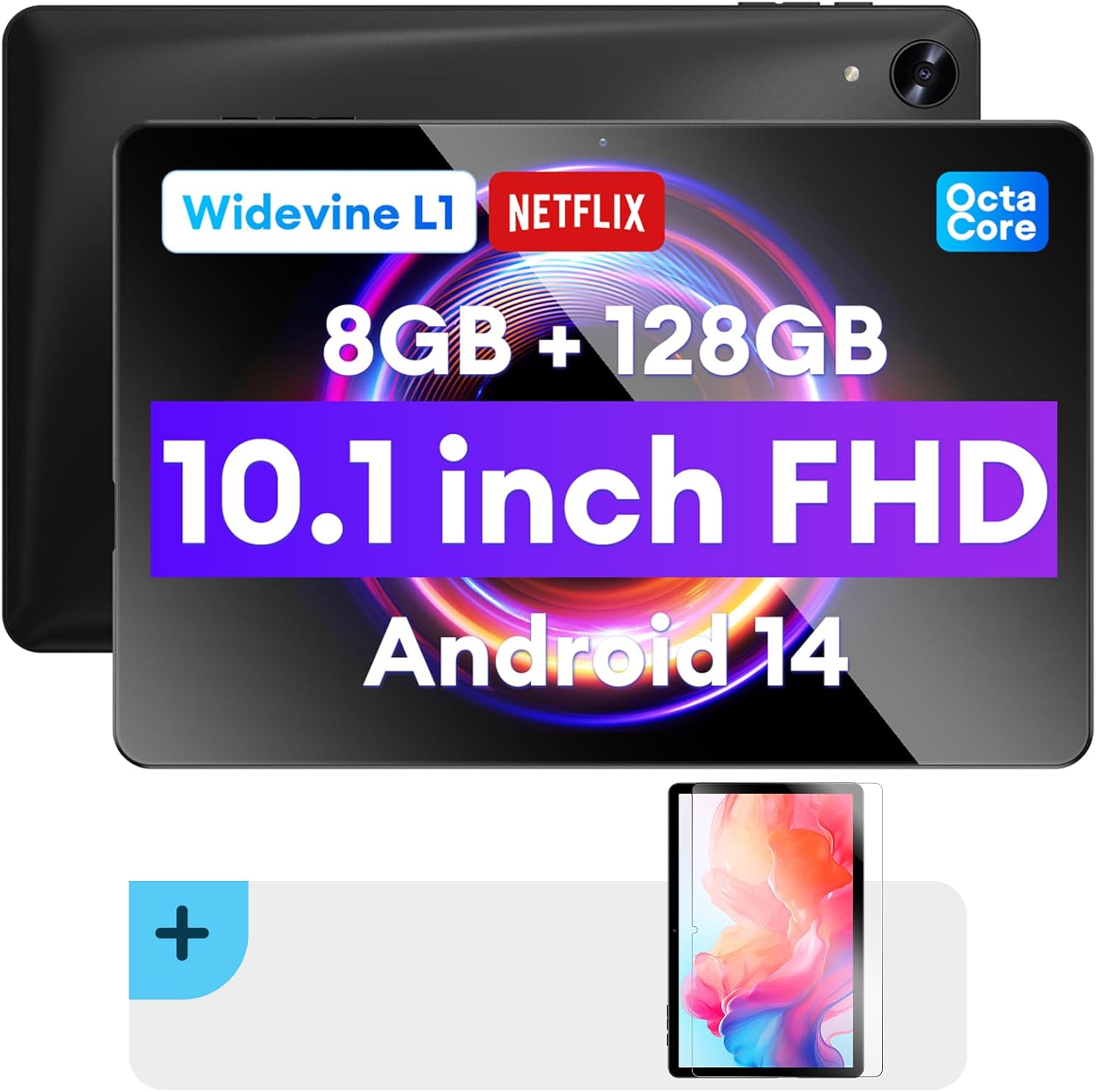
Слика: Напред и назад view of the Headwolf WPad5 tablet, showcasing its 10.1-inch FHD display, 8GB RAM + 128GB ROM, Widevine L1 support, Octa-Core processor, and Android 14 operating system.

Слика: Надview of the Headwolf WPad5 tablet's main features, including its 10.1-inch 1920x1200 IPS FHD display, Unisoc T606 Octa-Core CPU, 8GB RAM + 128GB ROM, 5500mAh battery, 2.4G/5G WiFi, Android 14, dual stereo speakers, dual camera, and Widevine L1 support for Netflix.
2. Поставување
2.1 Што има во кутијата
Upon unboxing your Headwolf WPad5 tablet, please verify that all the following items are included:
- Headwolf WPad5 Tablet
- Кабел тип-C
- AC адаптер
- Упатство за употреба
- 2-pack Screen Protector

Image: A visual representation of the Headwolf WPad5 tablet and its accessories (manual, Type-C cable, AC adapter). It also highlights the tablet's physical features such as the 3.5mm headphone jack, rear camera, power button, volume buttons, TF card slot, and Type-C port.
2.2 Полнење на таблетот
Before initial use, fully charge your tablet. Connect the Type-C cable to the tablet's Type-C port and the other end to the AC adapter. Plug the AC adapter into a power outlet. The battery indicator on the screen will show charging status.
2.3 Вклучување/исклучување
- За вклучување: Press and hold the Power button located on the side of the tablet until the Headwolf logo appears on the screen.
- За исклучување: Притиснете го и задржете го копчето за вклучување додека не се појави мени за вклучување. Изберете „Исклучи“ од опциите.
- За рестартирање: Од менито за вклучување, изберете „Рестартирај“.
2.4 Screen Protector Installation
Your tablet comes with two screen protectors. Follow these steps for installation:
- Clean the tablet screen thoroughly with a microfiber cloth to remove dust and smudges.
- Peel off the protective film from the adhesive side of the screen protector.
- Carefully align the screen protector with the tablet's screen, ensuring the cutouts for the camera and sensors match.
- Gently lay the protector onto the screen, starting from one edge and slowly lowering it.
- Use a soft card (e.g., a credit card wrapped in cloth) to smooth out any air bubbles, pushing them towards the edges.
- Remove the top protective film (if present).

Image: The Headwolf WPad5 tablet with an "Ultra Clear" advanced HD clarity tempered glass screen protector being shown, indicating its protective function and clear display.
3. Ракување со вашиот таблет
3.1 Оперативен систем Android 14
The Headwolf WPad5 runs on the latest Android 14 operating system, offering enhanced performance, improved privacy features, and a customizable user interface.
- GMS Free App Download: Access millions of applications through the Google Play Store.
- Функција на поделен екран: Enhance productivity by using two apps simultaneously.
- Прилагодување на корисничкиот интерфејс: Personalize your interface with various themes, widgets, and settings.
- Заштита на приватност: Advanced features to ensure your personal data remains secure and confidential.
- Personalized Screen Settings: Empower all users with enhanced usability options.

Image: A graphic illustrating the key features of the Android 14 system on the Headwolf WPad5, such as GMS free app download, UI customization, personalized screen settings, and privacy protection, enhancing user experience.
3.2 Display and Widevine L1 Certification
The tablet features a 10.1-inch FHD 1920x1200 IPS display, providing clear and vibrant visuals. With Widevine L1 certification, you can stream high-definition content from popular platforms like Netflix, Amazon Prime Video, Disney+, and YouTube without interruptions or quality degradation.

Image: A visual demonstrating the Widevine L1 certification on the Headwolf WPad5 tablet, showing high-quality streaming from services like YouTube, Netflix, Amazon Prime Video, Disney+, and Hulu, ensuring a premium viewискуство.
3.3 Перформанси и складирање
Powered by an octa-core Unisoc T606 CPU, the WPad5 ensures smooth multitasking and gaming. It comes with 8GB RAM (achieved via 4GB physical RAM + 4GB expansion) and 128GB of internal storage. The storage can be expanded up to 2TB using a microSD card (not included).

Image: A diagram detailing the Unisoc T606 Octa-Core CPU with 2.0 GHz peak frequency and Mali-G57 GPU, highlighting its high performance, efficient processing, and low heat generation for gaming and high-quality display.

Image: A graphic illustrating the generous storage capacity of the Headwolf WPad5, featuring 8GB RAM (4+4GB) and 128GB ROM, expandable up to 2TB via TF card, suitable for storing software, photos, music, videos, and e-books.
3.4 Поврзување
The WPad5 offers versatile connectivity options:
- Wi-Fi: Dual-band (2.4GHz/5GHz) 802.11ac for fast and stable internet connection.
- Bluetooth: Верзија 5.0 за поврзување на безжични додатоци.
- 3.5 мм приклучок за слушалки: За жичен аудио излез.
- GPS: 4-mode satellite positioning for precise location services. For offline navigation, download maps via Wi-Fi before traveling to areas without internet access.

Image: The Headwolf WPad5 tablet displaying a navigation map, illustrating its 4-mode satellite positioning capability for precise location services and route guidance.
3.5 Камери
Таблетот е опремен со двојни камери:
- Задна камера: 8MP за снимање фотографии и видеа.
- Предна камера: 5MP, ideal for video calls and online meetings.

Слика: Изложба на колажиasing the capabilities of the Headwolf WPad5's 8MP rear camera for capturing landscapes and moments, and the 5MP front camera for video conferencing and meetings, demonstrating its versatility.
3.6 Траење на батеријата
The WPad5 is powered by a 5500mAh battery, providing approximately 6-8 hours of playtime per charge, depending on usage.
3.7 Дополнителни карактеристики
- Поделен екран: Run two applications side-by-side for enhanced productivity.
- Отклучување со лице: Безбедно отклучете го вашиот таблет со помош на препознавање на лице.
- Пресликување на екранот: Cast your tablet's display to a larger screen wirelessly.
- Dual Box Stereo Speakers: Enjoy immersive audio with enhanced sound quality.
Слика: Графичка презентацијаasing various features of the Headwolf WPad5 tablet, including Split Screen functionality for multitasking, 2.4G/5G Dual Band WiFi for connectivity, Face Unlock for security, and Screen Mirroring for casting content to external displays.
4. Одржување
4.1 Грижа за батерии
- Избегнувајте често целосно празнење на батеријата.
- Не го изложувајте таблетот на екстремни температури.
- Користете го само испорачаниот полнач или сертифициран компатибилен полнач.
- The 5500mAh battery includes overcurrent, short circuit, over-discharge, and output protection for safety.

Image: A visual highlighting the 5500mAh battery of the Headwolf WPad5 and its built-in protection features: overcurrent protection, short circuit protection, over-discharge protection, and output protection, ensuring safe and reliable power.
4.2 Чистење на вашиот таблет
- Користете мека крпа што не остава влакненца за чистење на екранот и телото на таблетот.
- За тврдокорни дамки, малку дampИзмијте ја крпата со вода или со средство за чистење екрани специјално дизајнирано за електроника.
- Избегнувајте употреба на груби хемикалии, абразивни материјали или аеросолни спрејови.
4.3 Ажурирања на софтверот
Regularly check for and install software updates to ensure your tablet has the latest features, security patches, and performance improvements. You can usually find this option in the tablet's Settings menu under "System" or "About tablet".
5 Смена на проблеми
5.1 Заеднички прашања и решенија
| Прашање | Можно решение |
|---|---|
| Таблетот не се вклучува | Проверете дали батеријата е наполнета. Поврзете го полначот и почекајте неколку минути пред повторно да се обидете да го вклучите. Доколку не реагира, притиснете и задржете го копчето за вклучување 10-15 секунди за да го рестартирате. |
| Проблеми со Wi-Fi конекцијата | Рестартирајте го вашиот Wi-Fi рутер и таблетот. Заборавете на Wi-Fi мрежата на вашиот таблет и повторно поврзете се. Проверете дали сте во опсегот на Wi-Fi сигналот. |
| Апликациите се уриваат или замрзнуваат | Clear the app's cache and data in Settings > Apps. Update the app to its latest version. If the issue persists, uninstall and reinstall the app. |
| Бавни перформанси | Close unnecessary background apps. Clear cache data regularly. Consider uninstalling unused apps. Ensure sufficient free storage space. |
| Екранот не реагира | Рестартирајте го таблетот. Ако проблемот продолжи, извршете ресетирање на фабричките поставки (податоците ќе бидат изгубени). |
5.2 Фабричко ресетирање
A factory reset will erase all data from your tablet and restore it to its original factory settings. Направете резервна копија од сите важни податоци пред да продолжите.
- Одете на Поставки.
- Одете до Систем > Ресетирајте ги опциите.
- Изберете Избриши ги сите податоци (фабрички ресетирање).
- Потврдете го вашиот избор и следете ги упатствата на екранот.
6. Спецификации
| Карактеристика | Детал |
|---|---|
| Име на моделот | WPad5 |
| Оперативен систем | Андроид 14 |
| Големина на екранот | 10.1 инчи |
| Резолуција на екранот | 1920 x 1200 (FHD) |
| Процесор | Unisoc T606 со осум јадра |
| RAM меморија | 8GB (4GB + 4GB проширување) |
| Внатрешно складирање | 128 GB |
| Складирање што може да се прошири | До 2TB преку microSD картичка |
| Задна камера | 8 MP |
| Предна камера | 5 MP |
| Капацитет на батеријата | 5500 mAh |
| Безжично поврзување | 802.11ac (Dual-band 2.4GHz/5GHz) |
| Bluetooth | Bluetooth 5.0 |
| Пристаништа | Тип-C, 3.5 мм приклучок за слушалки |
| Боја | Црното |
| Посебни карактеристики | Widevine L1, GPS, Face Unlock, Dual Stereo Speakers, Split Screen, Screen Mirroring |
7. Гаранција и поддршка
Headwolf provides a one-year repair and replacement warranty for your WPad5 tablet. For any technical assistance, product inquiries, or warranty claims, please contact our dedicated customer service and technical support team.
- Услуга за клиенти: Available 24 hours. Please refer to the contact information provided with your purchase or on the official Headwolf webсајт.
- Техничка поддршка: Available for assistance with setup, troubleshooting, and feature usage.
- Онлајн ресурси: Посетете го Headwolf Store on Amazon за дополнителни информации за производот и поддршка.