Производот завршиview
The ZEBRONICS PIXAPLAY 58 is a smart projector designed for home entertainment and office use. It features 11500 lumens of brightness, supports 4K content, and projects an image up to 533cm (210 inches) in size. Equipped with a quad-core processor, it offers seamless performance and includes built-in Wi-Fi, Bluetooth, and app support for a comprehensive multimedia experience. The projector also features a long-life LED lamp and multiple connectivity options.
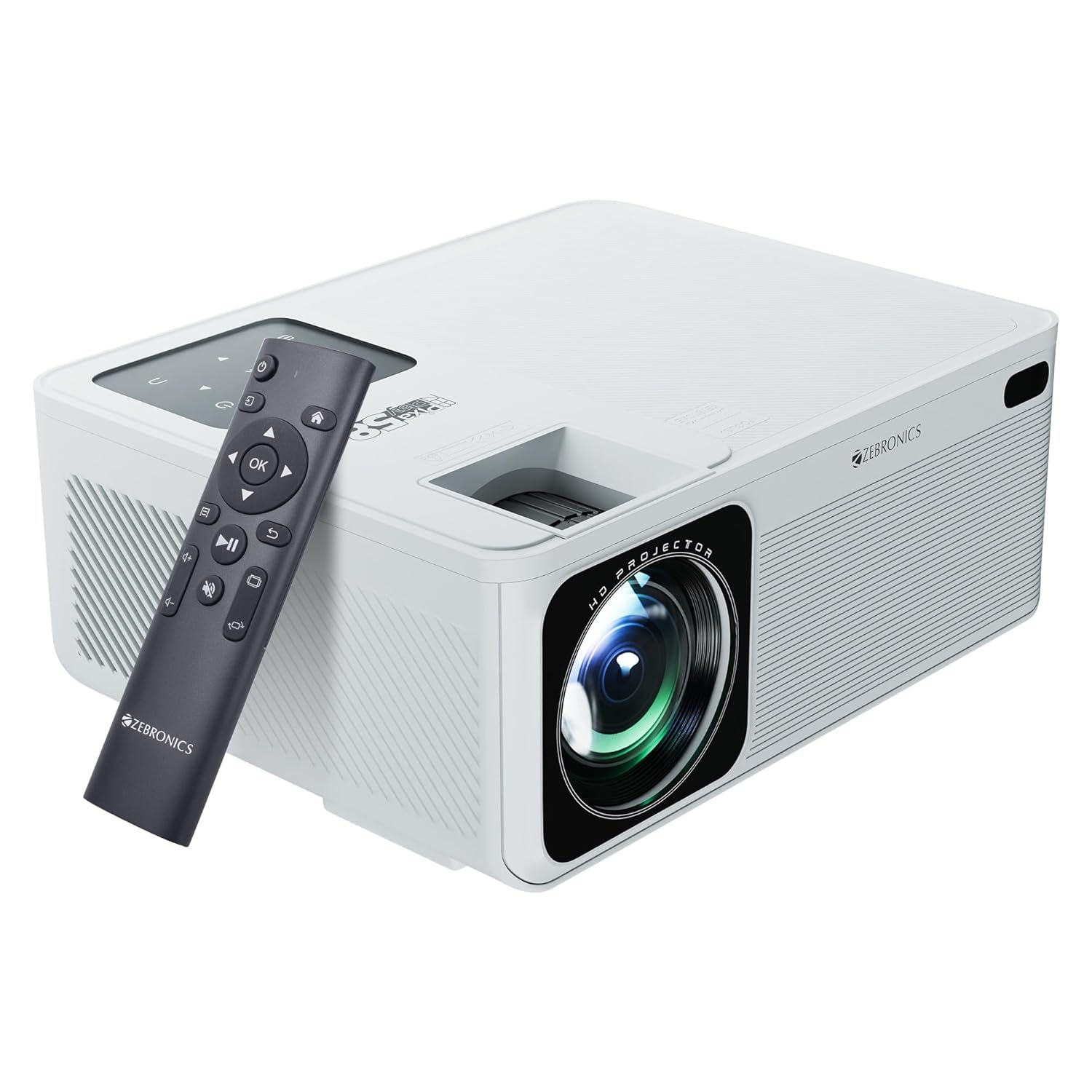
Image: The ZEBRONICS PIXAPLAY 58 Smart Projector shown with its remote control, highlighting its compact design and front lens.
Содржина на пакетот
По отпакувањето, проверете дали сите компоненти се присутни:
- Projector - 1 unit
- Remote Control - 1 unit
- QR Code - 1 unit (for digital resources)
- Power Cable (not explicitly listed but implied for operation)
Водич за поставување
1 Поставување
Position the projector on a stable, flat surface or mount it according to your preference. Ensure there is adequate ventilation around the device to prevent overheating. The projector is designed for tabletop mounting.

Image: The projector positioned on a surface, demonstrating its projection capability in a home environment.
2. Поврзување за напојување
- Поврзете го кабелот за напојување со влезниот приклучок за напојување на проекторот.
- Вклучете го другиот крај од кабелот за напојување во соодветен штекер.
3. Првично вклучување
Press the power button on the projector or the remote control to turn on the device. The projector will boot up and display the main interface.
4. Фокус и прилагодување на трапезоидот
Adjust the focus ring near the lens to achieve a clear image. Use the keystone correction feature to square the image if the projector is not perfectly perpendicular to the screen. This can typically be done via a physical adjustment on the projector or through the on-screen menu.
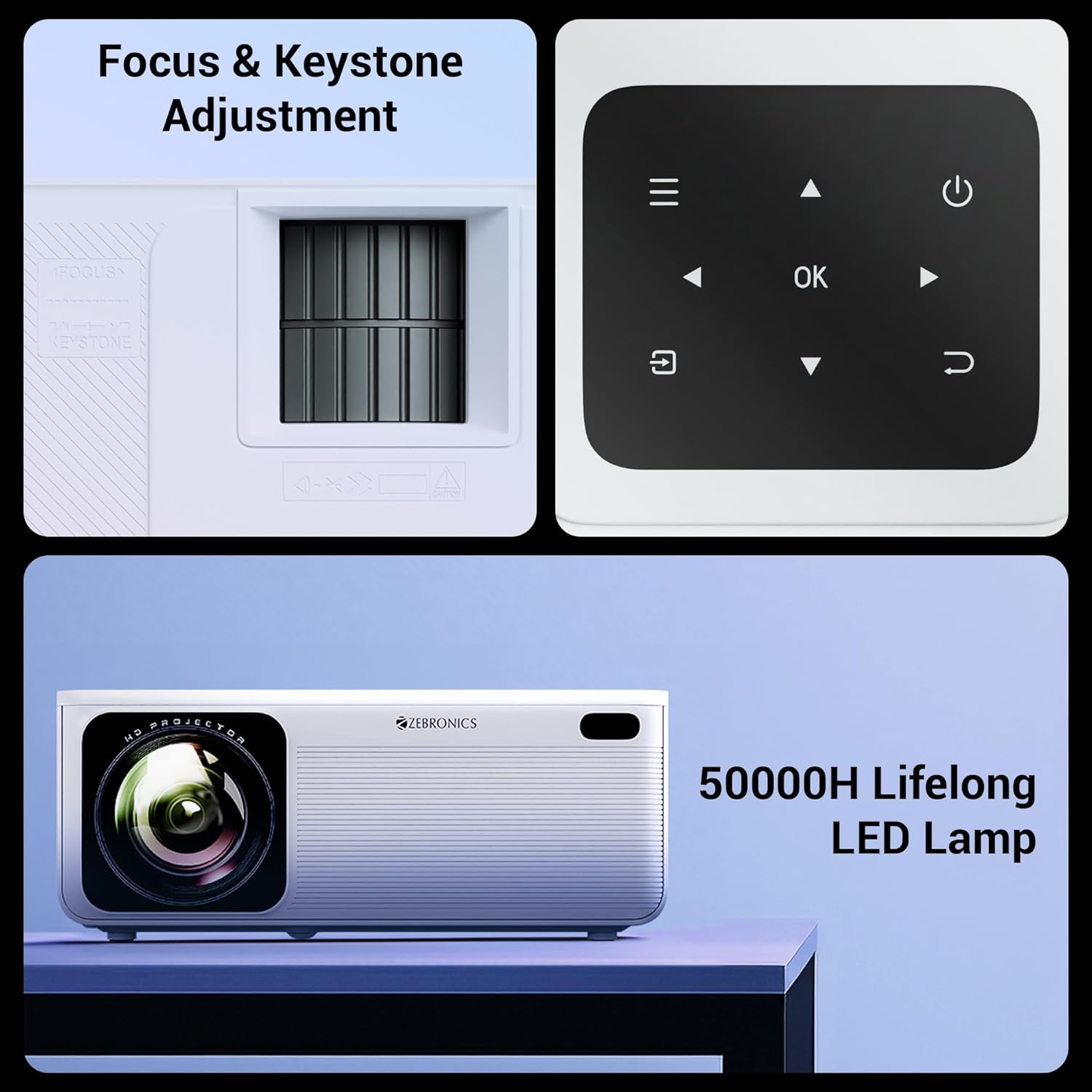
Слика: Детална view of the projector's manual focus and keystone adjustment mechanisms, along with the integrated control panel buttons.
Упатства за работа
1. Опции за поврзување
The ZEB-PixaPlay 58 offers versatile connectivity:
- HDMI: Connect up to three HDMI devices (laptops, gaming consoles, Blu-ray players) using the HDMI 1, HDMI 2, and HDMI 3 ports.
- USB: Two USB ports (USB 1, USB 2) are available for connecting USB drives for media playback.
- Bluetooth v5.0: Pair with external audio devices like speakers or headphones wirelessly.
- Wi-Fi: Connect to your home network for online streaming and app access. Supports both 2.4GHz and 5GHz bands.
- AV ВО: For connecting older devices with AV output.
- AUX OUT: For connecting to external audio systems via a 3.5mm audio jack.

Image: The rear panel of the projector displaying its various connectivity ports, including HDMI, USB, AV IN, and AUX OUT.
2. Smart Features and App Support
The projector runs on an Android-based system with a quad-core processor, allowing for direct installation and use of various applications. You can download OTT apps or utilize built-in ones for streaming content.

Image: A projected screen showing the user interface with various application icons, indicating built-in app support and smart functionality.
3. Пресликување на екранот
Effortlessly mirror content from your Android and iOS devices:
- Miracast: For Android devices. Ensure both the projector and your Android device are connected to the same Wi-Fi network. Select Miracast on the projector and initiate screen mirroring from your device.
- iOS Screen Mirroring: For Apple devices. Ensure both the projector and your iOS device are connected to the same Wi-Fi network. Select the iOS screen mirroring option on the projector and use AirPlay/Screen Mirroring from your iOS device's Control Center.
Одржување
1. LED Lamp Животот
The ZEB-PixaPlay 58 features a long-life LED lamp with an estimated lifespan of 50,000 hours. This significantly reduces the need for lamp замена.
2. Чистење
- Објектив: Користете мека крпа без влакненца, специјално дизајнирана за оптички леќи. Не користете абразивни средства за чистење или прекумерна сила.
- Надворешност: Wipe the projector's exterior with a soft, dry cloth. Avoid using liquid cleaners directly on the surface.
- Вентилациски отвори: Periodically check and gently clean the ventilation ports to ensure unobstructed airflow, which is crucial for maintaining optimal operating temperature.
Решавање проблеми
This section addresses common issues you might encounter with your ZEB-PixaPlay 58 projector.
| Проблем | Можна причина | Решение |
|---|---|---|
| Нема слика или сликата е заматена | Incorrect focus, input source not selected, cable not connected properly. | Adjust the focus ring. Ensure the correct input source (HDMI, USB) is selected. Check all cable connections. |
| Нема звук | Volume too low, external audio device not connected, incorrect audio output setting. | Increase volume. Check Bluetooth connection or AUX OUT connection. Ensure projector's audio output is set correctly. |
| Далечинскиот управувач не реагира | Low batteries, obstruction, remote not paired (if Bluetooth). | Replace batteries. Ensure no obstructions between remote and projector. Re-pair the remote if it's a Bluetooth model. |
| Проблеми со Wi-Fi конекцијата | Неточна лозинка, надвор од опсег, проблеми со рутерот. | Проверете ја лозинката за Wi-Fi. Доближете го проекторот до рутерот. Рестартирајте го рутерот и проекторот. |
| Не работи пресликувањето на екранот | Devices not on same network, mirroring feature not activated. | Ensure both devices are connected to the same Wi-Fi network. Activate Miracast/iOS mirroring on the projector. |
| Projector overheating/shuts down | Блокирана вентилација, продолжена употреба во топла средина. | Ensure ventilation ports are clear. Operate in a well-ventilated area. Allow projector to cool down. |
Спецификации
| Карактеристика | Детал |
|---|---|
| Бренд | ЗЕБРОНИКА |
| Име на моделот | ZEB-PixaPlay 58 |
| Димензии на производот | 10.6 x 32.5 x 10.6 cm |
| Тежина на ставката | 2 кг |
| Технологија на прикажување | LCD екран |
| Тип на дисплеј | LED |
| Мајчин резолуција | 1920 x 1080 пиксели (Full HD) |
| Поддржана резолуција | До 4K |
| Осветленост | 11500 лумени (макс.) |
| Сооднос на контраст на слика | 1500:1 |
| Сооднос на аспект | 16:9 |
| Максимална големина на екранот | До 533 см (210 инчи) |
| ЛЕР Л.amp Животот | 50,000 часа |
| Процесор | Четири-јадрен процесор |
| Поврзување | Bluetooth v5.0, HDMI (x3), USB (x2), AV IN, AUX OUT, Wi-Fi (2.4GHz & 5GHz) |
| Посебни карактеристики | Built-In Wi-Fi, Portable, Wireless, App Support, Miracast, iOS Screen Mirroring |
| Тип на монтирање | Монтирање на маса |
| Стапка на освежување | 60 Hz |

Image: A visual representation of the projector's dimensions, indicating its compact size.
Гаранција и поддршка
For warranty claims, technical support, or service inquiries, please contact ZEBRONICS customer service. Refer to your purchase documentation or the official ZEBRONICS website for the most up-to-date warranty terms and contact information.
Manufacturer: Zebronics India Private Limited
Address: No.13/7, Smith Road, Royapettah, Chennai-600002


