1. Вовед
This instruction manual provides essential information for the proper use and maintenance of your Anker SOLIX Water-Resistant Protective Bag. Designed to safeguard your Anker SOLIX C1000, C800, or C800 Plus Portable Power Station, this bag offers enhanced protection against environmental elements while allowing full functionality.

2. Клучни карактеристики
- Компатибилност: Specifically designed for Anker SOLIX C1000, C800, and C800 Plus Portable Power Stations.
- IP54 Водоотпорен: Constructed with water-resistant material and a specialized zipper design to protect the power station against rain and splashes.
- Подигнат дизајн: Features rubber feet that elevate the power station, keeping it off soaked or damp површини.
- Power While Inside Cover: Equipped with Velcro-secured flaps for easy access to multiple outlets, allowing charging and recharging without removing the cover.
- Secure Storage Space: Includes a handy storage compartment for chargers, cables, and other accessories.
- Материјал: Durable Polyester.
3. Поставување
- Распакувајте ја торбата: Carefully remove the protective bag from its packaging.
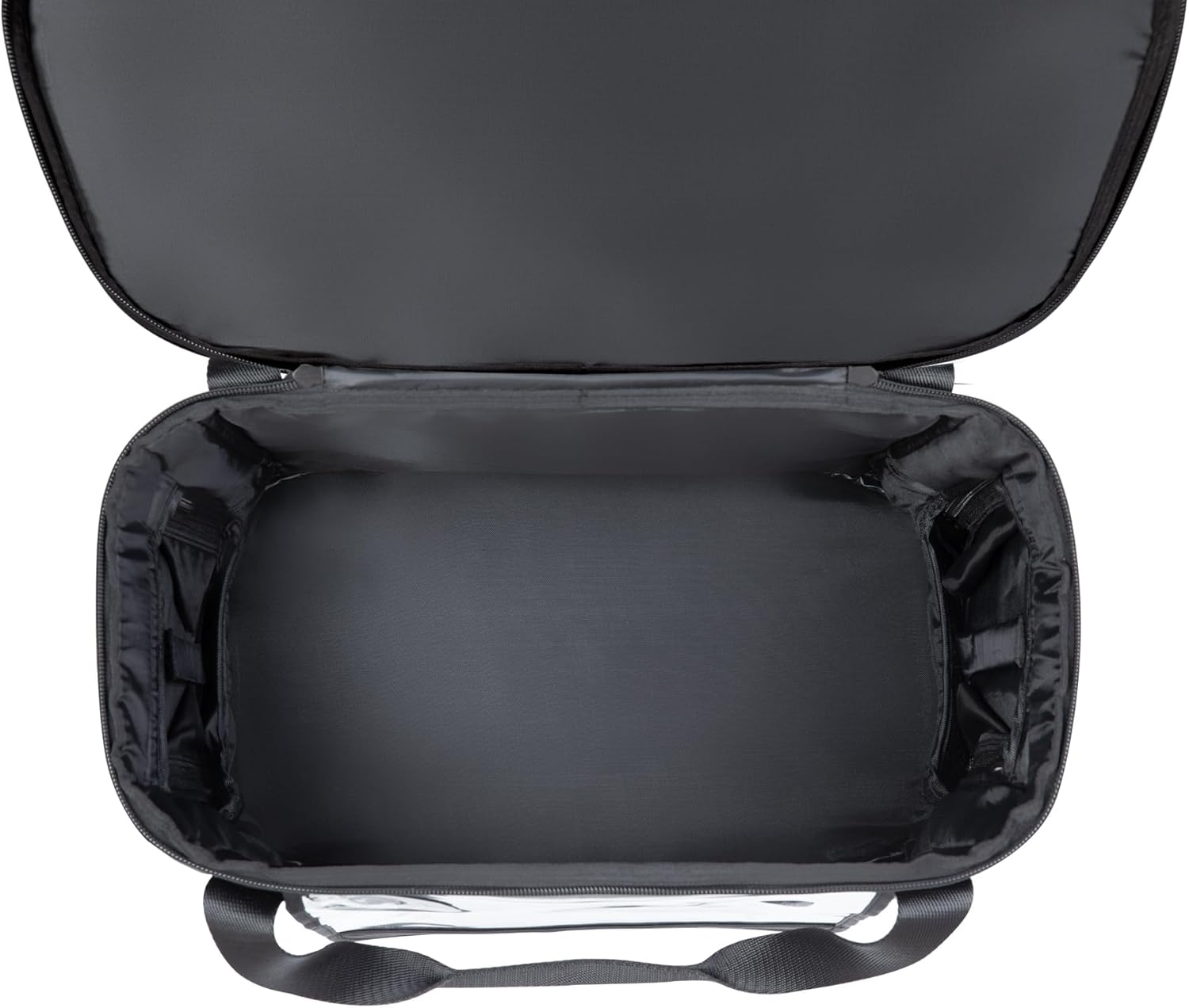
- Open the Main Compartment: Unzip the main compartment of the bag.
- Insert Power Station: Gently place your Anker SOLIX C1000, C800, or C800 Plus Portable Power Station into the bag. Ensure it sits securely at the bottom.
- Close Main Zipper: Zip up the main compartment to secure the power station.
- Организирајте кабли: Use the rear storage pocket to store any necessary charging cables or accessories.

4. Operating the Power Station within the Bag
- Accessing Outlets: The bag features Velcro-secured flaps on the sides and a clear plastic window on the front. Open these flaps to access the power station's outlets and display screen.
- Charging/Recharging: You can connect devices for charging or recharge the power station itself while it remains inside the protective bag. Ensure all connections are secure.
- Вентилација: When operating the power station, especially during high-power usage or charging, ensure that the side flaps are open to allow for adequate ventilation. This prevents overheating and ensures optimal performance.
- Видливост на екранот: The clear front window allows you to monitor the power station's display without exposing it to the elements.

5. Одржување
- Чистење: Избришете ја надворешноста на торбата со рекламаamp крпа. Не користете груби хемикалии или абразивни средства за чистење.
- Сушење: If the bag gets wet, allow it to air dry completely before storing to prevent mold or mildew.
- Складирање: Чувајте ја кесата на ладно и суво место, подалеку од директна сончева светлина кога не е во употреба.
- Нега на патент: Periodically check zippers for debris and ensure smooth operation. Lubricate if necessary with a silicone-based lubricant.
6 Смена на проблеми
- Прегревање: If the power station indicates overheating while inside the bag, ensure all ventilation flaps are fully open. Consider removing the power station from the bag in extreme heat conditions or for prolonged high-power usage.
- Навлегување на вода: While the bag is water-resistant (IP54 closed / IP33 open), it is not fully waterproof. Avoid submerging the bag or exposing it to heavy, continuous downpours. If water enters, immediately remove the power station and allow both to dry thoroughly.
- Difficulty with Zippers/Flaps: Ensure no fabric is caught in the zippers. For stiff zippers, apply a small amount of zipper lubricant.
7. Спецификации
| Спецификација | Вредност |
|---|---|
| Димензии на производот | 14.8 x 8.07 x 10.51 инчи |
| Тежина на ставката | 2.07 фунти |
| Материјал | Полиестер |
| Dust/Water Resistance Level | IP54 (Closed) / IP33 (Open) |
| Број на модел | A17Z4 |
8. Гаранција и поддршка
This Anker SOLIX Water-Resistant Protective Bag comes with a 3-месечна гаранција from the date of purchase. For warranty claims, technical support, or any inquiries, please contact Anker customer service through their official webлокацијата или продавачот на мало каде што е купен производот. Ве молиме задржете го доказот за купување за потврда на гаранцијата.


