1. Вовед
This manual provides detailed instructions for the installation, operation, and maintenance of your XMARTO Wireless PTZ Security Camera System. This system features 10X optical zoom, AI auto-tracking, 6MP dual-lens cameras, a 12-inch LCD monitor NVR, and a 1TB HDD for local storage. Please read this manual thoroughly before using the product to ensure proper functionality and safety.
2. Содржина на пакетот
Проверете дали сите артикли наведени подолу се вклучени во вашиот пакет. Доколку некои артикли недостасуваат или се оштетени, ве молиме контактирајте ја службата за корисници.

Image: Package Contents Overview
- 10-channel 4K WiFi NVR with 12-inch LCD Monitor (x1)
- Dual-lens PTZ Cameras (x10)
- HDMI кабел (x1)
- 12V 1A Power Adapter for Camera (x10)
- 12V 2A Power Adapter for NVR (x1)
- USB глушец (x1)
- 3ft Ethernet Cable (x1)
- Упатство за корисник (x1)
- Комплети за монтирање (x10)
- Налепница за надзор (x2)
3. Карактеристики на производот
3.1. 10X Hybrid Zoom Dual-Lens Cameras
The cameras are equipped with a dual-lens system: a 2.8mm ultra-wide angle lens for broad coverage and an 8mm telephoto lens for detailed long-distance viewing. This combination enables a 10X hybrid zoom capability, allowing you to zoom in on specific areas without significant loss of clarity.

Image: Dual Lens 10X Zoom Capability
3.2. AI Auto Tracking
The cameras feature advanced AI auto-tracking, which automatically detects and follows human, animal, and vehicle movements within the surveillance area. After tracking, the camera will return to its pre-set home position, ensuring continuous monitoring of critical zones.

Image: AI Automatic Tracking in action
Video: Demonstration of the camera's AI tracking capabilities, showing it following a person in a yard.
3.3. Easy Remote Viewинг
Access your camera feeds from anywhere using the free mobile applications available for iOS, Android, PC, Mac, and Alexa-enabled devices. View multiple cameras simultaneously and control PTZ functions remotely.

Слика: Далечински управувач Viewing on Multiple Devices
Видео: Надview of the XMARTO SYS-60104 WiFi Camera System, demonstrating its features and ease of use.
3.4. Two-Way Audio and Deterrence
Each camera includes a built-in microphone and speaker, enabling two-way communication. You can hear audio from the camera's location and speak through the camera using the mobile app. A siren function is also available to deter unwanted visitors.

Image: Two-Way Audio and Siren Functionality
3.5. IR and Color Night Vision
The cameras offer both infrared (IR) and color night vision modes. IR LEDs provide clear black-and-white vision up to 100ft in complete darkness, while integrated floodlights enable color night vision for areas within 20ft. You can configure the system to use either mode or switch automatically based on lighting conditions.

Image: IR and Color Night Vision Modes
Video: Sampле фуtage demonstrating both daytime and night vision views, including AI tracking functionality.
3.6. WiFi 6 and Long-Range Connectivity
The system utilizes WiFi 6 technology for enhanced wireless performance and extended range. This allows for reliable connection between the cameras and the NVR, even across significant distances, up to 1300ft line of sight.

Image: WiFi 6 Long-Range Connectivity
3.7. 1TB Local Storage
The NVR includes a pre-installed 1TB hard disk drive (HDD), providing ample local storage for continuous recording without monthly fees. The system supports H.265 encoding, which efficiently compresses video files to maximize storage capacity.

Image: 1TB Local Storage and NVR
4. Водич за поставување
4.1. Identifying Camera Components
Familiarize yourself with the various parts of the PTZ camera:

Image: XMARTO Camera Components
- Антена: За прием на безжичен сигнал.
- Detachable Mounting Bracket: За инсталација.
- 2.8mm Ultra-wide angle Lens: Обезбедува широко поле на view.
- 8mm Telephoto Lens: For zoomed-in views.
- Infrared & Spotlight 2-in-1 LEDs: For night vision and illumination.
- Микрофон: За аудио влез.
- 12V DC Power Port: За поврзување со струја.
- Говорник: За двонасочен аудио излез и сирена.
- Reset Key & Micro SD Card Slot: For system reset and local storage expansion.
4.2. Identifying NVR Components
Familiarize yourself with the various parts of the NVR:

Image: XMARTO NVR Components
- 12.1-инчен HD екран: Integrated display for live view и репродукција.
- Индикатор за напојување: Го покажува статусот на моќност.
- ВКЛУЧЕНО/ИСКЛУЧЕНО ЕКРАН: Button to control the display.
- Hard drive indicator: Shows HDD activity.
- Застанете: For desktop placement.
- WiFi 6 antennas: За безжична конекција.
- Говорник: За аудио излез.
- 12V DC in: Power input for the NVR.
- USB порта: For mouse, USB backup, or firmware updates.
- HDMI видео излез: За поврзување со надворешен монитор или телевизор.
- Мрежна порта RJ45: За жична мрежна конекција.
- Ресетирај: Button to reset NVR settings.
- Слот за Micro SD картичка: За дополнително складирање.
- SATA hard drive dock: For internal HDD.
- Wall-mounting hole: За монтажа на ѕид.
4.3. Чекори за почетно поставување
- Поврзување за напојување: Connect the 12V 2A power adapter to the NVR and plug it into an electrical outlet. Connect each camera to its respective 12V 1A power adapter and plug them into outlets.
- NVR Boot-up: The NVR will power on automatically. The integrated 12-inch LCD monitor will display the live camera feeds once the cameras connect wirelessly.
- Поврзување со глушец: Connect the USB mouse to the NVR's USB port for navigation and configuration.
- Мрежна конекција (опционално): За далечински viewing and firmware updates, connect the NVR to your router using the Ethernet cable or configure WiFi settings via the NVR menu.
- Поставување мобилна апликација: Download the XMARTO mobile application (WallPixel App) from your device's app store. Follow the in-app instructions to add your NVR system for remote access.
5. Упатства за работа
5.1. Во живо View и Репродукција
- На NVR мониторот: The NVR's integrated screen displays live feeds. Use the USB mouse to navigate menus, switch views (single camera, multi-camera), and access playback options.
- On External Monitor/TV: Connect an external monitor or TV to the NVR via the HDMI port for a larger display.
- На мобилна апликација: Open the XMARTO app on your smartphone or tablet. Select the desired camera to view живеј фаоtagили пристап до снимени настани.
5.2. PTZ Control and Zoom
Pan, Tilt, and Zoom (PTZ) functions can be controlled via the NVR interface or the mobile application. Use the on-screen controls to adjust the camera's direction and utilize the 10X hybrid zoom to focus on specific details.
5.3. Двонасочно аудио и сирена
From the mobile app, you can activate the microphone to listen to audio near the camera or use the speaker to speak through the camera. The siren function can be triggered manually from the app to deter intruders.
5.4. Снимање и складирање
Системот континуирано снима хранаtage to the pre-installed 1TB HDD. Motion-triggered recordings are also supported. Access recorded footage through the NVR's playback menu or the mobile app's playback feature.
6. Одржување
- Чистење: Редовно чистете ги леќите на камерата со мека, сува крпа за да обезбедите јасен квалитет на сликата. Не користете груби хемикалии.
- Ажурирања на фирмверот: Check for and install firmware updates periodically to ensure optimal performance and access to new features. Updates can typically be performed via the NVR's system settings or the mobile app.
- Управување со хард диск: The 1TB HDD will overwrite the oldest footage when full. If you require longer retention, consider backing up important footage or upgrading the HDD (if supported by the NVR model).
- Напојување: Ensure all power adapters are securely connected and free from damage.
7 Смена на проблеми
- Нема слика на екранот:
- Check if the NVR and cameras are powered on.
- Ensure the NVR's screen is turned on.
- If using an external monitor, verify the HDMI cable connection and monitor input source. - Poor Wireless Connection:
- Ensure cameras are within the NVR's WiFi range. Obstacles like thick walls can reduce signal strength.
- Reposition antennas on both NVR and cameras for better reception.
- Reduce interference from other wireless devices. - Следењето со вештачка интелигенција не работи:
- Ensure the AI tracking feature is enabled in the camera settings.
- Verify that the camera's field of view е чист и не е попречен.
- Adjust motion detection sensitivity if necessary. - Нема аудио/Лош квалитет на аудио:
- Check microphone and speaker settings in the NVR or mobile app.
- Ensure there are no physical obstructions blocking the microphone or speaker on the camera. - Не може да се пристапи од далечина:
- Verify the NVR is connected to the internet (Ethernet or WiFi).
- Ensure the mobile app is correctly configured and linked to your NVR system.
- Check your router's firewall settings if connection issues persist.
8. Спецификации
| Карактеристика | Спецификација |
|---|---|
| Бренд | xmartO |
| Технологија за поврзување | Безжичен |
| Резолуција за снимање видео | 2K, 4K |
| Специјална карактеристика | Night Vision, AI Auto Tracking, 10X Zoom |
| Број на канали | 10 |
| Капацитет за складирање на меморија | 1 TB (HDD Included) |
| Извор на енергија | Електричен со кабел |
| Компатибилни уреди | Cameras, iOS, Android, PC, Mac, Alexa |
| Технологија на слаба осветленост | Ноќна визија |
| Опсег на ноќни визии | 100 Feet (IR) |
| Стапка на слики | 30 fps |
| Режим на снимање | Continuous, Motion-activated |
| Хардверски интерфејс | 802.11 ac/b/g/n (WiFi 6) |
| Тип на објектив | Dual-Lens (2.8mm, 8mm) |
| Видео влез | HDMI, IP |
9. Гаранција и поддршка
XMARTO provides comprehensive after-sales support for your security camera system:
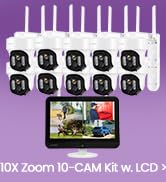
Image: After-sales Support Overview
- 30-дневна гаранција за враќање на парите: Доколку не сте задоволни од вашата нарачка, можете да ја вратите во рок од 30 дена за целосна наплата на парите.
- 1-годишна Ограничена гаранција: The product is covered by a 1-year limited warranty against manufacturing defects.
- 24/7 Интернет поддршка: Access 1-on-1 online support for any technical assistance or inquiries.
For further assistance, please visit the official XMARTO webстраницата или директно контактирајте ја нивната служба за корисници.